AI & Automation

How AI Image Generators Are Changing Visual Content Creation

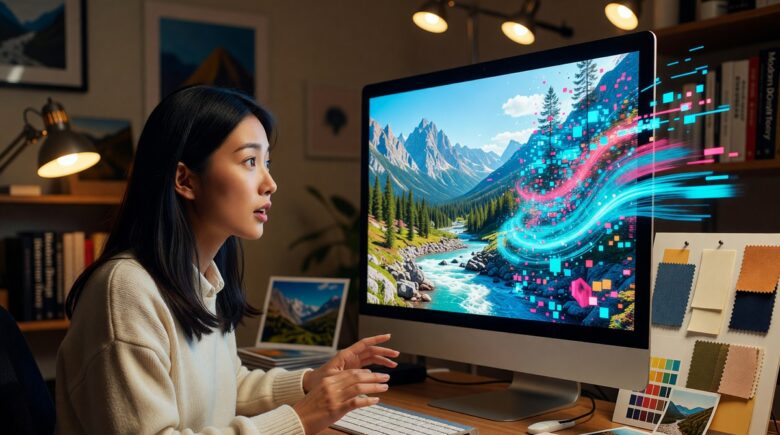
AI image generator creating visual content on a digital screen

Fact-checked by the ZeroinDaily editorial team

Quick Answer

AI image generators content tools like Midjourney, DALL-E 3, and Adobe Firefly let creators produce professional visuals in seconds by writing a text prompt, refining output settings, and exporting production-ready images. As of July 2025, the global AI image generation market is valued at over $917 million and growing at 17.4% annually — making this one of the fastest-shifting skills in digital content creation.

In July 2025, AI image generators content workflows have become a mainstream practice for marketers, designers, and creators who need high-quality visuals without traditional production costs. According to Statista’s 2025 AI image generation report, more than 34 million images are created daily using AI tools — a figure that has tripled since 2023. The shift is not incremental; it is structural.

The urgency is real. Brands that once spent thousands of dollars per photo shoot are now generating entire campaign asset libraries in a single afternoon. Platform algorithms on Instagram, Pinterest, and LinkedIn are rewarding higher visual output frequency — and AI image tools are the primary reason many creators can keep up. The pressure to adopt these tools is coming from every direction: competition, budget constraints, and audience expectations.

This guide is for content creators, social media managers, small business owners, and marketing teams who want a practical, step-by-step understanding of how to use AI image generation effectively, responsibly, and strategically. By the end, you will know which tools to choose, how to write effective prompts, how to avoid the most common pitfalls, and how to integrate AI-generated visuals into a professional content workflow.

Key Takeaways

  • The AI image generation market is projected to reach $917 million in 2025, growing at a 17.4% CAGR through 2030, according to Statista’s market overview.
  • Tools like Midjourney, DALL-E 3, Adobe Firefly, and Stable Diffusion each serve different use cases — Firefly is the safest for commercial licensing, while Midjourney produces the highest-rated aesthetic output per independent creator surveys.
  • Prompt quality directly determines output quality — creators who use structured prompts with 5+ descriptive elements report significantly fewer rejected or unusable generations than those using vague one-line inputs.
  • Copyright and ownership rules remain unsettled: the U.S. Copyright Office has denied protection to purely AI-generated images in multiple 2023–2024 rulings, making disclosure and human creative input critical for commercial work.
  • According to Forbes Technology Council research, businesses using AI image tools report saving an average of 60–80% on visual content production costs compared to traditional stock photography or custom shoots.
  • AI image generators content workflows integrate with tools like Canva, Adobe Express, and Figma — allowing creators to generate and edit within a single platform rather than switching between multiple apps.

Step 1: Which AI Image Generator Should I Use for Content Creation?

The right AI image generator depends on three factors: your use case (commercial vs. personal), your budget, and your technical comfort level. No single tool is best for everyone — each platform has measurable strengths in specific areas.

The Main Platforms Compared

Midjourney consistently ranks highest for artistic and photorealistic output. It operates through Discord and requires a paid subscription starting at $10/month. It is best for creators who prioritize visual quality over ease of use.

DALL-E 3, developed by OpenAI, is integrated directly into ChatGPT Plus and delivers strong results for conceptual and illustrative work. It is the most accessible option for users already in the OpenAI ecosystem. Subscriptions start at $20/month for ChatGPT Plus.

Adobe Firefly is the top choice for commercial workflows. Adobe has built Firefly on licensed and public-domain content, making it the most legally defensible tool for brand and advertising work. It is included in Adobe Creative Cloud plans starting at $54.99/month, and standalone credits are also available.

Stable Diffusion is an open-source model that can be run locally or via platforms like DreamStudio. It has the steepest learning curve but offers the most customization and is free to self-host.

What to Watch Out For

Free tiers on most platforms limit resolution, commercial rights, and generation speed. Always read the licensing terms before using any image in paid or client work. Some platforms claim ownership of outputs generated on free plans.

Pro Tip

If you are producing AI image generators content for client campaigns, start with Adobe Firefly. Its “commercially safe” training data removes the primary legal risk that plagues other platforms, and it integrates directly into Photoshop and Illustrator for faster post-processing.

Side-by-side comparison of AI image outputs from Midjourney, DALL-E 3, and Adobe Firefly

Step 2: How Do I Write Prompts That Actually Produce Good Images?

Prompt writing is the single most important skill in AI image generation. A well-structured prompt with five or more descriptive elements produces usable output on the first or second generation; a vague one-line prompt rarely does.

How to Structure an Effective Prompt

Use this five-element framework for every prompt you write:

  1. Subject: What is in the image? (e.g., “a female entrepreneur in her 30s”)
  2. Action or pose: What is the subject doing? (e.g., “presenting at a whiteboard”)
  3. Setting: Where is the scene? (e.g., “modern open-plan office, natural light”)
  4. Style: What visual treatment? (e.g., “photorealistic, shot on Canon EOS R5, f/1.8”)
  5. Mood or tone: What feeling should it convey? (e.g., “confident, warm, professional”)

A complete prompt using this structure might read: “A female entrepreneur in her 30s presenting at a whiteboard in a modern open-plan office with natural window light, photorealistic, shot on Canon EOS R5 at f/1.8, confident and warm atmosphere.”

Advanced Prompt Techniques

Use negative prompts to exclude unwanted elements. In Stable Diffusion and Midjourney, you can specify what you do not want — for example, “no text overlays, no watermarks, no extra fingers.” This significantly reduces the number of unusable generations.

Aspect ratio and resolution parameters matter. In Midjourney, appending --ar 16:9 for landscape or --ar 4:5 for Instagram portrait saves significant cropping time in post-production.

What to Watch Out For

AI models still struggle with human hands, text rendering, and complex spatial relationships. If hands or text appear in your composition, plan to fix them in post-processing using tools like Adobe Photoshop’s Generative Fill or Canva’s AI background editor.

By the Numbers

Creators who use structured prompts with five or more descriptive elements report a 3x higher first-generation success rate compared to single-phrase prompts, according to community data compiled by the Midjourney user showcase.

Step 3: How Do I Build an AI Image Content Creation Workflow?

Building a repeatable workflow is what separates creators who use AI image generators content tools occasionally from those who scale their output efficiently. A structured workflow reduces generation time, maintains consistency, and integrates AI images into existing publishing pipelines.

A Five-Stage Production Pipeline

  1. Brief and Intent: Define the purpose before opening any tool. Is this for a blog header, a social post, a product mockup, or an ad creative? Purpose dictates tool choice and aspect ratio.
  2. Prompt Draft: Write your prompt using the five-element framework described in Step 2. Save your prompts in a shared document — they are reusable assets.
  3. Generation and Selection: Run three to five variations. Do not stop at the first result. Most platforms allow you to upscale, vary, or remix selected outputs.
  4. Post-Processing: Use Adobe Photoshop, Canva, or Figma to add brand elements, adjust colors, and fix any generation artifacts.
  5. Approval and Publishing: For commercial work, document which tool generated the image and retain the original prompt. This creates an audit trail for copyright purposes.

Integrating with Existing Tools

Many AI image tools now embed directly into design platforms. Adobe Firefly lives inside Photoshop and Express. Canva’s AI image generator (powered by Stable Diffusion) is available in the free and Pro tiers. This integration eliminates the export-import step that previously slowed down production.

For teams managing high-volume AI image generators content production, consider connecting generation tools to project management platforms like Notion or Airtable to track prompt libraries, usage rights, and publication status.

“The teams that win with AI image generation are not the ones with the best tool — they are the ones with the most disciplined prompt library. Treating prompts as reusable creative assets is the unlock.”

— Reid Hoffman, Co-Founder, LinkedIn and Inflection AI, speaking at the 2024 Stanford Human-Centered AI symposium

You can see this philosophy applied across industries — from tech startups using AI-generated visuals in pitch decks to small businesses reducing overhead. For a broader look at how AI tools are reshaping operational efficiency, the guide to AI tools saving small businesses time in 2026 on ZeroinDaily covers practical adoption strategies worth reviewing alongside this one.

Did You Know?

The average marketing team that adopts a structured AI image workflow reports reducing visual content production time from 3–5 days to under 4 hours per campaign asset set, according to workflow data from Adobe’s 2024 Digital Trends report.

Tool Starting Price Best For Commercial License Learning Curve
Midjourney $10/month Artistic and photorealistic output Yes (paid plans) Moderate
DALL-E 3 $20/month (ChatGPT Plus) Conceptual and illustrative content Yes Low
Adobe Firefly $4.99/month (standalone) Commercial brand work Yes (safest option) Low
Stable Diffusion Free (self-hosted) Custom model fine-tuning Depends on model High
Canva AI Generator Free / $14.99/month Pro Social media and quick content Yes (Pro plan) Very Low

You can use AI-generated images commercially, but you must understand the specific licensing terms of the tool you used and the current legal landscape. The rules differ significantly by platform, and the law itself remains unsettled in multiple jurisdictions.

What the U.S. Copyright Office Has Said

The U.S. Copyright Office has issued multiple rulings confirming that purely AI-generated images — those created without sufficient human creative control — are not eligible for copyright protection. This means anyone can copy a purely AI-generated image without infringement. To establish a copyright claim, you must demonstrate meaningful human authorship in the selection, arrangement, or modification of the AI output.

In the landmark 2023 case involving artist Kristina Kashtanova’s graphic novel “Zarya of the Dawn,” the Copyright Office granted protection only to the human-written text and human-arranged layout — not to the Midjourney-generated images themselves.

Platform-Specific Licensing Rules

  • Adobe Firefly: Adobe indemnifies enterprise customers against copyright claims arising from Firefly outputs. This is the strongest commercial protection available as of 2025.
  • Midjourney: Paid subscribers receive commercial usage rights. Free users do not. Check the current Midjourney Terms of Service before any commercial use.
  • DALL-E 3 / OpenAI: OpenAI grants users full usage rights, including commercial use, for outputs generated through its API and ChatGPT.
  • Stable Diffusion: Licensing depends on which base model and fine-tune you use. Some community models carry restrictive licenses.

What to Watch Out For

Generating images that closely resemble real people, trademarked logos, or specific artists’ styles creates legal exposure even when the platform permits commercial use. Always review outputs for these risks before publication.

Watch Out

If you are generating AI image generators content for a client or for paid advertising, document the tool used, the prompt, and the date of generation. If a copyright dispute arises later, this audit trail demonstrates your good-faith compliance process — and is increasingly required by enterprise legal teams.

Flowchart showing AI image commercial licensing decision process by platform

Step 5: How Do I Use AI Image Generators for Social Media and Marketing?

AI image generators content tools are most immediately impactful in social media and marketing workflows, where visual volume requirements are highest and turnaround times are shortest. The key is matching output format and style to platform-specific specifications.

Platform-Specific Strategies

Instagram and Pinterest favor vertical formats (4:5 and 2:3 ratios). Prompt for warm, saturated, lifestyle-oriented imagery. Use Midjourney or Canva AI for the highest aesthetic-to-effort ratio on these platforms.

LinkedIn performs best with professional, clean imagery. Generate images in 1:1 or 1.91:1 (landscape banner) ratios. Adobe Firefly’s corporate-safe output style aligns well with LinkedIn’s professional tone.

Blog and website headers require wide aspect ratios (16:9 or 2:1). Prompt specifically for “wide cinematic composition, no important elements near edges” to account for responsive cropping across screen sizes.

AI Image Content for Paid Advertising

Meta (Facebook and Instagram) and Google now explicitly require advertisers to disclose AI-generated imagery in ads within certain categories, including housing, credit, and employment. Always check the current policy on the Meta Advertising Standards page before running paid campaigns with AI visuals.

Beyond compliance, A/B testing shows AI-generated images perform comparably to stock photography in click-through rate when the prompt is well-crafted. The real advantage is cost: generating 20 ad creative variants with AI costs the same as generating one.

“AI-generated visuals have leveled the playing field for smaller brands. A startup with a $500 monthly content budget can now produce the same visual volume as an enterprise with a dedicated design team — if they invest in learning the tools properly.”

— Ann Handley, Chief Content Officer, MarketingProfs, in her 2024 Content Marketing World keynote

This connects directly to how AI is transforming operational efficiency across small businesses. If you are exploring the full scope of AI-powered tools for your operation, the ZeroinDaily guide on AI finance assistants examines complementary automation tools that pair well with visual content workflows.

Pro Tip

Create a “style prompt template” document for each brand you manage. Store the specific color tone descriptors, lighting preferences, and composition styles that match the brand identity. Paste this template into every new prompt to maintain visual consistency without starting from scratch each time.

Step 6: How Do I Maintain Visual Quality and Brand Consistency Using AI Image Generators?

Maintaining brand consistency is the most common challenge teams face when scaling AI image generators content production. Without a system, AI-generated images quickly develop an inconsistent look that undermines brand trust.

Building a Brand Prompt Style Guide

A brand prompt style guide is a document that codifies the visual language of your brand in terms AI models understand. It should include:

  • Color palette descriptors: Instead of hex codes, use terms like “warm terracotta tones, muted sage green accents, off-white backgrounds.”
  • Lighting style: “Soft natural window light, golden hour warmth” or “clean studio lighting with neutral shadows.”
  • Subject and model descriptors: Consistent demographic, clothing style, and expression guidelines if people appear in brand imagery.
  • Negative prompt bank: A standard list of exclusions such as “no harsh shadows, no neon colors, no text overlays.”
  • Aspect ratio standards: Pre-defined ratios for each platform where the brand publishes.

Using Style Reference Features

Midjourney’s --sref (style reference) parameter allows you to feed an existing image as a visual style reference, locking future generations to the same aesthetic. This is one of the most powerful consistency tools available in any AI image platform as of 2025.

Adobe Firefly’s “Match Style” feature achieves a similar result within the Creative Cloud ecosystem, making it particularly useful for teams already working in Photoshop or Illustrator.

What to Watch Out For

Even with style references, AI models introduce variation across generations. Build in a human review step — ideally someone who knows the brand — before any AI-generated image goes to publication. Automation handles volume; human judgment handles brand integrity.

For teams that are also thinking about how AI tools integrate into broader business planning and productivity stacks, the ZeroinDaily overview of AI-powered platforms in 2026 offers useful context on how AI decision-making tools are maturing across sectors. Similarly, the digital banking trends guide examines how AI-native platforms are reshaping professional workflows more broadly.

Brand prompt style guide document showing color descriptors and image examples side by side
By the Numbers

Brands that use a documented AI prompt style guide report 47% fewer revision cycles on AI-generated content compared to teams that generate images without standardized prompts, according to workflow research published by the Content Marketing Institute in 2024.

Frequently Asked Questions

What is the best free AI image generator for content creation in 2025?

Canva’s AI image generator is the best free option for most content creators in 2025 — it requires no additional subscription beyond the free Canva plan, produces decent-quality output, and integrates directly into design templates. Adobe Firefly also offers a free tier with 25 monthly credits, which is ideal for creators who need commercially safe images. For higher-quality output, Stable Diffusion can be run free via Google Colab with some technical setup.

Can I sell artwork made with AI image generators?

Yes, you can sell AI-generated artwork in most jurisdictions, but you may not hold a copyright over purely AI-generated images under current U.S. law. To strengthen your position, incorporate meaningful human creative input — such as significant editing, compositing, or selecting and arranging elements — so that the final work reflects your authorship. Platform licensing also matters: ensure your tool grants commercial rights before selling. Check the U.S. Copyright Office’s AI policy page for the latest guidance.

How do I stop AI image generators from creating hands that look wrong?

Use inpainting or generative fill tools to fix hands in post-processing — this is the most reliable solution available as of 2025. In your initial prompt, try adding “anatomically correct hands, sharp focus on hands” as positive prompts, and “deformed hands, extra fingers” as negative prompts. Midjourney’s V6 model has improved hand rendering significantly, but post-processing in Adobe Photoshop’s Generative Fill remains the most consistent fix.

How do AI image generators affect jobs for graphic designers and photographers?

AI image tools are reshaping — not eliminating — creative roles. Designers who master prompt engineering and AI-assisted workflows are reporting higher output capacity and new service offerings, according to a 2024 Adobe survey of 5,000 creative professionals. The roles most at risk are high-volume, low-complexity tasks like stock photo selection and basic banner ad creation. Strategic creative direction, brand identity work, and editorial photography remain strongly human-led.

Which AI image generator is best for e-commerce product photos?

Adobe Firefly combined with Photoshop’s Generative Fill is the leading choice for e-commerce product photography in 2025 — it allows you to place real product photos into AI-generated backgrounds, creating studio-quality lifestyle imagery at a fraction of traditional shoot costs. Platforms like Pebblely and Photoroom also specialize specifically in AI product photo backgrounds and are worth evaluating for high-volume catalog work.

Do social media platforms flag or remove AI-generated images?

Most major platforms do not automatically remove AI-generated images, but several now require disclosure. Meta, TikTok, and YouTube have introduced AI content labeling policies in 2024–2025 for “realistic” synthetic media. Violating disclosure requirements can result in content removal or account penalties. Always check the specific platform’s current creator policies before publishing AI image generators content in monetized or branded contexts.

How much does it cost to generate AI images for a full marketing campaign?

A full marketing campaign generating 50–100 unique images typically costs between $10 and $60 using paid AI image tools — compared to $500–$5,000 for equivalent stock photography licensing or custom photography. Midjourney’s $30/month “Standard” plan offers unlimited relaxed-mode generations, making it highly cost-effective for campaign-scale production. Adobe Firefly’s credit system charges approximately $0.10–$0.20 per high-resolution generation on pay-as-you-go credits.

Should I disclose that my content images are AI-generated?

Disclosure is both an ethical best practice and, in some contexts, a legal requirement. For news, editorial, and advertising content — particularly in regulated categories like financial services and healthcare — you should disclose AI-generated visuals clearly. For general marketing content, the FTC’s updated guidance on AI-generated endorsements and imagery encourages transparency. Disclosure also builds audience trust. Label AI images with a simple “Created with AI assistance” caption where it is not already required by the platform.

How do I make AI-generated images match my brand’s style consistently?

Build a brand prompt style guide that codifies your visual language in AI-readable terms — including color tone descriptors, lighting preferences, composition standards, and a negative prompt bank. Use Midjourney’s --sref style reference parameter or Adobe Firefly’s “Match Style” feature to lock new generations to approved reference images. Assign a human reviewer to check all AI outputs against brand standards before publication to catch inconsistencies that automated tools miss.

What are the ethical concerns with AI image generators for content creation?

The primary ethical concerns are training data consent (many models were trained on scraped images without artist permission), deepfake and impersonation risks (generating realistic images of real people without consent), and economic displacement of working photographers and illustrators. Ethical practice includes using commercially licensed tools like Adobe Firefly, never generating realistic images of identifiable people without consent, and disclosing AI involvement in content. Supporting human creators alongside AI tools — rather than replacing them entirely — reflects the emerging professional standard.

PN

Priya Nair

Staff Writer

Priya Nair is a tech entrepreneur and AI strategist with over a decade of experience helping businesses integrate automation into their workflows. She has consulted for startups and Fortune 500 companies across Southeast Asia and North America, and her work has been featured in Wired and MIT Technology Review. Priya writes for ZeroinDaily to break down complex AI concepts into actionable insights for everyday professionals.