Fact-checked by the ZeroinDaily editorial team
Quick Answer
A neural processing unit (NPU) is a specialized chip designed to accelerate AI and machine learning tasks by mimicking how brain neurons process information in parallel. Unlike a CPU or GPU, an NPU can execute trillions of operations per second at a fraction of the energy cost. Global spending on AI semiconductors is expected to reach $71 billion in 2024 alone, according to Gartner’s 2024 semiconductor forecast, and NPUs are now standard equipment in flagship smartphones, laptops, and enterprise AI servers.
Updated July 2026
Understanding neural processing units explained properly starts with one key insight: an NPU is not a faster CPU. It is a different class of hardware, built from scratch to run neural network computations rather than general-purpose code. Chips like Apple’s M-series Neural Engine deliver up to 38 TOPS (trillion operations per second), which is enough to run large language models on a laptop without touching a cloud server.
The timing matters for anyone buying hardware or building products right now. Gartner projects that AI accelerators used in servers alone will reach $21 billion in value during 2024, per its worldwide AI chip revenue forecast. That $21 billion server figure is worth sitting with for a second: it means server-side AI accelerators, the GPU and custom silicon running in data centers, account for roughly 30% of the entire $71 billion AI chip market, while everything else (phones, laptops, cars, cameras) splits the remaining 70%. On the consumer side, Gartner also expects 114 million AI PCs to ship worldwide in 2025, according to its AI PC shipment projections. Every major chip manufacturer, including Intel, Qualcomm, AMD, and NVIDIA, has released dedicated NPU silicon. If you own a device made after 2022, there’s a reasonable chance an NPU is already running inside it.
This guide is for developers, tech enthusiasts, students, and business decision-makers who want a clear, jargon-free explanation of what NPUs do, how they differ from other processors, and why they matter for the AI-powered products being built right now. By the end, you’ll be able to evaluate NPU specs, understand benchmark numbers, and make informed decisions about AI hardware, whether you’re comparing a new laptop or budgeting for enterprise deployment.
Key Takeaways
- NPUs are purpose-built for matrix multiplication and tensor operations, the core math behind every neural network, making them up to 10x more energy-efficient than GPUs for inference workloads.
- The Qualcomm Snapdragon 8 Gen 3 NPU delivers 98 TOPS, compared to around 4 TOPS for a typical mid-range CPU core, according to Qualcomm’s official product specifications.
- Apple’s Neural Engine, introduced in the A11 Bionic in 2017, was the first mainstream mobile NPU. It processed 600 billion operations per second at launch, a figure that has grown more than 60x since then.
- NPUs reduce battery drain for AI tasks by up to 80% compared to running the same workload on a GPU, as documented in energy efficiency research published on arXiv.
- As of mid-2025, Microsoft Copilot+ PCs require a minimum of 40 TOPS of NPU performance, the first time a major OS vendor has set a hardware floor based on NPU capability.
- Global AI semiconductor revenue is projected at $71 billion for 2024, with AI server accelerators contributing $21 billion of that total, and worldwide AI PC shipments are projected to hit 114 million units in 2025, per Gartner’s research.
In This Guide
- Step 1: What exactly is a neural processing unit and how is it different from a CPU or GPU?
- Step 2: How does an NPU actually process information at the hardware level?
- Step 3: Should I use an NPU, GPU, or CPU for my AI workload?
- Step 4: How do I read and compare NPU benchmark scores like TOPS?
- Step 5: What real-world tasks actually use the NPU in my phone or laptop?
- Step 6: How do NPUs enable edge AI and why does that matter for privacy?
- Frequently Asked Questions
Step 1: What Exactly Is a Neural Processing Unit and How Is It Different from a CPU or GPU?
A neural processing unit (NPU) is a dedicated hardware accelerator designed specifically to run artificial neural network computations. It is neither a general-purpose processor nor a graphics chip. It is a third category of silicon, optimized for the specific mathematical patterns that machine learning models rely on.
How to Understand the Difference
Think of the three processor types this way. A CPU (Central Processing Unit) is a generalist: it handles a wide variety of tasks sequentially and excels at branching logic. A GPU (Graphics Processing Unit) parallelizes many similar tasks at once, originally for rendering pixels, now repurposed for AI training. An NPU is built for one job: executing matrix multiplications and convolution operations that sit at the heart of every neural network inference call.
CPUs typically have 8 to 64 cores. GPUs can have thousands of shader cores. NPUs are organized around multiply-accumulate (MAC) arrays, hardware units that perform the dot-product math of neural networks in a single clock cycle, across thousands of parallel paths.
What to Watch Out For
Many marketing materials blur the line between NPUs and “AI acceleration” built into a GPU. NVIDIA’s Tensor Cores, for example, are GPU-resident AI accelerators, not standalone NPUs, as detailed in NVIDIA’s own Tensor Core documentation. The distinction matters when evaluating power consumption and latency for edge deployments where battery life and heat are real constraints, not just spec-sheet trivia.
The term “neural processing unit” was popularized by Huawei in 2017 when the company launched the Kirin 970 chip, the first mobile SoC (System on Chip) to include a dedicated NPU block for on-device AI.
Step 2: How Does an NPU Actually Process Information at the Hardware Level?
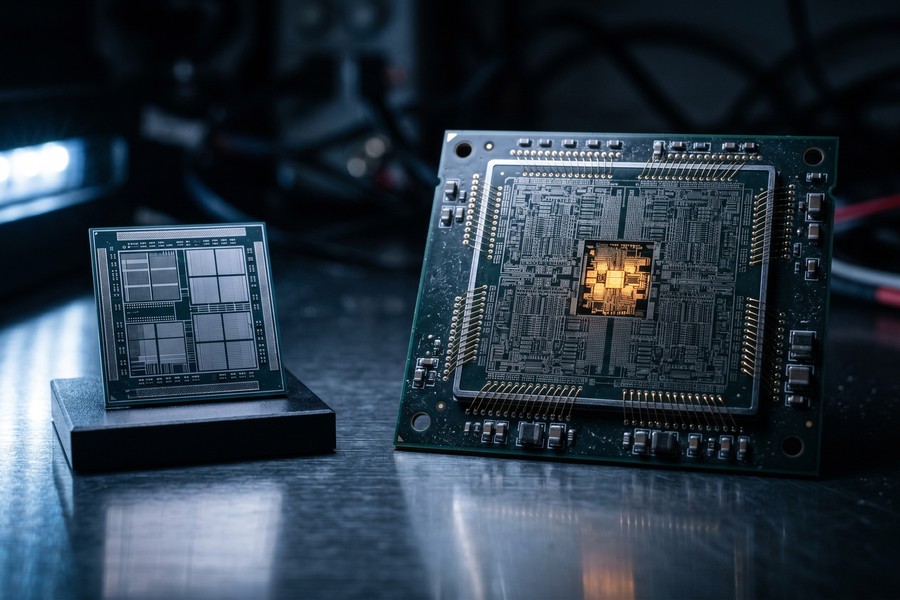
An NPU processes information by executing tensor operations, multi-dimensional array calculations, through a dataflow architecture that minimizes memory movement and maximizes parallelism. This is fundamentally different from how a CPU fetches and executes one instruction at a time.
How to Do This
Here is the step-by-step flow of what happens when an NPU runs an image recognition task:
- Input loading: The image is converted into a tensor, a multi-dimensional numerical array. Each pixel becomes a numerical value passed to the NPU’s on-chip SRAM buffer.
- Layer-by-layer computation: The NPU processes each layer of the neural network in sequence. At each layer, thousands of MAC units multiply input values by learned weights and accumulate the results simultaneously.
- Activation functions: After each layer’s matrix multiplication, a non-linear function (such as ReLU or sigmoid) is applied to introduce the complexity needed for learning.
- Output generation: After passing through all layers, the final tensor is decoded into a human-readable result, for example, “golden retriever, 97% confidence.”
The key architectural advantage is data locality. NPUs keep intermediate results in on-chip memory rather than shuttling data back to main RAM, which cuts latency and power draw considerably. According to IEEE research on neural accelerator architectures, memory bandwidth is the primary bottleneck in neural network inference, and NPU designs exist specifically to eliminate that bottleneck.
What to Watch Out For
NPUs are not programmable the way CPUs are. They run optimized, pre-compiled neural network graphs. If a model uses non-standard operations or unusual layer types, the NPU may fall back to CPU or GPU execution, which can actually slow things down compared to running natively on the GPU in the first place.
When deploying a model to an NPU, quantize it to INT8 or INT4 precision first. Quantized models run faster and consume less memory on NPU hardware; most inference frameworks like TensorFlow Lite and ONNX Runtime support automatic quantization pipelines.
Understanding how NPUs function at this level also helps clarify why AI tools are evolving so rapidly. If you want to see how these capabilities are already reshaping business workflows, the analysis of AI tools that are actually saving small businesses time in 2026 offers a practical perspective on where the hardware meets real-world use cases.
Step 3: Should I Use an NPU, GPU, or CPU for My AI Workload?
Choose an NPU for inference on edge devices where power efficiency is critical. Choose a GPU for model training and large-batch inference in data centers. Use a CPU only for small, infrequent AI tasks where deploying specialized hardware isn’t justified by the cost.
How to Do This
The decision comes down to three variables: workload type, scale, and deployment environment. Use the comparison table below to map your situation to the right hardware.
| Processor Type | Best For | Typical TOPS (2025) | Power Draw (AI Task) | Example Chip |
|---|---|---|---|---|
| NPU | On-device inference, real-time AI, mobile/laptop | 38–98 TOPS | 0.5–5W | Apple Neural Engine (M4), Qualcomm Hexagon |
| GPU | Model training, large-scale inference, research | 1,000–2,000+ TOPS (AI) | 150–700W | NVIDIA H100, AMD Instinct MI300X |
| CPU | General compute, small models, preprocessing | 2–8 TOPS | 15–65W | Intel Core Ultra 9, AMD Ryzen 9 7950X |
| TPU (Google) | Cloud AI training and inference at Google scale | 420+ TOPS per chip | ~200W per chip | Google TPU v5e |
For developers building consumer apps, camera features, voice assistants, on-device translation, the NPU is almost always the right target. For researchers training a new foundation model, a GPU cluster remains the standard, and that isn’t changing soon. The line is blurring, however, as Apple Silicon and Qualcomm Snapdragon chips now run surprisingly capable local LLMs using their NPUs alongside GPU cores.
What to Watch Out For
Don’t chase raw TOPS numbers alone. A chip rated at 45 TOPS with efficient memory architecture may outperform a 70 TOPS chip with poor bandwidth. Always look for real-world benchmark scores from sources like PassMark or platform-specific AI benchmarks from MLPerf.
NVIDIA’s H100 GPU delivers approximately 3,958 TOPS for FP8 operations, but consumes up to 700 watts. A Qualcomm Snapdragon 8 Gen 3 NPU delivers 98 TOPS at under 3 watts. For mobile inference, the NPU is roughly 233x more energy-efficient per TOPS, which is why phone makers keep pushing NPU specs even though GPUs remain far more powerful in absolute terms.
This hardware evolution is directly driving the rise of AI-powered financial tools as well. The robo-advisors and on-device AI assistants covered in our guide to AI-powered investment platforms and what robo-advisors can and cannot do in 2026 rely on NPU-class hardware to function without constant cloud round-trips. Fintech firms like SoFi have started marketing on-device AI budgeting features the same way, leaning on local processing to keep sensitive account and FICO Score data off third-party servers.
Step 4: How Do I Read and Compare NPU Benchmark Scores Like TOPS?
TOPS (Tera Operations Per Second) is the primary benchmark metric for NPUs, measuring how many trillion mathematical operations the chip can perform each second. A higher TOPS number generally means faster AI inference, but the metric only tells you something useful when read in context.
How to Do This
When evaluating an NPU specification, check these four factors alongside the TOPS number:
- Precision level: TOPS figures are often quoted for INT8 (8-bit integer) operations. An NPU may score 98 TOPS at INT8 but only 12 TOPS at FP32 (32-bit floating point). Most inference tasks run INT8 or INT4, so INT8 TOPS is usually the most relevant number.
- Memory bandwidth: The speed at which the NPU can read and write weights determines real-world throughput. A chip with 40 TOPS but high bandwidth may outperform a 60 TOPS chip with slow memory.
- Supported operators: Not all NPUs support every neural network operation. Check whether the NPU handles transformers (attention layers), convolutions, and recurrent operations natively.
- SDK and framework support: An NPU is only as useful as its software stack. Check for support in Core ML (Apple), SNPE (Qualcomm), OpenVINO (Intel), or DirectML (Microsoft Windows).
Benchmark hygiene matters more than the marketing headline. A chip with fully optimized compiler support and strong memory bandwidth will often beat a higher-TOPS competitor once you’re running actual model architectures instead of synthetic test loops, which is a large part of why raw spec comparisons across brands are so unreliable.
What to Watch Out For
Manufacturers sometimes quote combined TOPS, adding CPU, GPU, and NPU figures together into a single “AI performance” number. This is misleading because only one processor handles most AI tasks at a time. Always ask which component the TOPS figure refers to when reading a spec sheet.
Step 5: What Real-World Tasks Actually Use the NPU in My Phone or Laptop?
Your device’s NPU is likely already running dozens of AI tasks in the background. On modern smartphones and Copilot+ PCs, the NPU handles everything from face unlock to real-time transcription, tasks that would drain the battery in minutes if routed through the CPU or GPU instead.
How to Do This
Here are the most common real-world NPU workloads broken down by device type:
On smartphones (iOS and Android):
- Face ID and biometric authentication (Apple Neural Engine processes face geometry in under 1 millisecond)
- Real-time photo enhancement, noise reduction, HDR blending, and portrait mode depth estimation
- Voice assistant wake-word detection running continuously at under 1mW
- On-device translation in apps like Google Translate without an internet connection
- Autocorrect and next-word prediction in keyboard apps
On Windows Copilot+ PCs and Apple Silicon Macs:
- Windows Recall, continuous screen indexing and semantic search powered entirely by the NPU
- Live Captions with real-time translation across 44 languages
- Cocreator in Microsoft Paint using Stable Diffusion locally via NPU
- Background blur and eye contact correction in video calls
- On-device LLM inference for tools like Apple Intelligence writing features
Worth putting the 114 million AI PC shipment projection from Gartner into a concrete frame: if that many machines ship in 2025 and even half of them run one Copilot+ feature (say, Live Captions) for just 15 minutes a day, that’s on the order of 285 million device-hours a year of AI processing that never has to touch a cloud server. Run the same workload on a cloud GPU instead and you’re paying data-transfer and server costs on every one of those sessions. That’s the practical payoff behind the NPU’s efficiency numbers, not just a lower power bill on your own device, but a very different cost structure at the scale chipmakers are now shipping.
What to Watch Out For
Not all apps automatically route to the NPU. Developers must explicitly target it through platform SDKs. If an app was built before 2022, it likely uses the CPU for AI tasks even on NPU-equipped hardware. Check app update logs for mentions of “hardware acceleration” or “on-device AI” to confirm NPU utilization.
Running large language models locally on an NPU requires significant on-device RAM, typically at least 16GB unified memory. Devices with 8GB of RAM will hit memory limits with models larger than 3 billion parameters, causing slowdowns or crashes regardless of NPU TOPS rating.
The same hardware enabling these on-device AI features is also reshaping how digital banking tools operate. Our overview of digital banking trends that are changing how people manage money shows exactly how NPU-powered fraud detection and personalized financial advice are moving from cloud servers to your phone. Banks like Chase and fintech lenders now advertise this local processing as a security feature, distinct from the server-side fraud models that regulators such as the Consumer Financial Protection Bureau (CFPB) have scrutinized for data-handling practices.
Step 6: How Do NPUs Enable Edge AI and Why Does That Matter for Privacy?
Edge AI means running artificial intelligence models directly on the device where data is collected, your phone, laptop, car, or smart home hub, rather than sending that data to a cloud server. NPUs make edge AI practical by delivering the processing power of a server in a chip that fits inside a smartphone and runs on milliwatts of power.
How to Do This
Understanding the privacy implications requires understanding the data flow difference:
- Cloud AI model: Your voice recording leaves your device, travels to a server, is processed by a large model, and the result is returned. Your data touches multiple systems and may be stored.
- NPU edge AI model: Your voice recording never leaves your device. The NPU processes it locally, returns a result, and the raw audio is discarded. No transmission, no server log.
Apple’s on-device processing for Face ID is the clearest example. Apple’s Face ID security documentation confirms that facial geometry data is encrypted and stored only in the device’s Secure Enclave, and it’s never uploaded to Apple servers. This is only possible because the Neural Engine can run biometric matching locally in real time.
The same logic applies well beyond phones. Credit bureaus like Experian have discussed on-device scoring pilots that would let a lender’s app estimate a rough credit tier locally before ever transmitting an application, reducing how much raw personal data crosses the wire. Regulators, including the Federal Reserve and the FDIC, have also flagged on-device processing as a possible way to reduce breach exposure in consumer banking apps, though formal rulemaking on the topic remains limited.
What to Watch Out For
Edge AI via NPU does not automatically mean private AI. If an app collects the output of an NPU inference task (for example, the result of a sentiment analysis) and sends that result to a server, user data can still be aggregated and profiled. The hardware provides the privacy capability; the software determines whether it’s actually used that way.
Qualcomm’s AI Hub platform now hosts over 100 pre-optimized AI models ready to deploy directly to Snapdragon NPUs, cutting the typical model deployment time from weeks to hours for mobile developers.

The privacy architecture of NPU-based edge AI connects directly to broader questions about how your financial and personal data is protected online. Our guide on how to protect yourself from financial scams and identity theft covers how on-device AI is being used in fraud detection systems that never expose your transaction data, DTI ratio, or APR history to third parties.
Frequently Asked Questions
What is the difference between an NPU and a TPU?
An NPU is a general-purpose neural accelerator designed for on-device inference across many types of hardware, while a TPU is Google’s proprietary chip built for training and inference at data-center scale. NPUs target consumer devices; TPUs target Google’s cloud infrastructure. Both use systolic array designs, but TPUs are not sold as standalone consumer chips the way NPUs are embedded in phones and laptops.
Can I use the NPU in my laptop for running local AI models like Llama or Mistral?
Yes, but support depends on your hardware and software framework. On Windows Copilot+ PCs, tools like LM Studio and Ollama have begun adding DirectML backends that route inference to the NPU. On Apple Silicon Macs, Core ML automatically uses the Neural Engine for compatible models, though models must typically be quantized to 4-bit or 8-bit precision first to fit within available on-chip memory.
Is the NPU in my iPhone actually being used, or is it just a marketing claim?
It’s actively used for multiple real-time tasks, not just marketing. Apple’s Neural Engine processes Face ID authentication, computational photography (Smart HDR, Portrait Mode depth mapping), Siri on-device understanding, and Apple Intelligence writing and image generation features. Apple’s own Core ML developer documentation confirms compatible models route to the Neural Engine automatically.
How many TOPS do I need for running AI on a personal computer?
For basic on-device features like transcription, image tagging, and smart search, 10 to 20 TOPS is generally sufficient. Microsoft set the Copilot+ PC threshold at 40 TOPS as the floor for its most demanding features, including Windows Recall and real-time translation. Running a 7-billion-parameter language model locally at a usable speed requires 40 TOPS or more, combined with at least 16GB of unified memory.
Do Android phones have NPUs, or is that only an Apple thing?
Android flagship phones have had dedicated NPUs since 2017. The Qualcomm Snapdragon series includes the Hexagon NPU, and Google’s Tensor G-series chips (used in Pixel phones) include a dedicated TPU-derived AI core. Samsung’s Exynos chips also include NPU blocks, and even mid-range Android chipsets like the Dimensity 8000 series include NPU hardware, though with lower TOPS ratings than flagship chips.
Why does my laptop’s NPU not seem to speed up AI tasks in apps I already use?
Most existing applications were built before widespread NPU availability and default to CPU-based inference. Software must be explicitly updated to call platform NPU APIs, such as DirectML on Windows or Core ML on macOS, to route work to the NPU. Check whether the app has released a “hardware acceleration” or “on-device AI” update; apps built after 2023 are far more likely to use the NPU automatically.
Will NPUs replace GPUs for AI work?
No, not for training. That workload requires the massive parallelism and high-precision floating-point math that GPUs excel at. NPUs will increasingly replace GPUs for inference tasks, particularly on edge devices where power and size constraints make a GPU impractical. The likely split going forward is GPU for training in the cloud, NPU for deployment at the edge, and that division is expected to persist through at least the end of the decade.
How does neural processing units explained connect to what I see in AI-powered apps today?
Every AI feature you interact with on a modern device, from your camera’s scene recognition to autocomplete in your email client, runs through an NPU at some point in its pipeline. Understanding NPUs at the application layer means recognizing that these chips are why AI features run instantly, privately, and without draining your battery. When an app responds to your voice in under 200 milliseconds without an internet connection, that’s the NPU at work.
Are NPUs a security risk I should worry about?
NPUs introduce a new hardware attack surface, but the risk is currently theoretical for most users rather than practical. Researchers have shown that adversarial inputs, specially crafted images or audio, can fool NPU-accelerated models into incorrect outputs. The more realistic concern is malicious apps exploiting the NPU for background surveillance (continuous audio monitoring, face tracking) without triggering the battery or CPU activity indicators people normally watch for.
What programming languages and frameworks support NPU development?
The main frameworks are TensorFlow Lite (Google, cross-platform), Core ML (Apple, Swift and Objective-C), ONNX Runtime (Microsoft, cross-platform), and Qualcomm’s SNPE SDK (Snapdragon devices). Python remains the dominant language for model preparation, with platform-specific SDKs handling NPU compilation. Most workflows involve training in PyTorch or TensorFlow, exporting to ONNX, and compiling to the target NPU’s native format.
Sources
- Gartner, Worldwide Artificial Intelligence Chips Revenue Forecast (2024)
- Gartner, Worldwide AI PC Shipment Forecast (2025)
- Apple Newsroom, Apple Introduces M2 Ultra
- Apple Support, Face ID Security Overview
- IEEE Xplore, Neural Network Accelerator Architecture Survey
- arXiv, Energy Efficiency in Neural Network Inference Hardware
- Microsoft Blog, Introducing Copilot+ PCs
- MLCommons, MLPerf Inference Edge Benchmark Results
- PassMark Software, CPU and AI Benchmark Database
- Apple Developer Documentation, Core ML Framework
- Consumer Financial Protection Bureau (CFPB)






