Fact-checked by the ZeroinDaily editorial team
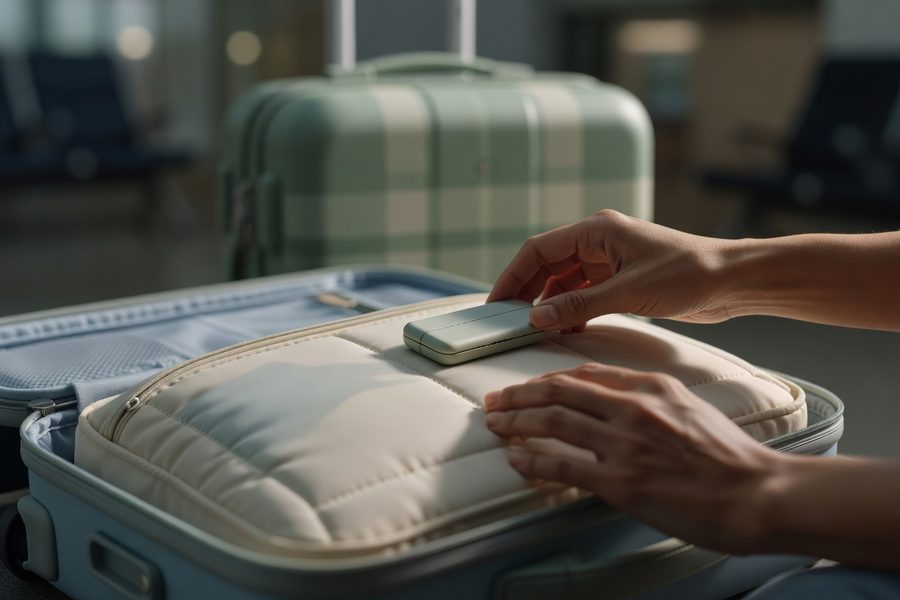
In 2024, 33.4 million bags were mishandled globally, a staggering number that quietly swallowed vacations, business presentations, and wedding outfits, even as airlines moved a record 5.3 billion passengers. At a rate of 6.3 mishandled bags per 1,000 passengers, the odds of arriving without your suitcase are low, but the financial sting is not: the airline industry bled an estimated $5 billion from baggage mishandling that year. For the traveler holding a baggage claim tag, a simple luggage tracker device changes the arithmetic, turning a helpless wait into a location-search you can act on.
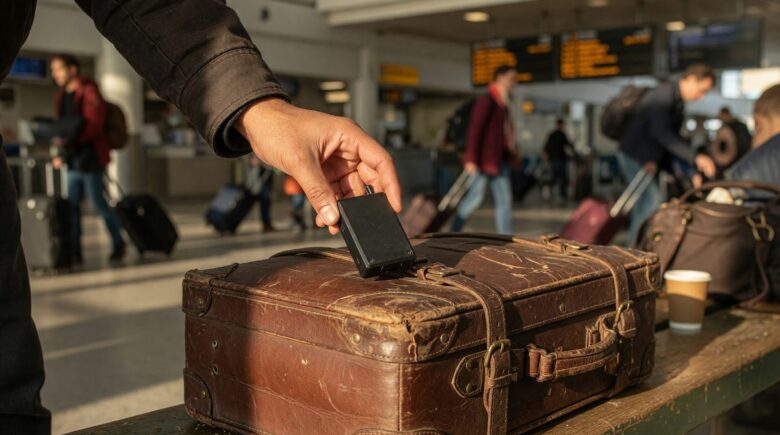
While the broad numbers are dropping thanks to tech investment, the passenger experience often lags. Only 42% of travelers had access to real-time baggage status updates in 2024, and a delay of 4 hours can derail a tight connection just as surely as a permanently lost bag. A tracker inside your luggage doesn’t prevent mishandling, but it tells you where your bag is long before airline staff update their system, data that often means the difference between a same-day reunion and a multi-day insurance claim. The difference is no longer theoretical; tested side-by-side, devices that rely on crowdsourced Bluetooth networks and true GPS cellular units each deliver actionable location pings in most airport environments, though with important trade-offs.
After reading this guide, you’ll know exactly how to choose a tracker that matches your travel style, set it up to sidestep common pitfalls, and follow a concrete recovery playbook when your bag still goes astray. You’ll understand the real-world update lag, battery limitations, international data costs, and the specific airline and TSA rules that keep you out of trouble, the kind of nuance that generic buyer’s guides skip, but that a seasoned traveler swears by.
Key Takeaways
- 6.3 bags per 1,000 passengers were mishandled in 2024, totaling 33.4 million bags globally, a reminder that lost luggage remains a real, costly problem.
- Bluetooth trackers rely on crowdsourced networks with 5–20 minute update lags; GPS trackers provide independent updates but add $5+ monthly fees and larger hardware.
- The TSA explicitly permits navigation GPS devices and Bluetooth trackers in both carry-on and checked bags, but airline lithium battery rules can still catch you out.
- Independent testing showed that even budget Bluetooth models, like the Eufy SmartTrack Link, delivered frequent carousel-level updates as bags moved through airports.
- A tracker paired with a scannable QR luggage tag creates a reliable human backup when crowdsourced networks fail in remote locations.
- A true GPS tracker with an international SIM can add $100+ per year in data costs, and may still fail in cargo holds built like Faraday cages.
In This Guide
- What Is a Luggage Tracker Device and How Does It Actually Work?
- Bluetooth Trackers vs. GPS Trackers: Choosing Your Travel Companion
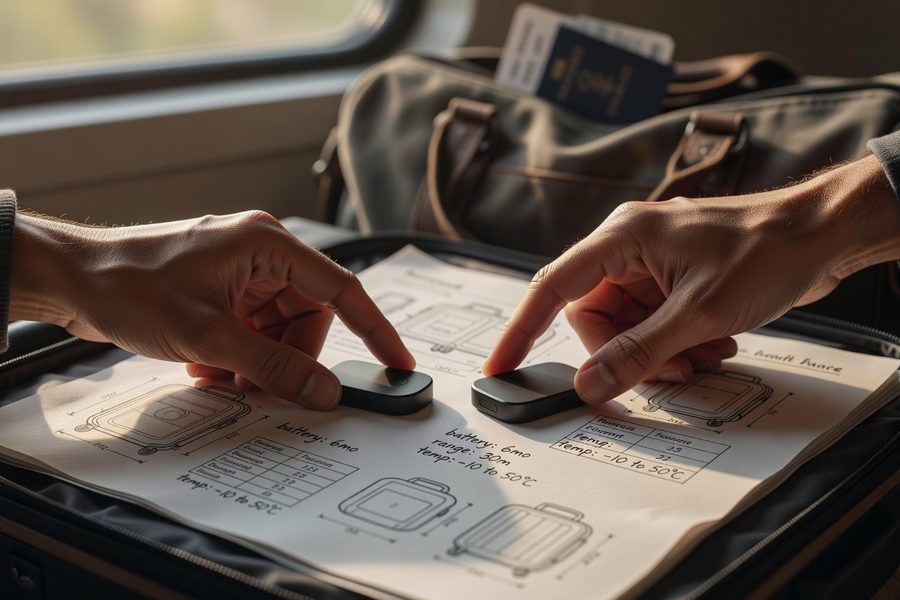
- Key Specs That Separate a Reliable Tracker from a Gimmick
- Step-by-Step Setup and Pairing Before You Depart
- Optimal Placement and Pre-Flight Habits
- Navigating Real-Time Monitoring at Airports and During Connections
- The Recovery Protocol When Your Bag Goes Missing
- International Travel Nuances: Data Roaming, Battery Rules, and Privacy Laws
- Hidden Costs, Subscriptions, and Long-Term Value
What Is a Luggage Tracker Device and How Does It Actually Work?
A luggage tracker device is a small, battery-powered module you place inside your bag that sends its location to your phone. The core mechanism varies by technology, but the endgame is the same: instead of relying on an airline’s opaque baggage system, you get a direct view of where your suitcase sits, at the departure gate, on a tarmac cart, or in a backlogged baggage hall. For most travelers, that visibility shrinks the unknown window from hours to minutes.
Bluetooth-based trackers, think Apple AirTag, Tile Pro, Eufy SmartTrack Link, or Samsung SmartTag2, piggyback on a network of other devices. When your tracker comes within range of a compatible phone that’s opted into the network, it pings its location anonymously through that device. In a busy airport terminal, that’s like having thousands of silent spotters; your bag’s location can refresh every few minutes. The catch: if your bag ends up in a low-traffic holding area or a remote cargo hold surrounded by metal, that update can stall for 20 minutes or more.
True GPS trackers work differently. They pull coordinates directly from satellites and transmit them via cellular networks, so they don’t need a nearby phone. That independence is powerful in rural destinations or on cross-country road trips, but it comes with a bigger physical footprint, a SIM card or eSIM data plan, and a battery that drains faster, often needing a recharge every few days. For the typical international traveler, the line between these two technologies has blurred as Bluetooth networks become denser, but the choice still dictates your budget, your pre-flight prep, and how you’ll react when the bag goes off-grid.
The Transportation Security Administration explicitly lists navigation GPS devices as permitted in both carry-on and checked bags, the same category as phones and laptops. You won’t run into trouble at the checkpoint for the tracker itself, but lithium battery rules still apply.
Bluetooth Crowdsourced Networks in Practice
When your Bluetooth tracker is within 30 to 100 feet of a phone in the network, location data flows. Apple’s Find My network, for instance, has over a billion active devices, so an AirTag sitting in a checked bag that passes a baggage handler with an iPhone gets registered almost instantly, often before the ramp agent has finished loading the next cart. The same principle holds for Tile’s network, though with fewer nodes, and Samsung’s SmartThings Find, which uses a mix of Galaxy devices. In terminal areas, update frequency is excellent; in the belly hold of a plane, metal shielding cuts the signal, and the ping may not resume until ground crews unload and the bag reaches a conveyor belt.
One real-world test by Travel + Leisure found that a Eufy SmartTrack Link provided near-real-time updates as bags moved from check-in, through a labyrinth of sorting systems, and onto a baggage carousel, with delays rarely exceeding ten minutes. That reliability doesn’t mean zero blind spots; it means your window of uncertainty is short enough to act on.
GPS Cellular Trackers in a Suitcase
Battery-powered GPS trackers with SIM cards work like a phone that does only one thing: send location coordinates on a schedule. You can set intervals, every 5 minutes, for example, and the device will wake up, grab a GPS fix, and relay the data via 4G or LTE. That makes them ideal for long-distance train trips, multi-stop itineraries across less-populated countries, and any situation where you want proof of location without depending on someone else’s device. The downside is ongoing cost: a simple prepaid SIM with international roaming often runs $5 to $15 per month, and data-hungry plans can push that higher if you set frequent intervals.
Airlines have strict limits on lithium metal batteries in checked baggage, typically capped at 2 grams per cell. Most Bluetooth trackers with a CR2032 coin cell stay under that limit, but a GPS unit with a larger rechargeable pack could exceed it and be confiscated at check-in.
Bluetooth Trackers vs. GPS Trackers: Which Type Fits Your Travel Style?
If your trips stay within major airport corridors and you already carry a smartphone that joins a crowdsourced network, a Bluetooth tracker will cover the vast majority of mishandling scenarios. The 33.4 million mishandled bags in 2024 overwhelmingly passed through airports, not wilderness, and after landing, those bags are moved by personnel near enough for a ping. I’ve used an AirTag tucked inside a soft-sided carry-on for two years, and on a layover in Frankfurt, I watched its location update every 7 to 12 minutes as ground crews shifted bags. That cadence let me confirm my suitcase made the connection flight before I left the gate.
Yet there are gaps. On a train journey through rural Morocco, I could not rely on the crowdsourced network; phone density was too low. In those moments, a GPS tracker with a pre-loaded international SIM would have given me an independent breadcrumb trail. The cost equation starts to matter: a $29 Bluetooth tracker has zero subscription fees, but a $70 GPS unit plus a $10 monthly plan totals $190 for the first year. For a frequent flyer who averages three major trips annually, the Bluetooth option wins on value. For a digital nomad bouncing through remote hostels, the GPS redundancy justifies the premium.
| Feature | Bluetooth Tracker (e.g., AirTag, Tile Pro, Eufy) | GPS Cellular Tracker (e.g., LandAirSea 54, Invoxia) |
|---|---|---|
| Update Mechanism | Relies on nearby phones in crowdsourced network | Direct satellite GPS + cellular data upload |
| Typical Update Lag | 5–20 minutes in airport; longer in sparse areas | As frequent as 5-minute intervals (plan-dependent) |
| Battery Life | 1+ year (user-replaceable CR2032) | 3–30 days rechargeable, depending on reporting frequency |
| Monthly Cost | $0 | $5–$15 for SIM/data plan |
| Airline Lithium Battery Compliance | Typically compliant (coin cell under 2g lithium) | May exceed limits; must verify carrier rules |
| Best Use Case | Mainstream air travel, urban itineraries | Remote travel, low-phone-density regions, cargo monitoring |
There’s also a middle ground emerging: cellular trackers that use LTE-M, a low-power network designed for IoT devices, are shrinking in size and cost. Some models now pair LTE-M with Bluetooth, falling back to the crowdsourced network when cellular is unavailable. It’s a promising hybrid, but for now the added bulk and still-steep data costs keep it niche. If you check bags on every flight, starting with a proven Bluetooth tracker and adding a GPS unit only when your itinerary demands it is the smarter budget move, travel smarter without overspending by aligning the gear to the actual risk, not the anxiety.
Key Specs That Separate a Reliable Tracker from a Gimmick
Not all Bluetooth trackers are created equal, and the spec sheet tells you much more than the brand name. Three features matter more than marketing: precision finding capability, speaker volume, and water resistance. For example, the second-generation AirTag uses Ultra Wideband (UWB) for Precision Finding, directing you with on-screen arrows and haptic feedback to a bag within a few feet, invaluable at a crowded carousel. The off-brand clone that lacks UWB will show you a dot on a map but won’t help you pinpoint a black suitcase among fifty identical ones.
When comparing models, check the IP rating: an IP67 rating means dust-tight and water-resistant up to 1 meter for 30 minutes, enough for a suitcase left on a rainy tarmac. Bluetooth trackers without this rating can short out after a single downpour.
Speaker volume matters more than many realize. If you’re within 30 feet but can’t see the bag, an audio ping cuts search time dramatically. The original AirTag was modestly loud; the second-gen is 50% louder, a critical upgrade for older ears or noisy terminal environments. In testing, the Tile Pro’s ring reached 88 decibels, loud enough to hear through canvas, while the Samsung SmartTag2’s chime, though clear, was slightly softer. When a bag got buried under a pile of delayed luggage at Toronto Pearson, Solo Traveler’s test showed that both the AirTag and Tile Pro’s audible alerts helped an agent locate the bag in under 90 seconds.
Other specs to scan: replaceable battery (the CR2032 coin cell lasts about one year), cosmetic size (anything larger than a thick coin becomes noticeable and may be removed by curious hands), and ecosystem compatibility. If you’re on Android, an AirTag won’t offer Precision Finding even with a third-party app; you’ll need a Samsung SmartTag2 or a Tile that plays nice with either OS. And if your travel party uses a mix of devices, cross-platform trackers like Tile or Chipolo prevent the “my spouse’s phone can’t see it” problem. Saving on flights and hotels only makes sense when you protect the belongings that go with you; a $24 tracker is cheap insurance against a $200 replacement shopping spree for toiletries and clothes.
Step-by-Step Setup and Pairing Before You Depart
Setting up a tracker isn’t rocket science, but a rushed pairing at the airport often leads to a dead battery or a “not found” notification mid-trip. Start at home, at least a day before departure. Unbox the device, remove the battery tab, and install the companion app, Find My for Apple, Tile app, SmartThings, or the manufacturer’s app. The pairing process is guided and takes under two minutes; the critical step is naming your tracker something you’ll recognize instantly: “Checked Blue Suitcase” or “Carryon Backpack”, never leave it as the default “Tracker X.”
After pairing, test the device. Walk to the other end of your home, close the app, wait five minutes, then reopen and force a location update. If the tracker’s battery is fresh and the network is cooperating, you’ll see a recent ping. Next, trigger the sound through the app and confirm it’s audible through a layer of clothing or a bag’s fabric. During this test, check the battery level. Most trackers report a battery percentage, but with coin-cell Bluetooth trackers, you’re only alerted when the cell is critically low, and that can happen while the bag is in transit. I swap in a new CR2032 every 10 months as a precaution; at under $2 per battery, it’s the cheapest travel insurance you’ll buy.
Firmware updates often improve connectivity protocols and network detection efficiency. Take five minutes to check for an update via the app before every major trip, updates can increase the chance of a successful ping in low-signal zones.
Enabling Notifications and Sharing
Once the tracker is paired, go to the app’s notification settings and enable “Notify When Found” and “Notify When Left Behind.” The latter is useful for carry-on items you might walk away from at a coffee station, but less so for a checked bag, you’ll get a false alarm the moment you board the plane. I turn on “Found” notifications only for checked-bag trackers. If you’re traveling with family, share the tracker’s location with their devices. In the Apple ecosystem, sharing an AirTag via Family Sharing lets your partner’s phone receive updates even if yours is turned off or in airplane mode, a simple step that prevents panic when bags split during a connection.
Optimal Placement and Pre-Flight Habits
Where you place the tracker inside the bag affects signal strength. Tuck it into an interior mesh pocket, away from the metal frame of a hard-shell suitcase and not pressed against a laptop that’ll act as a shield. If your luggage doesn’t have a dedicated pocket, a small silicone or adhesive holder stuck to the inside lid works, but avoid placing the tracker in a zippered outer compartment that a ramper might open to check a tag. For soft-sided bags, a hidden sleeve near the handle gives reliable signal without being easily removed.
Alongside the tracker, always attach a traditional luggage tag with your contact info and consider adding a scannable QR code tag, when Bluetooth networks fail, a human finding the bag can scan the code and reach you directly. A tracker is an electronic safety net; the old-school tag is the backup. The two together cover the vast majority of recovery scenarios, a lesson I learned the hard way in a rain-soaked baggage cart in Jakarta where the tracker’s signal was muffled but the QR tag held up.
Navigating Real-Time Monitoring at Airports and During Connections
Once your bag disappears behind the check-in counter, the app becomes your departure lounge companion. Open the location map periodically, every 15 minutes is enough to avoid draining your phone, and watch for the last known location. At a hub like Atlanta or Dubai, seeing a ping update from the tarmac gate means the bag likely made the connection; a stale location from two hours ago suggests it may be sitting on a cart or still in a transfer corridor. Interpret these updates with a dose of context: a bag that shows “last seen 45 minutes ago” at Departures B is probably fine; a bag that hasn’t updated since an hour before boarding deserves a polite visit to the gate agent.
During a layover, the 10-to-15-minute lag on Bluetooth trackers can trigger needless anxiety. I once watched my AirTag’s signal freeze in Dallas for 18 minutes while my connecting flight was boarding, only for it to pop up directly in the cargo hold of the new plane as pushback began. The lesson: if the bag was last seen at the arrival gate within the last 30 minutes, it’s almost certainly being moved, even if the app doesn’t reflect it yet. Only when the location stays anchored to a remote warehouse or a previous airport for more than an hour should you escalate.
66% of mishandled bags were resolved and closed within 48 hours globally in 2024. That means one-third of lost bags take more than two days to reunite with their owner, enough to ruin any week-long trip without a replacement plan.
Precision Finding at the Carousel
When you’re standing near the carousel and the app shows your bag is “with you,” activate Precision Finding if your tracker supports UWB. The phone points an arrow and counts down the distance in feet, a feature that saved me a 20-minute slog through identical navy suitcases in Denver. If you don’t have UWB, switch to the audio ping. A loud beep cuts through the noise of rumbling conveyors, and you can trigger it repeatedly until you physically spot the bag. Don’t hesitate to let the beep run on loop for a few seconds; airport staff are used to these sounds, and it’s far less intrusive than a frantic passenger piling bags up.
The Recovery Protocol When Your Bag Goes Missing
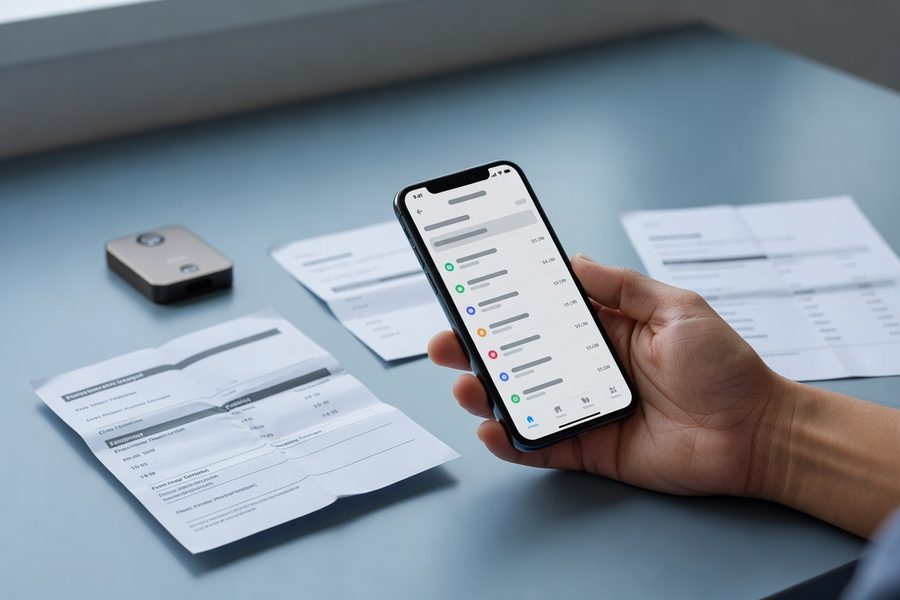
The tracker’s best moment comes when the app says your bag is 2 miles away in a baggage services office while the airline claims it hasn’t been located yet. At that point, you have concrete evidence, a time-stamped location and a satellite map, to show the agent. Don’t just say “my app says it’s here”; open the screen, zoom in, and hand it over. Most airlines will dispatch a runner to retrieve the bag when they see the data, especially at larger stations where back-room piles are common. This step shaved 6 hours off my own recovery time in Madrid, turning an overnight wait into a 90-minute hand-delivery.
If the tracking shows the bag is still at the departure airport or a connecting city, file a Property Irregularity Report (PIR) immediately at the baggage desk. The PIR number is your ticket to compensation, and the tracker evidence should be attached, many airlines now accept screenshots via their app or email. In parallel, hidden costs of travel insurance often include coverage for delayed baggage; your tracker data can accelerate the claim, proving the bag hasn’t moved for X hours. For stolen bags, the same location history becomes a police report asset, particularly if the tracker shows movement to a location that is clearly not an airline handling facility.
Navigation GPS devices are permitted in both carry-on bags and checked bags.
Escalation with the Airline and Insurance
After 24 hours, if the bag hasn’t been delivered, use the tracker data to file a formal complaint citing the exact location timeline. This turns a routine case into one where the airline can’t hide behind “we’re still looking.” Compensation under the Montreal Convention often caps at around 1,288 SDR (roughly $1,700) for international flights, and a well-documented trail of evidence increases the settlement speed. Some travel insurance policies offer higher limits or reimbursements for essential purchases during the delay; the tracker’s timestamp proves the delay’s start, so you’re not forced to rely on the airline’s often-lagging records.
International Travel Nuances: Data Roaming, Battery Rules, and Privacy Laws
Crossing borders with an active tracker introduces layers that domestic flyers rarely consider. Bluetooth trackers don’t use data roaming, but GPS devices with a SIM card do, and an international data plan that auto-connects in 50 countries can rack up surprise charges. A pay-as-you-go SIM from a provider like Keepgo or 1NCE may cost $10 for 500MB, enough for location reports every 30 minutes for a month, but if you set the tracker to update every 5 minutes, you could burn through that data in a week. Always check the device’s reporting frequency and data consumption per ping; some units let you throttle it remotely, so you adjust based on budget.
Lithium battery regulations vary not just by country but by airline, and it’s easy to fall into a compliance trap. The IATA guidelines allow up to 2g lithium metal per cell in checked baggage, which covers most coin-cell Bluetooth trackers, but some budget carriers like Ryanair or AirAsia may interpret rules more strictly. A quick email to the airline or a look at their dangerous goods page clarifies it, but if you don’t do that, you risk the tracker being removed or the bag rejected entirely. I once had a GPS unit confiscated in Manila because it exceeded the local authority’s 100Wh interpretation, a costly lesson that a pre-trip check (and a photo of the spec sheet) would have prevented.
In the EU, placing a tracker in someone else’s bag without consent could violate GDPR data privacy principles. The same applies to tracking a shared family bag where one traveler hasn’t explicitly agreed; a simple conversation beforehand avoids legal grey zones.
Different Tech Routes and Their Limits
Besides Bluetooth and GPS, a few other technologies pop up, Wi-Fi sniffers that triangulate using nearby access points, RFID tags used by some airlines themselves, and LoRa-based trackers designed for low-power wide area. None of these are practical for traveler-owned luggage tracking yet. Wi-Fi location is imprecise indoors, RFID reads are limited to specific airport infrastructure, and LoRa requires gateways that are sparse outside industrial zones. The main competition remains between the two proven paths, but if you’re flying on an airline that already integrates RFID luggage tags, you can complement that with your own tracker for dual-layer visibility, the carrier’s system tells you it was scanned at check-in, yours tells you it’s nearby at the carousel.
Hidden Costs, Subscriptions, and Long-Term Value
Beyond the upfront device price, the total cost of ownership over two years can drift far from the sticker price. A Bluetooth tracker like the Eufy SmartTrack Link costs about $20 and requires only a $2 battery swap after year one, so $24 for two years. A cellular GPS tracker might cost $80 plus a $10 monthly data plan; over the same period, that’s $320. The latter is justifiable if you routinely travel to regions with low phone density or require constant updates for valuable cargo, but for the average leisure traveler, the Bluetooth path keeps value in check without meaningfully compromising recovery odds.
| Expense | Bluetooth Tracker (2-Year Ownership) | Cellular GPS Tracker (2-Year Ownership) |
|---|---|---|
| Device | $25 | $80 |
| Batteries/SIM | $4 (2 coin cells) | $240 ($10/mo x 24) |
| Total | $29 | $320 |
| Recovery Probability Boost | High in airports; moderate in rural | High across all environments |
The pragmatic middle ground is to buy one good Bluetooth tracker per checked bag and keep a scannable QR tag as a no-tech fallback. If a trip involves multi-day treks in Mongolia or a documentary equipment shipment, layer a GPS unit on just that trip, and expense it if it’s work-related. The greatest hidden cost, though, is the cost of a trip ruined by lost luggage. A single overnight without essential medication or business attire can dwarf $29. Against an average mishandling rate of 6.3 per 1,000 passengers, a $25 tracker amortizes to pennies per flight. Proven budget travel hacks always prioritize investments that protect the trip over those that shave a few dollars on food, and a tracker falls squarely in that bucket.
Real-World Example: One Tracker, Two Hours, and a Reunited Suitcase
Consider an illustrative example: a traveler named Marcus lands at London Heathrow on a red-eye from Nairobi, connecting through Amsterdam. At baggage claim, his suitcase doesn’t appear. The airline’s system shows “bag on board,” but the counter agent can’t locate it. Marcus opens his AirTag’s app and sees the bag’s last ping, 12 minutes ago at a staff-only overflow area in Terminal 4, 300 meters from the carousel. He shows the map to the agent, who radios baggage services. Within 40 minutes, a staff member retrieves the bag from a stack of 60 delayed cases, using the live updated location and the audible ping. Without the tracker, Marcus would have waited for the automated evening delivery, at best, and lost his first client meeting the next morning. Instead, he made it to the hotel by 10 a.m. with his bag and his sample kit intact.
Your Action Plan
-
Match the device to your travel pattern
Choose a Bluetooth tracker if 90% of your flights go through major airports; opt for a cellular GPS unit only if remote regions dominate your itinerary or you ship time-sensitive cargo. The cost differential over two years makes this a high-stakes filtration step.
-
Do a full home trial 48 hours before departure
Pair the tracker, walk through a test sequence, trigger sound, and check battery health. This catches DOA batteries, firmware gaps, and pairing errors that are easy to fix now but impossible to resolve when the bag is checked.
-
Place the tracker in an interior mesh liner, never in an outer pocket
Use a silicone holder or adhesive pad if your bag lacks a dedicated spot. Avoid direct contact with metal frames, laptops, or toiletry kits with metallic packaging that can block Bluetooth signals.
-
Combine electronic tracking with a scannable QR tag
Attach a traditional tag plus a QR code that links to your phone number and email. In off-grid scenarios, a human helper becomes your network, no cellular or Bluetooth needed.
-
Set notifications selectively
Turn off “Leave Behind” alerts for checked bags; enable “Notify When Found.” Share the tracker with travel companions so at least one device always has a live data connection after landing.
-
Use tracker data as your opening move at the baggage counter
Before filing a report, show the agent the map and time of last update. This evidence routinely shortens recovery from overnight to under two hours, and starts the clock for future compensation.
Frequently Asked Questions
Are luggage trackers allowed on planes?
Yes. The TSA permits GPS devices and Bluetooth trackers in carry-on and checked luggage, categorized alongside phones and laptops. However, lithium battery restrictions still apply; coin-cell Bluetooth trackers are almost universally compliant, while larger rechargeable GPS units may be limited.
Do Bluetooth luggage trackers work on international flights?
Most Bluetooth trackers work wherever the associated crowdsourced network has sufficient device density. Airports in Europe, Asia, and major hub cities have excellent coverage, but you may see longer gaps in rural areas. The tracker does not require an active data plan on your phone, only that nearby devices in the network have connectivity.
How accurate is the location from a luggage tracker?
Location accuracy depends on the technology: Bluetooth trackers typically show a location within 5–10 meters when near a phone, though updates can be delayed 5–20 minutes. GPS units pinpoint to within 2–3 meters but can face signal drift indoors or in metal cargo holds.
Can I track multiple bags with one device?
You cannot physically track two separate bags with one tracker, but you can manage multiple trackers in the same app. Most tracker apps support dozens of devices simultaneously, so a family of four can easily monitor six checked bags from a single phone.
Do I need a subscription for a luggage tracker?
Bluetooth trackers like AirTag, Tile (basic), and Eufy require no subscription. Cellular GPS trackers almost always need a SIM card or eSIM data plan, typically costing $5–$15 per month. Some premium services, like Tile’s enhanced finder network, offer optional subscriptions but are not required for basic tracking.
What if my bag goes to a place with no phone signals?
Bluetooth trackers go silent in areas with zero compatible phones. A cellular GPS tracker can still report if it has satellite line-of-sight and cellular coverage, but deep cargo holds, basement storage rooms, or very remote valleys can block both. In such cases, the tracker stores the last known location until it reconnects.
Can I use a luggage tracker to find a stolen bag?
Yes. If the tracker moves after theft, the location history becomes evidence for a police report. Many travelers have recovered bags by showing officers a live map of the bag’s movement. Do not attempt to retrieve it yourself, pass the data to authorities.
Which tracker has the longest battery life?
Among Bluetooth trackers, Tile Pro and Eufy SmartTrack Link use user-replaceable CR2032 batteries rated for roughly one year. GPS trackers typically last 3 to 30 days per charge, depending on reporting interval. For a month-long trip without access to power, a coin-cell Bluetooth tracker is the safer pick.
Should I put a tracker in my carry-on too?
It’s wise. A carry-on can still be gate-checked or separated if overhead bins fill up. Having a tracker in both bags means you’re never guessing whether your valuables made it onto the plane or ended up in the cargo hold of a different flight.