
Fact-checked by the ZeroinDaily editorial team
Quick Answer
You can automate solo cold outreach by pairing a $25–$47/month cold email app with AI-driven personalization and a disciplined warm-up process. The workflow, lead sourcing, domain authentication, AI sequence writing, and reply triage, takes most solo marketers under 5 hours a week once the initial setup is complete.
You know that moment when you stare at a blank Gmail draft, caught between wanting to fill your client pipeline and dreading the hours of manual copy-paste outreach ahead. Most solopreneurs assume cold email is a volume game best left to teams of SDRs with expensive platforms. The reality has shifted. AI-powered cold email apps have made individualized, high-reply outreach feasible for a single person, and the numbers back it up. Open rates in the Business and Finance space average 31.35%, according to Mailchimp benchmarks, and solo senders who lean on AI for personalization regularly see reply rates above 12%, about 4x the typical mass-blast performance.
This isn’t about replacing judgment with automation. It’s about reclaiming your creative bandwidth so the machine handles repetitive setup while you stay in control of what matters: relevance, timing, and genuine conversation. The landscape keeps shifting, too. A 61% majority of marketers surveyed by HubSpot’s 2026 State of Marketing Report say the profession is experiencing its biggest disruption in two decades, largely because AI tools are rewriting the economics for teams of one. The guide ahead walks through the exact workflow one solo marketer used to turn a few hundred prospects a month into a consistent calendar of discovery calls, without hiring help or crossing legal lines.
You’ll finish with a repeatable system that covers domain warm-up, AI email app selection, lead enrichment, compliant send cadences, and the weekly triage process that keeps you human in the loop. No jargon-heavy dashboard tours. Just what actually worked, what broke along the way, and what costs to expect.
Key Takeaways
- Solo senders using AI personalization can achieve 12–20% reply rates on lists under 1,000 prospects, compared to 2–3% on generic blasts, based on observed small-campaign data and tool vendor case studies.
- Domain warm-up, SPF/DKIM/DMARC setup, and compliance with the FTC’s CAN-SPAM rules are non-negotiable, skipping them can tank deliverability to under 30% inbox placement within the first month.
- Entry-level plans from Instantly and Saleshandy start around $25–$47/month and include unlimited warm-up and AI sequencing suitable for under 5,000 sends monthly, per multiple 2025 tool roundups.
- When 80% of marketers now use AI for content creation (HubSpot 2026), the solo competitive advantage is shifting from “use AI” to “edit AI output with sharp human judgment.”
- Legal frameworks like CAN-SPAM and UK PECR require clear identification, a working opt-out, and a physical address even in B2B cold email, ignorance can trigger fines or blocklisting even for low-volume senders.
- Combining one primary cold email app with free LinkedIn Sales Navigator search and a lightweight enrichment tool keeps total monthly tool cost under $100 for many solo operators.
In This Guide
- Step 1: Build Your Sending Infrastructure Before Touching a Cold Email App
- Step 2: Choose the Right Cold Email App for a One-Person Shop
- Step 3: Source and Enrich Your Lead List Without a Team
- Step 4: Write AI-Powered Sequences That Sound Like You, Not a Robot
- Step 5: Read the Right Metrics, and Fix What’s Broken
- Frequently Asked Questions
Step 1: Build Your Sending Infrastructure Before Touching a Cold Email App
The single fastest way to burn a domain you care about is to fire up an AI cold email app and start blasting without first proving you’re a legitimate sender. Your domain’s reputation, not the tool, determines whether your message lands in the primary inbox, the promotions tab, or a spam folder nobody checks.
You need three things in place: a secondary sending domain, proper email authentication records, and a gradual warm-up cadence. The secondary domain (something like “trybrand.com” if your main is “brand.com”) protects your primary business email from any deliverability stumbles. Buying a new domain costs about $10–$15 a year and it’s the cheapest insurance you’ll ever buy.
How to Do This
Set up SPF, DKIM, and DMARC records for the new domain. Every cold email app, whether Instantly, Saleshandy, or GMass, relies on these to prove you are who you claim to be. Your domain registrar’s DNS management screen lets you add TXT records; most email tool providers supply the exact values. Start with SPF, then DKIM, then DMARC in monitoring mode (policy “p=none”) so you can see authentication reports without blocking anything yet. For detailed step-by-step authentication guidance, the FTC’s CAN-SPAM compliance guide underscores that accurate header information is a legal requirement, not just a deliverability nicety, misconfigured headers can look deceptive to spam filters.
Next, begin warming up the domain. Most cold email apps include an automated warm-up tool that sends low volumes to mailboxes that automatically reply, slowly building a positive reputation over 2–4 weeks. Don’t skip the warm-up phase even if you’re eager to launch. The warm-up typically starts with 5–10 emails per day and scales up incrementally. By the end of week three, you can safely send 30–50 cold emails a day from a fresh domain.
What to Watch Out For
Registering a domain and immediately jumping to 50 sends per day almost guarantees you’ll be flagged by Gmail and Microsoft. Also, avoid using your main company domain for cold outreach; if that domain’s reputation drops, your transactional emails, invoices, password resets, client proposals, stop arriving, too. That’s a silent business killer.
Under CAN-SPAM and UK PECR, you must include a valid physical postal address in every commercial email. A solo marketer working from home can use a registered business address or a PO box that meets the FTC’s definition, failing this requirement can trigger fines even for low-volume senders.
Step 2: Choose the Right Cold Email App for a One-Person Shop
A solo marketer needs cold email apps that prioritize deliverability and AI-assisted writing without the bloated sales-engagement suites built for 50-person teams. You’re looking for five capabilities: built-in warm-up, multi-inbox rotation, AI sequence generation, a reasonable send cap, and a price under $50 a month. Three names surface again and again in late-2024 and 2025 solo-user roundups: Instantly, Saleshandy, and GMass.
Instantly’s Growth plan starts at $37/month and includes unlimited warm-up, up to 5,000 active leads, and AI-driven personalization. Saleshandy’s Outreach Starter is $25/month with unlimited warm-up, basic AI, and similar caps, making it one of the lightest options for those testing the waters. GMass sits at $35/month with unlimited sequences and a robust Gmail-native feel, though its warm-up requires connecting a third-party tool. The economics shift dramatically when you compare any of these to hiring even a part-time virtual assistant, and AI tools that save small businesses time are reshaping how solo operators allocate their limited hours.
How to Do This
Sign up for a trial on two platforms. Run the warm-up simultaneously on both for a week and send ten test emails to your own alias accounts, Gmail, Outlook, Yahoo, to see where they land. Pay attention to the inbox tab (Primary vs. Promotions) because Gmail’s tab placement matters for reply rates. Use the platform’s AI assistant to generate a basic three-step sequence and then manually edit it; you’re evaluating how close the first draft comes to usable copy, not expecting perfection.
After the trial, commit to one app for at least 90 days. Switching tools mid-campaign confuses your warm-up metrics and leads to inconsistent deliverability.
What to Watch Out For
Some apps list “AI personalization” as a checkbox item but only insert a prospect’s name and company, which adds zero value. Look for tools that let you feed custom data points, recent LinkedIn post, funding announcement, podcast appearance, into the AI prompt. Without that, you’re just doing mail merge, which won’t beat the 2–3% reply rates of generic campaigns.
Step 3: Source and Enrich Your Lead List Without a Team
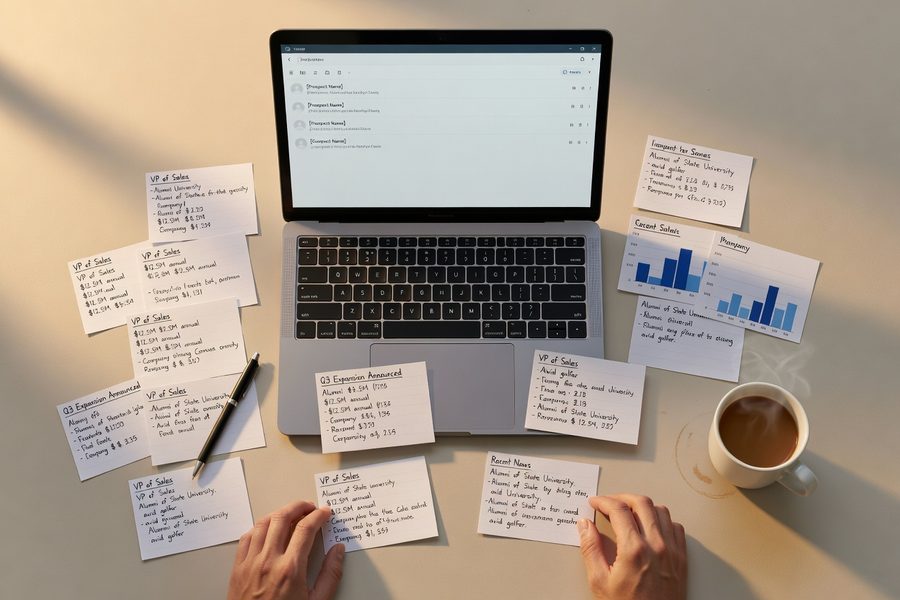
If your target market is B2B, LinkedIn Sales Navigator, even the basic $79.99/month plan, becomes your lead scraper, not a recruiter’s toy. The key shift for a solo operator is to stop trying to build a list of 2,000 contacts in a week. You want 200–300 carefully filtered profiles per campaign cycle, each enriched with one public signal that shows recent activity: a new role, a conference talk, a funding round, or a shared alumni connection. That signal is what your AI email app will later transform into a personalized opening line.
For enrichment, combine Sales Navigator’s export (use a Chrome extension that stays within LinkedIn’s terms) with a free or dirt-cheap tool like Hunter.io for verified email addresses. The whole process takes a solo marketer about two hours for 200 leads. That’s where the “no team” leverage sits, your time goes to judgment, not data entry.
Skip prospects who haven’t posted, changed jobs, or appeared in news in the last 90 days. A “cold” lead with zero recent activity is the hardest to personalize, and those emails almost always underperform.
Step 4: Write AI-Powered Sequences That Sound Like You, Not a Robot
Here’s where cold email apps turn from utilities into true leverage. You’re going to give the AI a structured prompt that includes a prospect data snippet, say, their latest LinkedIn post title, and a clear instruction: “Write a three-sentence email opening that references this post, explains why I’m reaching out, and does not use hyperbolic flattery.” Done right, the first draft is 70–80% usable. Your job becomes a brisk editing layer that injects your voice.
An example prompt template I’ve used for a B2B consulting pitch: “Prospect just announced a Series A. They’re building out their operations team. Mention the funding round, note that we helped a similar-stage company cut onboarding time by 40%, and ask if they’re open to a 15-minute chat about operational scaling. Keep tone warm, direct, no exclamation marks.” The AI produces a coherent opening. I tweak one sentence, adjust the transition, and the email reads like I spent 10 minutes on it, not two.
How to Do This
Most cold email apps let you import custom fields. Upload your enriched CSV with columns like “first_name,” “company,” “recent_trigger,” and “trigger_detail.” In the sequence editor, set the AI to personalize the first sentence of email 1 using the trigger_detail field. Then set it to write a follow-up two days later that adds one relevant case study detail from a separate column. This multi-touch AI sequence eliminates the blank-page freeze that kills solo campaigns before they start.
What to Watch Out For
AI-generated text will occasionally hallucinate or infer details that aren’t in your data. Always review the first two batches manually. If the AI says “I loved your interview with Forbes” but the prospect was only quoted in TechCrunch, you’ll look sloppy. A 10-minute review before sending saves your credibility. Also, remember that even personalized cold email must comply with opt-out rules: every message needs a functional unsubscribe link, as mandated by both CAN-SPAM and ICO’s PECR guidance.
| Feature | Instantly | Saleshandy | GMass |
|---|---|---|---|
| Starting monthly price | $37 | $25 | $35 |
| Unlimited warm-up | Yes | Yes | Requires external tool |
| AI personalization depth | Custom field injection + tone controls | Basic field insertion; fewer tone options | GPT-powered via add-on; Gmail-native |
| Ideal for solo send volume | Up to 5,000 active leads | Up to 5,000 active leads | Unlimited sequences; daily limit varies by Gmail account |
| Multi-inbox rotation built-in | Yes | Yes | Limited |

Even government entities see a 40.55% average open rate on email, the highest across all industries according to Mailchimp’s data. That underscores how B2B audiences, heavily served by transactional government and regulatory emails, are conditioned to open messages quickly if the sender is reputable.
Step 5: Read the Right Metrics, and Fix What’s Broken
Most solo marketers track opens and then panic. A better hierarchy: look at bounce rate first, then reply rate, then positive replies per week. Opens are distorted by Apple Mail Privacy Protection and image blocking, so treat them as a relative trend, not a precise number. If your bounce rate climbs above 3%, stop sending immediately and clean your list, those hard bounces are damaging your sender reputation faster than any warm-up can repair it.
Reply rates tell you whether your personalization is landing. I aim for 10–12% on a well-curated list of 200–300 prospects per campaign cycle. When the reply rate dips, the fix is rarely about sending more email. It’s usually a personalization fade, your trigger data has gotten stale, or your AI prompt template has drifted into generic phrasing. Revisit your last 50 emails side by side. If you could swap the prospect’s name and company and the opener still makes sense, your prompt needs sharper constraints.
How to Do This
Set a weekly 15-minute review block. Open your cold email app’s analytics, export the last seven days’ replies, and sort them into three buckets: “positive/curious,” “not now,” and “unsubscribe/complaint.” The ratio between bucket one and bucket three is your real health metric. If positive replies outnumber complaints 5:1 or better, keep going. If complaints creep up, reduce send volume by 20% and tighten your list criteria. This manual triage is where solos beat larger teams: you can adjust within hours, not weeks.
What to Watch Out For
A/B testing subject lines in isolation often misleads solo senders because sample sizes are too small to reach statistical significance. Instead, test full opening sentence variants across two equal batches of 100 emails each, holding everything else constant. Wait until you have at least 50 replies per variant before drawing conclusions.
80% of marketers now use AI for content creation (HubSpot 2026). The solo marketer who pairs AI-generated copy with tight human editing, rather than accepting the first draft, holds the edge.
Integrate your cold email app with a lightweight CRM like HubSpot’s free tier, or even a simple Google Sheet if your pipeline stays small. Having a set of online tools that make money management simpler extends beyond accounting, it includes tracking who responded, when, and what follow-up happened, so no lead slips through. For solos juggling client work, this discipline turns an email campaign into a real pipeline, not just a hope.

Frequently Asked Questions
What is the best cold email app for a single person who wants to keep costs under $50?
Saleshandy at $25/month and GMass at $35/month are the two strongest sub-$50 picks for a solo marketer today, both offering unlimited sequences and solid deliverability tools. If you can stretch to $37/month, Instantly adds deeper AI personalization and built-in multi-inbox rotation that saves hours of manual switching.
How long does it take to warm up a new email domain so my cold emails don’t land in spam?
Plan on 2–4 weeks of gradual warm-up, starting with around 5–10 emails per day and scaling to 30–50 per day by week four. This timeline keeps your sender reputation stable and dramatically lowers the chance of being blocklisted by major providers. Skipping the warm-up invites inbox placement rates below 30%.
Do I need to worry about CAN-SPAM or GDPR if I’m only sending B2B cold emails?
Yes. The FTC’s CAN-SPAM rule applies to all commercial email in the U.S., requiring a valid physical address, accurate headers, and a working opt-out. In the UK and EU, PECR and GDPR add stricter consent requirements for individuals, and B2B senders must still have a lawful basis, often legitimate interest, along with an unsubscribe mechanism. Ignoring these, even as a one-person business, exposes you to fines and domain blocklisting.
Can I use free tools to find email addresses for cold outreach?
Hunter.io’s free tier gives you 25 verified email lookups per month, and several Chrome extensions offer limited free credits for Sales Navigator exports. For 200–300 leads per campaign, you’ll likely need a paid plan (around $34–$50 a month), but those costs are offset by the time saved. Avoid scraping services that violate LinkedIn’s terms; a domain ban isn’t worth a few hundred emails.
How much time will I really spend per week running cold outreach as a solo marketer?
Once the initial setup (domain, authentication, warm-up, tool selection) is done, most solo operators land between 3–5 hours a week. That includes list updates, AI prompt tweaking, reply triage, and follow-up scheduling. The AI components absorb the heavy writing workload; your time goes to the human decisions that keep reply rates above 10%.
Why are my reply rates so low even though I’m personalizing the first line?
If your reply rate is stuck at 2–3%, the personalization may lack a genuine trigger event, simply mentioning a job title isn’t enough. Check whether your recent data includes a specific public signal like a post, a promotion, or a funding round. Also verify that your sender domain’s reputation hasn’t decayed by checking inbox placement with a tool like GlockApps; if you’re landing in Promotions or Spam, even perfect copy won’t save you.
Is it safe to let AI write my entire cold email sequence without editing?
No. Even advanced AI in cold email apps will occasionally hallucinate details or produce bland, corporate-sounding language. A 10–15 minute editing pass per batch, checking facts, softening any robotic tone, and ensuring the unsubscribe link works, keeps your credibility intact and helps maintain a reply rate above 10% month over month.
How do I handle replies when I’m the only person managing the inbox?
Treat your cold email inbox with a 24-hour response rule. Use Gmail labels (or your tool’s native reply tagging) to sort “interested,” “not now,” and “unsubscribe” replies. Positive replies get a manual, thoughtful response, these are your future clients. “Not now” replies get a single gentle follow-up in 45–60 days. This triage, while manual, is the most valuable hour of your week and can’t be fully delegated to AI without losing conversion rates.
Sources
- Mailchimp, Email Marketing Benchmarks by Industry
- HubSpot, The 2026 State of Marketing Report
- Federal Trade Commission, CAN-SPAM Act: A Compliance Guide for Business
- Information Commissioner’s Office, Electronic Mail Marketing under PECR
- Information Commissioner’s Office, Business-to-Business Marketing and the Law
- Instantly, AI-Powered Cold Email Platform
- Saleshandy, Cold Email Outreach Tool
- GMass, Mail Merge and Cold Email for Gmail
- Hunter.io, Email Finder and Verification
- LinkedIn Sales Navigator, Lead Generation Tool






