Fact-checked by the ZeroinDaily editorial team
A small bakery in Ohio answered 1,200 customer questions last month without a single employee lifting a finger, its no-code chatbot, built in 47 minutes using one of today’s chatbot builder apps, handled everything from delivery updates to allergen lists. The owner didn’t write a line of code. She didn’t hire a developer. She picked a platform, connected her FAQ page, and went live during a single afternoon. That speed is increasingly the norm, not the exception.
Across the U.S., small businesses are racing to deploy chatbots. Between 2023 and 2025, chatbot adoption among SMBs jumped 67%, according to Grand View Research, driven by customer expectations for instant, 24/7 service. The U.S. Small Business Administration has taken notice, stating plainly that “small businesses can benefit from adding a website chatbot that can answer common questions or complete an order to improve customer service.” The data backs the urgency: 40% of all chatbot-using businesses are small companies with fewer than 250 employees, and the underlying AI engines, led by ChatGPT, which held 86.32% of the global AI chatbot market between April 2024 and March 2025, are now powering conversations in thousands of small shops every day.
The question isn’t whether to adopt a chatbot. It’s how. Do you pay a developer to code a custom bot from scratch, or use a no-code platform? This deep dive gives you a clear, data-backed decision framework, revealing what each path really costs in time, money, and long-term risk, so you can choose the right route for your business.
Key Takeaways
- Small businesses using no-code chatbot builders can often get a functional bot live in under an hour, versus 8–12 weeks for custom code.
- Monthly no-code plans start at $20–$50, while custom development averages $5,000–$15,000 upfront plus ongoing LLM token costs.
- 86.32% of the global AI chatbot market is dominated by ChatGPT-based models, making no-code platforms reliant on the same powerful engines.
- 40% of chatbot-using businesses are small companies with fewer than 250 employees, proving that size is no barrier.
- 80% of typical SMB chatbot use cases, FAQs, lead capture, require no custom logic, meaning no-code builders handle them without advanced skills.
- Vendor pricing changes and LLM token overages can add 15–30% to annual no-code costs if not monitored closely.
In This Guide
- Why Small Businesses Need Chatbots in 2025
- The Two Main Paths: Custom-Coded vs No-Code Builders
- Real Cost Breakdown Over 12–24 Months
- Time and Skills Required to Get Live
- Customization Limits and Integration Depth
- Maintenance, Updates, and Long-Term Risks
- Data Privacy, Security, and Compliance Realities
- Decision Framework: Why No-Code Chatbot Builder Apps Win for Most Small Businesses
- Measuring Success: Analytics and ROI That Matter
Why Small Businesses Need Chatbots in 2025
Customer patience is shrinking in real time. A Gartner projection, that chatbots will become the primary customer service channel for roughly a quarter of organizations by 2027, shows that the expectation of instant, round-the-clock responses is no longer reserved for corporate giants. A bakery’s customers now expect the same speed they get from a bank’s app. Delayed replies translate directly into abandoned carts and lost trust.
Small businesses frequently operate with just one or two people handling support, sales, and operations. Adding live chat to that workload without automation is unsustainable. A chatbot builder app absorbs the repetitive queries, store hours, return policies, shipping timelines, so the owner can focus on inventory, marketing, or simply a lunch break. This isn’t theory; a McKinsey survey found that AI adoption in customer service nearly doubled between 2020 and 2023, with small firms leveraging these tools to close the gap with larger competitors.
The competitive pressure is acute. When a competitor offers a 2 a.m. answer to “Do you have this in navy?” and you don’t, that sale goes elsewhere. Larger players have been deploying small business AI tools for years; no-code platforms now flatten that field, making it entirely reasonable for a three-person team to be as responsive as a 300-person one.
67% growth in chatbot adoption among SMBs from 2023 to 2025, transforming customer engagement in industries from retail to home services.
The Two Main Paths: Custom-Coded vs No-Code Builders
When an owner hears “build a chatbot,” two very different images come to mind. One is a developer writing Python scripts and fine-tuning language models. The other is a drag-and-drop interface where you connect your website’s FAQ page, pick a color, and hit publish. Both exist, and each serves a distinct audience.
A custom-coded chatbot typically involves hiring a freelance developer or agency. You define the conversation flow, design the logic for handing off to a human, and integrate it with your backend. You choose the underlying AI model, often OpenAI’s API or a self-hosted open-source model, and pay for each API call. This path offers near-infinite flexibility but also requires ongoing technical stewardship.
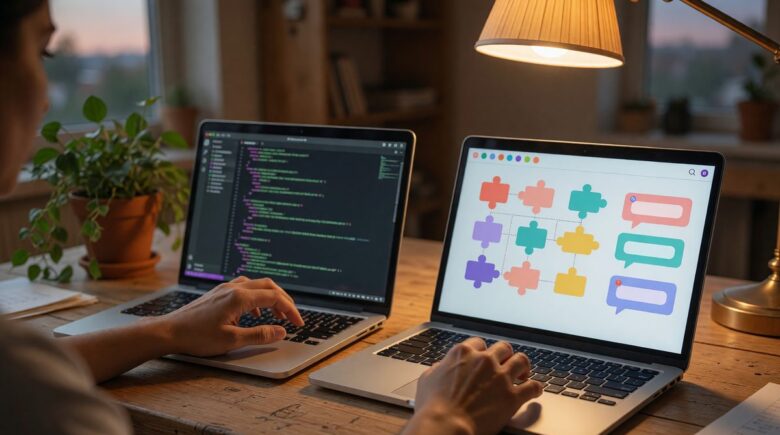
No-code builder apps, by contrast, abstract nearly all of that complexity. Platforms like Tidio, Botpress, ManyChat, and Chatfuel provide templates, visual flow builders, and pre-built integrations with Shopify, WordPress, and email marketing tools. The underlying AI is still powerful, most leverage ChatGPT or similar large language models, but you never interact with code. Pricing is subscription-based, usually $20–$50 per month for small business tiers, with additional charges for high-volume AI-powered conversations.
There is a middle ground, too. Some platforms offer a “low-code” mode where you can inject custom JavaScript or API calls when needed. But for the vast majority of small business use cases, the decision boils down to two clear lanes: full control with a developer, or a turnkey subscription.
| Factor | No-Code Builder | Custom Development |
|---|---|---|
| Setup Time | Under 1 hour to 3 days | 8–12 weeks typical |
| Upfront Cost | $0–$50 | $5,000–$15,000 |
| Monthly Cost | $20–$100 (incl. AI tokens) | $200–$1,500+ (hosting + developer) |
| Integration Depth | Plug-and-play for popular apps | Deep custom API connections |
| Branding Control | Good but constrained by platform | Full UI/UX customization |
Real Cost Breakdown Over 12–24 Months
Sticker prices are misleading. A no-code builder priced at $29/month looks like $348 a year. But add AI-powered responses that consume OpenAI tokens, and that monthly bill can jump to $75 or more during high-traffic seasons. Custom development quotes rarely include the monthly cloud hosting, SSL certificates, and API costs that follow. Let’s run the numbers.
No-Code Platform Costs: Subscription Plus Overage
Take a typical small e‑commerce store handling 500 chatbot conversations per month. Tidio’s “AI” plan costs $29/month for up to 500 AI-powered inquiries. If the business grows to 700 inquiries, the overage is roughly $0.03–$0.05 per additional conversation, adding $6–$10. ManyChat’s pricing works similarly, with tiered limits. Over two years, assuming steady growth, the total cost runs about $1,000–$1,500.
Custom Development: The Hidden Expenses
An agency quotes $8,000 to build a tailored chatbot. That covers the initial build, two rounds of revisions, and a basic integration with Shopify and email. But after launch, you’ll pay for: LLM API usage at roughly $0.002 per 1,000 tokens (with average conversations consuming 500–2,000 tokens), cloud hosting ($20–$50/month), and developer retainer hours for bug fixes and updates, typically $500/month for even a modest maintenance package. Over two years, that $8,000 quickly becomes $18,000 or more.
The real arithmetic matters here. Suppose the custom bot’s monthly maintenance is $500, and the business owner is already tracking expenses through expense tracking apps. That’s $6,000 a year. Compare to a no-code platform at $75/month, $900 a year. The difference of $5,100 annually pays for an entire extra marketing campaign or a part-time employee.
LLM token overages can add 15–30% to your annual no-code bill if volume spikes unexpectedly. Always check the platform’s fairness limits before committing.
| Cost Category | No-Code (Annual) | Custom Dev (Annual) |
|---|---|---|
| Subscription / Build | $360–$600 | $8,000 (one-time) |
| AI Token Fees | $120–$360 (overage) | $200–$600 (API calls) |
| Hosting & Infrastructure | Included | $240–$600 |
| Developer Maintenance | $0 (managed) | $3,600–$12,000 |
| Total Year 1 | $480–$960 | $12,040–$21,800 |

Time and Skills Required to Get Live
Speed is the no-code builder’s superpower. A non-technical owner with a ready FAQ list can set up a functioning chatbot in 45 minutes. The process typically involves signing up, importing website content to auto-train the AI, customizing the chat widget, and embedding a snippet. Tidio reports that most new users complete onboarding in under 30 minutes, with the bot handling basic questions almost immediately.
Custom development follows a very different timeline. After scoping, design, development, testing, and deployment, the fastest realistic launch is 8–12 weeks. That’s if the developer is dedicated and the requirements don’t shift, which they often do once the owner sees the bot in action.
The Technical Skill Ceiling
Building a custom bot demands expertise in at least one programming language (Python or Node.js), familiarity with REST APIs, and the ability to work with large language model prompt engineering. Small tweaks, adding a new product category, updating a return policy, require developer involvement, creating a bottleneck. No-code tools, by contrast, let the owner edit the knowledge base in a text box and see changes reflected instantly.
That agility matters because customers’ questions evolve. A seasonal menu change, a flash sale, a new shipping partner, each update should take minutes, not days. The no-code path aligns with the pace of small business operations, while the custom route can become a drag on responsiveness.
Before choosing any platform, block 30 minutes to try a free trial of a no-code builder with your actual FAQ. You’ll know within that session whether the tool meets 80% of your needs or if you really need custom work.
Customization Limits and Integration Depth
This is where no-code builders start to show their edges. Most connect seamlessly with Shopify, WooCommerce, HubSpot, and popular email tools, but if your business relies on a niche inventory system or a proprietary CRM, you may hit a wall. Custom bots, built to talk to any API, can weave together multi-app workflows: the bot checks stock levels in your warehouse system, processes a refund in your payment gateway, and triggers a shipping label, all in one conversation.
For the typical small business, however, that’s overkill. 80% of chatbot use cases are straightforward Q&A or lead capture, which no-code AI handles well without custom logic. The moment you need deep custom integration, say, a bot that pulls real-time inventory from a custom ERP and suggests upsells based on previous purchases, you’re in territory where a developer becomes necessary. But few small businesses ever cross that threshold in their first two years.
Maintenance, Updates, and Long-Term Risks
Chatbots are living products, not set-it-and-forget-it tools. Both paths demand ongoing care, but the nature of the work diverges sharply.
No-Code Maintenance: Vendor Dependency
When you use a builder app, the platform manages AI model updates, server security, and bug fixes. That’s a genuine relief. However, you’re also vulnerable to the vendor’s roadmap. A pricing change, feature deprecation, or even the platform shutting down can disrupt your bot overnight. In 2024, a popular no-code platform abruptly tripled the price of its AI tier, leaving hundreds of small businesses scrambling to migrate. The risk is real, and it’s why you should periodically export your bot’s knowledge base and know your cancellation window.
Custom Bot Maintenance: Developer Reliance
With a custom bot, you avoid vendor lock-in but trade it for developer reliance. The AI models that power your bot, whether OpenAI, Anthropic, or an open-source alternative, require prompt updates as the models evolve. Security patches, hosting upgrades, and compatibility fixes all fall on your developer. If that developer leaves or becomes unavailable, your bot can stagnate quickly.
What I see in practice: Small business owners routinely overestimate the ease of maintaining a custom chatbot. They picture it updating itself like a smartphone app, but in reality a simple FAQ refresh often requires a developer ticket, a three-day wait, and a $150 invoice each time.
Don’t assume a no-code builder will maintain your content for you. If your website content is the training source, you still need to keep that updated, the bot is only as current as the data it feeds from.
Data Privacy, Security, and Compliance Realities
Customer data flows through chatbots, names, order numbers, sometimes credit card details (though best practice is to avoid capturing payments directly). How that data is handled varies hugely between the two paths, and small businesses in regulated industries need to pay close attention.
No-Code Platforms and Regulatory Gaps
Most no-code builders operate on US-based cloud infrastructure and comply with standard data protection measures. However, fewer offer full GDPR data processing agreements out of the box, and even fewer are HIPAA-compliant. If you handle health information or European customer data, you must verify the platform’s certifications. Some, like Botpress, offer enterprise plans with dedicated infrastructure and SOC 2 compliance, but these cost significantly more. The default small-business tier might not be sufficient, leaving you exposed.
Custom Development: Control and Responsibility
Building your own bot gives you total control over data storage, encryption, and retention policies. You can host it in your own AWS or GCP environment, configure the exact access logging you need, and sign BAA agreements with cloud providers. The burden, however, is entirely on you to maintain compliance. A missed security patch or an improperly configured database can lead to a breach that a no-code provider would have caught automatically. For most small businesses without a dedicated IT security person, this control is a double-edged sword.
| Privacy Dimension | No-Code Builder (Standard) | Custom Solution |
|---|---|---|
| Data Storage Location | Vendor-managed (often US) | Choose your region |
| GDPR DPA | Sometimes, not always | Fully configurable |
| HIPAA Capable | Rarely | With proper architecture |
| Audit Logs | Limited | Detailed, custom |
Decision Framework: Why No-Code Chatbot Builder Apps Win for Most Small Businesses
If your business’s chatbot needs fall into the 80% bucket, FAQs, appointment scheduling, lead capture, order status, the data strongly favors a no-code builder. The cost difference is enormous, the time to launch is measured in hours, and the ongoing maintenance burden is minimal. Even with token overages, a year of no-code service costs less than a single month of developer retainer.
Custom development still has its place. A business handling sensitive medical appointments with complex scheduling logic across multiple locations and providers, or one needing deep multi-language support with dialect detection, may justify the investment. But even then, starting with a no-code pilot to validate the use case, then migrating if needed, is almost always smarter than building from scratch. The days of “go custom or go home” are over.
40% of all chatbot-using businesses are small companies with fewer than 250 employees, proving that no-code builders are already the default for this segment.
Measuring Success: Analytics and ROI That Matter
Whichever path you choose, you must measure whether the bot is actually helping. Many no-code builders now include built-in analytics dashboards that track deflection rate (the percentage of conversations handled without a human), user satisfaction scores, and most common queries. Without these, you’re flying blind.
Top-performing chatbots achieve deflection rates of 60–75%, meaning they resolve three out of four inquiries without any staff involvement.
Custom bots require you to build your own analytics, typically integrating tools like Google Analytics, Mixpanel, or a custom database. This adds development time and complexity. For a small business, the out-of-the-box analytics from a builder app are usually sufficient to track ROI, comparing the saved staff hours (valued at, say, $20/hour) against the subscription cost. If a $49/month bot saves 15 hours of support time weekly, that’s a return of over $15,000 per year.
Real-World Example: Illustrative E‑Commerce Store “Evergreen Home Goods”
Consider an illustrative example: Evergreen Home Goods, a small online retailer with $250,000 in annual revenue, was drowning in support tickets about order status and returns. The owner, Mia, evaluated both options. A custom developer quoted $8,500 and 10 weeks to build a bot that integrated with her inventory system. Instead, she chose a no-code builder at $49/month, connected it to her Shopify store, and launched in two days. Within the first month, the bot handled 320 conversations, deflected 65% from her support inbox, and saved her team 12 hours per week. After 18 months, her total cost was $882, less than the monthly maintenance fee she would have paid for the custom bot. The bot’s only limit: it couldn’t process partial returns for multi-item orders that were split across warehouses. But that edge case affected 3% of orders, which her team continued to handle manually. The tradeoff was worth it.

Your Action Plan
-
Audit your most frequent customer queries
Pull the last month’s emails, chat logs, and social messages. Group them into categories, shipping, returns, product specs, store hours, and note how many are repetitive. This list becomes the core of your chatbot’s knowledge base.
-
Define a specific, measurable goal
Don’t say “improve support.” Say “reduce live chat volume by 30% in three months” or “answer 80% of after-hours inquiries automatically.” A clear goal lets you judge success later.
-
Research no-code chatbot builder apps that fit your tech stack
Look for platforms with direct integrations with your e‑commerce system, cloud storage and tools, and email marketing service. Test their AI by feeding it your top 10 FAQs and see how the answers read.
-
Model total costs including overage and token fees
Estimate your monthly conversation volume and plug it into each platform’s pricing calculator. Don’t forget to account for growth, your holiday traffic might be triple your January volume.
-
Run a 14-day free trial with live-but-limited traffic
Deploy the chatbot on a single page, your FAQ or contact page, with a human fallback for complex questions. Monitor deflection rate and customer feedback before rolling out sitewide.
-
Set up a human handoff protocol
Even the best bot gets stuck. Configure the platform to transfer to a team member (via email or live chat) when a customer types “speak to a person” or the AI’s confidence score drops below a threshold.
-
Review analytics weekly during the first month
Check which questions are still being escalated and update the knowledge base accordingly. Many platforms show a “clustered unknown questions” report that highlights gaps you can fill in minutes.
-
Schedule a quarterly platform review
Pricing and features shift. Mark your calendar to re-evaluate your builder app against competitors every 90 days, and always export your bot’s content so you can migrate without losing all your tuning work.

Frequently Asked Questions
Can I build a chatbot without any coding skills?
Yes. Modern no-code chatbot builder apps like Tidio, ManyChat, and Botpress use visual interfaces, drag-and-drop flows, and automatic AI training from your existing website content. You can have a functioning bot live in under an hour without writing a single line of code.
What’s the cheapest chatbot builder for a very small business?
Several platforms offer free tiers with limited AI responses. Tidio’s free plan includes 100 AI-driven conversations per month, while ManyChat’s free tier supports basic keyword-based bots on Instagram and Facebook. Keep in mind that the free tiers often lack advanced analytics or multi-channel support.
Will a chatbot replace my support team entirely?
Unlikely for most small businesses. Chatbots excel at deflection, handling the repetitive, straightforward queries, but complex or emotionally sensitive issues still need a human. The goal is to free your team to work on higher-value tasks, not eliminate their roles.
How do no-code chatbot builders handle multilingual queries?
Many now support multiple languages out of the box, but quality varies. Platforms built on ChatGPT models can understand and reply in dozens of languages, though nuance and cultural context may be lost in lower-resource languages. If your customer base is primarily non-English, test the bot thoroughly in that language before committing.
Is my customer data safe with a no-code chatbot platform?
Data safety depends on the platform’s infrastructure and your region’s regulations. Most reputable builders encrypt data in transit and at rest, but not all offer GDPR data processing agreements or HIPAA compliance. Always request the vendor’s security documentation and review their data retention policies before integrating sensitive workflows.
Can I start with a no-code builder and switch to a custom bot later?
Yes, and this is a prudent path. Many businesses pilot a no-code solution to validate use cases and gather real user data. If the bot outgrows the platform’s capabilities, say, you need deep ERP integration, you can then commission a custom build, using the insights gained from the pilot. Export your conversation history and knowledge base to speed the transition.
What happens if the no-code platform raises its prices or shuts down?
Vendor risk is real. To protect yourself, always maintain a recent export of your chatbot’s content (FAQs, flows, welcome messages). Test alternative platforms yearly so you know how quickly you could migrate. Choose builders that allow data export in a standard format like JSON or CSV.
How do I measure if my chatbot is worth the cost?
Track deflection rate (percentage of conversations that don’t require a human), saved staff hours, and customer satisfaction scores post-interaction. Compare the cost of the bot subscription plus any token overages against the value of the time it saves. Most small businesses find payback within the first 2–3 months if deployment is targeted.
What’s a realistic timeline to launch a no-code chatbot?
A basic FAQ chatbot can be live in 30–60 minutes. A more sophisticated bot that integrates with your order system and offers personalized product recommendations might take 3–5 days of tweaking and testing. Custom development, by contrast, rarely launches in less than two months.
Do I need to pay extra for AI capabilities, or is it included?
Most no-code platforms include a certain number of AI-powered conversations in the base plan, but once you exceed that limit, you pay per message or per thousand tokens. These overages can surprise you during busy periods. Check the “fair use” policy and set usage alerts if the platform allows it.
Sources
- U.S. Small Business Administration, AI for Small Business
- Conferbot, Chatbot for Small Business Guide (citing Grand View Research 2025 growth data)
- Statista via LinkedIn, ChatGPT’s 86.32% AI Chatbot Market Share
- Master of Code, 40% of Chatbot-Using Businesses Are Small Companies
- Tidio, Pricing Plans
- Botpress, Pricing Plans
- IBM, Chatbot ROI and Benefits






