
Quick Answer
Fintech apps like Acorns, Digit, Qapital, and Chime automate saving by analyzing your spending patterns and quietly moving small amounts to savings without requiring any manual effort. They use techniques like purchase roundups, AI-driven micro-transfers, and behavioral triggers to help users build emergency funds and reach financial goals, often for as little as $1 to $5 per month.
Updated July 2026
Remember when saving money meant manually transferring funds to your savings account every payday, hoping you’d actually remember to do it? Those days are fading. A new crop of fintech apps has taken the mental load out of saving almost entirely.
These platforms work quietly in the background, reading your spending patterns and stashing away small amounts you’ll barely notice are gone. For millennials juggling student loans, rising rent, and the constant pull of one-click purchases, that kind of quiet automation can matter more than any budgeting spreadsheet ever did.
Key Takeaways
- Acorns has helped users collectively save over $15 billion since launch using its purchase-roundup method, according to Acorns company reports.
- Digit’s algorithm has transferred over $7 billion in savings for users while maintaining a remarkably low overdraft rate, per NerdWallet’s review of automatic savings apps.
- Nearly 40% of Americans would struggle to cover a $400 emergency expense, according to the Federal Reserve’s 2022 Report on the Economic Well-Being of U.S. Households.
- Most automated savings apps charge between $1 and $5 per month, making sophisticated money management accessible to nearly all income levels.
- Plaid, the data-connectivity platform used by most savings apps, connects to over 11,000 financial institutions, enabling secure, read-only access to bank account data.
- FDIC insurance covers deposits held through fintech-bank partnerships up to $250,000, providing the same protection as traditional bank accounts.
Effortless Saving: Apps That Automate Your Money
Saving the old-fashioned way took constant vigilance. You had to remember to move the money, decide how much you could spare, and then resist the urge to pull it back the second something tempting showed up in your feed.
Fintech companies noticed that friction and built around it. Digit, Qapital, and Chime now run algorithms that figure out what you can afford to set aside based on your income, your spending habits, and whatever bills are coming due. Even bigger players like SoFi and Chase have started folding automated savings features into their own platforms, which tells you the idea has moved well past niche fintech territory.
These apps connect straight to your checking account and watch your cash flow in real time. Over weeks and months they get sharper at reading your patterns, which means they get better at moving money without leaving you short before rent is due.
Set your preferences once, and the app takes it from there. Saving stops being a chore you have to remember and becomes something that just happens, which is exactly why it works for people who’ve never had much luck with traditional budgeting.
One of the easiest and most consistent ways to build savings is to make it automatic through recurring transfers from checking to savings accounts via banks, credit unions, or apps, according to the Consumer Financial Protection Bureau.
There’s a psychological piece here too. When money moves on its own, you don’t feel the same sting you’d feel dragging it out of checking yourself. You just adapt to whatever’s left in the account. String that together over months, and those small, invisible transfers turn into emergency funds that would have felt out of reach if you’d been relying on willpower alone.
How Micro-Savings Technology Works
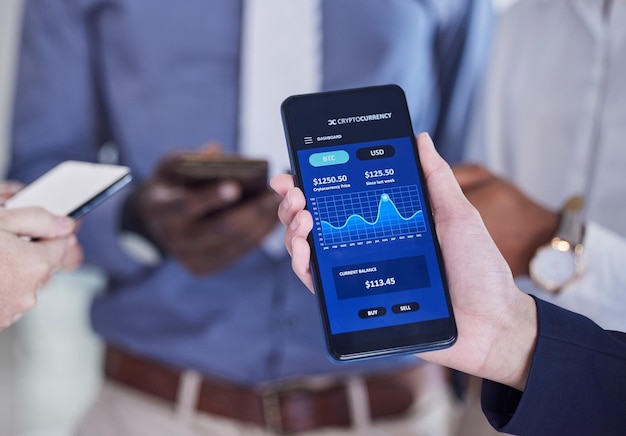
The core trick behind a lot of these apps is micro-saving: round a purchase up to the nearest dollar and save the leftover change. Buy a coffee for $3.75, and $0.25 quietly slides into savings.
Sounds small. But run dozens of transactions a week, and those quarters pile up faster than most people expect. Acorns built its whole model on this roundup approach and says it’s helped users save over $15 billion collectively since launch, according to Acorns’ own platform data.
Other apps go further than simple roundups. Digit checks your account every few days, watching your spending velocity and balance, then moves whatever it calculates you can spare, sometimes $5, sometimes $30. The company claims its algorithm has saved users over $7 billion while keeping overdraft rates unusually low, as detailed in NerdWallet’s analysis of automatic savings apps.
Systems like this factor in recurring bills, irregular paychecks, and even that weekend spending spike most people don’t notice in themselves.
Then there’s the behavioral angle. Qapital lets you build custom rules: save $10 every time you hit the gym, sock away cash whenever you skip your daily latte, or auto-save a slice of every paycheck. It turns saving into something closer to a game than a sacrifice, and it makes an abstract goal like “save more” feel like a series of small, winnable challenges.
Research shows that guaranteed automated saving rules, such as fixed amounts on payday, are associated with greater savings outcomes than spending-contingent rules like round-ups, according to the Consumer Financial Protection Bureau.
How Micro-Savings Tools Are Changing Finance
Traditional banking left a lot of younger and lower-income Americans out in the cold. Minimum balance requirements, monthly fees, and confusing products created real barriers, ones the FDIC has documented for years in its surveys of unbanked and underbanked households.
Micro-savings apps knocked a lot of that down by offering cheap or free access to automated tools that used to require a paid financial advisor. Most charge between $1 and $5 a month, which puts real money management within reach of almost anyone with a bank account.
| App | Monthly Fee | Core Saving Method | FDIC Insured | Additional Features |
|---|---|---|---|---|
| Acorns | $3 | Purchase roundups to nearest $1 | Yes (up to $250,000) | Automated investing, retirement accounts |
| Digit | $5 | AI-driven micro-transfers every 2–3 days | Yes (up to $250,000) | Debt payoff tools, goal buckets |
| Qapital | $3–$12 | Custom behavioral rule triggers | Yes (up to $250,000) | Shared goals, spending insights |
| Chime | $0 | 10% of each direct deposit auto-saved | Yes (up to $250,000) | Early direct deposit (up to 2 days), fee-free overdraft |
| SoFi | $0 | Automatic savings vaults with APY of 4.60% | Yes (up to $2,000,000 via partner banks) | Loans, investing, credit score monitoring via Experian |
That $3 to $5 monthly fee is worth pausing on, though. On a small balance, it eats into your progress fast. Save $15 a month and pay $3 for the privilege, and you’ve just lost 20% of what you put away. If you’re just starting out, a free option like Chime or SoFi is probably the smarter first move.
This shift goes beyond savings features alone. A lot of these apps now bundle in early direct deposit, fee-free overdraft protection, and basic investing. Chime, for instance, automatically saves 10% of every direct deposit and lets you access your paycheck up to two days early. Bundling these features together solves more than one problem at once, instead of asking you to juggle five separate apps.
The effect on financial inclusion has been real. The Federal Reserve’s 2022 Report on the Economic Well-Being of U.S. Households found nearly 40% of Americans would struggle to cover a $400 emergency expense. Automated savings apps chip away at that gap by building emergency cushions without anyone having to think about it much. Millennials in particular have gravitated toward these tools, facing student debt and delayed homeownership in an economy that barely uses cash anymore.
Credit-building tools from Experian and similar companies have started plugging into these savings platforms too, letting users work on their FICO Score and their savings balance at the same time instead of treating them as separate projects.
Regulatory Considerations and Data Security

As these apps have grown, regulators have paid closer attention. The Consumer Financial Protection Bureau has stepped up oversight of how fintech companies access bank data and protect consumer information. Its Personal Financial Data Rights rule, finalized in late 2024, gives consumers more say over how third-party apps can access and share their financial data.
Most savings apps rely on read-only access through platforms like Plaid, which connects to over 11,000 financial institutions. Even so, it’s worth understanding exactly what permissions you’re granting and where your data ends up. The Federal Reserve has weighed in on open banking standards as well, setting expectations around transparency and consumer consent for these data-sharing arrangements.
Security matters a lot here, since you’re handing over banking credentials to a company you’ve probably never met in person. Reputable fintech firms use bank-level 256-bit encryption and keep credentials in encrypted databases. Most are also insured by the FDIC up to $250,000 through partnerships with established banks. SoFi pushes this further, spreading deposits across multiple partner banks to reach FDIC coverage of up to $2,000,000. Still, do your own homework: read the privacy policy, check the security page, and turn on two-factor authentication if it’s offered.
The regulatory picture keeps shifting as banks and fintech startups figure out how to work together. Chase and other established banks now partner with fintech firms or build their own automated savings tools to keep up. That competition is good for consumers, generally, lower costs and better features tend to follow. But it also muddies the waters on which rules apply and who’s on the hook when something goes wrong, which is exactly why understanding your app’s actual terms matters more than skimming a five-star review.
There’s also a connection worth knowing about between automated saving and your debt-to-income ratio. Saving itself doesn’t touch your FICO Score directly, but building a cash cushion reduces how often you’ll need to lean on high-APR credit cards, which can help your credit profile indirectly over time, according to Experian’s consumer credit research.
The Future of Automated Personal Finance
Automated saving is really just the opening move in AI-driven personal finance. Expect the next wave of apps to lean harder into predictive analytics, offering advice tailored to your specific financial situation rather than generic tips. A few platforms are already testing features that adjust savings rates based on expenses detected in your calendar or email, an upcoming vacation, a renewal notice for car insurance, that sort of thing.
Integration with other financial tools is deepening too. Some apps now combine automated saving with debt payoff strategies, investment portfolios, even cryptocurrency holdings, treating your finances as one connected system instead of a pile of separate accounts. Picture an app that notices you’re falling behind on a credit card, where the national average APR hit 21.47% in early 2026 according to Federal Reserve consumer credit data, and automatically redirects your savings contributions toward that balance instead.
The end goal, at least the one these companies talk about, is a kind of financial autopilot that needs almost no input from you while still producing good outcomes. As machine learning improves and open banking standards expand under CFPB and Federal Reserve frameworks, these tools should keep getting sharper. For millennials and Gen Z, who grew up trusting algorithms to pick their music and their dates, handing finances over to the same kind of system doesn’t feel like a huge leap. The real question isn’t whether to use these tools. It’s how to use them without losing track of the bigger picture.
These apps have genuinely changed how a lot of Americans relate to their money. By making saving invisible instead of effortful, they’ve helped people build cushions that might never have existed otherwise.
Final Thoughts
Before you download an app, take these three steps:
- Check your last three months of statements. Identify how many transactions you make per month and whether you skew toward card or cash. If you rarely use a debit card, roundup apps won’t build much; a fixed-transfer app like Digit or Chime’s percentage save will be more effective.
- Compare the fee to your expected savings. If you’re saving $10–20 a month, a $3 fee is a significant haircut. Start with a free option and upgrade only if the extra features justify the cost.
- Set a calendar reminder to review the app after 60 days. Automated saving is powerful, but it’s not set-and-forget. Check your balance, make sure the transfers aren’t causing overdrafts, and confirm your savings are growing at a rate you’re happy with.
If you’re carrying high-interest credit card debt, paying that down usually beats saving. The average APR of 21.47% on credit cards far exceeds any savings account yield. In that case, use an app that lets you split transfers toward debt payoff, or temporarily pause saving until the debt is under control. The best tool is the one that matches your current financial reality.
Frequently Asked Questions
What are the best fintech apps for saving money automatically in 2026?
The top automated savings apps in 2026 are Acorns, Digit, Qapital, Chime, and SoFi. Each uses a different core method: Acorns rounds up purchases, Digit uses AI-driven micro-transfers, Qapital applies behavioral triggers, Chime saves 10% of every direct deposit, and SoFi offers high-yield savings vaults with competitive APY. The best choice depends on whether you prefer roundups, rule-based saving, or percentage-based automation. According to the Consumer Financial Protection Bureau, guaranteed automated rules (like fixed transfers) tend to produce better savings outcomes than spending-based triggers.
Are automated savings apps safe and FDIC insured?
Yes, most reputable automated savings apps are FDIC insured up to $250,000 through their partner banks, the same protection offered by traditional banks. Apps like SoFi extend this to $2 million by distributing deposits across multiple FDIC-member institutions. Always verify that the app discloses its banking partner and confirms FDIC coverage before linking your account.
How does micro-saving actually work?
Micro-saving works by automatically transferring very small amounts, sometimes as little as $0.25, from your checking account to a savings account without requiring any action from you. Apps like Acorns do this by rounding up every purchase to the nearest dollar and saving the difference. Apps like Digit analyze your income and spending patterns using algorithms to identify safe amounts to transfer every two to three days.
Will using an automated savings app overdraft my bank account?
Overdrafts are rare with well-designed savings apps. Digit, for example, explicitly builds overdraft avoidance into its algorithm by monitoring your account balance and upcoming bills before initiating any transfer. Chime offers fee-free overdraft protection as an additional safeguard. No system is perfect, especially with irregular income or unusually high expenses, so regular monitoring is still advised.
Do automated savings apps affect my credit score or FICO Score?
No, using an automated savings app does not directly affect your FICO Score because savings account activity is not reported to credit bureaus like Experian, Equifax, or TransUnion. However, building an emergency fund indirectly supports your credit health by reducing the likelihood that you’ll need to carry high-APR credit card balances or take out loans to cover unexpected expenses, according to Experian’s consumer credit research.
How much do automated savings apps cost per month?
Most automated savings apps charge between $1 and $5 per month. Chime is free. Acorns and Qapital’s basic tier both charge $3 per month. Digit charges $5 per month. SoFi charges nothing for its savings features. Some apps offer premium tiers with additional features at higher prices, Qapital’s top plan, for instance, costs $12 per month and includes shared savings goals and advanced spending analytics.
Is my financial data safe when I connect my bank account to a savings app?
Most apps use read-only access through a secure intermediary like Plaid, which connects to over 11,000 financial institutions and uses bank-level 256-bit encryption. This means the app can see your transaction history and balance to make saving decisions, but cannot move money out of your account beyond authorized transfers. Always enable two-factor authentication and review the app’s privacy policy to understand how your data is stored and shared. The CFPB’s Personal Financial Data Rights rule now gives consumers stronger control over how their data is accessed and shared.
Can automated savings apps help me pay off debt faster?
Yes, some apps, including Digit, now include dedicated debt payoff tools that let you direct automated transfers toward credit card balances or loans rather than, or in addition to, savings. Given that the average credit card APR reached 21.47% in early 2026, according to Federal Reserve consumer credit data, reducing high-interest debt can deliver a better effective return than even a competitive savings rate. Look for apps that let you split transfers between savings and debt repayment for a balanced approach.
Are automated savings apps good for people with irregular income?
Yes. Apps like Digit are specifically designed to handle irregular income by analyzing your current account balance rather than relying on a fixed paycheck schedule. Qapital’s rule-based system also works well for freelancers and gig workers because you can create rules that trigger only when deposits above a certain threshold arrive. The Consumer Financial Protection Bureau notes that automated tools with consistent rules are more effective than variable ones for unstable income streams.
What should I look for when choosing a savings app?
Look for transparent FDIC insurance, clear privacy policies, read-only access via trusted platforms like Plaid, and tools that align with your financial goals. Consider whether the app offers features like early deposits, debt payoff tools, or credit monitoring. Avoid apps with hidden fees or unclear data-sharing practices. The Consumer Financial Protection Bureau recommends making saving automatic and consistent as one of the most effective ways to build an emergency fund over time.
Do these apps work with any bank?
Most automated savings apps work with over 11,000 financial institutions through secure platforms like Plaid. This includes major banks, credit unions, and online-only lenders. However, compatibility can vary by app and account type. Always check the app’s website for a list of supported institutions before linking your account.
References
- Federal Reserve Board. (2023). “Report on the Economic Well-Being of U.S. Households in 2022.” Federal Reserve. https://www.federalreserve.gov/publications/2023-economic-well-being-of-us-households-in-2022-dealing-with-unexpected-expenses.htm
- Federal Reserve Board. (2026). “Consumer Credit, G.19.” Federal Reserve. https://www.federalreserve.gov/releases/g19/current/
- Consumer Financial Protection Bureau. (2024). “Personal Financial Data Rights Final Rule.” CFPB. https://www.consumerfinance.gov/rules-policy/final-rules/personal-financial-data-rights/
- FDIC. “Your Insured Deposits.” Federal Deposit Insurance Corporation. https://www.fdic.gov/deposit/deposits/insured.html
- Consumer Financial Protection Bureau. (2023). “Research Report: Consumer Savings App Strategies and Savings Outcomes.” https://www.consumerfinance.gov/data-research/research-reports/consumer-savings-app-strategies-and-savings-outcomes/
- Consumer Financial Protection Bureau. (2023). “An Essential Guide to Building an Emergency Fund.” https://www.consumerfinance.gov/an-essential-guide-to-building-an-emergency-fund/
- Consumer Financial Protection Bureau. (2023). “Looking for an Easy Way to Save Money? Make It Automatic.” https://www.consumerfinance.gov/archive/blog/looking-easy-way-save-money-make-it-automatic/
- Experian. “What Is a Good Credit Score?” Experian. https://www.experian.com/blogs/ask-experian/what-is-a-good-credit-score/
Keep Reading
If you found this article helpful, check out these related guides:






