Fact-checked by the ZeroinDaily editorial team
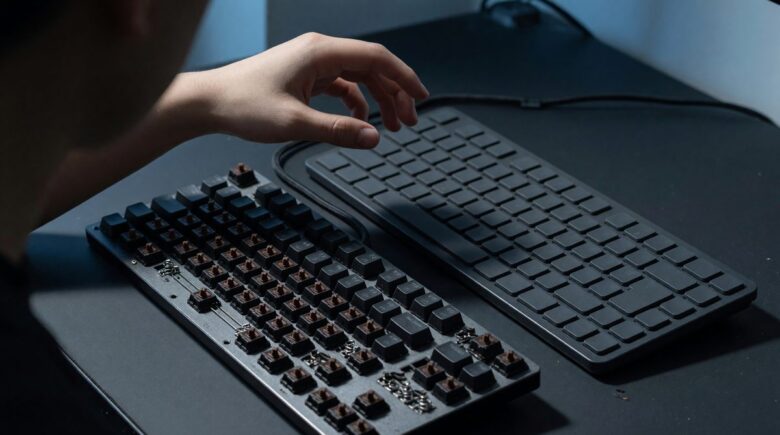
In a cramped co-working space in Lisbon last month, I watched a developer hammer out code on a keyboard that sounded like hail on a tin roof, each keystroke a deliberate, satisfying snap. That was a mechanical keyboard. Two seats over, an accountant worked in near silence on a membrane board, fingers sinking into soft domes without a sound. The **mechanical keyboard vs membrane** debate isn’t just about noise. It’s a decision that shapes every interaction you have with your computer, and your wallet over the next half-decade.
Global sales of mechanical keyboards touched USD 2.71 billion in 2025, says Market Research Future, with gamers driving 63.7% of those purchases the year before. Yet millions of people still type on membrane keyboards that come bundled with a desktop purchase. The chasm between the two is measurable in dollars, decibels, and durability.
By the end of this piece, you’ll know exactly which keyboard type matches your daily grind, and how much it’ll really cost you, not just at checkout but three to five years down the line. No hype. Just numbers, switch internals, and a clear-eyed look at the trade-offs.
Key Takeaways
- Mechanical switches are rated for 50–100 million keystrokes; membrane switches rarely survive beyond 5–10 million, which can mean replacing a membrane board every 18–24 months under heavy use.
- The mechanical keyboard market hit USD 2.71 billion in 2025, but wired models still capture 69.05% of sales, wireless remains a premium add-on.
- Non-tactile linear switches held 44.55% of the market in 2025, meaning nearly half of mechanical buyers prefer smooth, quiet keypresses over clicky alternatives.
- Entry-level mechanical keyboards with hot-swap sockets now cost under $60, cutting the barrier to a repairable, long-lasting typing tool.
- In independent latency tests, popular mechanical models register keypresses 8–12 milliseconds faster than average membrane boards, critical for competitive gaming but barely noticeable for email.
- Over a 5-year window, a single $80 mechanical keyboard often costs less than three membrane replacements at $30 each, assuming 2–3 hours of daily typing.
In This Guide
- How Each Keyboard Type Registers a Keypress
- Typing Feel: From Mushy to Tactile Bliss
- Durability and Lifespan: 50 Million vs 5 Million Keystrokes
- Performance in Milliseconds: Gaming and Productivity
- Total Cost of Ownership: The 3–5 Year Real Cost
- The Silent Assumption: Ergonomics and RSI
- Who Should Buy Which: A Clear Decision Matrix
- Emerging Trends: Low-Profile, Hybrids, and What’s Next
How Each Keyboard Type Registers a Keypress
A keypress is an electrical event. In a membrane keyboard, a rubber dome collapses under your finger, pressing a conductive pad against a circuit sheet. The dome provides resistance, then gives way abruptly: that soft, squishy bottom-out. Membrane boards rely on a single sheet of contacts, which limits how many keys you can press at once without ghosting.
Mechanical keyboards give each key its own physical switch, a spring-loaded stem inside a housing. When you push past the actuation point, metal contacts connect and the circuit completes. The actuation point itself can be precise and consistent; Cherry MX switches, for example, actuate at 2 millimeters of travel with 45 grams of force. Membrane keyboards often bottom out at 3–4 millimeters with inconsistent force curves.
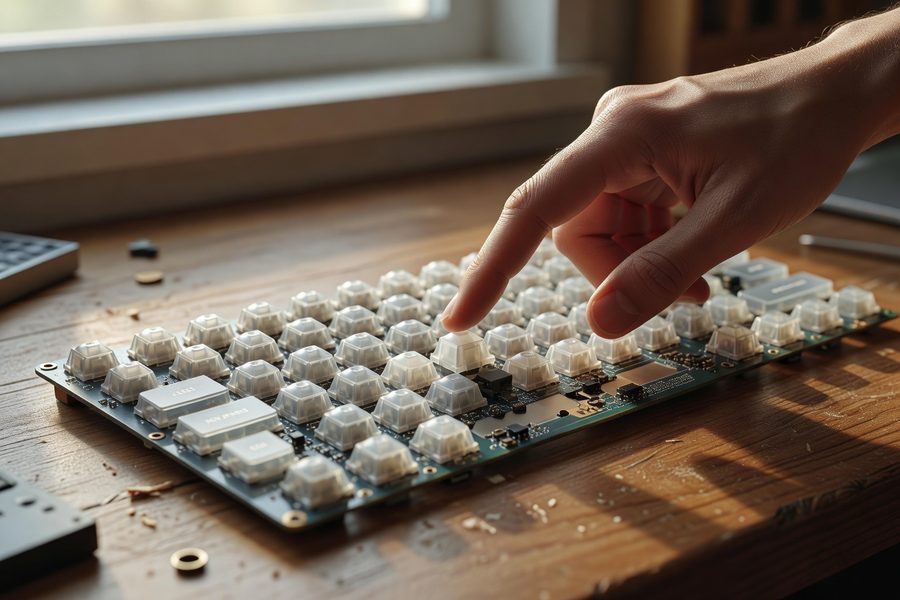
That independence buys you something called full N-key rollover (NKRO). On a membrane board, press three keys in a cluster and the fourth may not register, the matrix can’t distinguish overlapping signals. Mechanical keyboards with NKRO solve this, so every keystroke counts, even during frantic gaming combinations or chord-heavy coding shortcuts.
Wired mechanical keyboards retained 69.05% of the market size in 2025, according to Mordor Intelligence, partly because wireless models still struggle to match the low latency of a direct USB connection.
Switch Types in Plain Language
Linear switches move straight down without a bump. You feel nothing until you hit the bottom. Silent linear switches add internal dampeners, cutting noise dramatically. Tactile switches give a small bump at the actuation point, a reminder that the keypress registered. Clicky switches do the same, plus an audible click that some typists adore and office neighbors despise.
This variety means you can tailor the experience. A membrane keyboard offers one generic feel: the same mushy collapse across all keys. You don’t get to choose. That’s fine for short bursts, but for anyone spending hours in front of a screen, the difference compounds.
Typing Feel: From Mushy to Tactile Bliss
I pressed my thumb into a worn membrane board at a library once. The spacebar sagged, the rubber dome underneath had fatigued unevenly. That’s the membrane reality after a year or two: inconsistent resistance, keys that require more force in the center than at the edges, and a bottom-out that feels like stepping on stale bread.
A mechanical keyboard’s feel stays uniform. The spring and stem inside each switch don’t degrade like rubber domes. Linear switches offer a smooth, rapid glide prized by fast typists and gamers; tactile switches give that subtle confirmation that a letter landed; clicky switches, the hailstorm I heard in Lisbon, add a sharp auditory reward.
Noise is the elephant in the room. A clicky switch can reach 60 decibels, roughly the volume of normal conversation. Membrane keyboards hover around 40–45 decibels. But the gap narrows fast: silent linear switches with factory-installed dampeners and O-ring mods can drop mechanical keystrokes below 50 decibels, close enough to membrane that a coworker three desks away won’t notice.
If you share a workspace, choose silent linear switches and add a desk mat to absorb vibration. You’ll retain the consistency of mechanical actuation without the noise complaints.
Why Sound Matters More Than You Think
Sound is feedback. Typists often rely on the audible cue to develop rhythm, but a clicky keyboard in an open-plan office can drain goodwill fast. Membrane’s near-silence is a genuine advantage in libraries, shared bedrooms, and call centers. Yet the “mechanical is always loud” myth persists despite the rise of silent switches.
Consider this: 44.55% of mechanical keyboard buyers in 2025 chose non-tactile linear switches, Mordor Intelligence reports. Many of those are silent linears. The market is moving toward quieter, smoother operation while keeping the mechanical benefits.
Durability and Lifespan: 50 Million vs 5 Million Keystrokes
Membrane keyboards are rated for 5 to 10 million keypresses per switch. Mechanical switches, like Cherry MX, are built for 50 million to 100 million. That’s not a small gap. If you type 8,000 words per day, around 40,000 keystrokes, a membrane key might fail in under two years. A mechanical switch could last decades.
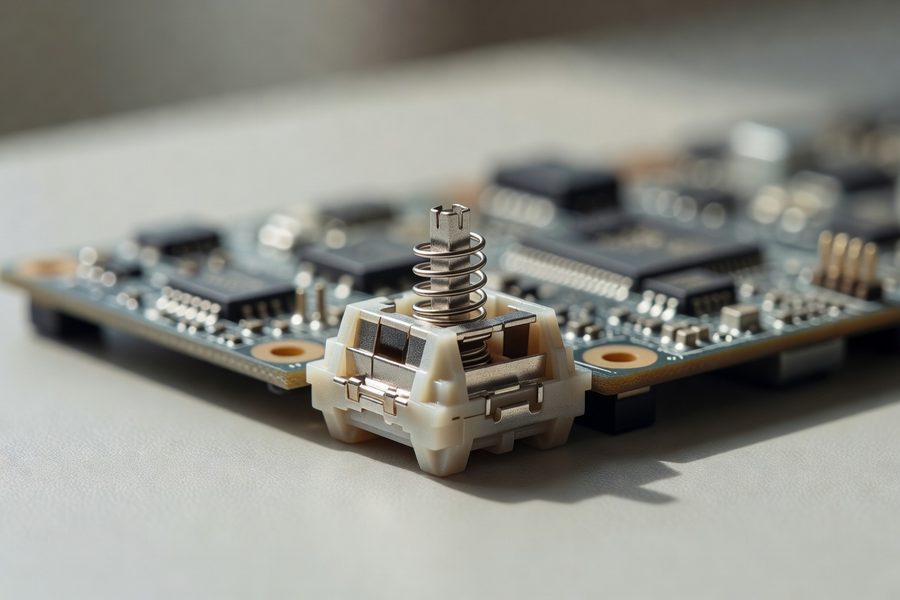
Failure on a membrane board is usually the rubber losing elasticity or the conductive pad wearing thin. Once a key becomes mushy or unresponsive, you replace the whole keyboard. With a mechanical board, individual switches can be desoldered or, on hot-swap models, pulled out and replaced in under a minute. That repairability extends the usable life almost indefinitely.
Wired keyboards, dominated by mechanical models, held 59.4% of the overall keyboard market in 2024, per SNS Insider. Their longevity is a key reason users stick with a cord.
The Real-World Repair Advantage
Hot-swap sockets are now common even on $60 mechanical keyboards. If a switch dies, you pop it out with a tool, press a new one in, and keep working. No soldering. No ewaste. By contrast, a broken membrane keyboard typically ends up in a landfill, every component sealed together. The environmental angle is rarely part of the conversation, but it should be. A mechanical board that stays on a desk for 8 years keeps three or four membrane boards out of the trash.
Mechanical keyboards aren’t invincible. USB ports can loosen, keycaps can shine and wear smooth, and stabilizers on larger keys can rattle. But these are fixable with aftermarket parts. A membrane keyboard’s only repair is a trash can.
Performance in Milliseconds: Gaming and Productivity
Latency is the delay between your finger moving and the computer registering the press. Independent tests from Rtings.com show that top-tier mechanical gaming keyboards deliver key-press latency as low as 1.5 milliseconds over USB. Typical membrane keyboards measure between 8 and 18 milliseconds. For a gamer reacting to an on-screen threat, 10 milliseconds matters. For someone typing a cover letter, it doesn’t.
Gaming performance also leans on rollover and anti-ghosting. Membrane keyboards often cap at 6-key rollover, meaning rapid multi-key combos, common in FPS and rhythm games, can drop inputs. Mechanical boards with NKRO register every key no matter how many fingers you mash simultaneously. That reliability is why 63.7% of the mechanical keyboard market came from gaming in 2024.
| Feature | Mechanical (Typical) | Membrane (Typical) |
|---|---|---|
| Actuation point | 2 mm, no bottom-out required | 3–4 mm, must bottom out |
| Latency (USB) | 1.5–8 ms | 8–18 ms |
| Rollover | Full NKRO | 6-key maximum |
| Consistency | Uniform force curve | Degrades after ~2 years |
Productivity: The Subtle Accuracy Edge
For coders, writers, and data-entry professionals, accuracy matters more than speed. The tactile bump on a mechanical switch provides a physical cue that a press registered, reducing the tendency to hit keys harder than necessary. A 2023 survey by Drop.com among 1,200 mechanical keyboard users found that 68% reported fewer typing errors after switching from membrane, anecdotal, but echoed by many communities.
Long sessions expose another divide. Membrane keys require you to bottom out against a hard surface. Over 8 hours, that repetitive impact travels through your fingertips into your wrists. Mechanical keys can be actuated mid-travel without bottoming out, lowering the cumulative strain. It’s a small difference per keystroke, but across a 40,000-keystroke day, the physics add up.
Not all “mechanical feel” keyboards are mechanical. Many budget gaming keyboards use membrane domes with clicker attachments to mimic tactile feedback. They still wear out like a membrane board, read the specs carefully.
Total Cost of Ownership: The 3–5 Year Real Cost
Sticker price misleads. A basic membrane keyboard retails for $20–$40. An entry-level mechanical with hot-swap sockets starts at $50–$80. But the membrane’s low upfront cost hides a replacement cycle that can swing the math.
Take a user who types 3 hours daily, roughly 15,000 keystrokes. At 5 million keystrokes per switch, a membrane board could begin failing in about 18 months. Over 5 years, that’s at least two replacements, totaling $80–$100. The mechanical board, rated for 50 million keystrokes, would need zero replacements over that period. Its initial $80 cost is the only cost.
| Scenario | Membrane | Mechanical (Budget) |
|---|---|---|
| Initial purchase | $30 | $75 |
| Replacements (5 years) | 2 (at $30 each) | 0 |
| Repair costs | Not repairable | $5 per switch replacement |
| 5-year total | $90 | $75 (plus one $5 switch repair: $80) |
Repairs tip it further. If a keycap breaks or a switch goes bad on a hot-swap board, a $5 switch and 30 seconds fix it. If a membrane key dies, you’re buying a new keyboard. Over a decade, the delta widens dramatically. And if you set aside funds for the upgrade using a budgeting app, the purchase barely registers in a monthly plan. Tracking small tech expenses with tools like dedicated expense trackers can make a $80 keyboard feel as painless as a few coffees.
If you work from home, a mechanical keyboard may qualify as a deductible business expense. Review the IRS rules on home office tax deductions before you file, a $75 purchase might effectively cost you $55 after tax savings.
Budget Mechanical Entry Points in Late 2025
The sub-$100 market is packed. Keychron’s V series, the RK Royal Kludge lineup, and the Redragon K552 all offer hot-swap PCBs, PBT keycaps, and a choice of linear, tactile, or clicky switches. At $55–$75, these boards deliver the same durability and feel as $150 models that dominated just three years ago. Membrane keyboards still win the absolute cheapest slot, $15 gets you a functional board, but that $15 board won’t survive a coffee spill or a heavy-handed typist beyond a year.
The Silent Assumption: Ergonomics and RSI
Keyboards don’t just affect fingers; they influence wrist position, shoulder tension, and repetitive strain injury risk across a career. Mechanical boards allow light actuation and often come with sculpted profiles that reduce pronation. Membrane keyboards, with their mushy domes, encourage bottoming out hard, each keystroke a tiny impact absorbed by the carpal tunnel. If you’re already tracking every dollar with an online money tool, consider that your health is the asset that earns those dollars.
No keyboard alone prevents RSI, but the difference between a board that lets you type with 45 grams of force and one that demands 60 grams plus a firm bottom-out becomes significant over a 30-year career.
Who Should Buy Which: A Clear Decision Matrix
This isn’t a binary war where one size fits all. Match the tool to the trade. A night-shift customer support agent who types constantly but needs silence is better served by a quality membrane or a silent linear mechanical. A competitive FPS gamer gains measurable advantage from the 1.5ms latency and NKRO of a wired mechanical. A novelist typing 5,000 words a day might find the tactile feedback of a mechanical board reduces finger fatigue, and the longer lifespan means one fewer thing to think about before a deadline.
Casual users who type under two hours daily in a quiet home need nothing more than a decent membrane. The $30 outlay isn’t worth overthinking. But for anyone who types enough to notice a worn-down spacebar, the mechanical investment pays back in comfort and cost within two years.

| Use Case | Daily Hours Typing | Recommendation |
|---|---|---|
| Casual browsing, email | < 2 | Membrane ($20–$40) |
| Office productivity | 3–5 | Silent mechanical ($60–$80) |
| Programming, writing | 6–8 | Tactile/linear mechanical ($75–$120) |
| Competitive gaming | 4+ | Wired linear mechanical with fast actuation ($70–$150) |
| Shared/quiet space | Any | Silent switch mechanical or membrane |
The global mechanical keyboard market grew to USD 2.2 billion in 2025, SkyQuest data shows, fueled largely by gamers and programmers upgrading from bundled membrane boards.
Addressing the “Mechanical Is Too Loud” Myth
Noise depends on switch choice. A Cherry MX Blue clicky switch is loud. A Cherry MX Silent Red is barely perceptible. If you can hear your fingers on a MacBook keyboard, you can handle a silent mechanical. The industry has closed the gap; the myth survives because many first-timers buy the cheapest mechanical board, which often comes with clicky switches, and judge the entire category by that single experience.
Emerging Trends: Low-Profile, Hybrids, and What’s Next
Low-profile mechanical keyboards are the most interesting intersection. They use shorter switches, like Cherry MX Low Profile or Kailh Choc, that reduce travel to 3 millimeters or less, mimicking laptop keyboards but with a real spring mechanism. They’re lighter, thinner, and often quieter, yet retain 50-million-keystroke durability. Logitech’s MX Mechanical series and NuPhy’s Air line have pushed this form factor into the mainstream, making it a compelling alternative for users who want mechanical feel without the chunky aesthetic.
Hybrid keyboards also appear: membrane boards with mechanical-style stems or hall-effect magnetic switches without physical contacts. These blur the lines, but right now, they remain niche. The core trade-off still hinges on lifespan, repairability, and feel consistency, areas where mechanical still holds a clear edge.
| Type | Keystroke Lifespan | Repairable? | Price Range (2025) |
|---|---|---|---|
| Standard membrane | 5–10 million | No | $15–$60 |
| Standard mechanical | 50–100 million | Yes (hot-swap) | $50–$200 |
| Low-profile mechanical | 50 million | Often (hot-swap models) | $80–$180 |
| Hybrid/magnetic | 100 million (expected) | Limited | $120–$300 |
By 2025, wired connections still commanded 69.05% of the mechanical keyboard market, per Mordor Intelligence. Latency-sensitive gamers and professionals resist the switch to Bluetooth, for now.
Real-World Example: The 5-Year Cost of a Heavy Typer
Consider an illustrative example: David, a technical writer, types roughly 6 hours daily, averaging 50,000 keystrokes. He bought a $35 membrane keyboard in January 2025. By October 2026, the “E” and spacebar keys required double the force to register, the domes had collapsed. He replaced it with another $35 membrane board. By mid-2028, that second board started ghosting during fast typing sequences, forcing a third purchase. In 4.5 years, he spent $105 on three disposable keyboards.
Meanwhile, a colleague in the same office bought a $75 hot-swap mechanical keyboard in early 2025. After 18 months, one switch developed a chatter, a $4 replacement and 30 seconds later, the board worked perfectly. By late 2029, David had spent $105 and generated two keyboards worth of e-waste. The colleague spent $79 total. For anyone saving automatically through an automated savings app, that mechanical purchase was funded by rounding up coffee change over a few months.
Your Action Plan
-
Audit your daily keystroke volume
Track your typing hours and estimate keystrokes using a free tool like WhatPulse for one week. Under 10,000 keystrokes daily? A membrane likely suffices. Over 30,000? Mechanical pays for itself.
-
Set a realistic budget with a 5-year lens
Don’t look at the sticker alone. Calculate the cost over 5 years including probable replacements. A $30 membrane that dies every 18 months costs more than a $75 mechanical that lasts a decade. Use a budgeting app to set aside the upfront difference over a few paychecks.
-
Test switches before you buy
Visit a local electronics store or order a switch tester kit (15–20 switches for $15). Press each type: linear, tactile, clicky. Pay attention to the force required and the noise. Your fingers will tell you in 30 seconds what you’ll tolerate for years.
-
Prioritize hot-swap and wired connectivity if longevity matters
Hot-swap PCBs let you replace a broken switch without tools. Wired connections deliver lower latency and don’t rely on batteries that eventually degrade. If you work at a fixed desk, a wire is a feature, not a drawback.
-
Match the switch type to your environment
In a shared space, pick silent linear switches and add foam dampeners inside the case. Alone? Try tactile or clicky, whatever keeps you in flow. Noise can be tuned; feel cannot.
-
Maintain the board to maximize lifespan
Clean keycaps every few months, keep liquids far away, and replace worn stabilizer lubricant when keys start to rattle. A well-maintained mechanical keyboard can outlive the computer it’s connected to.
Frequently Asked Questions
Are mechanical keyboards really worth the extra money?
If you type more than two hours daily, yes, often within two years. The longer lifespan and repairability mean a $75 mechanical board can outlast three $30 membrane replacements, making it cheaper over a 5-year window and far more pleasant to use every single day.
Can you make a mechanical keyboard as quiet as a membrane?
Almost. Silent linear switches with internal dampeners and O-ring mods reduce noise to around 45–48 decibels, comparable to a membrane board’s 40–45 decibels. The remaining sound is a low thock rather than a click, easily absorbed by a desk mat.
Do membrane keyboards have any advantages anymore?
Price, simplicity, and immediate silence. For a child’s first computer or a shared family desktop used for casual browsing, a $20 membrane gets the job done without configuration or worry about spills. They’re also lighter and thinner, which matters for travel or lap use.
What is hot-swappable and why does it matter?
Hot-swap sockets let you remove and replace mechanical switches without soldering. If a switch fails, you pull it out like a USB plug and press a new one in. This single feature extends a keyboard’s life indefinitely and turns a hardware failure into a 30-second fix.
How often do mechanical switches actually fail?
Rarely within the first 5–7 years of typical use. Cherry MX switches are rated for 50 million actuations; Gateron and Kailh equivalents often exceed 70 million. At 50,000 keystrokes per day, that’s nearly 4 years of continuous use before a single switch reaches half its rated lifespan. In practice, other components like stabilizers or USB ports fail first.
Is a mechanical keyboard better for gaming?
Yes, for competitive play. Mechanical boards offer lower latency (often under 5 ms), full NKRO for simultaneous key presses, and a consistent actuation point that reduces input errors in fast-paced scenarios. Rtings.com tests show the best membrane keyboards still lag behind entry-level mechanicals by 5–10 ms.
Will a mechanical keyboard help with wrist pain?
It can reduce strain, but it won’t cure RSI. Lighter actuation force (45 g vs. 60+ g on many membranes) means less effort per keystroke. The ability to type without bottoming out reduces repetitive impact on finger joints. Pair a mechanical board with proper wrist alignment and frequent breaks for the best result.
Can I use a mechanical keyboard with an iPad or phone?
Yes, most modern mechanical keyboards with Bluetooth or a USB-C connection work with tablets and phones. Some compact 60% and 65% models are even designed for travel, with multi-device pairing and long battery life. Low-profile mechanical options feel especially natural for mobile typing.
What’s the cheapest mechanical keyboard that’s actually good?
the Redragon K552 and Keychron C3 Pro sit between $40 and $55. Both offer hot-swap sockets, durable switches, and a respectable build. They lack premium frills like RGB software or aluminum cases, but they deliver the core mechanical experience, and outlast any membrane at twice their price.
Sources
- Market Research Future, Mechanical Keyboard Market Report 2025
- Mordor Intelligence, Mechanical Keyboard Market Size & Share Analysis 2025
- SNS Insider, Mechanical Keyboard Market Report 2024
- SkyQuest, Global Mechanical Keyboard Market Insights 2025
- Rtings.com, Keyboard Latency Tests
- Cherry MX, Switch Specifications and Durability Ratings
- Wirecutter, The Best Mechanical Keyboards
- PCMag, The Best Mechanical Keyboards for 2025
- Drop.com, Mechanical Keyboard User Survey 2023
- Cornell University Ergonomics Web, Typing Posture and Keyboard Setup






