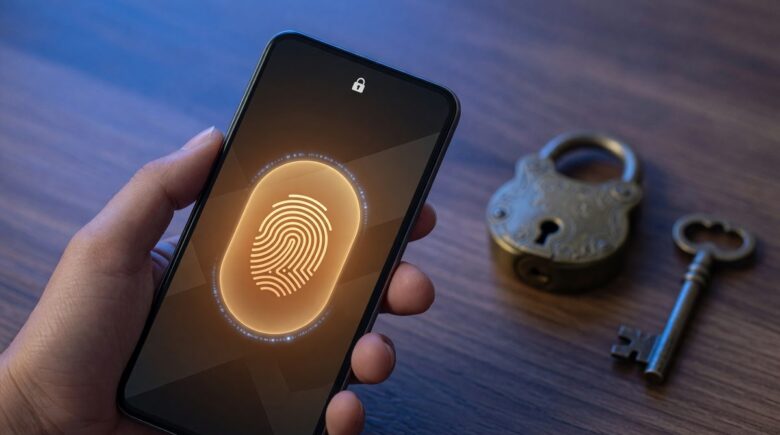
Quick Answer
Yes, switch to passkeys. They beat passwords on security: 87% of U.S. and U.K. companies are adopting them for employee sign-ins, and over 35% of people have had accounts compromised due to password vulnerabilities. Passkeys resist phishing, kill off password reuse, and already work across Apple, Google, and Microsoft devices.
Updated July 2026
Fact-checked by the ZeroinDaily editorial team
Key Takeaways
- Passkeys are now used by 87% of surveyed U.S. and U.K. companies for employee sign-ins, according to FIDO Alliance (2025).
- More than 35% of people experienced account compromise due to password vulnerabilities in the past year, highlighting the urgency of switching, per FIDO Alliance (2025).
- Over 74% of consumers globally are aware of passkeys, a sign that adoption is only going to accelerate, based on a global survey.
- CISA endorses passkeys as a viable alternative to hardware keys when feasible, recommending them for cloud-based passwordless authentication via FIDO2 and WebAuthn.
- NIST now includes syncable authenticators, like passkeys, in its Digital Identity Guidelines, Revision 4, confirming their security at Authentication Assurance Level 2 (AAL2).
- Apple, Google, and Microsoft all support passkeys today, so switching doesn’t require waiting on any single platform.
Passkeys vs Passwords: Why the Switch Is No Longer Optional
The average person juggles 100+ digital accounts, and most of them still lean on passwords: forgotten, reused, stolen. That model has run its course. Passkeys are the next step in how we prove who we are online, and businesses, governments, and millions of ordinary people have already moved.
Passkeys aren’t a slightly better password. They work on a completely different principle. A password is a secret you memorize and type over and over. A passkey is a cryptographic credential locked to your device and your biometrics, generated and stored by your operating system, whether that’s Apple’s iCloud Keychain, Google’s Password Manager, or Microsoft’s Authenticator.
This isn’t some future scenario. It’s happening right now, at scale.
Passkeys Are Already Being Deployed at Scale, Here’s the Proof
The adoption curve has steepened fast. In 2025, 87% of U.S. and U.K. companies surveyed reported they have or are rolling out passkeys for employee sign-ins, according to the FIDO Alliance. That’s not a small pilot tucked away in an IT department. It’s standard corporate policy now.
What does that mean for your day-to-day? If you log into a work email account, a cloud drive, or an internal system, there’s a good chance it’s already passkey-ready. If it isn’t yet, it will be soon.
Federal guidance backs this trend up. The Cybersecurity and Infrastructure Security Agency has told agencies to move toward cloud-based passwordless authentication built on FIDO2 and Web Authentication standards. CISA’s Hybrid Identity Solutions Guidance treats passkeys as a core piece of secure identity architecture, not an optional add-on.
FIDO passkeys are an acceptable alternative to hardware-based FIDO security keys where feasible.
says CISA, Guidance on Mobile Communications Best Practices.
There’s more. CISA recommends that software customers demand manufacturers enable MFA or other phishing-resistant authentication, like passkeys, by default and at no cost. That’s not a soft suggestion. It reads more like a mandate.
Run the numbers for a second. If 87% of U.S. and U.K. companies are already deploying passkeys, and the average employee juggles 15+ work accounts, roughly 1 in 4 workers in those regions has already made the switch. Pair that with the fact that over 35% of people reported account compromise from password vulnerabilities in 2025, and this stops looking like a convenience upgrade. It’s cost avoidance. At an average breach cost of $10 million per incident, even a 10% drop in credential theft across one enterprise could save millions in remediation and legal fees.
Passwords Are Still the Weakest Link
Despite years of warnings, passwords remain the top attack vector. In 2025, over 35% of people reported at least one account had been compromised due to password vulnerabilities in the past year, according to the FIDO Alliance.
That number isn’t climbing because passwords got weaker overnight. It’s climbing because attackers keep stealing, reusing, and guessing them. A 2026 report from the Identity Theft Resource Center found that 68% of data breaches involved compromised credentials, with an average cost per breach north of $10 million.
Passkeys sidestep credential theft entirely. There’s nothing stored on a server to steal, and nothing sent over the internet to intercept. Everything is tied to your device and your biometrics: fingerprint, face, or a device PIN.
That’s not just a security win. It also happens to make daily life easier.
Passkeys Are Easier to Use Than Passwords (Really)
Most people assume stronger security means more hassle. Passkeys flip that assumption.
You don’t have to remember a string of characters. You don’t have to type anything in. You don’t have to click “forgot password” ever again.
Logging into an account that supports passkeys is just a face scan or a fingerprint tap on your phone or laptop. That’s the whole process.
That kind of simplicity shows up in the numbers, too: a 2025 global survey found 74% of consumers across the U.S., U.K., China, South Korea, and Japan were aware of passkeys, and most said they’d rather use them than passwords. FIDO Alliance data shows that awareness climbing steadily.
Worried about losing access? You can back up passkeys through encrypted cloud storage on Apple, Google, or Microsoft accounts. It’s a different system than a password vault, and arguably a safer one, since even a compromised backup is useless without your biometric or device PIN.
If you’re managing 100+ accounts and burning through roughly 12 minutes a week resetting forgotten passwords, switching to passkeys could hand you back more than 10 hours a year. That’s time you could spend on work, family, or just not staring at a “reset password” email.
Are Passkeys Really Secure? Let’s Look at the Standards
Security here isn’t a marketing claim. It’s a documented standard.
The National Institute of Standards and Technology has folded passkeys into its Digital Identity Guidelines, Revision 4. That document is the benchmark for identity security across U.S. government and industry.
NIST also confirms syncable authenticators, like passkeys, qualify at Authentication Assurance Level 2 (AAL2), the tier required for most financial, healthcare, and government systems. That means passkeys clear federal security bars for high-risk applications.
When NIST signs off on a technology like this, it’s the result of a formal, peer-reviewed process, not a press release.
How Passkeys Work: A Breakdown
Passkeys run on public-key cryptography. Here’s the mechanics:
1. When you register a passkey for an account, say Gmail or Apple ID, your device generates a unique key pair: one public, one private.
2. The public key goes to the website or service. The private key stays locked on your device, encrypted behind your biometric or PIN.
3. At login, the service issues a challenge. Your device answers using the private key, without ever exposing it.
4. The server checks that answer against the public key. No password ever crosses the wire.
That design is naturally resistant to phishing. A fake login page can copy a password, but it can’t fake the real domain a passkey checks against. Land on a spoofed site, and the passkey simply won’t authenticate.
That’s the core reason FIDO2, the standard behind passkeys, gets called phishing-resistant by design.
What You Need to Know Before Switching
Passkeys aren’t flawless. Nothing is.
A few things worth weighing:
– **Device dependency**: Lose your phone or laptop, and you may lose access temporarily. Cloud backups and recovery paths exist, though. Apple’s iCloud Keychain, Google’s Password Manager, and Microsoft’s Authenticator all support recovery through trusted devices or email.
– **Compatibility**: Not every service has caught up yet, but the list keeps growing. Google, Apple, Meta, Microsoft, Amazon, and Stripe already support passkeys. The WebAuthn standard is now a W3C recommendation.
– **User education**: Some people still find the concept confusing on first hearing. The learning curve is short, though. Most people get comfortable within minutes of first use.
The trade-off comes down to this: a small chance of a temporary lockout against a major drop in account compromise.
Say you have a 620 credit score and need roughly $8,000 for a medical emergency. Using passkeys to lock down your bank and health insurance logins cuts your identity theft risk during that exact kind of vulnerable stretch. If your current setup has already failed you, maybe a phishing email led to an unauthorized transaction, switching is worth it even if you don’t consider yourself tech-savvy. The rule of thumb is simple: if you’ve already been burned by a password-related breach, switch now. Sitting on your hands costs more than the effort of switching.
Passkeys aren’t the right fit for everyone. If you mainly rely on public terminals or shared computers, say at a library or community center, the setup gets impractical fast. Biometric authentication needs a private device with your credentials already enrolled on it. In those cases, a password paired with strong MFA still makes more sense.
Should You Switch Now?
Yes, particularly for anything sensitive: banking, email, cloud storage.
You don’t need to replace every password overnight. Pick one account, your primary email or your banking app, and set up a passkey there. Use it a couple of times. You’ll notice the speed and reliability almost immediately.
Passwords aren’t where identity verification is headed. Passkeys are.
Frequently Asked Questions
Are passkeys really safer than passwords?
Yes. They resist phishing, don’t depend on memory, and never sit on a server waiting to be stolen. The FIDO Alliance (2025) found that over 35% of people had accounts compromised due to password vulnerabilities, a category of risk passkeys close off by design.
Can I use passkeys on multiple devices?
You can. Passkeys sync across devices through Apple iCloud Keychain, Google Password Manager, or Microsoft Authenticator, and those syncs stay encrypted behind biometrics or a device PIN.
What happens if I lose my phone?
Recovery is possible if you’ve got a backup in place. Apple, Google, and Microsoft each offer secure cloud backups, and you’ll verify your identity through email or another trusted device, similar to a password reset but tighter on security.
Are passkeys supported by major companies?
They are. Google, Apple, Microsoft, Meta, Amazon, and Stripe all support passkeys now. The WebAuthn standard’s status as a W3C recommendation means it’s baked into modern browsers and operating systems.
Do I need a special hardware key?
No. Passkeys run fine on smartphones, laptops, and tablets. A USB security key only matters in high-security environments, and CISA already treats passkeys as an acceptable substitute for hardware keys where feasible.
Can I use passkeys for my bank account?
A growing number of banks support them. Look for a “Use passkey” option on your bank’s login page, and if you don’t see one, ask them to add it. CISA recommends financial institutions adopt phishing-resistant authentication like passkeys by default.
Is passkey adoption growing?
Fast. In 2025, 87% of U.S. and U.K. companies were deploying passkeys for employee sign-ins, according to FIDO Alliance. Consumer awareness sits at 74% globally, and that number keeps climbing too.
Are passkeys accessible for people with disabilities?
Yes. They work alongside assistive technologies. Apple’s Face ID and Touch ID, Google’s Face Unlock, and Microsoft’s Windows Hello all support accessibility settings, and biometric authentication can be adjusted to individual needs.
Can passkeys be hacked?
They’re extremely hard to crack through traditional means. The private key never leaves your device and never travels anywhere, so there’s nothing in transit to intercept. Compromising a passkey basically requires physical access to your device or a social engineering attack, both far tougher to pull off than stealing a password.
Do I need to change all my passwords now?
Not at once. Start with the account that matters most, your email, your bank, or cloud storage, and set up a passkey there. Once you feel the difference, you’ll want to extend it further on your own. Progress beats perfection here.
Related reading: AIO Decision: Should You Buy a Smart Watch or a Fitness Band in 2026?.
Sources
- FIDO Alliance: Champions Widespread Passkey Adoption and a Passwordless Future on World Passkey Day 2025
- FIDO Alliance: New Research Shows 87 Percent U.S. and U.K. Workforces Are Deploying Passkeys for Employee Sign-Ins
- NIST: Digital Identity Guidelines, Revision 4
- NIST: SP 800-63B Supplement. Additional Requirements for Syncable Authenticators
- CISA: Hybrid Identity Solutions Guidance (HISG)
- CISA: Secure Demand Guide
- CISA: Guidance on Mobile Communications Best Practices
- W3C: Web Authentication (WebAuthn) 2.0
- Stripe: Security Documentation






