Fact-checked by the ZeroinDaily editorial team
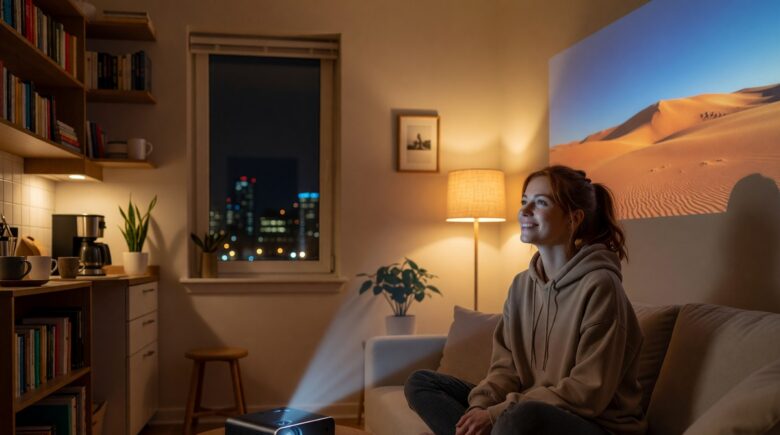
You finally scored a studio apartment in the city — 450 square feet, south-facing windows, and absolutely zero wall space that isn’t interrupted by a radiator, a door frame, or a window you refuse to cover. You’ve been staring at a 32-inch TV propped on a dresser for six months, and every time you sit down to watch something, you wonder why the experience feels more like scrolling through a spreadsheet than actually watching a film. The idea of a portable projector small apartment setup seemed obvious on paper, but the reality is messier: ambient light kills the image, throw distances don’t add up, and half the units on Amazon look great in a pitch-black basement demo video that has nothing to do with your life.
The numbers behind urban living make this problem more pressing every year. According to U.S. Census Bureau housing data, the median size of new apartments in major metro areas has shrunk by roughly 5% over the past decade, with studio and one-bedroom units in cities like New York, San Francisco, and Seattle averaging between 400 and 650 square feet. Meanwhile, the global portable projector market was valued at approximately $2.8 billion in 2023 and is projected to grow at a compound annual growth rate of 9.2% through 2030, per market research from Grand View Research. Yet consumer return rates for portable projectors hover around 22–28%, largely because buyers underestimate how much throw distance, lumens, and ambient light resistance actually matter in constrained spaces.
This guide cuts through the noise. You’ll find exactly which projector specs matter in a small apartment, how to choose the right throw ratio for rooms under 200 square feet, which current models actually deliver acceptable brightness without costing $1,500, and how to set up any projector to maximize image quality with minimal effort. Every recommendation is grounded in real-world performance data, not just spec sheets — because in tight spaces, the difference between a usable setup and a regrettable purchase comes down to a handful of precise numbers.
Key Takeaways
- Short-throw projectors with a throw ratio of 0.5:1 or lower can produce a 100-inch image from just 4–5 feet away — ideal for apartments under 500 square feet.
- Ambient light rejecting (ALR) screens can improve effective contrast by up to 40% in rooms with natural light, reducing the need for blackout curtains.
- The sweet spot for small apartment projectors sits between $300 and $700 — units in this range deliver 700–1,200 ANSI lumens, enough for acceptable daytime viewing in partially dimmed rooms.
- Battery-powered portable projectors typically last 1.5–3.5 hours per charge; plug-in models deliver consistent brightness without the 15–20% brightness drop that occurs as batteries drain.
- Native 1080p resolution projectors cost 30–50% more than 720p models but produce a noticeably sharper image at screen sizes above 80 inches — the threshold most apartment users target.
- Setting up a proper projector screen (versus projecting on a white wall) improves perceived image quality by an estimated 25–35%, according to display industry benchmarks from the Imaging Science Foundation.
In This Guide
- Why Small Apartments Are a Different Beast for Projectors
- Throw Ratio Explained: The Most Important Number You’re Ignoring
- Lumens: The Reality Check Every Buyer Needs
- Resolution in Small Spaces: When 4K Is Overkill
- Best Portable Projectors Under $700 for Small Apartments
- Screen or Wall? The Surface Decision That Changes Everything
- Audio Solutions That Don’t Require a Soundbar Shelf
- Placement and Setup Tips for Tight Spaces
- Managing Ambient Light Without Ruining Your Apartment’s Feel
- Common Mistakes Small Apartment Projector Buyers Make
Why Small Apartments Are a Different Beast for Projectors
A projector designed for a conference room or a home theater in a dedicated media room operates under a completely different set of assumptions than anything you’ll set up in a studio apartment. Conference projectors assume controlled lighting and 10–15 feet of throw distance. Home theater projectors assume blackout curtains, dedicated seating, and ceilings high enough to ceiling-mount a unit. Neither of those is your reality.
In an apartment under 600 square feet, you’re working with the longest possible wall distance of 10–14 feet — and that’s only if your furniture layout is generous. More commonly, your projector-to-wall distance is 6–9 feet. You also have ambient light from windows, bounce light from adjacent rooms, and almost no ability to install permanent ceiling mounts without risking your security deposit.
The Deposit Problem
Most renters can’t drill into ceilings or walls. That eliminates the cleanest projector placement option and forces you into tabletop, shelf, or tripod setups. These placements create their own issues: keystoning (the trapezoid distortion you get when projecting at an angle), vibration from fans, and cable management nightmares. Understanding these constraints upfront determines which projector you buy.
Space Constraints by Apartment Type
| Apartment Type | Avg. Size (sq ft) | Max Throw Distance | Recommended Throw Ratio |
|---|---|---|---|
| Micro Studio | 200–350 | 5–8 ft | 0.5:1 or lower |
| Standard Studio | 350–550 | 8–11 ft | 0.5:1 to 0.8:1 |
| 1-Bedroom Apartment | 550–850 | 10–14 ft | 0.8:1 to 1.2:1 |
| Large 1-Bedroom | 850–1,100 | 12–16 ft | 1.0:1 to 1.5:1 |
According to RentCafe’s 2023 U.S. apartment size report, the average new apartment built in 2022 was just 887 square feet — down from 941 square feet in 2008. In cities like New York and San Francisco, median new studio sizes are as low as 490 square feet.
The constraints aren’t dealbreakers. They’re specifications. Once you treat your apartment’s dimensions as fixed inputs rather than problems to solve around, choosing the right projector becomes a much more precise exercise.
Throw Ratio Explained: The Most Important Number You’re Ignoring
Throw ratio is the single most important spec for any small apartment projector setup. It defines how much distance the projector needs to produce a given image size. A throw ratio of 1.5:1 means the projector needs 1.5 feet of distance for every 1 foot of image width. A throw ratio of 0.5:1 means it only needs 0.5 feet per foot of image width.
For a 100-inch diagonal 16:9 image (which is approximately 87 inches wide), a standard projector with a 1.5:1 throw ratio needs about 10.9 feet of distance. A short-throw projector at 0.8:1 needs just 5.8 feet. An ultra-short-throw (UST) unit at 0.25:1 can do it from under 2 feet.
Standard vs. Short-Throw vs. Ultra-Short-Throw
| Projector Type | Throw Ratio | Distance for 100″ Image | Price Range | Best For |
|---|---|---|---|---|
| Standard Throw | 1.2:1 – 2.0:1 | 8.7–14.5 ft | $200–$600 | Rooms 12+ ft deep |
| Short-Throw | 0.5:1 – 1.2:1 | 3.6–8.7 ft | $400–$1,200 | Studios, 1-bedrooms |
| Ultra-Short-Throw | Below 0.5:1 | Under 3.6 ft | $800–$3,500+ | Micro studios, tight walls |
For most apartments in the 400–800 square foot range, a short-throw projector with a ratio between 0.6:1 and 1.0:1 hits the best balance of price, image size, and flexibility. Ultra-short-throw units produce stunning results but cost significantly more — often $1,500–$2,500 for a quality consumer model — which pushes them out of budget for many renters.
Calculating Your Throw Distance
The formula is simple: Throw Distance = Throw Ratio x Image Width. Measure the distance from your intended projection surface to where you’d naturally place the projector. Then divide that distance by the image width you want. The result is the throw ratio you need. If you have 7 feet of distance and want an 87-inch-wide image (100″ diagonal), you need a throw ratio of 7 ÷ 7.25 = approximately 0.97:1.
Use the ProjectorCentral throw distance calculator (projectorcalculator.com) before you buy anything. Input your room dimensions and desired screen size to instantly see which projectors fit your space. This five-minute step prevents the most common and expensive mistake in projector shopping.
Lumens: The Reality Check Every Buyer Needs
Projector marketing is full of inflated lumen claims. A unit advertised as “5,000 lumens” may actually deliver 500–800 ANSI lumens — the standardized measurement that actually correlates with real-world brightness. Understanding the difference between manufacturer lumen claims and ANSI lumens is non-negotiable before any purchase.
ANSI lumens are measured using a standardized 9-point grid across the projected image. LED and laser projectors from budget brands often advertise “LED lumens” or “equivalent lumens,” which can be 5–10x higher than the actual ANSI output. Always look for verified ANSI lumen ratings from independent reviewers.
How Many Lumens Do You Actually Need?
| Room Condition | Screen Size | Minimum ANSI Lumens | Recommended ANSI Lumens |
|---|---|---|---|
| Fully Dark Room | 80–120″ | 300–500 | 500–800 |
| Dim (Curtains Closed) | 80–100″ | 700–900 | 900–1,200 |
| Ambient Light (Daytime) | 60–80″ | 1,200–1,500 | 1,500–2,500 |
| Bright Room (Open Blinds) | 60″ or less | 2,000+ | 2,500–3,500 |
A projector rated at 1,000 ANSI lumens produces roughly 10 foot-lamberts of brightness on a 100-inch gain-1.0 screen — the minimum threshold the Society of Motion Picture and Television Engineers (SMPTE) recommends for acceptable home theater viewing in a darkened room.
LED vs. Laser Light Sources in Small Apartments
Most portable projectors under $500 use LED light sources. LED units last 20,000–30,000 hours, run cool and quietly, and are compact enough to fit into portable form factors. However, they typically max out at 500–900 verified ANSI lumens, making them evening-only solutions without blackout curtains.
Laser portable projectors — available from brands like Xgimi, BenQ, and Epson in the $600–$1,200 range — deliver 1,000–2,500 ANSI lumens with 20,000+ hour lifespans and instant-on operation. For small apartments with unavoidable ambient light, a laser projector in the $700–$900 range is often the most cost-effective long-term investment.
“The single biggest purchase mistake I see with projectors in small urban apartments is buying based on advertised lumens. Real-world ANSI performance is often 60–80% lower than what’s printed on the box. For any room that sees natural light, 1,000 verified ANSI lumens should be your floor, not your ceiling.”
Resolution in Small Spaces: When 4K Is Overkill
Resolution debates in the projector world often ignore a simple physical reality: the closer you sit to the screen, the more resolution matters. In a small apartment where seating is 6–10 feet from an 80–100-inch screen, the angular resolution your eyes can resolve starts to make differences between 720p and 1080p visible — but 4K versus 1080p is barely perceptible at those distances.
The human visual acuity threshold means that at 8 feet from a 90-inch screen, the average viewer cannot distinguish 4K from 1080p without exceptionally good eyesight. The premium for native 4K projectors — typically $500–$1,500 more than equivalent 1080p models — is rarely justified in small apartment setups.
The 720p vs. 1080p Decision
At screen sizes above 80 inches diagonal, 720p resolution becomes noticeably soft on content like text, sports, and detailed animation. The pixel pitch at that size is large enough that individual pixels become visible from 6–8 feet. For that reason, native 1080p is the practical minimum for any screen over 80 inches in a small apartment.
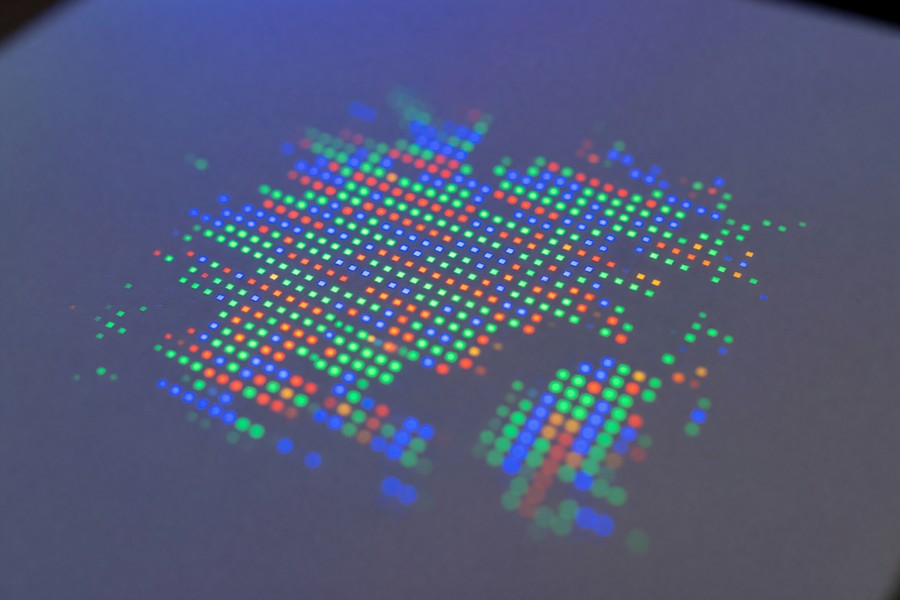
Native 1080p portable projectors start at around $350–$450 from brands like Anker (Nebula) and Vankyo. Stepping up to $550–$700 gets you significantly better brightness and contrast alongside the 1080p resolution — a more impactful upgrade than moving from 1080p to 4K.
Pixel Shifting: The 4K Workaround
Pixel shifting technology, used by brands like BenQ and Optoma in the $800–$1,200 range, uses a native 1080p chip but rapidly shifts pixels to simulate 4K output. Independent tests from display review sites consistently rate pixel-shift 4K projectors as marginally better than native 1080p — but noticeably worse than true native 4K laser units. For small apartment use, pixel-shift models represent a reasonable middle ground if budget allows.
Best Portable Projectors Under $700 for Small Apartments
The $300–$700 range is where most small apartment buyers land after weighing real-world performance against the cost of a larger TV. Several models in this tier genuinely deliver — but the gap between the best and worst performers is significant. Here’s how the most-reviewed options compare across the specs that matter most in tight spaces.
| Model | ANSI Lumens | Throw Ratio | Resolution | Light Source Life | Price (2024) |
|---|---|---|---|---|---|
| Anker Nebula Cosmos Laser 4K | 2,200 | 1.2:1 | 4K (pixel shift) | 25,000 hrs | ~$699 |
| Xgimi Halo+ | 900 | 1.2:1 | 1080p | 25,000 hrs | ~$549 |
| BenQ GP20 | 600 | 1.0:1 | 1080p | 30,000 hrs | ~$499 |
| Dangbei Atom | 1,100 | 0.69:1 | 1080p | 25,000 hrs | ~$479 |
| Anker Nebula Capsule 3 | 300 | 1.2:1 | 1080p | 30,000 hrs | ~$449 |
Best All-Around: Dangbei Atom
The Dangbei Atom’s 0.69:1 throw ratio is its killer feature for small apartments. It produces a 100-inch image from just 5 feet — workable in almost any studio layout. At 1,100 verified ANSI lumens, it handles a dimmed room competently and is bright enough to push through light ambient glow. At $479, it undercuts most of the competition while delivering genuinely short-throw optics.
Best Portability: Anker Nebula Capsule 3
If true portability matters — taking the projector to a friend’s apartment, using it in multiple rooms, or running it on battery — the Nebula Capsule 3 is the most refined option under $500. It fits in a large jacket pocket, runs Android TV 11, and connects to Bluetooth speakers seamlessly. Its 300 ANSI lumens limit it to dark or very dim rooms, but for evening use it performs well above its size.
The global portable projector market is expected to reach $5.1 billion by 2030, driven largely by growth in small-space urban living and the increasing quality of compact LED and laser light engines. Brands like Xgimi, Dangbei, and Anker have collectively reduced the price of 1,080p portable projectors by roughly 35% between 2020 and 2024.
Screen or Wall? The Surface Decision That Changes Everything
A clean white wall feels like a free projection surface — and for occasional casual viewing, it’s acceptable. But wall projection consistently underperforms a proper screen by a measurable margin. The texture, paint finish, and color accuracy of walls vary enormously, and even a matte white paint reflects light unevenly across the image area.
According to the Imaging Science Foundation, a dedicated projection screen with a gain of 1.0–1.3 can improve perceived brightness and contrast by 25–35% compared to an equivalent painted wall surface. For a projector that’s already brightness-limited in a small apartment, that’s a meaningful real-world difference.
Screen Types for Small Apartments
Fixed-frame screens produce the best image quality but require wall mounting. In apartments where wall damage is restricted, they’re often impractical. Pull-down screens — particularly motorized versions — can mount to a tension rod or over-door rod system without drilling. Several companies, including Elite Screens and Silver Ticket Products, offer tension-mount pull-down screens in 80–100-inch sizes starting at $90–$180.
Ambient light rejecting (ALR) screens are the most technically sophisticated option. They use micro-structured or angular-reflection surfaces to absorb ambient light from above and sides while reflecting the projector beam directly back to the viewer. In a living room with open windows, an ALR screen can make a 700-lumen projector perform like a 900–1,000-lumen unit by rejecting the light that would otherwise wash out the image.
Floor-Standing and Freestanding Options
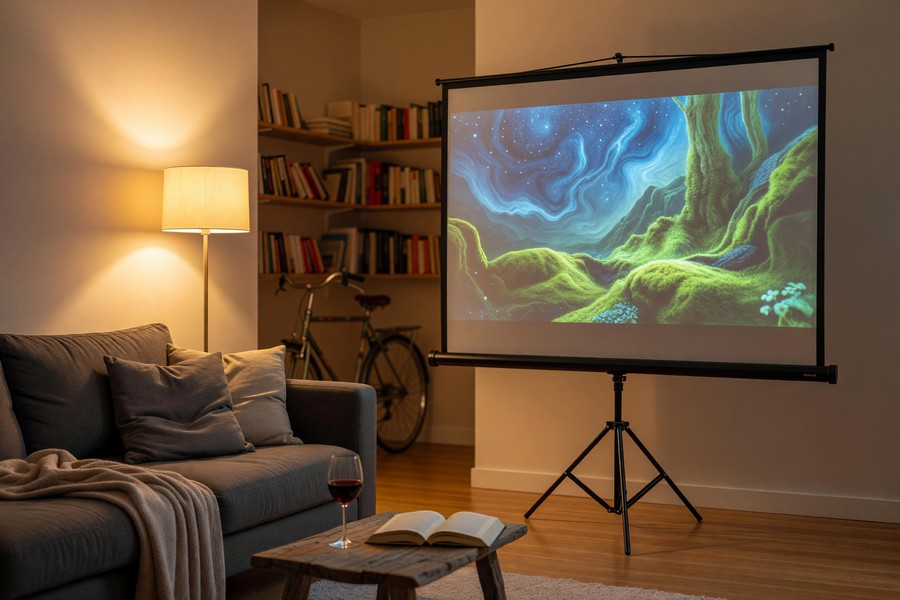
For renters who can’t mount anything, freestanding portable projection screens on tripod stands or tension frames are the cleanest solution. Models like the Elite Screens Yard Master 2 and the Akia Screens 120-inch tripod screen fold flat, set up in under 3 minutes, and cost $80–$150. They’re slightly less flat than wall-mounted options, but the convenience trade-off is worth it for most renters.
Audio Solutions That Don’t Require a Soundbar Shelf
Built-in projector audio is almost universally inadequate. Even the best portable projectors — including the Xgimi Halo+ and Nebula Cosmos — include speakers rated at 5–16 watts that sound thin and localized. In a small apartment, thin audio is even more noticeable because the room lacks the acoustic volume to add any natural warmth.
The good news is that small apartments don’t need large audio solutions. A compact Bluetooth speaker placed near the screen can transform the experience without consuming shelf space or requiring cable runs across the room. Pairing a $80–$150 portable speaker — something like a JBL Charge 5 or a Sonos Era 100 — with a projector that has Bluetooth output covers 80% of use cases effectively.
When to Consider a Soundbar
If the projector setup is permanent and the viewing area is fixed, a compact soundbar mounted below the screen surface adds meaningful audio quality improvement. Soundbars in the $120–$250 range from brands like Yamaha, Sony, and Samsung produce room-filling sound appropriate for apartments without overwhelming the space acoustically. HDMI ARC or optical input ensures lossless audio from streaming sticks.
If you’re already budgeting carefully on tech gear, the same approach that works for projectors applies to managing your overall tech spending. Tools like those covered in our guide to best budgeting apps for 2026 can help you track and plan purchases like projectors, screens, and audio gear without overspending.
Placement and Setup Tips for Tight Spaces
Where you place the projector determines almost everything: image size, keystoning, brightness uniformity, and cable management. In a small apartment, you have fewer placement options than in a dedicated media room, but the right approach can make even a single-room studio work well.
The three most practical placement strategies for apartment renters are tabletop projection (projector on a coffee table or shelf), tripod or adjustable stand projection, and rear-shelf projection (projector on a bookshelf or entertainment unit behind the seating area). Each has trade-offs that depend on your specific layout.
Keystone Correction: Auto vs. Manual
Keystone correction digitally adjusts the image to appear rectangular even when the projector is positioned at an angle. Auto keystone — found on most projectors above $300 — uses accelerometers or image sensors to correct automatically. This is essential for tabletop setups where perfect horizontal alignment is rarely achievable. However, keystone correction comes at a cost: it crops the edges of the image and can soften apparent sharpness by 10–15%.
For the best image quality, position the projector as close to the lens-throw axis of the screen as possible — ideally at lens height equal to the vertical center of the screen. This minimizes or eliminates the need for keystone correction and preserves full resolution and brightness.
Cable Management in Small Rooms
Power cables and HDMI cables running across a small apartment floor are both trip hazards and visual clutter. Wireless HDMI transmitters — like the Nyrius Aries Pro ($130–$160) or the J-Tech Digital wireless HDMI kit ($80–$100) — eliminate HDMI runs completely. Alternatively, projectors with built-in Android TV or Roku (like the Xgimi Halo+ or BenQ GP20) eliminate the HDMI cable entirely by streaming directly from built-in apps.
Wireless HDMI solutions introduce 1–3 frames of input lag, which is imperceptible for movie watching but noticeable during gaming. If you plan to use a projector for console gaming, a direct HDMI connection is strongly preferred. Many short-throw portable projectors have HDMI ports rated at 120Hz at 1080p — check the spec sheet before assuming gaming compatibility.
Managing Ambient Light Without Ruining Your Apartment’s Feel
Ambient light is the enemy of projector performance. Every lumen of light that hits your projection surface that didn’t come from the projector itself reduces contrast ratio and washes out darker image areas. In a city apartment with east or south-facing windows, managing that light is a daily consideration.
The most effective solution is blackout curtains — and they’ve come a long way aesthetically. Brands like Deconovo and NICETOWN offer blackout curtains in neutral, apartment-friendly colors that block 95–99% of incoming light. A 52″x84″ pair costs $25–$40. This single change often has a greater impact on projector image quality than a $200 hardware upgrade.
Light Color Temperature Matters
Room lighting during projection matters too. Overhead warm white lighting (2700K–3000K) is significantly less disruptive to projector image quality than cool daylight-balanced (5000K–6500K) LEDs. If you use smart bulbs, dimming to 10–20% and shifting to a warm color temperature during movie watching costs nothing and measurably improves perceived contrast.
ALR Screen Geometry in Small Rooms
For renters who can’t or won’t use blackout curtains, an ALR screen paired with a front-projection setup is the best alternative. ALR screens work by rejecting light that arrives from wide angles (windows, overhead lights) while passing light from the projector — which arrives from a narrow, controlled angle. The effectiveness depends on the screen’s specific angular gain curve, so match the ALR screen to your projector’s throw angle for best results.
Smart home technology is increasingly making ambient light management automated. Lutron Caseta smart dimmers, which integrate with Apple HomeKit, Google Home, and Amazon Alexa, can be programmed to automatically dim to “movie mode” when a projector is powered on — a $60–$80 upgrade that removes the manual step every time you sit down to watch something.
Managing ambient light is also where thoughtful home tech decisions intersect with broader smart home planning. If you’re evaluating smart home automation tools alongside projector setups, the coverage of AI tools that save time in 2026 includes relevant context on automation platforms that can coordinate your entire home entertainment setup.
Common Mistakes Small Apartment Projector Buyers Make
After reading hundreds of consumer reviews and return data, a clear pattern of mistakes emerges. Most are avoidable with 15 minutes of research before purchase. The most expensive mistakes cost buyers $200–$500 in returns, restocking fees, and replacement purchases.
Mistake 1: Buying Based on Screen Size Claims, Not Throw Ratio
A projector that claims “projects up to 200 inches” may need 20 feet of throw distance to hit that size. In a 10-foot room, it can’t reach 200 inches — or even 100 inches at proper focus. Always calculate the actual image size you’ll get at your specific throw distance using the throw ratio formula before purchasing.
Mistake 2: Ignoring Input Lag for Dual-Use Setups
Many apartment buyers want a projector that doubles as a gaming display. Standard projectors have input lag of 30–100ms — unacceptable for fast-paced gaming. Gaming-optimized projectors, like the BenQ TH671ST (throw ratio 0.69:1, input lag 8.3ms at 1080p/120Hz), are specifically designed for this use case. Expect to pay $650–$900 for a short-throw projector with gaming-grade input lag.
Mistake 3: Underestimating Fan Noise in Small Rooms
In a bedroom or studio apartment, projector fan noise is impossible to ignore at close distances. Budget projectors often produce 30–38 dB of fan noise — equivalent to a quiet office hum. Premium portable projectors reduce this to 24–27 dB through better thermal design. In a room where the projector is 4–8 feet from your ears, that 10 dB difference is significant — and it’s rarely mentioned in marketing materials.
Projectors in “eco mode” run quieter and cooler but reduce brightness output by 20–30%. If you bought a projector specifically for its brightness rating, running it in eco mode to reduce noise may push it below usable brightness for your room conditions. Check the eco mode brightness spec separately before assuming it meets your needs.
Smart spending decisions — whether on projectors or other tech — benefit from having clear visibility into your finances. If you’re tracking a home entertainment budget alongside other expenses, the best expense tracking apps of 2026 offer useful tools for monitoring tech purchases and avoiding budget creep.
“The biggest real-world differentiator I see between projectors in small apartments is fan noise and automatic keystone performance — two specs manufacturers either don’t report or bury in footnotes. A projector with poor auto-keystone in a tabletop setup requires manual correction every single use, which most people stop doing after a week.”
According to a 2023 consumer electronics survey by Statista, 34% of projector buyers said “image quality in normal room lighting” was their top complaint after purchase — outranking price (18%), complexity (16%), and size (12%). Insufficient brightness for real-world lighting conditions is the projector industry’s most persistent consumer satisfaction problem.
“Short-throw laser projectors have fundamentally changed the equation for urban apartment users. You no longer need a purpose-built room. A 1,500-lumen laser with a 0.7:1 throw ratio, placed on a bookshelf, produces cinema-quality images in spaces that traditional projectors couldn’t touch. The technology caught up with the use case.”
The average consumer spending on a portable projector small apartment setup — including projector, screen, and audio — lands at $650–$950 in the mid-range tier. By comparison, a 75-inch 4K television costs $700–$1,200 for equivalent quality. The projector setup wins on screen size per dollar at 80+ inches.
Real-World Example: Marcus’s 480 sq ft Studio in Chicago
Marcus, a 29-year-old software developer, moved into a 480 square foot studio in Chicago’s Lincoln Park neighborhood in January 2023. His apartment had a single 12-foot south-facing wall with a window consuming 40 inches of width and a radiator occupying the lower 28 inches of the corner. He had been using a 40-inch 1080p TV positioned 6 feet from his couch, and dissatisfied with the experience for movie watching.
After measuring his usable wall space (approximately 72 inches wide, from window edge to room corner) and calculating his maximum throw distance at 8.5 feet, Marcus determined he needed a projector with a throw ratio between 0.8:1 and 1.0:1 to produce an 80-inch image. He purchased a Dangbei Atom ($479) in March 2023, pairing it with a $129 Elite Screens pull-down screen on a tension-mount rod system — no drilling required. His total investment was $608 plus a $35 blackout curtain panel to cover the adjacent window during evening use.
The result was an 86-inch 1080p image with solid brightness in his blacked-out room. For daytime weekend watching with curtains open, the image washed out too significantly to be comfortable above 65 inches — a limitation he resolved three months later by adding a $189 Seymour-Screen Excellence ALR panel, bringing his total to $832. With the ALR surface, daytime viewing at 75 inches became comfortable. Marcus calculated he had matched the visual experience of a $900 75-inch TV while gaining a 15-inch-larger effective image size and the flexibility to take the projector elsewhere.
The single persistent downside was fan noise. At 8 feet, the Dangbei Atom’s 32 dB fan was noticeable during quiet dialogue scenes. Marcus addressed this by placing the projector on a vibration-dampening silicone mat ($12) and confirming the unit was set to “standard” rather than “high performance” mode, which reduced noise to an estimated 28 dB — below his perception threshold for normal viewing.
Your Action Plan
-
Measure your room’s exact throw distance and available wall width
Before researching any product, measure the distance from your intended projector placement to your projection wall, and note the usable width of that wall. These two numbers determine your throw ratio requirement and maximum image width. Write them down. Every subsequent decision flows from these measurements.
-
Calculate the throw ratio you need
Divide your available throw distance by your desired image width (in the same unit of measurement). The result is your maximum throw ratio. If you have 8 feet of throw distance and want an 87-inch-wide (100″ diagonal) image, you need a throw ratio of 8 ÷ 7.25 = 1.1:1 or lower. Use this number to filter projectors before looking at any other specs.
-
Assess your room’s ambient light conditions honestly
Spend an evening and a morning in the room noting where light enters, how bright it gets, and whether window treatments are an option. If you can use blackout curtains during viewing, a 700–900 ANSI lumen projector is sufficient. If your apartment gets persistent ambient light you can’t block, budget for at least 1,200 ANSI lumens or plan for an ALR screen investment.
-
Set a realistic total budget including screen and audio
The projector alone is rarely sufficient. Budget $80–$180 for a pull-down or tripod screen, and $80–$150 for a Bluetooth speaker or compact soundbar. A realistic total-system budget for a quality portable projector small apartment setup is $550–$950 for the mid-range tier that genuinely delivers. Tools like the online tools that make money management easier can help you plan and save toward this purchase systematically.
-
Shortlist projectors with verified ANSI lumen ratings in your throw ratio range
Use the throw ratio and lumen minimums established in steps 1–3 to filter candidates. Search specifically for independent reviews that cite verified ANSI lumens — not manufacturer specs. Sites like ProjectorReviews.com, RTINGS.com, and HDTVTest.co.uk provide standardized testing that correlates with real-world performance.
-
Check fan noise specs before committing
Look for projectors rated at 28 dB or below in standard/eco mode. If fan noise specs aren’t published, search YouTube for long-form reviews where reviewers comment on fan audibility at close range. In a small room, 30+ dB fan noise is disruptive enough to affect long-term satisfaction — it’s worth prioritizing even if it means paying $50–$100 more.
-
Plan your screen surface and placement logistics before delivery
Decide between a wall-mounted pull-down screen, a freestanding tripod screen, or an ALR panel before the projector arrives. Order the screen at the same time as the projector if possible — using a plain white wall for the first two weeks often leads to a distorted impression of image quality that underwhelms compared to a proper screen surface.
-
Test the setup within your return window and fine-tune placement
Most major retailers offer 30-day return windows. Use the first week to experiment with placement — adjusting height, angle, and distance to minimize keystone correction and maximize brightness uniformity. If the projector consistently requires more than 15% keystone correction, try repositioning before concluding the throw ratio is wrong. Small positional adjustments often eliminate the need for digital correction entirely.
Related reading: Pro Techniques for Optimizing 5G Speeds in Urban Apartments.
Frequently Asked Questions
Can you use a portable projector in a small apartment during the day?
Yes, but you need adequate lumens and ideally an ambient light rejecting screen. A projector with 1,200+ verified ANSI lumens paired with an ALR screen can produce a watchable 70–80-inch image in a partially lit room with curtains drawn. For fully open-window, direct-sunlight conditions, even 2,500 ANSI lumens will struggle on a standard gain screen. Daytime viewing in apartments is achievable — it just requires more intentional setup than evening use.
What is the best throw ratio for a portable projector small apartment?
For most apartments in the 400–700 square foot range, a throw ratio between 0.6:1 and 1.0:1 hits the best balance of price, flexibility, and image size. This range lets you produce a 90–100-inch image from 5–8 feet of throw distance — workable in almost any living room layout without the significant cost premium of ultra-short-throw (UST) units.
Do I need a special screen or can I just project on a white wall?
You can project on a white wall for casual viewing, but a dedicated screen measurably improves image quality. Walls have inconsistent texture, color, and gain properties that reduce contrast and color accuracy. A proper screen with a gain of 1.0–1.3 — available from $80–$180 for tripod or pull-down models — improves perceived brightness and contrast by an estimated 25–35% according to display industry testing standards.
How loud are portable projectors, and will fan noise be a problem?
Budget portable projectors typically produce 30–38 dB of fan noise. At a distance of 4–8 feet in a small apartment, this is audible during quiet scenes and can be distracting. Premium portable units in the $500–$800 range reduce noise to 24–28 dB through better thermal management. For bedroom or studio use where the projector is close to the viewer, prioritizing fan noise specs below 28 dB is recommended.
Is 1080p sufficient for a 100-inch projection in a small apartment?
Yes, for most viewing distances in small apartments. At a typical viewing distance of 7–10 feet from a 100-inch screen, the human eye can perceive the difference between 720p and 1080p but not reliably between 1080p and 4K. Native 1080p projectors provide excellent image quality at this scale, and the 30–50% price premium for 4K projectors is rarely justified in small apartment setups.
What is the difference between ANSI lumens and the lumens listed on product pages?
ANSI lumens is a standardized measurement based on a 9-point grid average across the full image area. Many projector brands — particularly in the under-$300 segment — advertise “LED lumens,” “equivalent lumens,” or simply unlabeled lumen ratings that can be 5–10x higher than actual ANSI output. Always look for verified ANSI lumen ratings from third-party reviewers or look for the specific label “ANSI lumens” in the product specification sheet.
Can I use a portable projector without a streaming device if it has built-in Android TV?
Yes. Projectors with built-in Android TV (like the Xgimi Halo+) or Roku (like some BenQ models) stream directly from Netflix, Disney+, YouTube, and other major apps without any external device. This eliminates one HDMI cable and simplifies the setup significantly — especially useful in a small apartment where cable management is a practical concern. Note that built-in streaming platforms on some projectors may not support all apps or 4K HDR streaming without specific certification.
How long does a portable projector battery last, and is battery-powered reliable?
Most battery-powered portable projectors last 1.5–3.5 hours per charge, depending on brightness settings and whether built-in speakers are in use. This is sufficient for a single film but limits back-to-back viewing without recharging. Batteries also lose capacity over 2–3 years of regular use. For a fixed apartment setup used regularly, a plug-in projector delivers more consistent brightness (batteries typically dim 15–20% as they drain) and eliminates battery degradation concerns.
What’s the best way to manage cables with a projector in a small apartment?
The cleanest approach is a projector with built-in streaming that eliminates HDMI entirely. If you need HDMI (for a gaming console or laptop), wireless HDMI transmitters in the $80–$160 range send the signal wirelessly, removing the cable run across the floor. For power cables, adhesive cable raceways ($8–$15) can route the power cable along baseboards or behind furniture without drilling. Alternatively, a compact power strip near the projector placement position keeps the cable run short.
How does a portable projector small apartment setup compare to buying a large TV in terms of value?
At screen sizes of 80 inches and above, a projector setup consistently delivers more screen area per dollar than a large TV. A quality 75-inch 4K TV costs $700–$1,200. A projector setup producing a 90–100-inch image costs $550–$950 in the mid-range tier. The projector wins on size and flexibility — it can be moved, stored, or reconfigured. The TV wins on convenience, ambient light resistance, and setup simplicity. For renters who move frequently or want flexibility, the projector setup offers superior long-term adaptability.
Sources
- U.S. Census Bureau — Housing Patterns and Trends
- Grand View Research — Portable Projector Market Size and Forecast
- Wikipedia — Visual Acuity and Resolution Thresholds
- Society of Motion Picture and Television Engineers (SMPTE) — Display Standards
- RentCafe — Average U.S. Apartment Size Report 2023
- ProjectorReviews.com — Portable Projector Reviews and Benchmarks
- RTINGS.com — Projector Testing and Performance Data
- HDTVTest — Projector Reviews by Vincent Teoh
- CNET — Projector Buying Guides and Reviews
- Statista — Consumer Electronics Satisfaction Survey Data 2023
- Imaging Science Foundation — Display Calibration and Performance Standards
- Elite Screens — Projection Screen Selection Guide
- BenQ — Understanding Throw Ratio for Projectors
- Anker Nebula — Short-Throw vs Ultra-Short-Throw Projector Comparison
- Sound and Vision — Projector Technology Guide






