
Fact-checked by the ZeroinDaily editorial team
Quick Answer
To sell donate old tech devices responsibly, first back up and securely wipe all personal data using certified tools, not just a factory reset. Evaluate the device: if it’s less than 3 years old and fully functional, selling nets more cash; if older but usable, donate to a verified nonprofit for a tax receipt; if broken, recycle only through R2 or e‑Stewards certified recyclers. Always remove lithium‑ion batteries separately to avoid landfill fires and illegal export.
Global e‑waste reached 62 million tonnes in 2022, yet only 22.3% was formally documented as collected and recycled, according to the United Nations’ Global E‑waste Monitor. That means millions of tons of recoverable materials and hazardous substances are leaking into landfills or being shipped illegally to countries unequipped to handle them. Knowing how to sell or donate old tech devices responsibly affects the environment, your privacy, and often your wallet in ways most people don’t consider until after the fact.
SERI (Sustainable Electronics Recycling International), the nonprofit behind the R2 standard, consistently emphasizes getting devices into new hands quickly: the older a device gets sitting unused, the less positive impact it can make, whether as a refurbished computer for a school program or as recovered metals from a certified recycler. This guide walks through every stage of that process, from secure data destruction and condition assessment to choosing between a trade‑in, marketplace sale, donation, and certified recycling.
Key Takeaways
- In 2022, 62 million tonnes of e‑waste were generated worldwide, with only 22.3% documented as recycled, creating a massive environmental and resource recovery gap (UN Global E‑waste Monitor).
- A factory reset alone does not guarantee data destruction; using software like DBAN for hard drives or built‑in secure‑erase commands for SSDs is essential for preventing identity theft (EPA Electronics Donation and Recycling).
- Trade‑in programs offer instant credit but may pay 30–40% less than selling directly on peer‑to‑peer platforms like Swappa, making marketplace sale the higher‑return option for recent devices.
- Donating to a registered 501(c)(3) organization can yield a tax deduction equal to the device’s fair market value, provided you obtain a contemporaneous acknowledgment and itemize on Schedule A (IRS Charitable Contribution Deductions).
- R2 and e‑Stewards are the only two EPA‑recognized recycling certifications that prohibit illegal e‑waste export and enforce strict environmental and data security standards (EPA).
In This Guide
- Why Does Responsible Tech Disposal Matter in 2026?
- How to Assess Your Old Tech Devices Before Deciding What to Do
- How to Prepare Devices So Your Data Stays Private
- Sell, Donate, or Recycle: Which Path Makes Sense?
- How to Sell Old Tech Responsibly for the Best Return
- Donate or Recycle Through Certified Channels
Why Does Responsible Tech Disposal Matter in 2026?
Throwing old gadgets in the trash feeds two distinct problems: environmental poisoning from toxic materials and a growing data breach risk. When electronics end up in landfills, lead, mercury, and cadmium can leach into groundwater. The UN reports that e‑waste is growing five times faster than the rate at which it’s documented as recycled, with an estimated 3.3 billion kilograms of uncontrolled e‑waste flowing from high‑income to middle‑ and low‑income countries in 2022 alone.
The personal risk is just as real. A device you assume is wiped can still hold sensitive data: tax returns, account passwords, and material that makes identity theft straightforward. As the EPA advises, deleting files and performing a simple factory reset are often insufficient. That’s why responsible steps matter: they keep hazardous materials out of ecosystems and personal information out of the wrong hands.
62 million tonnes of e‑waste were generated in 2022, enough to fill a line of 40‑ton trucks stretching three‑quarters of the way around the equator, yet only 22.3% was formally recycled, according to the UN.
The Environmental Toll of E‑Waste
Electronics contain precious metals like gold, silver, and palladium alongside hazardous substances. When devices aren’t recycled properly, those materials are lost forever. The EPA estimates that recycling one million laptops saves the energy equivalent of the electricity used by more than 3,500 U.S. homes in a year. Yet the global recycling rate suggests we’re capturing barely a fifth of that potential.
The Personal Data Risk You Might Overlook
Smartphones, laptops, and even smart‑home hubs store layers of personal data. A factory reset does not always overwrite the storage sectors, and data can often be recovered with forensic software. This is why you need to protect your identity before selling or donating any device; poorly managed donation centers can inadvertently leak your information. It’s a small but avoidable vulnerability that ties directly into the habits covered in our guide on protecting yourself from financial fraud.
How to Assess Your Old Tech Devices Before Deciding What to Do
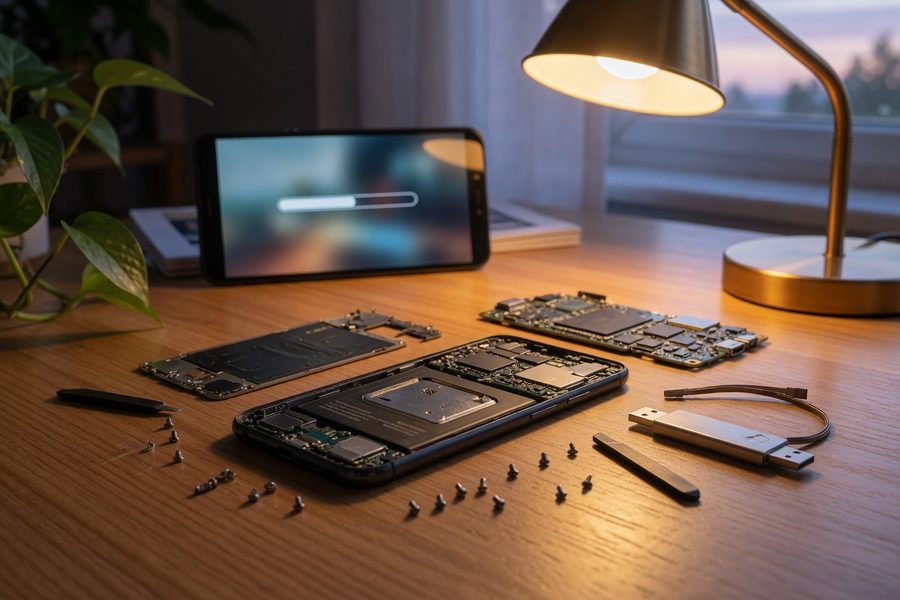
Start by asking two things: is the device functional, and how sensitive is the data on it? A quick assessment of condition and resale potential saves you from wasting time shipping a dead tablet to a buyback site or accidentally donating a laptop that still carries client files. The data sensitivity of the device also dictates how aggressively you need to wipe it, phones and computers require far more caution than a basic USB keyboard.
Check Functionality and Estimate Value
Power the device on and test the screen, battery health, all ports, and wireless connectivity. A device that won’t hold a charge or has a cracked screen is better suited for recycling or a donation to an organization that refurbishes. If it works well, check current resale prices on sites like Swappa, eBay, and Gazelle to get a baseline. For a recent iPhone, you might find instant trade‑in offers around $200 while the same model sells privately for $350 or more. That gap determines which path you’ll take.
Bear in mind that technology depreciates quickly, often faster than people expect. A flagship Android or Apple device that fetches $350 today may be worth $180 in twelve months once the next model launches. Acting soon after you stop using a device is simply good financial practice.
Identify High‑Risk Data Devices
Any gadget that ever logged into an account or stored files is high‑risk: smartphones, laptops, tablets, external hard drives, and smart‑home hubs with voice assistants. Wearables that only tracked steps with no account linkage are low‑risk, but a fitness tracker tied to a health app may still hold personal data. When in doubt, treat every device as if it holds sensitive information and wipe it accordingly.
How to Prepare Devices So Your Data Stays Private
Secure data destruction is the step most people skip, and the one that can bite hardest later. Before anything else, back up any content you want to keep. Use a secure cloud service or an external drive, then sign out of all accounts and remove the device from your trusted device list. After that, the wipe method needs to match the storage type: for traditional hard drives, use software like DBAN (Darik’s Boot and Nuke) to overwrite every sector multiple times; for SSDs, the manufacturer’s built‑in secure erase command is the safer, faster option.
For business laptops or any device that held financial documents, consider using a certified data destruction service that issues a certificate of sanitization. This becomes vital if you’re subject to industry compliance rules.
Factory Reset vs. Certified Data Wiping
A factory reset only removes pointers to your files, not the files themselves. Data recovery software can often pull them back. DBAN, on the other hand, overwrites the entire drive with random patterns and meets the Department of Defense clearing standard. For SSDs, the ATA Secure Erase command instantly purges the drive at the controller level without wearing it down. Both are free tools that leave your device truly blank, making it safe to hand off to a stranger or a donation center.
Businesses have additional obligations here. Any device that processed employee or client data may fall under HIPAA, the Gramm-Leach-Bliley Act (GLBA), or state privacy statutes, all of which require documented proof of data destruction. The CFPB and the Federal Trade Commission have both taken enforcement action against companies that failed to adequately safeguard consumer data stored on decommissioned hardware. A written certificate of sanitization is the standard way to demonstrate compliance.
Remove Batteries and Hazardous Components
This step matters most for devices headed to recycling. Lithium‑ion batteries can spark and cause fires at shredding facilities if they’re punctured. The EPA specifically instructs consumers to remove batteries from electronics before recycling and to take them to a separate battery collection point or a recycler that accepts them. If the battery is swollen or damaged, place it in a non‑flammable container and drop it off at a household hazardous waste facility, not in the regular trash.
Sell, Donate, or Recycle: Which Path Makes Sense?
Use a quick condition litmus test: working and fairly new, sell; older but functional with some life left, donate; dead, damaged, or too obsolete to be worth repairing, recycle through a certified facility. This decision framework keeps you from overthinking and aligns with the recovery hierarchy that environmental agencies promote. The value you’ll capture changes dramatically: a working, 2‑year‑old phone might net $300 on a marketplace, while that same phone with a shattered screen is worth zero as a sale but can still be refurbished by a nonprofit.
If the device holds extremely sensitive data, say, a corporate laptop with client records, recycling it through an e‑Stewards certified recycler that offers witnessed destruction may be the only truly safe path, even if it costs a small fee. Don’t let the potential resale value override the privacy imperative.
How to Sell Old Tech Responsibly for the Best Return
The most cash almost always comes from selling directly to another person, but the speed and convenience of trade‑in programs have real appeal. For a 2023 iPhone that’s still in good shape, selling on Swappa could put about $315 in your pocket after fees, while Apple’s trade‑in program might offer only $200 in instant store credit. That $115 difference is trading your time for a faster, friction‑free transaction. Once you decide to sell, the platforms below let you balance payout, effort, and safety.
| Selling Method | Typical Payout (iPhone 14, Excellent) | Speed to Payment | Seller Protection |
|---|---|---|---|
| Swappa | $315 after fees | 3–5 days | PayPal buyer/seller protection |
| eBay | $290 after fees & shipping | 5–10 days | Money Back Guarantee |
| Apple Trade‑In | $200 (store credit) | Instant | No fraud risk |
| Gazelle | $210 (check/PayPal) | 7–10 business days | Guaranteed offer |
Trade‑In Programs: Quick Cash, Less Hassle
Manufacturers like Apple, retailers like Best Buy, and dedicated buyback sites like Gazelle offer fixed quotes online. You ship the device, often with a prepaid label, and get paid once it’s inspected. The payout is lower, but you never deal with flaky buyers or return scams. If your time is tight or the device has minor cosmetic flaws you’d rather not advertise, trade‑ins are a solid, responsible choice that still keeps the device in the reuse stream.
Samsung offers its own trade‑in program through Samsung.com and authorized retail partners, often with promotional credit bonuses tied to new device launches. Best Buy’s trade‑in portal covers a wide range of brands and issues gift card credit that can be applied toward any purchase in-store or online. Neither program will maximize your return, but both are straightforward and eliminate shipping risk.
Peer‑to‑Peer Marketplaces: Maximum Payout, More Effort
Selling directly on Swappa, eBay, or Facebook Marketplace typically yields 30–40% more than trade-in programs. Swappa’s structured listings are a strong middle ground: devices must be fully functional and meet condition standards, and payments go through PayPal, offering some buyer protection. Always take clear photos, describe every flaw, and ship with tracking. For local sales through Facebook Marketplace, meet in a public place and accept cash or a verified digital payment. You can track your earnings easily with one of the top budgeting apps to see how much your clutter is really worth.
One honest caveat: peer-to-peer sales carry real friction. Buyers may dispute condition claims, PayPal’s seller protection has limits for electronics transactions, and shipping damage can create costly returns. Factor those risks into your decision, especially for devices under $100 where the time investment may not be worth the marginal gain over a trade-in.

Donate or Recycle Through Certified Channels
Donation extends a device’s life and can put technology into the hands of students, job seekers, and families who need it. Recycling, when done through a certified facility, ensures that rare metals are recovered and toxins are safely managed, instead of being dumped overseas. From the EPA’s perspective, donation follows the “reuse” tier of the waste hierarchy, which is always preferred over recycling when the device still works.
SERI, the nonprofit body that administers the R2 standard, tracks certified recyclers across North America and internationally. Their directory is searchable by location and material type, making it easier to find a verified facility than most people realize.
Where to Donate and How to Get a Tax Deduction
National nonprofits like Human‑I‑T, Digitunity, and Cell Phones for Soldiers accept functioning tech and either refurbish it or responsibly recycle what can’t be saved. PCs for People focuses specifically on low-income households and workforce development programs. Local Goodwill stores often partner with Dell Reconnect to refurbish computers. Before dropping anything off, call ahead to confirm the organization’s tech acceptance policy, since many set minimum hardware requirements to ensure donated devices are actually usable.
To claim a charitable deduction, you must itemize on Schedule A and have a written acknowledgment from the 501(c)(3) that describes the property and states whether you received any goods or services in return. The IRS expects you to value the donation at its current fair market value, essentially what it would sell for on the used market, not the original purchase price. If you donate a laptop worth $150, that’s the deductible amount. For any single item valued over $500, IRS Form 8283 is also required. Keep all documentation with your tax records in case of an audit.
Without R2 or e‑Stewards certification, much of the U.S. e‑waste labeled “recycled” is actually exported to countries where informal dismantling poisons workers and waterways. The 3.3 billion kilograms of uncontrolled transboundary movement documented in 2022 shows why certification matters.
Finding a Certified E‑Waste Recycler Near You
Retailers like Best Buy have recycled over 2 billion pounds of electronics since 2009 and accept most items free of charge, though they may charge a fee for large TVs. Staples also offers free recycling for computers and peripherals. To locate an R2 or e‑Stewards certified facility, use the Earth911 search tool or check the directories on the SERI and e‑Stewards websites.
In cities with strict disposal bans, New York City, for example, makes it illegal to throw out certain electronics with trash, and New Jersey mandates free manufacturer take‑back for TVs and computers, as NJDEP details. California, Illinois, and more than 25 other states have similar restrictions. For bulky items like old monitors and large printers, many certified recyclers schedule home pickups. Budget about $25 to $40 for a one‑time pickup of a few items.
Related reading: How Smart Travel Tech Is Revolutionizing Packing and Navigation in 2026.
Frequently Asked Questions
Is a factory reset enough to protect my data before selling or donating a device?
No. A factory reset removes your files from the device’s directory but does not actually overwrite the underlying storage sectors. Forensic recovery software can frequently retrieve that data from a device that has only been factory reset. For hard-disk drives, use DBAN (Darik’s Boot and Nuke) to overwrite every sector multiple times. For SSDs and modern smartphones, use the manufacturer’s built-in secure erase or encryption-based wipe command, which purges data at the controller level. If the device held particularly sensitive business or financial information, a certified data destruction service that provides a written certificate of sanitization is the most defensible option.
How do I know whether to sell, donate, or recycle an old tech device?
The simplest framework is condition-based. If the device is less than three years old and fully functional, sell it, you’ll likely recoup meaningful value on a peer-to-peer marketplace or through a trade-in program. If it’s older but still powers on and performs basic tasks, donate it to a verified nonprofit that refurbishes electronics for schools, job seekers, or low-income families. If it’s broken, has a badly degraded battery, or is too outdated to run current software usefully, recycle it through an R2 or e-Stewards certified facility. Never simply throw electronics in the regular trash, as many jurisdictions make this illegal and it directly contributes to toxic landfill contamination.
What are R2 and e‑Stewards certifications, and why do they matter?
R2 (Responsible Recycling) and e-Stewards are the only two recycling standards recognized by the U.S. EPA as credible, third-party-audited certifications for electronics recyclers. Both prohibit the export of hazardous e-waste to developing countries, require secure data destruction, and mandate safe handling of toxic components like lead and mercury. A recycler displaying either certification has been independently audited against those standards, giving you verifiable assurance that your old devices won’t end up in an informal dumping ground overseas. You can verify a recycler’s status through the SERI directory for R2 or the e-Stewards website for their certification list.
Can I get a tax deduction for donating old electronics?
Yes, provided you follow IRS requirements carefully. You must donate to a qualifying 501(c)(3) organization, itemize deductions on Schedule A rather than taking the standard deduction, and obtain a written acknowledgment from the organization that describes the donated property and confirms whether you received anything of value in return. The deductible amount is the device’s fair market value at the time of donation, what it would realistically sell for on the used market, not what you originally paid for it. For any single item valued over $500, you must also complete IRS Form 8283. Keep all documentation with your tax records in case of an audit.
What should I do with a swollen or damaged lithium-ion battery before recycling a device?
Do not put a swollen, punctured, or leaking lithium-ion battery in your regular recycling bin or trash under any circumstances, it is a fire hazard and often illegal to landfill. Place it carefully in a non-flammable container, such as a metal tin or a battery fire-containment bag, and transport it to a household hazardous waste (HHW) facility in your area. Many municipalities hold periodic HHW collection events. Retailers like Home Depot, Lowe’s, and Best Buy also accept rechargeable batteries through the Call2Recycle program. If the battery is intact but needs to be removed for recycling, do so before dropping the device off at any e-waste facility.
Which platform pays the most when selling an old smartphone?
Peer-to-peer marketplaces like Swappa and eBay consistently yield the highest payouts, typically 30 to 40 percent more than manufacturer trade-in programs or buyback sites like Gazelle. However, that higher return comes with more effort: you need to photograph the device thoroughly, write an accurate condition description, handle shipping with tracking, and manage potential buyer disputes. If your device is in excellent condition and you have the time, Swappa is particularly well-suited for smartphones because all listings are moderated for functionality. Trade-in programs from Apple, Samsung, or Best Buy offer less money but deliver instant credit and zero friction, a worthwhile trade-off for minor cosmetic damage or a busy schedule.
Are there any legal restrictions on throwing electronics in the trash?
Yes, and they vary significantly by state and city. New York City explicitly prohibits placing covered electronics, including televisions, computers, and monitors, in regular trash, with fines for violations. New Jersey requires manufacturers to provide free take-back programs for TVs and computers under state e-waste law. California, Illinois, and more than 25 other states have similar e-waste disposal restrictions. Even in states without explicit bans, landfilling devices that contain mercury, lead, or cadmium may violate federal hazardous waste rules. Before discarding any electronics, check your local municipality’s waste guidelines or use Earth911 to locate a compliant drop-off option nearby.
How do I donate electronics to maximize community impact?
Start by choosing an organization that has a clear refurbishment and distribution pipeline rather than one that simply collects devices and recycles most of them. National nonprofits like Human-I-T, Digitunity, and PCs for People have verified processes for refurbishing and redistributing computers to low-income individuals, students, and job training programs. Cell Phones for Soldiers specifically routes working phones to active-duty military members and veterans. Call ahead before donating to confirm the organization is currently accepting the type and age of device you have, many nonprofits set minimum hardware requirements to ensure donated devices are actually usable by recipients.
What is the best way to dispose of old tech devices if I have a large quantity, such as from a business?
Businesses disposing of multiple devices face both practical and legal obligations that go beyond individual consumer steps. First, any device that processed or stored client, employee, or financial data may be subject to data destruction requirements under HIPAA, GLBA, or state privacy laws, necessitating certified data destruction with documented certificates of sanitization for each asset. Second, bulk e-waste recycling through an R2 or e-Stewards certified recycler is the compliant path; many certified recyclers offer scheduled business pickups and provide manifests tracking every item. Organizations like Digitunity and PCs for People also accept bulk business donations of functional devices, often providing a single tax acknowledgment letter covering the full lot.
How early should I act once I decide to sell or donate a device?
As soon as possible after you stop using it. Technology depreciates quickly, a flagship smartphone that’s worth $350 today may be worth $180 in 12 months once the next model launches. Nonprofits also report that devices donated more than four or five years after their release are increasingly difficult to refurbish usefully, because current operating systems and applications may no longer support the hardware. Acting within the first one to two years of a device’s useful life maximizes both your resale return and the positive impact a donation can have for the recipient. Setting a calendar reminder when you upgrade to a new device is a simple habit that prevents tech from sitting forgotten in a drawer until it’s too outdated to benefit anyone.
Sources
- United Nations Institute for Training and Research (UNITAR), The Global E-waste Monitor 2024
- U.S. Environmental Protection Agency, Electronics Donation and Recycling
- Internal Revenue Service, Charitable Contribution Deductions
- Sustainable Electronics Recycling International (SERI), R2 Certification Standard
- e-Stewards, Certification Program for Electronics Recyclers
- New York City Department of Sanitation, Electronics Disposal and Recycling
- New Jersey Department of Environmental Protection, E-Waste Program
- Apple, Apple Trade In Program
- Earth911, How to Recycle Electronics
- Call2Recycle, Battery and Cell Phone Recycling Locator






