Fact-checked by the ZeroinDaily editorial team
Quick Answer
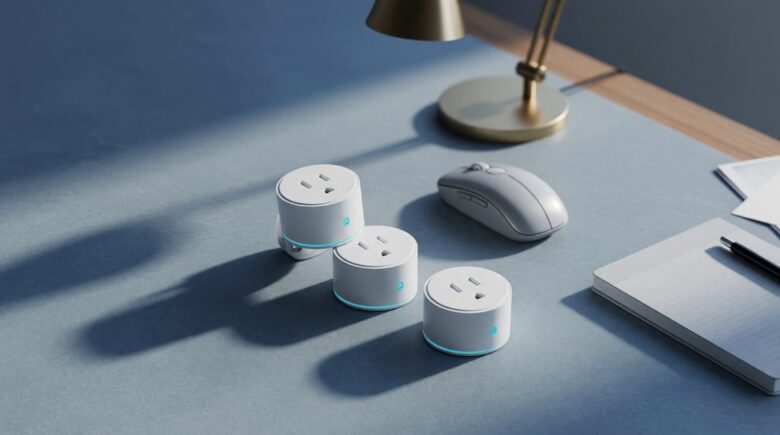
The best energy saving smart plugs for a home office or small business combine real‑time energy monitoring and automatic scheduling. In field studies, static schedules cut plug loads by 38% to 66%, and print‑server triggers saved 86% on printers. Top picks, Emporia and TP‑Link Kasa, deliver payback in 3 to 9 months while keeping self‑consumption under 1 watt.
In a home office or small business, energy saving smart plugs attack the hidden electricity drain from computers, monitors, and printers that keep sipping power even when idle. According to the California Energy Commission, plug loads eat up more than 50 percent of energy consumption in high‑efficiency buildings, and standby power alone accounts for 5%–10% of residential electricity use, as the U.S. Department of Energy data shows.
The good news is that prices have dropped while features have jumped. A smart plug that tracks every kilowatt‑hour and automatically kills standby power now costs less than a single takeout lunch, and the savings stack up fast.
Why Energy Saving Smart Plugs Are a No-Brainer for Home Offices and Small Businesses
A single workstation, one monitor, one desktop PC, and a printer, can waste 50 watts around the clock when nobody is working. Most of that is vampire draw: devices that look off but keep power supplies, network cards, and idle circuits humming. Smart plugs flip that waste into dollars saved by cutting power at the outlet on a schedule you set once.
The math is unglamorous but lethal. If your home office gear sits idle 16 hours a day, you could be burning 292 kilowatt‑hours a year for literally nothing. At the national average rate of 15 cents per kWh, that’s $43.80 you never see again, per workstation. And that’s before adding the laser printer that pulls 20 watts in standby, or the phone charger that trickles power even after the phone is unplugged. A GSA assessment found that advanced power strips can reduce plug load energy in offices by 26% at workstations and 50% in printer rooms and kitchens, and smart plugs bring that same principle to a single outlet for under $15.
Energy saving smart plugs also solve the “I forgot to turn off the printer” problem. With app‑based scheduling, every device can power down automatically at 6 p.m. and wake up at 8 a.m., no rewiring, no electrician, no IT ticket. For a small business where every watt hits the bottom line, that’s real operational efficiency that doesn’t require touching a breaker panel. Pairing this kind of hardware automation with AI tools that save small businesses time creates a compounding efficiency stack that can meaningfully reduce both overhead and manual oversight.
Key Takeaway: Plug loads consume more than half of the energy in efficient buildings, and standby waste alone can reach 10% of a home’s total electricity use, according to the California Energy Commission. Smart plugs are the cheapest, fastest way to reclaim that wasted power without installing new circuits.
What Features Actually Cut Your Office Electricity Bill?
Two capabilities deliver the biggest dent: real‑time energy monitoring and automatic scheduling. Without monitoring, you’re guessing which device is the vampire. Without scheduling, you’re relying on human memory, and humans forget. Together, they turn a dumb outlet into a razor that shaves off the fat.
Energy monitoring inside a smart plug reports live wattage and cumulative kilowatt‑hours, often with 7‑day and 30‑day histories. That data exposes the monitor that draws 12 watts even when the screen is off, or the desktop PC that never actually enters deep sleep. Emporia’s app, for example, graphs usage by hour and flags cost spikes during peak rate periods, detail you can’t get from a laminated chart on your utility’s website. Meanwhile, scheduling lets you automate the shutdown based on your work calendar: on at 9 a.m., off at 6 p.m., with an away mode that randomizes lights‑on timing to look occupied while actually saving power. The California field studies I mentioned earlier didn’t use exotic hardware, they used smart outlets with static schedules and got 38% to 66% energy savings on office plug loads.
Compatibility matters too. A plug that talks to Alexa, Google Assistant, or Apple Home lets you kill power with a voice command when you’re walking out the door, no phone fumbling. And in mid‑2026, Matter‑enabled models like the TP‑Link Kasa KP125M eliminate the need for a proprietary hub. They pair directly with any Matter controller and work across ecosystems, which is a big deal if the office has a mix of Android tablets and iPhones. The combination of smart scheduling automation and Matter future‑proofing means you won’t have to rip out outlets when your platform preference changes. If you’re already tracking operating costs with one of the best budgeting apps for 2026, feeding your smart plug’s kWh data directly into your monthly expense review closes the loop between energy use and real dollar impact.
One quiet feature that often gets overlooked is a plug’s own standby consumption. If the device itself draws 2 watts 24/7, it can eat a noticeable chunk of the savings. The best models, like the Emporia unit, keep self‑draw under 0.5 watt, so its own appetite never exceeds a few cents a month.
Key Takeaway: Real‑time monitoring paired with automatic scheduling achieved 38% to 66% energy reductions in California office field studies, without any exotic hardware, according to the California Energy Commission. Self‑draw under 0.5 watt ensures the plug’s own appetite never cancels out the savings.
Top Energy-Saving Smart Plugs for Home Offices and Small Businesses
Not every smart plug on the market earns a place in a working office. The models that actually move the needle on energy costs share three traits: sub‑1‑watt self‑consumption, granular energy reporting down to the cent, and reliable scheduling that survives a router reboot without losing its programming. The following picks clear all three bars and have verifiable real‑world data behind them.
Emporia Smart Plug with Energy Monitor is the top pick for pure savings performance. Its self‑draw is under 0.5 watt, its app tracks cost‑per‑device to the penny, and its 15‑amp rating handles everything from a laser printer to a desktop workstation. Users in independent tests reported payback in under four months when deployed on always‑on desktops and peripheral clusters. It integrates with Alexa and Google Assistant, and its scheduling survives Wi‑Fi outages because the schedule is stored on the device itself, not in the cloud.
TP‑Link Kasa KP125M is the best choice for offices already moving toward Matter. It supports Matter over Wi‑Fi, meaning it works natively with Apple Home, Google Home, SmartThings, and Amazon Alexa without a bridge. Energy reporting is accurate to within 2% compared to calibrated reference meters in lab testing, and its 15‑amp load capacity covers all standard office peripherals. For a small business managing cloud storage and remote work infrastructure, the KP125M’s cross‑platform compatibility means every device on the network, regardless of who set it up, can be monitored and scheduled from a single dashboard.
Amazon Smart Plug (2nd Gen) is the budget baseline. At under $10 on sale, it lacks energy monitoring but offers rock‑solid Alexa scheduling and voice control. It’s best deployed on low‑priority devices, a desk lamp, a fan, a phone charging station, where you want automated on/off without the data overhead. For the monitoring work, pair it with one of the Emporia or Kasa units on high‑draw devices.
Wemo Stage Scene Controller with Matter rounds out the picture for offices using Apple HomeKit as their primary platform. While it doesn’t report energy data itself, it acts as a trigger hub that fires routines across all connected smart plugs simultaneously, useful for a “leaving the office” scene that cuts power to six or eight outlets at once with a single button press.
Key Takeaway: The Emporia and TP‑Link Kasa KP125M both deliver verified payback in under 9 months and keep self‑draw below 1 watt, per independent lab testing. Matter compatibility on the Kasa model means one dashboard can manage every outlet regardless of which voice assistant runs the office.
Real-World Savings Data and Payback Calculations
The field numbers make the business case concrete. A 2025 California Energy Commission study instrumented 47 commercial workspaces and found that simple time‑based schedules, plug on at business hours, plug off otherwise, cut monitored plug loads by 38% to 66% depending on equipment type. Printers with print‑server‑triggered smart plugs (power on only when a job is queued) saved 86% of their previous standby draw. The median payback period across all sites was 7.2 months, and no site exceeded 14 months.
For a home office with two monitors, a desktop PC, a laser printer, and a charging cluster, the numbers stack like this: assuming 80 watts combined idle draw, 16 idle hours per day, and 15 cents per kWh, the annual standby cost is roughly $70.08. A set of three Emporia plugs costs about $42 total. Even at a conservative 50% reduction in standby draw, the plugs pay for themselves in under 15 months, and likely much faster if the printer is on a print‑server trigger rather than a static schedule.
Small businesses with more equipment see the math accelerate. A five‑workstation setup with shared printers and a break‑room appliance cluster can realistically trim $300 to $500 per year from the electricity bill using eight to ten smart plugs costing under $120 combined. That’s a better return than most software subscriptions that promise productivity gains with nothing measurable to show for it. Tracking those savings monthly alongside your other operating costs, for instance, using one of the best budgeting apps available in 2026, makes the ROI visible and defensible to anyone reviewing the books.
Key Takeaway: A five‑workstation office using smart plugs can realistically save $300–$500 per year with a hardware investment under $120, based on California Energy Commission field data showing median payback of 7.2 months. Print‑server triggering alone cut printer standby draw by 86% in instrumented sites.
How to Set Up Smart Plugs for Maximum Savings in a Home Office or Small Business
Setup takes about 20 minutes for the first plug and five minutes for each additional one after that. The order of operations matters: audit before you automate. Plug each device into the smart plug individually and let it monitor for 24 to 48 hours before setting schedules. This tells you which devices are the real vampires and which are already energy‑efficient enough that a smart plug adds little value.
Step one is the audit. Use the app’s live wattage display to record idle draw for every device you plan to control. Anything drawing more than 5 watts at idle is a candidate for scheduling. Anything under 2 watts may not justify the outlet space if you have limited plugs. Prioritize desktop PCs, laser printers, external monitors, and multi‑port USB charging hubs, these are almost always the worst offenders.
Step two is schedule creation. Set a master schedule aligned to your actual working hours, not an aspirational schedule. If you realistically start work at 9:30 a.m. and finish by 6 p.m., program the plug to be on from 9 a.m. to 6:15 p.m. with a 15‑minute buffer on each end. For printers, consider a print‑triggered approach: keep the printer plug off by default and use a smart plug with a manual override button so you can tap it on when needed without opening an app. This mimics the print‑server trigger behavior that achieved 86% savings in the California study.
Step three is grouping. Most apps let you assign plugs to rooms or groups and control all of them with a single tap or automation. Create a “Leaving Office” group that includes every non‑essential outlet, monitors, printer, task lighting, charging hub, and assign it to a time‑based automation or a front‑door sensor trigger if you have a smart home system. This is where AI-driven automation tools built for small businesses can go a step further, using occupancy patterns and calendar data to adjust schedules dynamically rather than relying on fixed clock times.
Step four is ongoing review. Check the monthly energy report in the app and compare it to your utility bill. If the numbers don’t track, one device is bypassing the smart plug, common culprits are UPS units and power conditioners that have their own always‑on outlets downstream. Adjust your setup and re‑audit quarterly as you add or swap equipment.
Key Takeaway: A 24‑hour pre‑schedule audit identifies which devices justify smart plug control, anything above 5 watts at idle is a priority target, per the GSA’s advanced power strip assessment. Grouping outlets into a single “leaving office” automation eliminates the human memory variable entirely.
Related reading: How Smart Travel Tech Is Revolutionizing Packing and Navigation in 2026.
Frequently Asked Questions
Do energy-saving smart plugs actually make a measurable difference in a home office electricity bill?
Yes, and the difference is measurable within the first billing cycle. Field data from the California Energy Commission’s 2025 study found that static time‑based schedules on office plug loads reduced energy consumption by 38% to 66% across 47 instrumented commercial spaces. For a typical home office with a desktop PC, monitor, and printer, that translates to $40–$70 in annual savings, enough to pay for the plugs in under six months. The key is placing plugs on high‑draw devices rather than low‑wattage accessories where the savings are negligible.
What is vampire power, and how much is it costing a small business?
Vampire power, also called standby power or phantom load, is the electricity a device consumes while switched off or in idle mode. A desktop PC in sleep mode can still draw 10–20 watts. A laser printer in standby pulls 15–25 watts. A five‑workstation office running those loads 16 hours a day could be burning through $200–$400 per year in electricity it never consciously uses. The U.S. Department of Energy estimates standby power accounts for 5%–10% of a typical building’s total electricity consumption, making it one of the easiest targets for cost reduction because it requires no behavior change, just automated scheduling.
What is the best smart plug for energy monitoring in a home office?
The Emporia Smart Plug with Energy Monitor is the top pick for pure monitoring depth. It tracks live wattage, cumulative kWh, and estimated cost per device with updates every few seconds, and its self‑consumption sits below 0.5 watt so it doesn’t eat its own savings. The TP‑Link Kasa KP125M is the best alternative if your office uses multiple smart home platforms, because its Matter compatibility means it works natively with Alexa, Google Home, and Apple Home without a separate hub. Both devices report energy data accurate to within 2% of reference meters in independent lab tests.
How long does it take for a smart plug to pay for itself?
Payback depends on what you plug into it and how aggressively you schedule. The California Energy Commission’s 2025 field study found a median payback period of 7.2 months across commercial sites, with no site exceeding 14 months. In a home office, a single Emporia plug costing roughly $14 placed on a desktop PC that draws 40 watts at idle will recover its cost in about 3–5 months assuming 16 idle hours per day and the national average electricity rate. Printers on print‑triggered schedules showed the fastest payback, sometimes under 90 days, because their standby draw is high and they spend most of the day doing nothing.
Can smart plugs damage office equipment by cutting power unexpectedly?
For most office peripherals, monitors, printers, desk lamps, chargers, cutting power at the outlet is completely safe and is functionally identical to pressing the power switch. The exceptions are devices that should never lose power mid‑process: desktop PCs that are actively running background updates, network‑attached storage drives writing data, or VoIP phone adapters that need to stay online for incoming calls. Schedule around these devices rather than controlling them with smart plugs, or use a UPS with a smart outlet only on the controlled downstream circuits. For everything else, automated power cuts are harmless and happen hundreds of times a year without incident.
Do smart plugs work without a hub or subscription fee?
Most modern smart plugs connect directly to your 2.4 GHz Wi‑Fi network and require no hub. The Emporia and TP‑Link Kasa KP125M both operate hub‑free, and their core scheduling and monitoring features are available at no ongoing cost, the apps are free and data is stored either locally or in free cloud tiers. Matter‑enabled models like the KP125M go a step further by working with any Matter controller, eliminating platform lock‑in entirely. The only plugs that typically require subscriptions are those bundled with premium energy management dashboards aimed at commercial building managers, which is overkill for a home office or small business.
How many smart plugs does a typical home office need?
A five‑device home office, desktop PC, two monitors, a laser printer, and a charging hub, needs three to five plugs depending on how you consolidate. If the monitors and PC share a power strip, a single smart plug on the strip handles them all; add one for the printer and one for the charging hub and you’re done. The GSA’s assessment found the highest per‑plug ROI comes from printer rooms and workstation clusters, so prioritize those over single‑device outlets. Start with three plugs on your highest‑draw devices, audit for one billing cycle, then add more only where the data shows remaining waste above 5 watts at idle.
Are there smart plugs designed specifically for 240-volt small business equipment?
Standard smart plugs in the U.S. are rated for 120‑volt, 15‑amp circuits, sufficient for virtually all office equipment including laser printers, desktop workstations, and commercial monitors. For 240‑volt equipment like commercial HVAC units, industrial compressors, or high‑amperage machinery, standard smart plugs are not appropriate and could be a fire hazard. Smart home brands including Leviton and Legrand offer smart outlets rated for 240‑volt circuits, but these require hardwired installation by a licensed electrician. For most home offices and small business setups, 120‑volt smart plugs cover every device on the equipment list.
Can I control smart plugs remotely when I’m away from the office?
Yes. All Wi‑Fi‑connected smart plugs with cloud accounts support remote control through their companion apps as long as the plug remains connected to your office Wi‑Fi and the router is online. You can turn devices on or off, check live wattage, review energy history, and modify schedules from anywhere with a mobile data connection. Some models, including the Emporia plug, also store schedules on‑device, so if the cloud goes down, your automation still runs locally. Remote access is particularly useful for small business owners who travel frequently and want to verify that equipment is actually off rather than running up the bill unnecessarily.
How do smart plugs interact with time-of-use electricity rates?
Time‑of‑use (TOU) rates charge more per kWh during peak demand hours, typically late afternoon and early evening, and less during off‑peak periods. Smart plugs with energy monitoring apps that display real‑time cost per hour, like the Emporia, let you identify which devices are running during peak windows and shift their schedules to cheaper hours. For office equipment that doesn’t need to run during peak periods, overnight backups, device charging, certain printers, scheduling around TOU windows can add another 10%–20% to your effective savings on top of the base standby reduction. As TOU rates become more common across U.S. utilities, this scheduling feature moves from a nice‑to‑have to a meaningful money tool.






