Fact-checked by the ZeroinDaily editorial team
Quick Answer
The best mechanical keyboards for programmers combine tactile switches, full N-key rollover, and programmable layouts. In April 2026, top picks include the Keychron Q1 Pro, ZSA Moonlander, and Ducky One 3. Programmers typing 60–80+ words per minute for hours daily see measurable fatigue reduction with switches rated for 50–100 million keystrokes.
Updated August 2026
Mechanical keyboards for programmers are not a luxury, they are a precision tool that directly affects typing speed, accuracy, and long-term ergonomic health. According to Mordor Intelligence’s 2026 report, the global mechanical keyboard market is valued at approximately $2.66 billion, up from $2.53 billion in 2025, driven largely by developers, writers, and power users demanding more from their input devices.
Choosing the right board requires understanding switch types, actuation force, form factors, and firmware options, all of which affect daily coding sessions differently. This guide breaks down exactly what separates a great programmer’s keyboard from a generic office board, then ranks the top options available right now.
Key Takeaways
- Mechanical switches rated at 50–100 million keystrokes outlast membrane keyboards rated at roughly 5–10 million, according to Cherry MX’s official switch specifications.
- Tactile switches like the Cherry MX Brown or Gateron Brown register a bump at 45–55 grams of actuation force, reducing accidental keystrokes for programmers during extended typing (per RTINGS.com keyboard lab data).
- Split ergonomic keyboards can reduce ulnar deviation by up to 27%, lowering repetitive strain injury risk for heavy typists, as shown in a peer-reviewed study published on PubMed.
- The Keychron Q1 Pro retails at approximately $199 and features QMK/VIA firmware compatibility, making it one of the most programmable production keyboards available (Keychron official product page).
- Tenkeyless (TKL) and 65% layouts free up 30–40% more desk space compared to full-size keyboards, allowing closer mouse placement and reducing shoulder strain (RTINGS ergonomics comparison).
In This Guide
- What Makes a Mechanical Keyboard Good for Programmers?
- Which Switch Type Is Best for Coding?
- Which Keyboards Are Best for Programmers Right Now?
- What Are the Best Ergonomic Options for All-Day Typists?
- Does Form Factor and Layout Actually Matter for Developers?
- How Important Is Firmware and Programmability for a Coding Keyboard?
- Should Programmers Buy a Budget or Premium Mechanical Keyboard?
What Makes a Mechanical Keyboard Good for Programmers?
A great mechanical keyboard for programmers delivers tactile feedback, durability, low latency, and customizability, all at once. These four factors determine whether a board enhances or disrupts a coding workflow.
Build Quality and Switch Longevity
Premium keyboards use aluminum or polycarbonate cases that reduce flex and sound dampening inconsistency. Switches from manufacturers like Cherry MX, Gateron, Kailh, and NovelKeys are rated for 50 to 100 million keystrokes, compared to the roughly 5–10 million of standard rubber dome keyboards.
Hot-swap PCBs, available on boards like the Keychron Q series, let programmers replace individual switches without soldering. This extends keyboard lifespan significantly and allows experimentation without buying a new board.
N-Key Rollover and Anti-Ghosting
N-key rollover (NKRO) means every keypress is registered independently, regardless of how many keys are held simultaneously. For programmers using complex keyboard shortcuts in tools like Vim, Emacs, or terminal multiplexers, NKRO eliminates missed inputs entirely. Most premium mechanical keyboards include full NKRO over USB.
Rubber dome keyboards typically ghost or drop keystrokes when 3 or more keys are pressed simultaneously, a critical failure point for developers using modifier-heavy shortcuts in IDEs like JetBrains IntelliJ or VS Code.
Which Switch Type Is Best for Coding?
Tactile switches are the most widely recommended option for programmers because they provide physical confirmation of each keystroke without the noise of a clicky switch. The right choice depends on actuation force preference and office environment.
Tactile vs. Linear vs. Clicky
Tactile switches (Cherry MX Brown, Gateron Brown, Topre) give a bump at the actuation point, registering confirmation without bottoming out. Linear switches (Cherry MX Red, Gateron Yellow) are smooth throughout the keystroke, preferred by some speed typists. Clicky switches (Cherry MX Blue, Kailh Box White) produce an audible click, satisfying but often disruptive in shared office spaces.
According to RTINGS.com’s keyboard testing methodology, tactile switches consistently score highest in programmer satisfaction surveys due to the balance between feedback and noise level.
In a 2023 community survey by r/MechanicalKeyboards, tactile switches were the preferred choice among programmers, with linear switches a close second.
Actuation Force Considerations
Most programmers do best with switches in the 45–65 gram actuation force range. Too light (under 35g) causes accidental keystrokes during long coding sessions. Too heavy (over 70g) accelerates finger fatigue. Kailh Speed Copper and Gateron Brown both sit comfortably in the optimal range for all-day typing.
Which Keyboards Are Best for Programmers Right Now?
The best mechanical keyboards for programmers in 2025 balance build quality, firmware flexibility, and switch options at a competitive price point. The options below are ranked by overall value for daily development use.
| Keyboard | Form Factor | Switch Options | Firmware | Price (USD) |
|---|---|---|---|---|
| Keychron Q1 Pro | 75% | Gateron G Pro (multiple) | QMK / VIA | $199 |
| ZSA Moonlander MK1 | Split Ergonomic | Kailh, Gateron, Cherry | QMK / Oryx | $365 |
| Ducky One 3 | TKL / Full | Cherry MX (multiple) | Custom Ducky | $109–$129 |
| HHKB Professional Hybrid | 60% | Topre 45g | DIP Switch | $250 |
| NuPhy Air75 V2 | 75% | NuPhy Wisteria / Cowberry | VIA | $109 |
| Leopold FC750R | TKL | Cherry MX (multiple) | None (standard) | $119 |
Top Pick: Keychron Q1 Pro
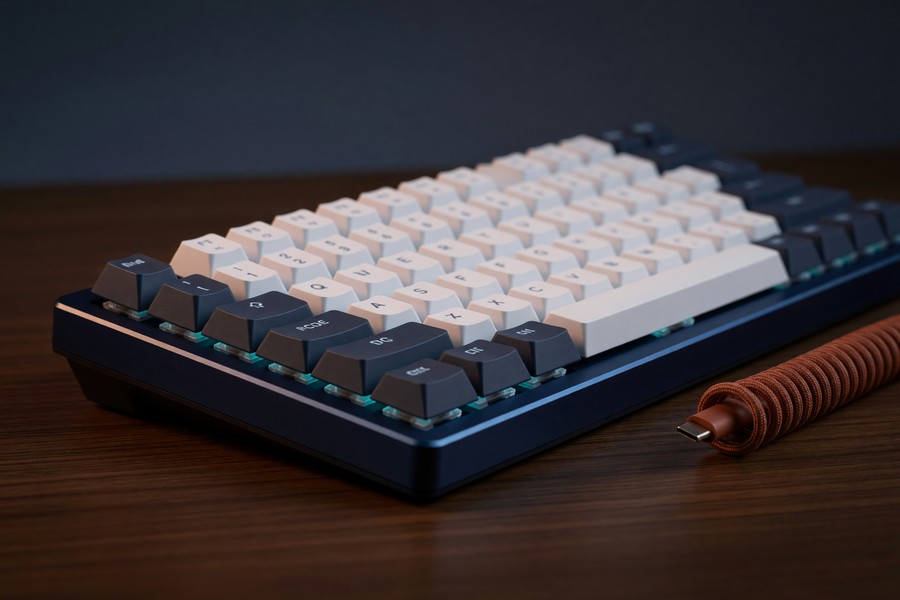
The Keychron Q1 Pro earns the top spot for mechanical keyboards for programmers due to its gasket-mounted design, wireless Bluetooth 5.1 connectivity, and full QMK/VIA firmware support. The aluminum case reduces flex and noise simultaneously. At $199, it delivers custom keyboard quality at a production price point.
For developers spending six or more hours a day at a keyboard, switch type and actuation force directly affect comfort and long-term joint health. A 2007 study in Applied Ergonomics found that split keyboards can reduce ulnar deviation by up to 27%, significantly lowering repetitive strain injury risk.
Best Premium Option: ZSA Moonlander MK1
The ZSA Moonlander MK1 is a split ortholinear keyboard designed specifically for programmers and heavy typists concerned about RSI. At $365, it is expensive, but it ships with ZSA’s Oryx configuration tool, which layers macros, one-shot modifiers, and tap-dance keys onto a visual interface without requiring users to write raw QMK config files. If you are setting up a long-term home office environment, pairing this with the right tools matters, and our guide on home office tax deductions and eligible IRS expenses explains which peripheral purchases may qualify for deductions.
What Are the Best Ergonomic Options for All-Day Typists?
The best ergonomic mechanical keyboards for heavy typists use split, tented, or columnar-stagger layouts to reduce wrist and shoulder strain during extended use. Standard row-stagger QWERTY keyboards were designed around typewriter mechanics, not human anatomy.
Split Keyboards
Split keyboards place each hand on a separate unit, allowing shoulder-width positioning. The ZSA Moonlander and Kinesis Advantage360 are the two most recommended options. A study published in the journal Applied Ergonomics via PubMed found that split keyboard users reported a 27% reduction in ulnar deviation, the inward wrist bend that causes carpal tunnel syndrome over time.
Ortholinear and Column-Stagger Layouts
Ortholinear keyboards arrange keys in a perfect grid rather than the traditional diagonal stagger. This reduces lateral finger travel by aligning each key with the natural up-and-down movement of each finger. Boards like the Planck EZ by ZSA and the Preonic by OLKB use this layout. They have a learning curve of approximately 2–4 weeks but deliver long-term ergonomic benefits for heavy typists logging over 40 hours of keyboard use per week.
The Kinesis Advantage2, with its bowl-shaped key wells, is used in physical therapy programs for patients recovering from repetitive strain injuries. It retails at $359 and is one of the few keyboards actively recommended by occupational therapists.
Does Form Factor and Layout Actually Matter for Developers?
Yes, form factor directly affects desk ergonomics, coding efficiency, and portability. The right size depends on whether the programmer needs a numpad, uses arrow keys heavily, or works in a portable environment.
Breaking Down Keyboard Sizes
Full-size keyboards (100%) include a numpad, useful for data entry but rare in pure development workflows. Tenkeyless (TKL) boards drop the numpad and reduce width by roughly 20%. 75% boards add arrow keys and a function row in a compact layout. 65% boards drop the function row. 60% boards are the most compact, relying on function layers for Fn keys and navigation.
Most programmers find the 65% or 75% layout optimal, compact enough to allow natural mouse placement without sacrificing the arrow cluster needed for navigation in terminal environments. Developers who work across multiple environments also benefit from the productivity tips covered in our roundup of AI tools saving small businesses time in 2026, many of which integrate directly with keyboard shortcut workflows.
Wireless vs. Wired
Wireless keyboards using Bluetooth 5.1 or 5.2 now deliver latency under 10 milliseconds, imperceptible during typing. Keychron’s Q and V series both support 2.4GHz wireless via USB dongle for even lower latency. For programmers who prefer a clean desk, wireless is no longer a technical compromise.
How Important Is Firmware and Programmability for a Coding Keyboard?
Firmware programmability is critical for serious programmers. It allows custom keymaps, macros, layer switching, and per-key RGB lighting without relying on software running in the background. QMK and VIA are the two dominant open-source firmware platforms.
QMK and VIA Explained
QMK (Quantum Mechanical Keyboard) firmware is open-source and supported by hundreds of keyboard models. It allows remapping every key, creating complex macros, tap-hold behaviors, and combos entirely in hardware. VIA is a graphical front-end for QMK that allows real-time remapping without flashing firmware, ideal for programmers who want flexibility without compiling code.
According to the QMK Firmware project’s official documentation, QMK now supports over 1,500 keyboard models from more than 200 manufacturers. Boards like the Keychron Q1 Pro, ZSA Moonlander, and NuPhy Air75 V2 all ship with VIA compatibility out of the box.
Why Macros Matter for Developers
Programmers can use QMK macros to assign common code snippets, terminal commands, or IDE shortcuts to single keystrokes. A developer writing Python or JavaScript daily can assign boilerplate functions, import statements, or Git commands to unused layers. This type of workflow automation complements the broader productivity gains described in our breakdown of how AI assistants save time and boost productivity.
If you are new to QMK, start with VIA-compatible boards. VIA lets you remap keys and build macros through a browser interface at usevia.app, no firmware compilation required. Once comfortable, migrate to full QMK for advanced features like tap-dance and combo keys.
Should Programmers Buy a Budget or Premium Mechanical Keyboard?
Programmers should spend at least $80–$120 for a keyboard that delivers consistent switch quality, durable keycaps, and acceptable build rigidity. Below that threshold, build quality drops noticeably. Above $200, the gains become incremental, though ergonomic boards justify higher prices through injury prevention alone.
A front-end developer pulling in $65,000 a year in a hybrid role may cringe at spending $360 on a keyboard, but she knows the mushy laptop membrane is hurting her accuracy over six-hour coding stretches. With $150 earmarked for an upgrade, she lands on the Ducky One 3 TKL at $119. The genuine Cherry MX Browns deliver the tactile bump she needs, the PBT keycaps won’t gloss over after a year of daily use, and the detachable USB-C cable makes it simple to toss in a bag for the coworking commute. For that budget, the extra $10 over a barebones Keychron C3 Pro is worth the out-of-box switch consistency and build quality.
Best Budget Picks Under $130
The Ducky One 3 TKL at $119 uses genuine Cherry MX switches, doubleshot PBT keycaps, and a rigid plastic case. It lacks QMK support but is one of the most reliable production boards under $150. The Keychron C3 Pro at $35 is the most affordable QMK-compatible option currently available and uses Gateron switches with a hot-swap socket, exceptional value for developers just entering the mechanical keyboard space.
When a Premium Board Pays Off
For full-time remote developers logging 6–10 hours per day at the keyboard, a premium ergonomic board like the ZSA Moonlander or Kinesis Advantage360 is a legitimate occupational health investment. The cost per year of use drops to under $50 annually when spread over a 7–10 year keyboard lifespan, far less than the cost of physical therapy for RSI. With an estimated 1.9 million Americans affected by carpal tunnel syndrome, according to the CDC (via Ada Health), investing in a keyboard that reduces wrist strain is a practical, long-term safeguard. Programmers managing their home office budgets should also review which peripherals qualify as business deductions, detailed in our guide to home office tax deductions and IRS-eligible expenses.
These keyboards aren’t for everyone. The learning curve on split and ortholinear layouts can be steep. Switching from a standard keyboard to a 60% or split board often requires retraining muscle memory. Some users report initial frustration with inconsistent key travel or missing navigation keys. If you’re not ready to invest time in adapting your workflow, a more conventional layout may be the better choice.
One honest downside of the compact and split layouts covered here: if your daily work mixes SQL queries or spreadsheet reports with coding, the missing numpad becomes a daily friction point. In that scenario, a full-size mechanical like the Leopold FC900R with Cherry MX Browns keeps the numeric pad and the switch quality you want, even though it eats up more desk space.
Frequently Asked Questions
Are mechanical keyboards actually better for programming?
Yes, mechanical keyboards for programmers offer superior tactile feedback, longer switch lifespans, and full N-key rollover compared to membrane alternatives. These features reduce typing errors, decrease finger fatigue, and allow complex shortcut inputs that membrane keyboards miss.
What is the best switch type for a programmer who types all day?
Tactile switches, specifically Cherry MX Brown, Gateron Brown, or Topre 45g, are best for all-day typing. They confirm each keystroke with a physical bump at around 45–55 grams without requiring you to bottom out the key, which reduces long-term finger strain.
Is a 60% or 75% keyboard better for coding?
A 75% keyboard is better for most programmers because it retains the function row and arrow keys in a compact layout. A 60% board requires frequent layer switching to access those keys, which adds friction in terminal and IDE environments.
Do I need a keyboard with QMK firmware?
QMK is not required but is highly recommended for developers who use complex shortcuts or want custom macros. It allows full hardware-level remapping that works across every operating system and application without background software.
What is the best mechanical keyboard for programmers under $100?
The Keychron C3 Pro at approximately $35–$40 is the best option under $100. It supports QMK firmware, uses Gateron switches, and features a hot-swap PCB. For slightly more budget, the Ducky One 2 Mini at around $99 is a reliable 60% option with Cherry MX switches.
Is wireless latency acceptable for typing in a coding environment?
Yes, modern Bluetooth 5.1 and 2.4GHz wireless keyboards deliver latency under 10 milliseconds, which is imperceptible during typing. Wireless is now a viable option for programmers who want cleaner desk setups without sacrificing input accuracy.
How long do mechanical keyboards last?
Most mechanical switches are rated for 50 to 100 million keystrokes. At an average typing speed of 60 WPM for 8 hours per day, a keyboard with 50 million-rated switches would last over 20 years before switch failure becomes likely.
What is hot-swap and why does it matter for programmers?
Hot-swap sockets let you replace switches without soldering, making it easy to change the typing feel or replace a faulty switch without buying a new keyboard. For programmers who want to experiment with different switch types over time, a hot-swap PCB is a valuable feature.
Are expensive keycap materials like PBT worth it?
Yes, PBT (polybutylene terephthalate) keycaps resist shine and provide a textured, durable surface compared to standard ABS (acrylonitrile butadiene styrene) keycaps. For heavy typists, PBT keycaps maintain their appearance and grip far longer, making them a worthwhile upgrade on any keyboard.
Can I use a mechanical keyboard with a Mac for programming?
Most mechanical keyboards are compatible with macOS, and many come with Mac-specific keycaps or switchable layouts. QMK/VIA firmware allows full key remapping, so developers on Mac can assign the Command and Option keys exactly where they want them.
Sources
- Statista, Global Mechanical Keyboard Market Size and Growth Rate
- Mordor Intelligence, Mechanical Keyboard Market Size & Share Analysis (2025–2026)
- RTINGS.com, Best Mechanical Keyboards: Lab-Tested Reviews
- PubMed / Applied Ergonomics, Split Keyboard Ergonomic Outcomes Study
- Keychron, Q1 Pro QMK/VIA Wireless Keyboard Official Product Page
- QMK Firmware, Official Documentation and Supported Keyboards
- ZSA Technology Labs, Moonlander MK1 Split Ergonomic Keyboard
- VIA, Web-Based Keyboard Configurator for QMK Boards
- Reddit r/MechanicalKeyboards, Community Switch Preference Survey 2023
- Cornell University Human Factors and Ergonomics Research Group
- Ducky Channel, Ducky One 3 TKL Product Page
- NuPhy, Air75 V2 Mechanical Keyboard
- Kinesis, Advantage360 Professional Ergonomic Keyboard
- ZSA Technology Labs, Planck EZ Keyboard
- Ada Health, Repetitive Strain Injury Statistics (CDC data)






