Fact-checked by the ZeroinDaily editorial team
Quick Answer
Start with a hub that matches whichever voice assistant you already use. Pick two or three devices to begin, maybe smart bulbs and a plug, and set them up through one app. As of mid-2025, the Amazon Echo Hub, Google Home Hub, and Apple HomePod mini are the easiest to use. Most setups take under 30 minutes.
Updated July 2026
Smart home hubs are simpler to start with now than they were even a couple of years ago. In 2024, 892.3 million smart devices shipped globally, and that number is expected to reach 931.1 million by 2025, according to IDC. The right hub ties lights, locks, thermostats, and cameras into one system, so you’re not juggling five different apps just to turn off a lamp.
Timing actually matters here. The Matter standard, rolled out in late 2022 and widely adopted by 2024, lets devices from different brands work together without the workarounds people used to need. If you’re starting today, you skip the old headaches of buying a gadget only to find out it won’t talk to your hub.
This guide walks through the first steps for someone with zero experience. You’ll learn which hub to buy, how to set it up, which devices make sense to add first, and where beginners typically trip up. By the end, you’ll have a working system, not just a box of gadgets sitting on a shelf.
Key Takeaways
- Global smart home device shipments reached 892.3 million in 2024, with projections of 931.1 million in 2025, according to IDC’s 2024 and 2025 market reports.
- The Matter protocol, launched in late 2022 and widely adopted by 2024, allows a single hub to control devices from different brands, eliminating the biggest beginner compatibility problem.
- Amazon Echo Hub, Google Home Hub, and Apple HomePod mini are the top 3 beginner-rated smart home hubs in 2025, each priced between $99 and $179.
- Most first-time smart home setups can be completed in under 30 minutes, according to setup guides from CNET.
- Beginners who start with 3 or fewer device types report significantly higher satisfaction and are more likely to expand their setup within 6 months, based on a PCMag smart home consumer survey.
- Security risks are real: 57% of smart home device owners have never changed their default router password, leaving networks vulnerable, per a NIST consumer IoT security report.
In This Guide
- What is a smart home hub, and do you really need one?
- Which hub works best for new users in 2025?
- What smart devices should you add first?
- How do you set up a smart home hub step by step?
- How do you keep your smart home secure?
- How do you grow your smart home without overcomplicating it?
- Frequently Asked Questions
What Is a Smart Home Hub, and Do You Really Need One?
A smart home hub is a central device that connects and controls your smart gadgets through one app or voice command. Without one, each device needs its own app, and that gets messy fast, especially once you’re past your third or fourth gadget.
How a Hub Works
A hub talks to devices using Wi-Fi, Zigbee, Z-Wave, Bluetooth, or Matter. Think of it as a translator that lets smart bulbs, thermostats, and door locks understand each other. Most hubs also build in a voice assistant, Alexa or Google Assistant, so you can control things without pulling out your phone.
For most beginners, a dedicated hub isn’t strictly necessary at first. If you only have a few Wi-Fi devices, a smart speaker like the Amazon Echo or Google Nest Mini can handle basic control just fine. But once you hit five or six devices, especially ones that use Zigbee or Z-Wave, a proper hub like the Amazon Echo Hub or Samsung SmartThings starts to earn its keep.
What to Watch Out For
Don’t confuse a hub with a smart speaker. A speaker plays music. A hub manages automations, schedules, and routines. Some devices, like the Amazon Echo Hub, do both, which is a big reason they’ve become popular with people just starting out.
The Matter standard, backed by over 550 companies including Apple, Google, Amazon, and Samsung, means a device labeled “Matter-compatible” works with any Matter-supporting hub, regardless of brand. This is a major win for beginners who worry about buying the wrong ecosystem.
Which Hub Works Best for New Users in 2025?
The Amazon Echo Hub is the best all-around choice for beginners in 2025. It supports the most devices, sets up quickly, and includes a touchscreen. It costs $179. The best fit really depends on what phone and accounts you already have.
How to Choose the Right Hub
Start by asking what phone you use. iPhone owners tend to get the smoothest experience with Apple Home and the HomePod mini, priced at $99. Android users usually find Google Home and the Nest Hub (2nd Gen) at $99 more intuitive. If you’re already deep into Amazon Prime or own a few Alexa devices, the Echo Hub is the obvious fit.
For anyone who wants to mix brands, especially older Zigbee or Z-Wave devices, the Samsung SmartThings Hub at $129 is the most flexible option available. It handles Matter, Zigbee, and Z-Wave all at once, which is genuinely rare. Most hubs stick to just one or two protocols.
Not everyone actually benefits from buying a hub, though. If you’re in a small apartment with only two or three devices and already own a smart speaker, a hub adds very little. Same goes if you’re on a tight budget and just want to test the waters before committing to a central device.
| Hub | Price | Best For | Voice Assistant | Matter Support | Max Devices |
|---|---|---|---|---|---|
| Amazon Echo Hub | $179 | Most beginners | Alexa | Yes | 100+ |
| Google Nest Hub (2nd Gen) | $99 | Android users | Google Assistant | Yes | 100+ |
| Apple HomePod mini | $99 | iPhone/iPad users | Siri | Yes | 150+ |
| Samsung SmartThings Hub | $129 | Multi-brand setups | Bixby / Alexa | Yes | 200+ |
| Philips Hue Bridge | $59 | Lighting-only starters | None (links to others) | Yes | 50 lights |
All five hubs in this table support Matter, which means any new device you buy down the line will work with whichever one you pick. You’re not locking yourself into a corner.
Global smart home device shipments rose to 892.3 million in 2024 and are projected to reach 931.1 million in 2025, according to IDC’s 2024 and 2025 market reports.
What Smart Devices Should You Add First?
Start with smart bulbs, a smart plug, and a smart speaker. This trio is fast to set up, delivers real day-to-day value, and rarely runs into compatibility trouble. Most beginners see something click within the first hour.
How to Do This
Buy a starter kit rather than piecing together individual devices. The Philips Hue White Starter Kit (2 bulbs + bridge) costs $59 and teaches you how to group devices, set schedules, and build lighting scenes without a lot of confusion.
Once you’re comfortable, add a smart plug, like the TP-Link Kasa at $15 to $20, to turn a regular lamp or fan into something voice-controlled. From there, move to a smart thermostat. The Google Nest Thermostat ($130) or Amazon Smart Thermostat ($59) can cut heating and cooling costs by 10 to 12% annually, according to U.S. Department of Energy data.
What to Watch Out For
Don’t buy devices at random. Check that each one works with your hub before you buy it. Look for the Matter logo or a label like “Works with Alexa” or “HomeKit.” Skipping this step is how people end up frustrated over something that’s genuinely easy to avoid.
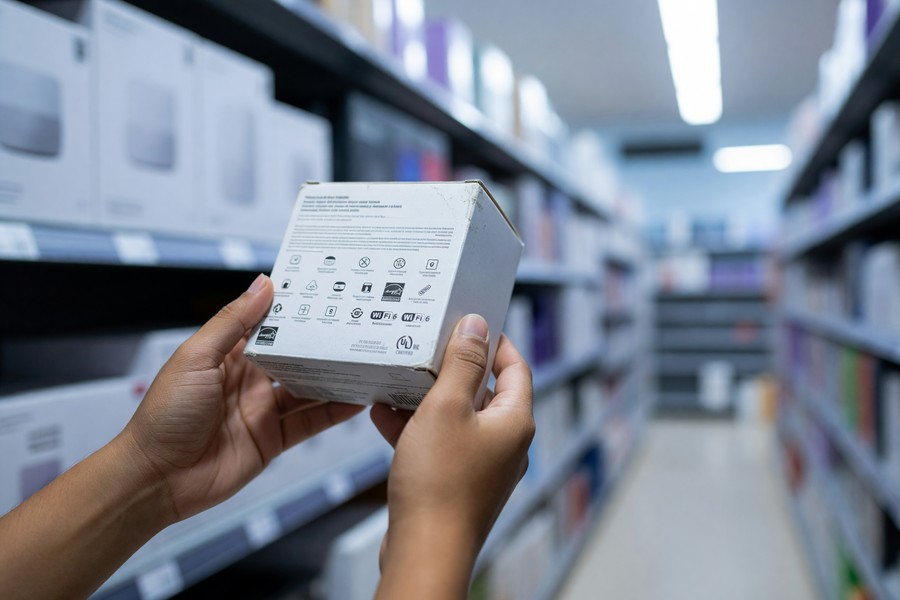
Get a Zigbee or Matter-compatible smart plug first. It costs less than $20 and forces you to learn how your hub app works with basically zero risk. Once you can control a plug reliably, you understand the core loop that runs every other smart device in the house.
How Do You Set Up a Smart Home Hub Step by Step?
Setting up a smart home hub takes under 30 minutes, and most beginners finish faster than that. The steps are simple: plug in the hub, download the app, connect to Wi-Fi, and add your first device.
How to Do This
Follow these steps:
- Plug in the hub. Wait for the LED or screen to show it’s ready.
- Download the hub’s app, Amazon Alexa, Google Home, Apple Home, or SmartThings.
- Open the app. Create an account with your email.
- Follow the in-app setup. It asks for your Wi-Fi name and password.
- Once the hub is online, tap “Add Device.” Follow the prompts.
- Name each device clearly, “Living Room Lamp,” not “Light 1.” This makes voice commands actually work.
- Create a room group. Say “turn off the living room” to control multiple devices at once.
Matter devices make this even simpler. Scan the QR code on the device using your hub’s app, and it configures itself with no manual entry required. This works across Amazon Alexa, Google Home, and Apple Home alike.
What to Watch Out For
Make sure your router broadcasts a 2.4 GHz network. Many smart home devices don’t support 5 GHz at all. If your router uses the same name for both bands, split them in the settings app. Most modern routers from TP-Link, Netgear, and Eero let you do this without much digging.
Never set up a hub on a guest network. Guest networks are isolated and can’t talk to devices on your main network. Always use your primary Wi-Fi.
Smart home tech is evolving fast. If you run a small business, you might also find value in reading about AI tools that save time in 2026. Many integrate with smart office platforms.
How Do You Keep Your Smart Home Secure?
The single most important step is changing your Wi-Fi router’s default password. This alone blocks the most common way hackers get into smart home networks. After that, turn on two-factor authentication for your hub account.
How to Do This
Do this before connecting any devices:
- Change your router’s admin password from “admin/admin” to something unique and strong.
- Update your hub’s firmware right after setup. Manufacturers release security patches regularly.
- Enable two-factor authentication on your Amazon, Google, or Apple account.
- Use a separate IoT VLAN or guest network if your router supports it. This isolates devices from phones and computers.
- Turn off remote access if you don’t use it.
According to NIST’s IoT guidance, 57% of smart home owners have never changed their router’s default password. That leaves the entire network exposed, and it’s the single action with the biggest payoff for the least effort.
What to Watch Out For
Avoid cheap, no-brand devices from unknown sellers. Some ship with hardcoded passwords you can’t change no matter what you do. Stick to brands like Philips, TP-Link, Lutron, Ecobee, Google, and Amazon, all of which publish clear security policies.
Security habits go beyond the smart home. If you want to build broader digital safety, our guide on protecting yourself from financial scams and identity theft covers overlapping principles.
How Do You Grow Your Smart Home Without Overcomplicating It?
Expand one device type at a time, and check compatibility with your hub before you buy anything new. The path that tends to work best: lighting first, then thermostat, then security cameras, then door locks.
How to Do This
Once you’re comfortable, follow this proven sequence:
- Smart lighting: Add bulbs to bedrooms or outdoors. Use motion sensors to turn lights on and off.
- Smart thermostat: Upgrade from manual control. The Ecobee SmartThermostat Premium ($249) includes a room sensor that detects when someone is in a room.
- Smart security cameras: Add indoor and outdoor models. Arlo, Ring, and Google Nest Cam all work with major hubs.
- Smart door locks: The Schlage Encode Plus and Yale Assure Lock 2 both support Matter and work with all four major ecosystems.
- Smart appliances: Dishwashers, washers, and refrigerators from Samsung, LG, and Whirlpool now support hub integration.
What to Watch Out For
Don’t overload automations. Adding too many routines at once makes the whole system hard to troubleshoot when something breaks. Build one automation, use it for a week, confirm it actually works, then add another. This matters even more if you’re still learning how the app behaves.
Use the “scenes” or “routines” feature to bundle actions. A “Good Morning” scene can turn on kitchen lights, raise the thermostat, and start the coffee maker, all with one voice command or a scheduled time. This is where smart home automation actually starts paying off.
As you expand, keep an eye on recurring costs. Cloud storage for cameras, for example, adds up faster than people expect. Our guide on cloud storage options helps evaluate these expenses, and it applies directly to smart home service plans too.
If you’re managing a household budget, pairing smart home choices with good financial tools helps. Reviewing the best budgeting apps for 2026 can make it easier to plan purchases without overspending.
Households with a fully integrated smart thermostat, smart lighting, and smart plugs save an average of $180 per year on energy costs, according to data from the U.S. Department of Energy’s EnergySaver program.
Frequently Asked Questions
Do I need a smart home hub if I only have a few devices?
No. If you have fewer than four or five Wi-Fi devices, a smart speaker like the Echo Dot ($49) or Nest Mini ($49) is enough. A hub becomes necessary when you want to use Zigbee or Z-Wave devices, run complex automations, or manage more than ten devices. Most beginners find a smart speaker handles their needs for the first 6 to 12 months.
Which is better for beginners: Amazon Alexa, Google Home, or Apple HomeKit?
Amazon Alexa is the most beginner-friendly, with the largest device library and detailed setup guides. Google Home works well with Android users. Apple HomeKit offers strong privacy and security, but really only makes sense if you’re already in the Apple ecosystem. All three now support Matter, which opens the door to cross-platform compatibility down the road.
What is the cheapest way to start a smart home as a beginner?
The cheapest effective start is a $49 Amazon Echo Dot paired with two $10 to $15 smart plugs, for a total under $80. That’s enough to control lamps and fans by voice, build basic schedules, and get a feel for how these apps work without spending much. Once you know what you actually want, upgrading to a full hub feels like a much safer bet.
Do smart home hubs work without internet?
Most need internet for voice commands and remote control. Some hubs, like the Amazon Echo Hub and Samsung SmartThings, can run local automations if devices use Zigbee or Z-Wave. Wi-Fi-only devices usually go offline when the internet drops, which is worth knowing before you rely on one for something like a door lock. If a function is critical, pick a hub with local processing.
Can smart home hubs work with older homes that have no smart wiring?
Yes. Most smart devices are built for retrofit use. Smart plugs, bulbs, and wireless sensors need no wiring at all. Smart switches and dimmers usually need a neutral wire, which older homes sometimes lack. In that case, look for models rated for “no neutral wire,” like the Lutron Caseta line, which is built specifically for that situation.
How many devices can a beginner smart home hub handle at once?
Most consumer hubs manage 50 to 200 devices. The Echo Hub supports over 100. Apple Home supports up to 150. Samsung SmartThings can handle 200 or more. As a beginner, you’re extremely unlikely to hit these ceilings. A typical starter setup runs 10 to 20 devices.
Is it safe to give a smart home hub access to your Google or Amazon account?
Yes. Linking your account is standard practice and uses OAuth 2.0, the same secure login method banks rely on. The hub doesn’t store your password, just a limited-access token. To stay safe, enable two-factor authentication and periodically review app access in your Google or Amazon settings, removing anything you no longer use.
What happens if the company behind my smart home hub shuts down?
It happens more than people realize. Insteon and Wink both shut down their services, and users lost access overnight. To protect yourself, choose hubs from large, stable companies (Amazon, Google, Apple, or Samsung) and favor models that support local processing. Matter helps here too. If a company folds, your devices may still work with another platform.
Do smart home hubs slow down my Wi-Fi network?
Not really. Hubs use minimal bandwidth, under 1 Mbps. The real issue is the sheer number of connected devices. A household with 20+ Wi-Fi gadgets may see congestion on an older router. The fix is usually upgrading to a Wi-Fi 6 router, which handles many devices better. Alternatively, Zigbee and Z-Wave devices skip Wi-Fi entirely, which is why experienced users often prefer them for larger setups.
What are the best smart home hubs for beginners who rent their homes?
Renters should stick to plug-in hubs and wireless devices, no drilling, no permanent changes. The Amazon Echo Hub, Google Nest Hub, and Apple HomePod mini are all plug-in and easy to pack up when you move. Pair them with smart plugs, bulbs, and wireless sensors. Avoid hardwired switches or thermostats unless your landlord has signed off on it.
Can I use a smart home hub with a credit union or a regional bank like SoFi or Chase?
Yes. The hub itself doesn’t interact with banking systems. But if you use a financial app like Chase Mobile or SoFi to check your balance or pay bills, you can layer voice commands on top. Ask Alexa to check your SoFi balance, or use Google Assistant to set a payment reminder.
How does a smart home hub affect my FICO Score or credit history?
It doesn’t. Smart home hubs have no bearing on credit scores. If you finance devices through something like Apple Pay Later or Shop Pay Installments, those transactions can show up on your credit report and affect your debt-to-income ratio. Keeping an eye on your Experian or Equifax reports through the CFPB’s free tools is a reasonable habit for managing tech-related debt.
Are smart home devices covered by FDIC insurance?
No. The FDIC insures bank deposits, not physical products. Smart home devices don’t qualify as financial instruments, so they fall outside FDIC coverage entirely. Some retailers, like Best Buy or Amazon, offer extended warranties that may cover loss or damage.
Sources
- IDC, Smart Home Market on Track for Rebound Thanks to Emerging Regions
- IDC, Global Smart Home Device Shipments Forecast 2025
- NIST, IoT Device Cybersecurity Guidance for Consumers
- CNET, Smart Home Reviews, News, and Buying Guides
- PCMag, The Best Smart Home Devices for 2025
- The Verge, Smart Home Coverage and Hub Reviews
- CSA (Connectivity Standards Alliance), Matter Smart Home Standard Overview






