
Fact-checked by the ZeroinDaily editorial team
Quick Answer
The best portable laptop stands in July 2025 are lightweight, adjustable risers that weigh under 2 lbs and raise your screen to the ergonomically recommended 15–20 degrees of tilt. Top picks include the Nexstand K2, Roost Stand, and Rain Design mStand360. Budget options start at $25; premium models reach $90.
Portable laptop stands are compact, foldable risers that elevate your laptop screen to eye level, reducing neck and back strain during remote work. According to U.S. Bureau of Labor Statistics ergonomics data, musculoskeletal disorders account for roughly 30% of all days-away-from-work cases — a risk that rises when workers spend hours hunched over flat laptops. A quality stand directly addresses that problem wherever you work.
Remote and hybrid work is now a permanent reality for millions of professionals. Choosing the right portable laptop stand means balancing weight, stability, height range, and price — and that decision is more nuanced than it looks. This guide breaks down the top options, what to look for, and how to match a stand to your workflow.
Key Takeaways
- The ideal ergonomic screen height places your eyes at the top third of the monitor, which most stands achieve with 6–12 inches of lift, according to OSHA’s computer workstation guidelines.
- The global laptop stand market was valued at $340 million in 2023 and is projected to grow at a CAGR of 6.2% through 2030, per Grand View Research’s laptop stand market report.
- The lightest travel-grade portable laptop stands, such as the Roost Stand V3, weigh as little as 0.59 lbs (268 g), making them practical for carry-on bags, according to Roost Stand’s official product specifications.
- A 2022 study published in PubMed Central’s ergonomics research found that using a laptop stand with an external keyboard reduced neck flexion by up to 23 degrees compared to working directly on a flat laptop.
- Budget portable laptop stands priced under $35 cover the majority of everyday remote work needs; premium aluminum stands with 360-degree rotation typically cost $60–$90, based on current retail listings on Amazon’s laptop stand category.
In This Guide
What Makes a Portable Laptop Stand Worth Buying?
A portable laptop stand earns its place in your bag when it combines genuine stability with a low pack weight — ideally under 1.5 lbs for daily commuters. The four non-negotiable factors are weight, height adjustability, laptop compatibility (most stands support 10–17 inch devices), and build material.
Weight and Packability
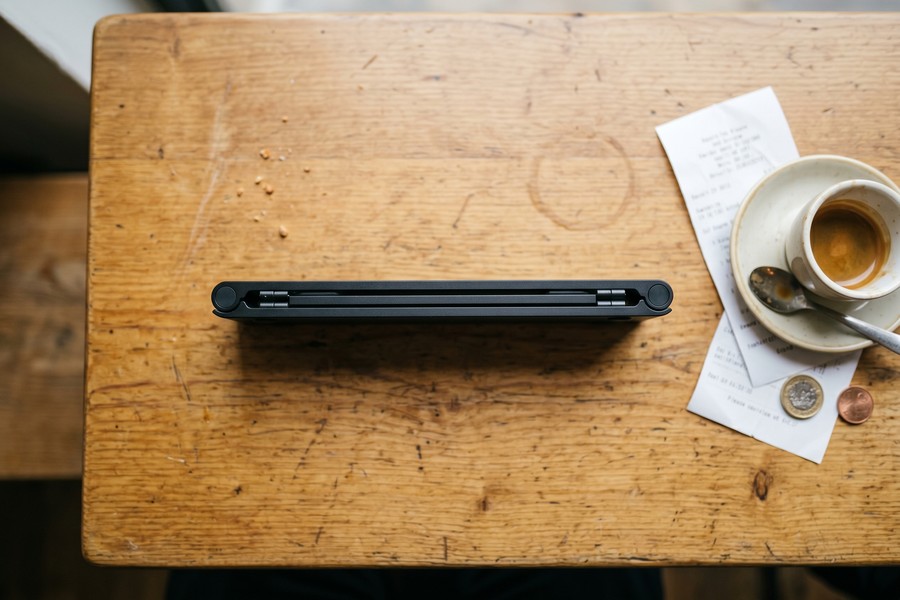
Travel-focused stands fold flat or collapse into a slim profile that fits in a laptop sleeve. The Nexstand K2, for example, collapses to the size of a ruler and weighs just 0.73 lbs. Heavier aluminum stands like the Rain Design mStand360 weigh closer to 2.6 lbs — better suited to a permanent desk setup than a nomadic workflow.
Plastic and polycarbonate frames dominate the ultralight category. Aluminum stands trade weight for superior heat dissipation, which matters if your laptop runs hot under sustained load.
Height and Angle Adjustability
Fixed-angle stands are simpler but less versatile. Adjustable models like the Boyata Laptop Stand offer between 5 and 20 degrees of tilt across multiple notched positions. Multi-height stands that lift the screen 6 to 12 inches above the desk surface align with OSHA’s monitor positioning standards for neutral neck posture.
Aluminum laptop stands conduct heat away from your device’s underside, which can lower GPU temperatures by 5–10 degrees Celsius during extended sessions — extending component longevity, according to hardware thermal testing by Tom’s Hardware.
Which Portable Laptop Stands Are the Best in 2025?
The best portable laptop stands in 2025 fall into three clear tiers: ultralight travel, midrange adjustable, and premium desk-ready. Each tier serves a distinct user profile, and the right choice depends on how often you move and how long you sit.
Comparison of Top Models
| Model | Weight | Height Range | Material | Price (USD) |
|---|---|---|---|---|
| Roost Stand V3 | 0.59 lbs | 9.5–16 in | Carbon fiber / plastic | $75 |
| Nexstand K2 | 0.73 lbs | 6–9.5 in | Polycarbonate | $35 |
| Boyata Laptop Stand | 1.5 lbs | 5–10 in (6 angles) | Aluminum alloy | $40 |
| Rain Design mStand360 | 2.6 lbs | 4.9 in fixed | Aluminum | $79 |
| Nulaxy C3 Laptop Stand | 0.88 lbs | 2.8–19.5 in | Aluminum alloy | $30 |
Best Ultralight Pick: Roost Stand V3
The Roost Stand V3 is the top choice for frequent travelers. At just 0.59 lbs, it fits in a jacket pocket and supports laptops up to 17 inches. Its two-stage height adjustment reaches up to 16 inches above the desk — the highest lift in this category. The carbon-fiber reinforced legs handle up to 22 lbs of device weight without flex.
Best Budget Pick: Nexstand K2
The Nexstand K2 costs just $35 and delivers reliable performance for daily hybrid workers. It collapses to a flat 13-inch ruler shape and supports devices up to 17 inches. The non-slip rubber feet are particularly effective on glass and polished surfaces — a common problem with cheaper stands.
“The most important thing a mobile worker can do for their long-term health is get that screen off the table. Even a $30 stand paired with a wireless keyboard is a game-changer for neck posture over an eight-hour workday.”
How Do You Choose the Right Stand for Your Work Style?
Match your stand to your primary work environment first. If you move between three or more locations weekly, prioritize weight and packability. If you split time between home and one office, a slightly heavier adjustable model offers better ergonomics for the longer seated periods.
Remote Nomads and Frequent Travelers
Digital nomads and road warriors should target stands under 1 lb with folded dimensions under 14 inches. The Roost Stand V3 and Nexstand K2 both meet this threshold. Pair either with a compact Bluetooth keyboard and mouse to create a full ergonomic workstation from any surface.
If you frequently work abroad, your stand setup is only one piece of the puzzle. Managing expenses on the road matters just as much — tools covered in our guide to the best expense tracking apps for 2026 can help you stay on top of remote work costs.
Hybrid Office Workers
Hybrid workers who carry a bag to the office two or three days a week can tolerate a stand weighing up to 1.5 lbs. The Boyata Laptop Stand and Nulaxy C3 both hit this range while offering wider angle adjustability than ultralight options. Both also include cable management slots — a minor but practical touch for permanent desk setups.
Always pair your portable laptop stand with an external keyboard. Without one, you are forced to reach forward to type, negating the neck benefits of the elevated screen. A compact Bluetooth keyboard like the Logitech K380 adds just 0.48 lbs to your bag and completes the ergonomic setup.
Why Does Ergonomics Matter for Laptop Users?
Poor laptop posture causes measurable physical harm over time. Research linked above shows that sustained neck flexion of even 15 degrees significantly increases compressive forces on the cervical spine. Portable laptop stands eliminate the root cause by raising the screen to eye level.
The Posture Problem with Flat Laptops
When you work on a flat laptop without a stand, your neck bends forward at an average of 28–45 degrees, according to biomechanical research published in Applied Ergonomics. That angle places up to 49 lbs of effective force on the cervical spine — compared to just 12 lbs in a neutral upright position.
Remote workers and small business owners who spend most of their day at a laptop should treat a stand as essential equipment, not an optional accessory. If you work from home and claim a home office, a laptop stand may also qualify as a deductible expense — check the rules in our breakdown of home office tax deductions and IRS rules.
Long-Term Health Costs of Poor Setup
The economic cost of musculoskeletal injuries in the U.S. workplace exceeds $20 billion annually in direct workers’ compensation costs, per the National Safety Council’s ergonomics resource center. Preventive investment in ergonomic tools like stands is far cheaper than treatment.
Workers who use a laptop stand with an external keyboard report a 23-degree reduction in neck flexion and a 17% decrease in reported neck discomfort after four weeks of consistent use, per a peer-reviewed study in PubMed Central’s ergonomics archive.
Are Portable Laptop Stands Better Than Other Ergonomic Alternatives?
Yes — portable laptop stands outperform stacked books, laptop trays, and most laptop cooling pads on both ergonomic effectiveness and practicality for mobile workers. The key advantage is consistent, repeatable height that you can dial in once and replicate everywhere.
Stands vs. Cooling Pads
Cooling pads sit flat on the desk and require AC power, which limits portability. They do lower thermal output — some models reduce average CPU temperatures by 3–8 degrees Celsius — but they do not address screen height or neck posture. A laptop stand solves posture while providing passive cooling through airflow under the chassis.
Stands vs. Docking Stations
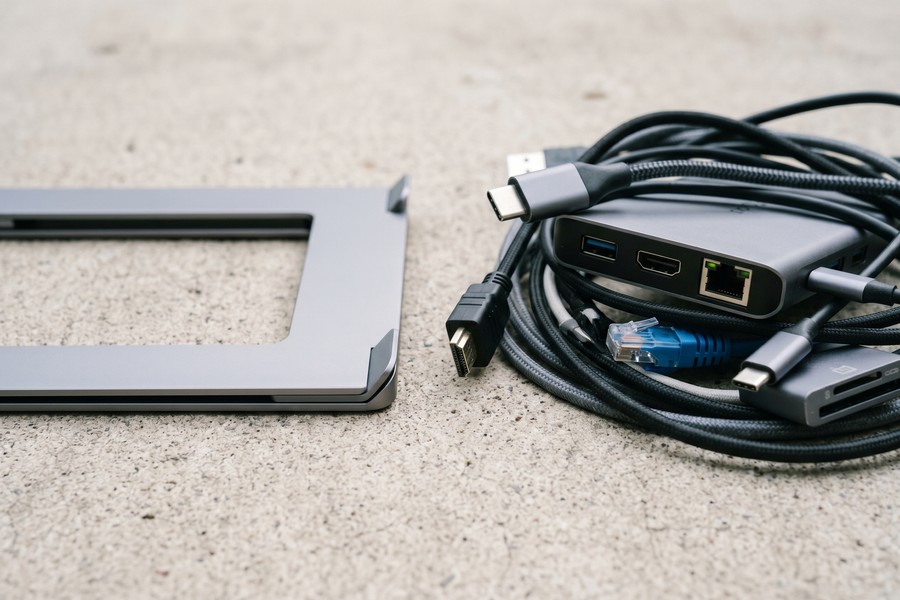
Docking stations from brands like CalDigit, Anker, and OWC offer full connectivity but are heavy, expensive (typically $150–$350), and designed for static desk use. For workers who move daily, a $35–$75 portable stand paired with a USB-C hub is a more practical and cost-effective solution.
Small business owners evaluating their full remote work tech stack — including cloud storage and collaboration tools — will find relevant comparisons in our guide to cloud storage options for small businesses. And if you are using AI tools to streamline your workflow, our overview of AI tools saving small businesses time in 2026 pairs naturally with a well-designed mobile office setup.
The Roost Stand was originally designed by aerospace engineer James Olander specifically for frequent flyers, and it launched via Kickstarter in 2014, raising over $200,000 — more than 10 times its original funding goal, according to the original Roost Kickstarter campaign page.
“Portability should never be a trade-off for effectiveness. The best mobile ergonomic tools are the ones that workers actually bring with them — which means weight and pack size matter as much as the biomechanical specs.”
Related reading: night shift nurse phoenix uses.
Frequently Asked Questions
Are portable laptop stands worth it for occasional remote workers?
Yes, even occasional remote workers benefit from portable laptop stands. A single day of working in a flexed-neck position causes measurable muscle fatigue. Stands priced at $30–$40 provide an immediate ergonomic return that far exceeds their cost.
What is the best portable laptop stand for a MacBook Pro?
The Rain Design mStand360 and Roost Stand V3 are the most popular choices for MacBook Pro users. Both support the 14-inch and 16-inch MacBook Pro models. The mStand360’s aluminum surface matches Apple’s aesthetic, while the Roost V3 is better for travel.
Can a laptop stand damage my laptop?
No — properly designed portable laptop stands with rubber or silicone contact points will not scratch or damage your laptop. Avoid stands with bare metal contact surfaces. Always verify the stand’s maximum weight capacity exceeds your laptop’s weight before purchasing.
Do I need an external keyboard with a laptop stand?
Yes, an external keyboard is strongly recommended. Raising the screen with a stand while still typing on the built-in keyboard creates an awkward arm angle. An external keyboard placed at elbow height completes the ergonomic setup and eliminates wrist strain.
How much should I spend on a portable laptop stand?
Budget between $30 and $45 for a reliable midrange stand, or $70–$90 for a premium travel-grade model like the Roost V3. Stands below $20 often lack stability and adequate laptop weight support. The sweet spot for most users is the $30–$45 range.
What is the lightest portable laptop stand available?
The Roost Stand V3 is currently the lightest well-reviewed option at 0.59 lbs (268 g). Some no-name folding stands claim weights below 0.5 lbs, but they typically sacrifice stability and maximum supported weight. The Roost V3 supports up to 22 lbs despite its low weight.
Are portable laptop stands allowed in airports and on airplanes?
Yes, portable laptop stands pass through airport security without issue. They contain no restricted materials. Many stands, including the Roost V3 and Nexstand K2, are specifically designed for in-flight or airport lounge use on tray tables and small surfaces.
Sources
- OSHA — Computer Workstations: Monitors Ergonomics Guidelines
- U.S. Bureau of Labor Statistics — Ergonomics and Musculoskeletal Disorders Data
- PubMed Central — Laptop Stand Ergonomics and Neck Flexion Study (2022)
- Applied Ergonomics — Cervical Spine Load and Neck Flexion Research
- National Safety Council — Workplace Ergonomics Resource Center
- Grand View Research — Laptop Stand Market Size and Forecast Report
- Tom’s Hardware — Laptop Cooling Pads vs. Laptop Stands Thermal Testing
- Roost Stand — Official V3 Product Specifications
- Amazon — Portable Laptop Stand Category (Current Pricing Reference)
- Kickstarter — The Roost Portable Laptop Stand Original Campaign






