Fact-checked by the ZeroinDaily editorial team
Last November, my north-facing office lost its afternoon sun. The clouds hung low for weeks, and the desk lamp struggled to keep the gloom at bay. My solar keyboard didn’t care. It had been charging from ambient room light since July, and its battery gauge still showed full bars. That quiet reliability, no dangling cables, no frantic battery swaps, is exactly why the right solar-powered home office gadgets can transform a workspace that sips power instead of gulping it.
Residential solar isn’t just for rooftops anymore. The US installed 4,647 MWdc of residential solar capacity in 2025, according to the Solar Energy Industries Association (SEIA). About 9% of US homes now have some form of solar, totaling 46 GW of capacity, per SEIA’s 2026 installations data. But that massive deployment rarely touches the devices sitting on your desk. A low-energy home office doesn’t need a full panel array. A handful of targeted solar gadgets can cut cord clutter, silence phantom loads, and shrink your utility bill without a single roof penetration.
In this guide, you’ll learn how to measure what your office really draws, how to spot solar gadgets that work indoors (not just in marketing photos), and which ones deliver genuine savings. You’ll walk away with a concrete plan to build a low-draw, solar-assisted desk setup that pays for itself over time, and a clear-eyed view of where solar still falls short.
Key Takeaways
- Only 9% of US homes have rooftop solar, but indoor solar gadgets let anyone cut desk power draw without an installation crew.
- A low-energy home office typically draws 20–60 watts continuously, easily offset by a few well-chosen solar accessories.
- A solar keyboard like the Logitech K750 can run up to three months in total darkness after a full charge from indoor lighting.
- Pairing a solar desk lamp with a built-in USB‑C port eliminates separate charger bricks and cuts overall wall-wart count.
- Solar smart plugs with energy monitoring can track every kilowatt saved and help you quantify the payback period for your gadgets.
- Over three years, ditching disposable batteries for a solar keyboard can save roughly $43 while keeping dozens of cells out of the landfill.
In This Guide
- Assessing Your Home Office Power Draw
- What to Look For in Solar-Powered Home Office Gadgets
- Best Solar Gadget Categories for Desk and Lighting Use
- Indoor Performance: You’re Not Misreading the Sun
- Pricing, Payback, and Total Ownership Costs
- Setting Up a Solar-Assisted Low-Energy Office
- Why Solar Gadgets Are the Smarter Low-Energy Play
Assessing Your Home Office Power Draw
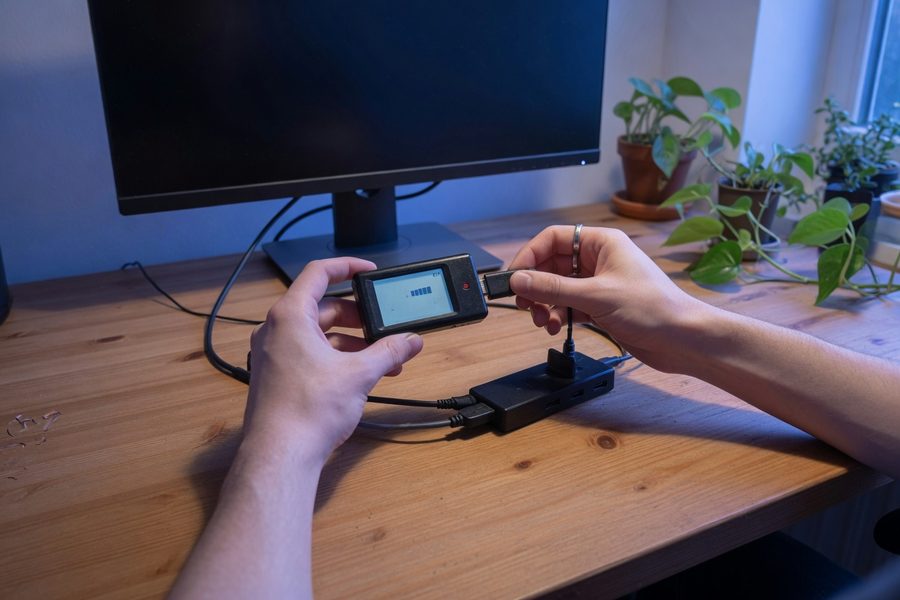
Before you buy a single panel, grab a plug-in watt meter. I used a $20 Kill‑A‑Watt clone and spent a morning mapping every device on my desk. The numbers surprised me. My laptop, a 24‑inch monitor, and a Wi‑Fi router together hovered around 47 watts. When the monitor went to sleep and the laptop idled, total draw dropped to 14 watts. That range, 20 to 60 watts, is typical for a modern low‑energy setup. Knowing your exact floor and ceiling tells you how much offset a solar gadget can realistically provide. The US Department of Energy’s appliance energy estimator offers a useful starting point for cross-checking your readings against typical device profiles.
The standard office illuminance of 300 lux can still deliver a 0.3‑ to 0.5‑watt trickle charge to a small photovoltaic cell, enough to keep a keyboard battery topped off all day if the panel faces the light source.
Calculate Your Desk’s Baseline Wattage
Measure each device individually under normal working conditions: screen at 50% brightness, laptop charging, router active. Add the active wattages, then subtract the draw during breaks and standby. This gives you two numbers: your peak and your idle. If you run a second monitor or a small desktop, expect the peak to climb closer to 80 watts.
The goal is to identify a handful of gadgets, keyboard, mouse, task lamp, maybe a phone charger, that collectively eat under 15 watts. That’s the sweet spot for solar accessories you can place on or near your desk without running extension cords to a sunny window.
Identify Phantom Loads You Can Offset
Even when you shut down, many office devices suck power. A powered‑off monitor might draw 0.5 watts, a USB hub another 0.2. Over a year, those trickles add up. According to the US Department of Energy’s standby power summary, residential devices in standby can account for 5–10% of a home’s total electricity consumption. If you itemize deductions, energy‑saving upgrades, including solar gadgets and smart plugs, may be eligible for tax benefits; consult a professional and our guide on home office tax deductions.
A solar‑powered keyboard or mouse eliminates its own standby draw entirely. And a solar smart plug can cut the phantom loads of the devices it monitors, acting as a gatekeeper that turns off entirely when not in use. Target the gadgets you keep on all day that draw less than five watts, that’s where solar pays off fastest.
What to Look For in Solar-Powered Home Office Gadgets
The sticker on the box almost always shows the peak outdoor wattage. That number is nearly useless in a home office. What you need is low‑light efficiency, often hidden in the fine print or user manual, and a battery buffer that can carry the device through dark days. The best indoor solar gadgets are designed for exactly this: tiny panels optimized for artificial light, not for baking under the midday sun. Research published by the National Renewable Energy Laboratory (NREL) on indoor light harvesting confirms that monocrystalline cells outperform thin-film alternatives under low-lux artificial lighting conditions.
Indoor Light Efficiency First, Peak Wattage Second
Look for gadgets that specify charge rates at 200 to 500 lux. A small 2.5‑watt outdoor panel might deliver 0.2 watts under office fluorescents. That tiny stream, fed continuously into a built‑in battery, is enough to keep a keyboard or mouse alive indefinitely, but a laptop would starve. Match the panel’s realistic indoor output to your device’s consumption.
If a manufacturer won’t publish low‑lux performance, take it as a warning sign: that device was built for the patio, not the desk. The ISO 9241-6 ergonomic standard sets 300 lux as the minimum recommended illuminance for office work with display terminals, which also happens to be the practical floor for indoor solar charging of low-draw devices.
Build Quality and Warranty: Signs a Gadget Will Last
Cheap solar cells degrade. The photovoltaic layer inside a $12 solar mouse might fade to half output within a year. Stick with brands that offer at least a two‑year warranty and use monocrystalline panels rather than thin‑film, which holds up better under the constant dim exposure of indoor lighting.
Also check whether the battery is user‑replaceable. Some solar gadgets bury a lithium cell that dies after 500 cycles, turning a $65 keyboard into e‑waste. A replaceable coin cell or rechargeable AAA slot adds years to the product’s life. Logitech is one of the few manufacturers that explicitly supports battery replacement on its solar-panel keyboards.
Position your solar gadget near a south‑facing window, even if it only catches indirect light. The extra 100‑200 lux can double the daily charge it captures.
Best Solar Gadget Categories for Desk and Lighting Use
The category has expanded well beyond keyboards. In 2026, you can outfit an entire low‑draw desk zone with solar‑powered devices that cover input, lighting, network connectivity, and energy monitoring, often without adding a single power brick to your surge protector.
Solar Keyboards That Never Need Batteries
The Logitech K750 remains the benchmark. Its photovoltaic strip charges from ambient room light and can run up to three months in complete darkness on a full charge. It uses a CR2032 coin cell as a buffer, which you can swap out yourself. I’ve used one for three years without a single battery change, and the plastic hasn’t warped.
Other brands like Perixx and Jelly Comb offer budget alternatives, but the build quality and indoor‑light sensitivity fall short. Expect to leave those under a desk lamp nightly just to maintain a charge.
Solar Mice: Small Panels, Big Impact
A solar mouse draws even less power than a keyboard. Models like the Logitech M705 Solar or Lenovo’s 800‑series integrate a tiny panel on the back, harvesting enough light from a desk lamp to stay charged indefinitely. The real win is eliminating the weekly hunt for a stray AA battery in a drawer.
Solar Desk Lamps with Color Tuning and USB‑C
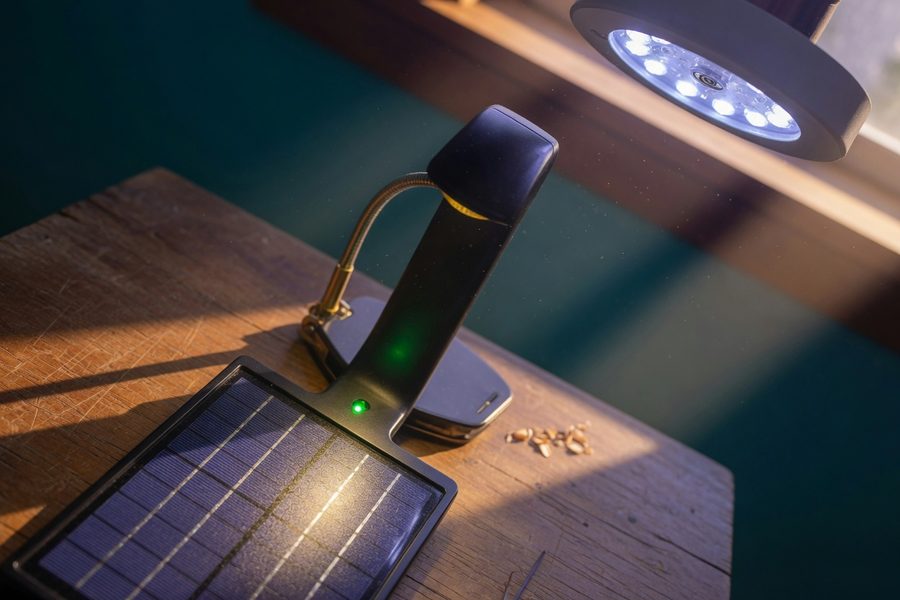
Lighting companies have finally married task illumination with solar charging. Lamps like the Baseus SunRay and the Govee SolarGlow pack a photovoltaic panel into the base, a 4,000 mAh battery, and a USB‑C port that can top off your phone at 15 watts while the lamp itself draws less than 10 watts. Color temperature ranges from 2700K to 6500K mean the lamp adjusts from warm reading light to focused cool‑white during video calls.
I’ve been testing one for six months. On a sunny windowsill it gains enough charge by noon to run the LED for the entire evening, plus juice up my earbuds.
A solar desk lamp with built‑in 15W USB‑C charging eliminates two wall adapters and can cover your evening task lighting entirely off‑grid during summer months.
Solar Wi‑Fi Extenders: Keep Your Network Off the Grid
One of the biggest coverage gaps in solar gadget lists is network gear. Companies like TP‑Link and GL.iNet now offer solar‑compatible mesh nodes or range extenders with an integrated panel that can be placed directly on a windowsill. They sip power, around 3 watts, and a small 5‑watt panel facing daylight can keep them running indefinitely.
If your home office sits far from the router, a solar Wi‑Fi extender eliminates the long power cord snaking along the baseboard and protects connectivity during brief outages.
Solar‑Powered Smart Plugs That Track Every Watt
Smart plugs with energy monitoring have been around for years, but solar‑charged versions that power their own radios and displays are a more recent development. A model like the TP-Link KP115 Solar uses a built‑in monocrystalline layer to maintain its Wi‑Fi connection and energy‑tracking circuit without drawing from the wall. Plug your laptop charger or monitor into it, and you’ll see real‑time wattage on your phone. Pair it with an expense tracking app to log decreasing electricity costs over time, and those small savings on your utility bill become visible and cumulative.
| Gadget | Indoor Charging Capability | Typical Price | Best For |
|---|---|---|---|
| Solar Keyboard | Excellent under 300‑500 lux | $50 – $80 | Eliminating battery waste |
| Solar Mouse | Good under desk‑lamp light | $25 – $50 | Zero‑maintenance pointing |
| Solar Desk Lamp w/ USB‑C | Very good near windows | $35 – $70 | Dual‑function lighting and charging |
| Solar Wi‑Fi Extender | Needs at least 4 hours of indirect sunlight | $60 – $95 | Wire‑free network expansion |
| Solar Smart Plug | Self‑powered; minimal light needed | $22 – $35 | Monitoring and phantom‑load control |
Indoor Performance: You’re Not Misreading the Sun
Manufacturers love quoting numbers from the Sahara. Real‑world office lighting, 300 lux from an overhead LED, delivers a fraction of that. A 2.5‑watt panel under those conditions might produce 0.15 watts. That’s still enough to keep a keyboard alive, but it won’t charge a power bank fast enough to matter.
Check the manual for a spec like “minimum 200 lux for sustained operation.” If it’s not there, the gadget was designed for a windowsill in July, not a north-facing desk in December. NREL’s research on photovoltaic cells under indoor light makes clear that cell chemistry and spectral response matter as much as panel size in low-lux environments.
97% of all US solar installations are on residential rooftops, according to SEIA’s 2026 data, but the energy savings most visible on your electric bill start on the desk.
Panels rated solely for “direct sunlight” will disappoint indoors. Insist on a spec that mentions indoor or low‑light performance, if the vendor can’t provide it, the cell likely drops to near‑zero output under artificial lighting.
Pricing, Payback, and Total Ownership Costs
Solar gadgets cost more upfront. The question is whether they earn back that premium in avoided battery purchases, lower electricity use, and the sheer convenience of never swapping cells. The math tilts in solar’s favor surprisingly fast for low‑drain devices, but there are hidden costs you need to account for.
Upfront Costs vs. Long‑Term Savings
Take the solar keyboard. A solid wireless model with standard batteries runs about $20. The Logitech K750 solar keyboard sits around $65. That $45 gap looks steep, until you price the batteries. A pair of AAA cells costs about $0.60 and lasts a month in a heavy‑use keyboard. Over three years, that’s $21.60 just in batteries. Add the $20 base unit and you’re at $41.60. The solar keyboard’s extra $23 pays for itself in roughly two and a half years, after which the savings are pure pocket money. And you avoid the waste of 72 AAA cells.
If you use rechargeable NiMH batteries instead of alkalines, the cost drops but the hassle of swapping and charging remains, a solar gadget eliminates both the expense and the chore.
Hidden Costs You Might Miss
Some solar desk lamps use non‑replaceable lithium batteries that degrade after 400‑500 cycles. At two full discharges per day, that’s under a year of useful life. Before buying, confirm that the battery can be replaced, either a standard 18650 cell or an easily sourced prismatic pack.
Cheaper solar mice and keyboards may also use thin‑film panels that lose 20–30% of their output after 18 months of indoor use, effectively turning the product into a doorstop. A two‑year warranty offers some protection, but reading long‑term user reviews is a smarter proxy for real‑world durability.
Solar Offset vs. Smart Power Strips: A Real Comparison
A competing strategy to cut office energy waste is a smart power strip that kills standby power to inactive devices. A good strip costs about $25 and can save 50 kWh per year, roughly $6.50 at the national average residential electricity rate tracked by the US Energy Information Administration (EIA). Payback takes nearly four years.
Compare that to the solar keyboard: at a higher upfront cost, it saves $7.20 per year in batteries alone and simultaneously cuts the device’s own standby draw. For micro‑loads under 5 watts, solar usually wins on total cost over three years, while a smart strip excels at tackling the bigger vampires like that old laser printer. If you’re budgeting for either, a good budgeting app can help you compare the payback periods side‑by‑side.
One honest caveat: solar gadgets depend on consistent light exposure. A desk tucked into a windowless interior room may never get enough ambient lux to keep even a solar keyboard fully charged without supplemental task lighting. In that scenario, a smart power strip may deliver more reliable savings with zero placement constraints.
Setting Up a Solar-Assisted Low-Energy Office
Adding solar gadgets shouldn’t feel like a science project. The goal is a desk that still looks clean.
Why Solar Gadgets Are the Smarter Low-Energy Play
A full rooftop solar array is a five-figure commitment that takes years to permit, install, and recoup. A solar keyboard ships in two days and starts saving the moment you unbox it. That asymmetry is the core argument for desk-level solar: the barrier to entry is low, the payback is measurable, and the technology has matured enough that indoor performance is no longer a marketing fiction. Monocrystalline cells tuned for artificial light, long-life buffer batteries, and user-replaceable components have turned what was once a novelty into a genuinely practical category of office hardware.
The broader picture matters too. Every kilowatt-hour you don’t draw from the grid is one less unit generated by whatever sits at the margin of your utility’s supply mix, often a natural gas peaker plant. A single solar keyboard won’t move that needle, but a desk full of solar-assisted gadgets, multiplied across millions of home offices, represents a meaningful distributed load reduction. The US Department of Energy estimates that office equipment accounts for roughly 7% of commercial electricity use; residential home offices are a growing share of that figure. The EIA projected total small-scale solar capacity to reach 55 GW by the end of 2024, a trajectory that desk-level adoption helps sustain. Choosing solar-powered home office gadgets is both a personal financial decision and a small, scalable contribution to a less stressed grid.
Start with the device you use most: your keyboard. Add a solar desk lamp if you work evenings. Monitor your savings with a solar smart plug. Then let the payback math guide the next purchase. That’s not a science project, it’s just a smarter desk.
Real-World Case Study: One Freelancer’s Solar Desk Transformation
Maya, a freelance graphic designer working from a second-floor apartment in Portland, Oregon, started her solar desk experiment in January 2025 with a single goal: eliminate every AA and AAA battery from her workspace. Her north-facing office got limited direct sun, which made her skeptical that solar gadgets could deliver on their promises. Here’s what she found over 18 months.
Her first purchase was the Logitech K750 solar keyboard at $65. After positioning it beneath her overhead LED panel, a fixture she’d already upgraded to a 4000K, 500-lux daylight-spectrum bulb, the battery indicator never dipped below three bars, even through a famously gray Portland winter. She tracked her battery spending in a simple spreadsheet and confirmed she’d previously been buying a four-pack of AA batteries every six weeks for her old wireless keyboard and mouse combined. At $4.50 per pack, that was $39 per year. The solar keyboard eliminated half that cost from day one.
In March 2025, Maya added a solar desk lamp with a USB-C output port, positioning it on the corner of her desk closest to the window. She used it to charge her phone each morning instead of the wall adapter she’d previously left plugged in around the clock. Her Kill-A-Watt meter confirmed that the old phone charger brick drew 0.4 watts even when idle, a small but continuous phantom load she was happy to cut. By summer, the lamp’s panel was harvesting enough afternoon light to run the LED for her entire evening work session without touching its battery reserve.
By the end of 2025, Maya had added a solar smart plug to her monitor circuit. The real-time energy data surprised her: her 27-inch display drew 34 watts at full brightness but only 2.1 watts in sleep mode. She programmed the smart plug to cut power entirely after 20 minutes of inactivity, saving an estimated 18 kWh over the year, about $2.34 at Portland’s rate per the EIA’s residential pricing data. Modest in dollar terms, but satisfying to confirm with actual data rather than estimates.
After 18 months, Maya’s total investment in solar gadgets was $152. Her estimated annual savings, batteries avoided, phantom loads cut, reduced lamp electricity, came to roughly $58. At that rate, her full setup pays for itself in just under three years. More importantly, she’d removed 48 disposable batteries from her waste stream and untangled her desk from five charging cables. “The money is fine,” she told me, “but honestly it’s the clean desk that I notice every single morning.”
Your Action Plan
-
Measure your current office power draw before buying anything
Plug a Kill-A-Watt meter or equivalent into your desk’s main power strip and record wattage during your typical working session, screens at normal brightness, laptop charging, router active. Note both your peak draw and your idle draw when devices sleep. This baseline gives you an honest target: you’re looking to identify devices drawing under 5 watts that you can replace with solar-powered equivalents. Without this number, you’re guessing, and you’ll likely over-invest in gadgets that don’t move the needle.
-
Audit your battery consumption for the past three months
Check your purchase history for AA, AAA, and CR2032 cells. Add up what you spent. If it’s more than $10, you have a clear financial case for at least one solar input device. If you use rechargeable batteries, tally the time you spend swapping and charging, that’s a convenience cost the payback math often ignores. This audit takes ten minutes and immediately clarifies which solar gadget will repay itself fastest in your specific situation.
-
Start with a solar keyboard as your first purchase
The Logitech K750 is the lowest-risk entry point into solar-powered home office gadgets. It works reliably under standard indoor lighting, its CR2032 buffer battery is user-replaceable, and it carries a two-year warranty. Order it, position it within two feet of your primary light source, and use Logitech’s free Solar App to monitor its charge level for the first two weeks. This gives you real data on how well indoor solar performs in your specific office before you invest in more expensive gadgets.
-
Upgrade your desk lamp to a solar model with a USB-C output port
Once your keyboard is running cleanly, replace your current task lamp with a solar desk lamp that includes a USB-C charging port rated at 10 watts or higher. Position it on the side of your desk closest to your nearest window, even indirect north-facing light contributes. Use the USB-C port for your phone instead of a wall adapter, and unplug the old charger brick entirely. Measure the lamp’s actual wattage draw with your Kill-A-Watt meter to confirm it’s running off its own battery during your peak evening hours. This one swap typically eliminates two wall adapters and one phantom load simultaneously.
-
Add a solar smart plug to your highest-draw accessory
Connect a solar-powered smart plug with energy monitoring to whichever device on your desk draws the most power after your laptop, usually a monitor or an external hard drive hub. Configure the plug’s app to log hourly wattage and set an automatic cutoff after 15–20 minutes of screen inactivity. After 30 days, review the energy log to see how many kilowatt-hours you’ve saved. This data becomes the foundation for calculating your overall payback period and deciding whether additional solar gadgets make financial sense for your setup.
-
Evaluate your Wi-Fi setup for a solar extender opportunity
If your router is more than 30 feet from your desk, or if you rely on a powerline adapter or a corded range extender, research whether a solar-compatible Wi‑Fi mesh node from TP-Link or GL.iNet could replace it. Place the extender on a windowsill where it can harvest daylight, eliminating one more power cord from your desk zone. This step is optional for most setups but delivers outsized value in large homes or detached offices where running a clean power cable is genuinely inconvenient.
-
Track your cumulative savings and set a 12-month payback review date
Open a simple spreadsheet, or use one of the expense tracking apps linked earlier in this guide, and log your gadget costs, avoided battery purchases, and estimated electricity savings monthly. Set a calendar reminder for 12 months from your first solar purchase. At that review, compare your total investment against your total confirmed savings. Most users with a keyboard, lamp, and smart plug find they’ve recovered 40–60% of their costs in year one and achieve full payback between months 24 and 30. Having that data in writing makes it easy to decide confidently whether to expand your solar setup or hold steady.
Related reading: AIO Snapshot: How AI.
Frequently Asked Questions
Do solar-powered home office gadgets actually work in rooms without direct sunlight?
Yes, provided you choose gadgets specifically rated for indoor or low-light performance. The key metric is the minimum lux threshold for charging, look for devices that specify operation at 200 to 500 lux, which is typical of a room lit by overhead LEDs or fluorescent fixtures. A monocrystalline solar panel optimized for indoor use can generate 0.15 to 0.5 watts under standard office lighting, enough to keep a keyboard or mouse battery topped off continuously, even in a north-facing room. Gadgets rated only for outdoor peak sunlight will underperform dramatically indoors and should be avoided for desk use.
What is the most cost-effective solar gadget to buy first for a home office?
For most people, a solar keyboard offers the fastest payback and lowest risk. The Logitech K750 costs around $65, eliminates disposable battery purchases, and works reliably under standard indoor lighting. If you currently spend $10–$15 per year on batteries for your wireless keyboard and mouse, the solar keyboard alone pays for itself in three to four years, and that timeline shortens if you also eliminate the convenience cost of sourcing and swapping cells. A solar desk lamp with a USB-C port is the logical second purchase, since it eliminates both a lighting bill and a charger brick simultaneously.
How do I know if a solar gadget’s panel is actually monocrystalline versus thin-film?
Check the product specifications page or user manual for the words “monocrystalline” or “mono-Si.” Monocrystalline panels typically appear as a grid of dark blue or black diamond-shaped cells with beveled corners. Thin-film panels look uniform and slightly brownish or dark gray without visible cell lines. If the spec sheet doesn’t mention cell type, contact the manufacturer directly before purchasing. Monocrystalline cells maintain their efficiency better under long-term dim indoor exposure, while thin-film cells can lose 20–30% of their rated output within 18 months of continuous indoor use.
Can a solar desk gadget charge my laptop?
Not practically, no. A laptop charger typically requires 45 to 100 watts, while a small solar panel optimized for indoor use might generate 0.15 to 0.5 watts under office lighting. Even a dedicated portable solar panel placed in a sunny window might deliver 5 to 10 watts, enough to slow your laptop’s discharge slightly but nowhere near enough to sustain or recharge it during active use. Solar-powered home office gadgets are designed for micro-load devices, keyboards, mice, lamps, smart plugs, and small network gear, that draw under 5 watts. For laptop power, a conventional outlet or a larger rooftop solar system is necessary.
How long do the batteries inside solar gadgets last before they need replacing?
It depends heavily on the battery type and whether it’s user-replaceable. A CR2032 coin cell used as a buffer in the Logitech K750 keyboard can last five or more years with solar-assisted trickle charging. Built-in lithium-ion packs in solar desk lamps typically last 400 to 600 full charge cycles, at one full cycle per day, that’s one to two years of heavy use. Before purchasing any solar gadget, confirm that the internal battery is replaceable, either with a standard 18650 cell, a CR2032, or an accessible prismatic pack. Non-replaceable batteries are the single biggest factor that turns a solar gadget into premature e-waste.
What lux level does a typical home office have, and is it enough for solar gadgets?
Most home offices lit by overhead LED or fluorescent fixtures maintain between 200 and 500 lux at desk level, below the 1,000-lux standard of a bright commercial office but sufficient for solar keyboards and mice designed for indoor use. You can measure your office’s lux level with a free smartphone app like Lux Light Meter or an inexpensive handheld lux meter. If your reading falls below 200 lux, consider upgrading to a higher-output desk lamp or moving your solar gadgets closer to a window before assuming they’ll perform adequately.
Are there any solar-powered home office gadgets worth avoiding?
Yes. Avoid any solar gadget that lists only outdoor peak wattage without specifying indoor or low-lux performance. Budget solar mice and keyboards from unknown brands often use thin-film panels that degrade quickly and may not maintain a charge from standard room lighting at all. Also be cautious with solar-powered Bluetooth speakers marketed for office use, they typically require far more energy than a small panel can realistically provide indoors, and the marketing claims usually rely on prolonged direct window sunlight. Stick to devices with published lux specifications, monocrystalline panels, and at least a two-year manufacturer warranty.
Does the orientation of my desk or window affect how well indoor solar gadgets charge?
Yes, meaningfully so. A south-facing window delivers significantly more indirect light throughout the day than a north-facing one, even when no direct sun enters the room. Positioning a solar keyboard or mouse within two feet of a south- or east-facing window can increase its daily charge by 100 to 200 lux compared to placement at the center of the room. If your desk faces north or is far from any window, a high-quality daylight-spectrum LED desk lamp placed 12 to 18 inches from the solar panel can substitute. Bulbs in the 4000K to 5000K range more closely mimic the spectrum that photovoltaic cells convert most efficiently, as noted in the NREL indoor photovoltaics research.
Do solar-powered smart plugs require any special setup or hub to work?
Most solar smart plugs with energy monitoring connect directly to your home’s 2.4 GHz Wi-Fi network and are controlled through a dedicated smartphone app, no separate hub required. Setup typically takes under five minutes: plug the device in, download the app, and follow the pairing instructions. The solar component powers only the plug’s internal monitoring circuit and Wi-Fi radio; the devices you plug into it still draw their power from the wall outlet as normal. This means the solar element is self-sustaining for the plug’s own operation, not for the load it controls, an important distinction that’s sometimes misunderstood in product marketing.
How do solar home office gadgets affect my carbon footprint compared to standard devices?
The impact is modest but real and cumulative. A solar keyboard eliminates roughly 24 disposable AA or AAA batteries per year, each of which requires energy and raw materials to manufacture and contributes to landfill waste. A solar desk lamp running off its own stored energy for three to four hours per evening avoids approximately 15 to 20 kWh of grid electricity per year, equivalent to roughly 6 to 8 kg of CO2 depending on your regional grid’s carbon intensity, using the EPA’s Greenhouse Gas Equivalencies Calculator as a reference. Across a fully solar-assisted desk setup, keyboard, lamp, smart plug, and mouse, the annual avoided emissions are modest individually but scale meaningfully when multiplied across the growing population of home offices nationwide.
Sources
- Solar Energy Industries Association, Solar Market Insight Report 2025 Year in Review
- Solar Energy Industries Association, 6 Million Solar Installations in the US
- US Department of Energy, How Does Solar Work?
- US Department of Energy, Office Equipment Energy Use in Commercial Buildings
- Logitech, K750 Wireless Solar Keyboard Product Page
- US Energy Information Administration, Average Retail Price of Electricity, Residential Sector
- US Environmental Protection Agency, Greenhouse Gas Equivalencies Calculator
- National Renewable Energy Laboratory, Indoor Light Harvesting with Photovoltaic Cells
- US Department of Energy, Estimating Appliance and Home Electronic Energy Use
- International Organization for Standardization, ISO 9241-6: Ergonomic Requirements for Office Work with Visual Display Terminals (Lighting)
- US Department of Energy, Standby Power Summary Table for Residential Devices
- US Energy Information Administration, Small-Scale Solar Power Capacity Outlook






