
Fact-checked by the ZeroinDaily editorial team
Quick Answer
The best design collaboration apps for small creative agencies in July 2025 go far beyond Canva — tools like Figma, Penpot, and Notion combine real-time co-editing, version control, and client handoff in one workflow. Most agencies can evaluate and migrate to a better platform in under two weeks, with free tiers available on at least 4 of the top 6 tools covered in this guide.
If your small creative agency is still relying on Canva as its primary design collaboration app, you are likely leaving significant productivity on the table. As of July 2025, platforms like Figma, Penpot, and Whimsical offer real-time multi-user editing, structured feedback loops, and client-facing handoff features that Canva simply was not built to deliver at the professional agency level. According to Statista’s 2024 UX tool usage data, Figma is now used by over 78% of professional UI/UX designers, making it the de facto industry standard for team-based design work.
The shift matters now because remote and hybrid agency models have become permanent for most studios. A McKinsey Global Institute report found that knowledge workers — including designers — spend 28% of their workweek managing email and chasing feedback. Purpose-built design collaboration platforms cut that overhead dramatically by centralizing comments, approvals, and assets in a single environment.
This guide is written for principals, creative directors, and project managers at small creative agencies — typically teams of 2 to 20 people — who want to choose, configure, and migrate to a design collaboration stack that actually fits how they work. By the end, you will know which tools to shortlist, how to evaluate them against your workflow, and how to avoid the most common migration mistakes.
Key Takeaways
- Figma holds a 78% market share among professional UI/UX designers, according to Statista’s 2024 survey, making it the most widely supported collaboration ecosystem for agencies.
- Teams that consolidate feedback into a single design collaboration platform reduce revision cycles by up to 30%, based on research cited by Nielsen Norman Group.
- Penpot is the only 100% open-source design collaboration tool in this guide, making it ideal for agencies with strict data-sovereignty or self-hosting requirements.
- Canva’s Pro plan costs $15/month per user, while Figma’s Professional plan costs $12/month per editor with unlimited viewers free — a meaningfully different pricing model for client-heavy agencies.
- According to Gartner’s collaboration app market analysis, the design collaboration software market is growing at over 23% annually as of 2024.
- Agencies that implement a shared design system inside a collaboration platform reduce onboarding time for new designers by 40% on average, per Nielsen Norman Group guidance on design systems.
In This Guide
- Step 1: Why does Canva fall short for small creative agencies?
- Step 2: What features should I look for in a design collaboration app for my agency?
- Step 3: Which design collaboration apps work best for small creative agencies in 2025?
- Step 4: How do I compare and choose the right design collaboration tool for my team size and budget?
- Step 5: How do I migrate my agency from Canva to a new design collaboration platform without losing work?
- Step 6: How do I set up a client collaboration workflow inside my new design tool?
- Frequently Asked Questions
Step 1: Why Does Canva Fall Short for Small Creative Agencies?
Canva is an excellent tool for solo creators and marketing generalists, but it was not architected for multi-person professional agency workflows. Its core limitations — weak version control, no structured developer handoff, and shallow component libraries — become serious bottlenecks as soon as a second designer joins a project.
The Core Workflow Gaps
Canva lacks a true branching or version history system. Designers cannot fork a design, experiment independently, and merge changes back — a workflow that is standard in Figma and Adobe XD. Without this, agencies resort to duplicate-file chaos, which wastes time and creates client-facing errors.
Canva also offers no native developer handoff layer. When a web or app project moves from design to development, developers need pixel-precise specs, exportable assets, and CSS values. Tools like Figma’s Inspect panel or Zeplin provide this automatically. Canva requires manual documentation, which adds hours to every project.
What to Watch Out For
Many agencies underestimate Canva’s limitations until they win a larger client. Scaling a Canva-based workflow to a 50-screen digital project or a full brand system is painful and often results in inconsistent output. The time to switch is before that project arrives, not during it.
Canva’s brand kit feature supports only a single brand per workspace on the Pro plan. Agencies managing 5 or more client brands simultaneously need Canva for Teams at a significantly higher per-seat cost — or a purpose-built alternative that handles multi-brand management natively.
Step 2: What Features Should I Look for in a Design Collaboration App for My Agency?
The right design collaboration app for a small creative agency must support real-time co-editing, structured client feedback, asset management, and a clear handoff layer — all within a price point that works for teams of 2 to 20. Prioritizing these four capabilities will eliminate the majority of tools that are either too simple or too enterprise-heavy.
How to Evaluate Core Features
Start with real-time multiplayer editing. Every designer on your team should be able to work in the same file simultaneously, with live cursor presence and conflict-free editing. This is non-negotiable for distributed or hybrid agency teams.
Next, evaluate component and design system support. A proper component library lets your team build consistent UI elements once and reuse them across every project. According to Nielsen Norman Group’s research on design systems, teams using shared component libraries reduce design inconsistencies by a measurable margin across projects.
Third, assess client-facing feedback tools. Look for comment threads pinned to specific design elements, approval workflows, and the ability to share a view-only link without requiring the client to create an account. This last point eliminates friction that kills client adoption.
Finally, confirm integration depth. Your design tool should connect natively or via Zapier to your project management system — whether that is Asana, Linear, or Notion — and to your cloud storage. For more on managing your agency’s broader digital toolstack, see our overview of AI tools that are actually saving small businesses time in 2026.
What to Watch Out For
Do not confuse presentation tools with design collaboration tools. Pitch and Slides are useful for client presentations, but they lack the fidelity and component depth needed for production design work. Buying the wrong category of tool is a common and costly mistake.
Before committing to any platform, run a one-week paid trial with a real, low-stakes client project. Reading feature lists is not enough — the friction points only reveal themselves under actual working conditions with your specific team and client communication style.
Step 3: Which Design Collaboration Apps Work Best for Small Creative Agencies in 2025?
The top design collaboration apps for small creative agencies in 2025 are Figma, Penpot, Adobe XD (via Creative Cloud), Whimsical, Notion with design embeds, and Zeplin for handoff. Each serves a different agency profile depending on project type, client expectations, and team technical fluency.
The Leading Platforms Explained
Figma is the market leader for a reason. Its multiplayer editing, auto-layout components, and FigJam whiteboard environment make it a complete collaboration suite. The free Starter plan supports up to 3 projects and unlimited collaborators in view mode, making it accessible for agencies just getting started.
Penpot is the strongest open-source alternative. It is SVG-based, self-hostable, and completely free at its core. Agencies with data-sovereignty concerns or clients in regulated industries — healthcare, legal, finance — often choose Penpot because it can run entirely on their own infrastructure.
Whimsical excels for early-stage ideation: wireframes, flowcharts, and mind maps. It is not a full production design tool, but for agencies doing discovery and information architecture work, it dramatically accelerates client alignment before any pixel-perfect design begins.
Zeplin is not a design tool — it is a handoff and collaboration layer that sits on top of Figma or Sketch. It generates developer-ready specs, styleguides, and asset exports automatically. Agencies with in-house or contracted developers should consider adding Zeplin to their stack even if they use Figma for design.
“The biggest mistake small agencies make is choosing a design tool based on what individual designers prefer, rather than what supports the full client delivery lifecycle — from brief to handoff. The collaboration layer is as important as the design layer itself.”

What to Watch Out For
Adobe XD, while powerful, has had an uncertain roadmap since Adobe paused active development in 2023 in favor of integrating design features into Creative Cloud. Agencies already paying for a Creative Cloud subscription may find value in XD’s existing feature set, but it is not advisable to build a new agency workflow around a tool with a stalled development trajectory.
Figma processes over 2 million active design files per week across its platform, according to Figma’s own published metrics — a scale that ensures ongoing investment in performance, security, and feature development that smaller tools cannot match.
Step 4: How Do I Compare and Choose the Right Design Collaboration Tool for My Team Size and Budget?
Choose your design collaboration app by mapping your agency’s three most common project types to the feature requirements of each platform, then filtering by price per active editor. For most small agencies doing brand, web, and social work, Figma’s Professional plan at $12/month per editor is the highest-value starting point.
How to Use the Comparison Table
Use the table below to match each tool to your agency’s priorities. Pay close attention to the “Client Feedback” and “Developer Handoff” columns — these are the capabilities most likely to generate billable time savings.
| Tool | Best For | Price per Editor/Month | Real-Time Co-Edit | Client Feedback | Developer Handoff | Free Plan |
|---|---|---|---|---|---|---|
| Figma | UI/UX, brand, web design | $12 (Professional) | Yes | Threaded comments | Inspect panel (native) | Yes (3 projects) |
| Penpot | Open-source, regulated industries | $0 self-hosted / $9 cloud | Yes | Comment layer | CSS export, specs | Yes (unlimited) |
| Whimsical | Wireframes, flowcharts, ideation | $10 | Yes | Basic comments | None | Yes (limited files) |
| Zeplin | Developer handoff layer | $8 (Team) | No (handoff only) | Annotation threads | Auto-specs, assets | Yes (1 project) |
| Canva Pro | Social, marketing content | $15 | Limited | Basic comments | None | Yes (limited) |
| Adobe XD | Creative Cloud subscribers | Included in CC ($54.99/mo) | Yes | Shared links, comments | Inspect panel | No |
For agencies with a mixed workload — some brand identity, some digital product, some marketing — a Figma plus Whimsical combination covers the full project lifecycle at approximately $22/month per active editor, which is still less than Canva Pro when combined with a separate feedback tool.
What to Watch Out For
Watch per-seat pricing carefully. Some tools charge per editor but offer free viewer seats — this is critical if you have clients or stakeholders reviewing work frequently. A tool that charges clients for access will add up fast and create adoption friction.
Always verify whether “collaboration” features are gated behind paid plans. Several tools advertise real-time editing as a headline feature but restrict it to Professional or Business tiers. Confirm what your free trial actually unlocks before onboarding your team.
Step 5: How Do I Migrate My Agency from Canva to a New Design Collaboration Platform Without Losing Work?
Migrating from Canva to a new design collaboration platform takes one to two weeks for most small agencies if you follow a phased approach: export and archive existing assets, rebuild your core templates in the new tool, then run one live project in parallel before fully switching over.
How to Execute the Migration
Start by auditing your existing Canva library. Identify which designs are active client assets (needing migration) versus archived work (can stay in Canva as read-only). This audit typically takes two to four hours for an agency with 12 months of Canva history.
Export all active designs from Canva as PDF or PNG files for archival, and as SVG files for any assets you plan to re-import into Figma or Penpot. Canva’s SVG export is available on Pro plans and preserves vector paths, making the transfer cleaner.
Next, rebuild your brand kit — colors, typography, and logo components — inside your new tool before migrating any individual files. This becomes the foundation of your new design system and prevents inconsistencies during the transition. Managing your agency’s file storage during this transition is also a good time to review your cloud storage options for small businesses to ensure your asset archive is properly backed up.
Finally, assign one active project — ideally a smaller, lower-risk engagement — as your migration pilot. Run it end-to-end in the new tool while keeping Canva active. This surfaces workflow gaps before they affect a major client deliverable.
What to Watch Out For
Canva’s font rendering and Figma’s font rendering differ enough that some layouts will break on import. Audit all text-heavy templates manually after migration, especially any designs using custom or brand fonts that may not be installed system-wide on every team member’s machine.
Use Figma’s built-in “Import” feature to bring in SVG assets directly from your Canva exports. Then use the “Frames to Sections” workflow to organize them into a structured file architecture immediately — this prevents the disorganized file sprawl that plagues agencies in their first 90 days on a new platform.
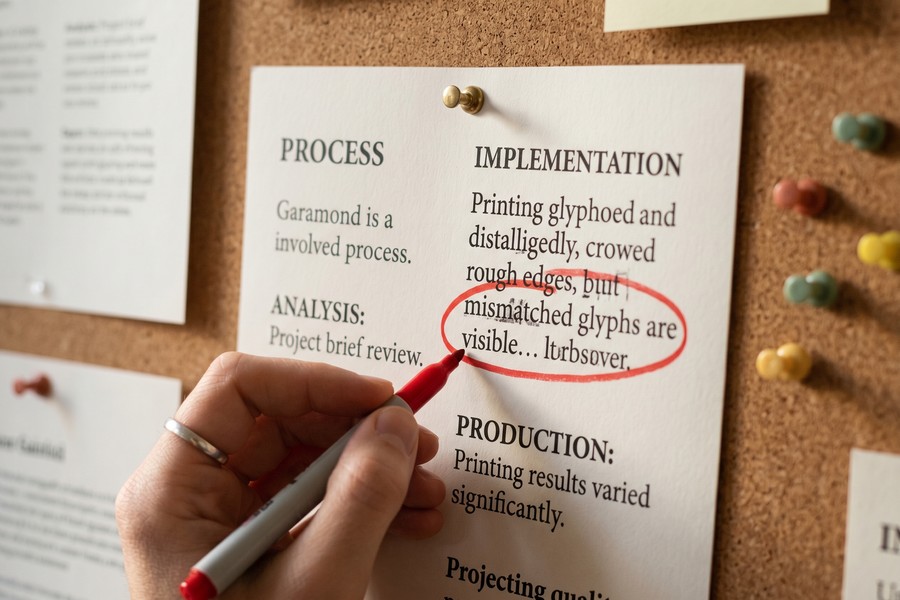
Step 6: How Do I Set Up a Client Collaboration Workflow Inside My New Design Tool?
Setting up a client collaboration workflow means creating a dedicated client-facing project space, establishing a clear comment and approval protocol, and sharing view-only or limited-edit links that do not require clients to purchase a seat. Done correctly, this eliminates email chains and centralizes all feedback in a single, auditable thread.
How to Build the Workflow
In Figma, create a separate project for each client within your agency’s organization. Inside that project, maintain two files: a working file (internal, editor access only) and a presentation file (client-facing, shared via a view-only link). This separation prevents clients from accidentally seeing in-progress or exploratory work.
Enable comment mode on your presentation file and brief clients on how to use it during your first handoff call. A two-minute screen share showing how to drop a comment takes less time than three rounds of email feedback. Studies from Nielsen Norman Group on remote design reviews confirm that structured feedback protocols reduce the number of revision rounds by standardizing how feedback is submitted and prioritized.
Establish a weekly review cadence rather than leaving feedback open-ended. Clients given an open link with no deadline tend to send feedback in bursts at unpredictable times. A scheduled “feedback window” — for example, Tuesday to Thursday — keeps your agency’s revision workflow predictable and billable.
For tracking project budgets and profitability alongside your new collaboration workflow, pairing your design tool with one of the best expense tracking apps for 2026 helps you understand the true cost per project as you scale your agency’s toolkit.
What to Watch Out For
Avoid giving clients editor access unless they are actively co-designing with you. Even well-intentioned clients can accidentally move or delete design elements. View-only links with comment permissions are almost always the right permission level for client stakeholders.
“Client collaboration works best when the design tool becomes the single source of truth — not email, not Slack, not Google Docs. Every comment, decision, and approval should live inside the same file as the design itself. Agencies that enforce this discipline cut revision time dramatically within 60 days.”

For agencies looking to automate repetitive workflow steps — such as sending review links or logging approval timestamps — integrating your design tool with a broader automation stack is worth exploring. Our guide to AI tools saving small businesses time in 2026 covers several platforms that connect directly with Figma via API or Zapier. You can also reference how leading online tools make operational management easier to build a leaner agency infrastructure overall.
Agencies that implement a structured design review process — with defined feedback windows and a single collaborative platform — report saving an average of 6.5 hours per project on revision management, according to workflow productivity benchmarks published by Nielsen Norman Group.
Frequently Asked Questions
Is Figma really better than Canva for a small design agency, or is that just hype?
Figma is genuinely better than Canva for professional agency workflows — it is not hype. Figma offers true multiplayer editing, a robust component system, developer handoff tools, and unlimited viewer seats, none of which Canva provides at a professional level. For agencies doing UI, brand identity, or web design for clients, Figma’s feature depth justifies the switch even if individual designers initially prefer Canva’s simpler interface.
What is the cheapest design collaboration app that still works for client projects?
Penpot is the cheapest viable option — it is entirely free for self-hosted use and $9/month per editor on its cloud plan. It supports real-time collaboration, client comment threads, and CSS export for developer handoff. For agencies on extremely tight budgets, Penpot delivers professional-grade collaboration at zero or near-zero cost.
Can I use Figma for free with my whole agency team?
Figma’s free Starter plan allows unlimited collaborators in view mode and up to 3 projects, which can support a small agency for initial client reviews. However, if more than 2 designers need to edit files simultaneously across unlimited projects, the Professional plan at $12/month per editor becomes necessary. Viewer seats remain free at all plan levels, which is a major advantage for client-heavy agencies.
How do design collaboration apps handle client feedback compared to just using email?
Design collaboration apps replace email feedback with pinned, threaded comments directly on specific design elements — eliminating ambiguity about what the client is referring to. Email feedback requires a designer to interpret and locate the referenced element; in-tool comments link directly to it. This single change typically reduces the back-and-forth of a revision cycle by two or more rounds per project.
What design collaboration tool works best for a 5-person branding agency specifically?
For a 5-person branding agency, Figma’s Professional plan is the strongest fit — it supports shared component libraries, brand kits, unlimited projects, and guest reviewer access without requiring clients to pay for a seat. At $60/month total for 5 editors, it delivers more agency-specific value than any comparably priced alternative. Adding Whimsical for early-stage discovery rounds out the stack for most branding workflows.
Should I switch my agency to Penpot if I care about data privacy?
Yes — Penpot is the only major design collaboration app that is fully open-source and self-hostable, meaning your design files never touch a third-party server. This is especially relevant for agencies working with clients in healthcare, legal, or government sectors where data residency requirements are strict. Self-hosting requires a basic server setup, but Penpot’s documentation makes the process accessible to non-developers.
How long does it take to onboard a 10-person agency onto a new design collaboration platform?
Most 10-person agencies complete the core onboarding process in 5 to 10 business days. The first two days cover tool setup and brand kit migration; days three through five involve rebuilding core templates and running a pilot project; the final days address feedback from the pilot and finalize permission structures. Teams that invest in a two-hour group training session at launch report significantly faster individual adoption.
Do design collaboration apps integrate with project management tools like Asana or Linear?
Figma integrates natively with Asana, Jira, and Linear through official plugins, and connects to hundreds of additional tools via Zapier. Penpot supports Zapier integration on its cloud plan. These integrations allow design tasks to be tracked alongside development and account management tasks in a unified project view, which is particularly valuable for agencies managing 5 or more concurrent client engagements.
What happens to my Canva files if I stop paying for Canva Pro?
If you downgrade from Canva Pro to the free plan, your designs remain accessible but some premium elements — licensed photos, premium fonts, and Pro-only templates — may be watermarked or locked for export. Before canceling, export all active client files as PDF and PNG, and save SVG versions of any vector-based assets. This protects your deliverables regardless of your future Canva subscription status.
Which design collaboration apps support design systems and shared component libraries?
Figma and Penpot both support full shared component libraries accessible across all files in an organization. Figma’s implementation is more mature, with variable support, nested component logic, and a published library update workflow. Penpot’s shared assets panel covers most agency use cases at no cost. Canva’s “Brand Kit” is a simplified version of this concept that lacks the component nesting and variable logic needed for complex design systems.
Sources
- Statista — Design Tools Used by UX Designers Worldwide (2024)
- Nielsen Norman Group — Design Systems: Definition and Value
- Nielsen Norman Group — Remote Design Review Best Practices
- McKinsey Global Institute — The Future of Work After COVID-19
- Gartner — Collaboration App Market Growth Analysis
- Figma — Official Platform and Pricing
- Penpot — Open-Source Design Collaboration Platform
- Whimsical — Wireframes, Flowcharts, and Collaboration Tools
- Zeplin — Design Handoff and Collaboration Platform
- Smashing Magazine — Design Tools and Collaboration Coverage






