
Fact-checked by the ZeroinDaily editorial team
Quick Answer
Deciding between a proposal app vs CRM comes down to volume and complexity. As of July 2025, businesses sending 10+ proposals per month typically gain faster close rates with a dedicated proposal app, while teams sending fewer than 5 monthly proposals can often rely on CRM-native tools. The right choice depends on your deal size, branding needs, and workflow integration requirements.
The proposal app vs CRM debate is one of the most practical software decisions a growing business faces in July 2025. Dedicated proposal platforms like PandaDoc, Proposify, and Better Proposals promise faster close rates and polished templates, while CRM giants like HubSpot, Salesforce, and Zoho CRM argue that keeping everything in one place reduces friction. According to PandaDoc’s 2024 State of Proposals report, documents sent through dedicated proposal software close 18% faster than those created in generic tools.
The stakes are higher than ever. 67% of B2B buyers say the quality of a proposal directly influences their vendor decision, according to Forrester’s B2B buying trends research. Meanwhile, CRM adoption has surged, with the global CRM market expected to reach $89.4 billion by 2025 per Grand View Research’s CRM market analysis. That growth means more businesses are tempted to squeeze proposal functionality out of tools already on their stack.
This guide is written for sales managers, freelancers, agency owners, and business development teams who need a clear framework for making this decision. By the end, you will know exactly which setup fits your workflow, budget, and deal complexity — without paying for features you will never use.
Key Takeaways
- Dedicated proposal apps close deals 18% faster on average, according to PandaDoc’s 2024 State of Proposals data.
- CRM-native proposal tools are sufficient for teams sending fewer than 5 proposals per month, saving $30–$80/user/month in additional software costs.
- 67% of B2B buyers say proposal quality influences their purchasing decision, per Forrester’s buying trends research.
- Top dedicated proposal apps like PandaDoc and Proposify offer legally binding e-signatures, real-time open tracking, and interactive pricing tables that most CRMs do not include natively.
- The average mid-market business spends $49–$99/user/month on a dedicated proposal platform, a cost that must be weighed against the CRM plan tier required to unlock equivalent features.
- Teams that integrate a proposal app with their CRM via Zapier or native API report a 30% reduction in manual data entry, according to Zapier’s sales workflow automation guide.
In This Guide
- Step 1: What Is the Difference Between a Proposal App and a CRM?
- Step 2: When Does a Dedicated Proposal App Actually Make Sense?
- Step 3: Can Your CRM Handle Proposals on Its Own?
- Step 4: How Do Proposal App vs CRM Costs Actually Compare?
- Step 5: How Do You Integrate a Proposal App with Your CRM?
- Step 6: Which Tool Should You Choose Based on Your Business Size?
- Frequently Asked Questions
Step 1: What Is the Difference Between a Proposal App and a CRM?
A proposal app is purpose-built software for creating, sending, tracking, and closing business proposals. A CRM (Customer Relationship Management) platform manages the entire customer lifecycle — from lead capture to deal closure — with proposal creation often treated as a secondary feature.
How Proposal Apps Work
Dedicated proposal tools like PandaDoc, Proposify, Qwilr, and Better Proposals center on the document itself. They offer drag-and-drop template editors, interactive pricing tables, legally binding e-signatures, and real-time notifications when a prospect opens, reads, or signs a document. Most also include a content library for reusing approved blocks, which cuts proposal creation time significantly.
These platforms are optimized for the moment between “qualified lead” and “signed contract.” They do not track leads, manage pipelines, or log call activity — that is not their job.
How CRM Proposal Features Work
HubSpot Sales Hub, Salesforce CPQ (Configure, Price, Quote), and Zoho CRM all include some level of quote or proposal generation. These features pull deal and contact data directly from the CRM record, reducing copy-paste errors. However, design flexibility is limited, and advanced features like interactive pricing or video embeds are typically absent without a paid add-on.
Salesforce CPQ is technically a separate product from core Salesforce CRM and is priced at an additional $75/user/month on top of your base Salesforce license — making the “everything in one CRM” argument more expensive than it first appears.
Step 2: When Does a Dedicated Proposal App Actually Make Sense?
A dedicated proposal app makes the most sense when proposal quality, volume, or speed is a measurable competitive differentiator for your business. If prospects are comparing your proposal against two or three competitors, presentation and interactivity can be decisive.
How to Identify If You Need One
Ask yourself these four questions before committing to a standalone tool:
- Do you send 10 or more proposals per month? High volume justifies the time savings from templates and automation.
- Are your deals over $5,000 in average contract value? Higher-value deals warrant a more polished, branded presentation.
- Do you have multiple team members creating proposals? A central content library and approval workflow prevent off-brand submissions.
- Do prospects frequently ask questions about pricing mid-proposal? Interactive pricing tables, available in tools like Qwilr and PandaDoc, let buyers configure options themselves.
Agencies, IT consultancies, marketing firms, and SaaS companies sending complex scopes of work are the clearest candidates for a dedicated tool. A freelance designer sending a single-page quote twice a month is not.
What to Watch Out For
The biggest pitfall is paying for a proposal app while still building proposals in Google Docs or Microsoft Word out of habit. Tool adoption requires deliberate process change — budget for onboarding time, not just the software subscription fee.
Run a 30-day trial with your actual proposals — not sample documents. Most teams discover within two weeks whether the template system saves enough time to justify the monthly cost. PandaDoc and Proposify both offer free trials without requiring a credit card.
Step 3: Can Your CRM Handle Proposals on Its Own?
Yes — but only for straightforward use cases. Most modern CRMs can generate a functional proposal, but they trade design flexibility for data cohesion. If your proposals are text-heavy and follow a predictable structure, your CRM may already be enough.
How to Evaluate Your CRM’s Proposal Capabilities
HubSpot’s Quotes tool (available on Sales Hub Starter at $20/month/seat) generates shareable, branded quotes with e-signature and Stripe payment integration. It pulls product and contact data automatically from the CRM record. For simple service packages, this is genuinely sufficient.
Zoho CRM includes a built-in Quotes module that connects to its inventory system, making it especially useful for product-based businesses. Salesforce CPQ handles complex, rules-based pricing configurations but requires significant setup investment.
The Limitations You Will Hit Quickly
CRM proposal tools struggle with:
- Custom design and branding — most CRM quote templates have limited CSS control.
- Multi-section narrative proposals — case studies, team bios, and testimonial blocks are hard to add.
- Real-time engagement analytics — knowing which page a prospect spent 4 minutes on is a proposal-app-specific feature.
- Interactive pricing — letting buyers add or remove line items is rarely available in a native CRM quotes module.
“The CRM is the system of record, but the proposal is the system of persuasion. Conflating the two often means you do neither job well.”
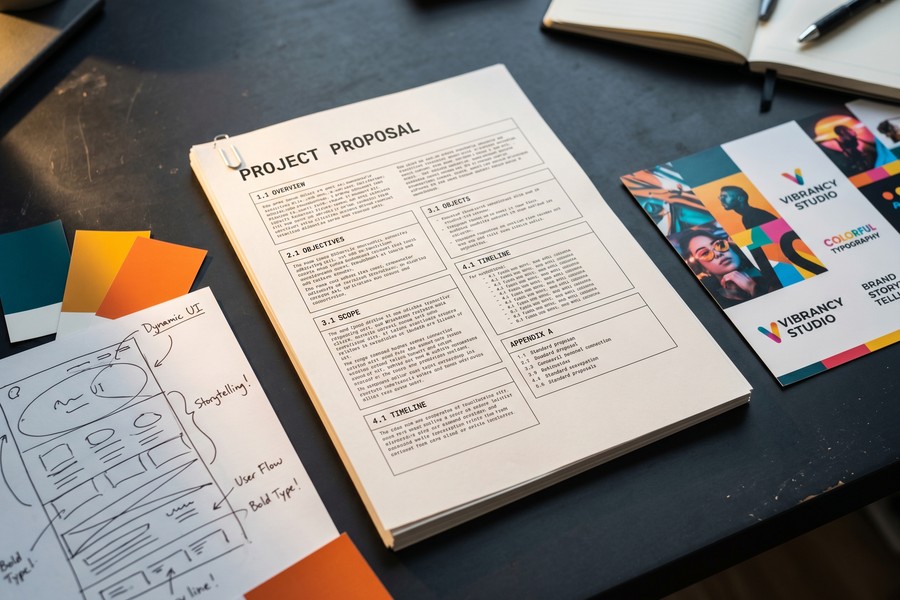
For teams already paying for a mid-tier or enterprise CRM plan, the native quote tools are worth testing first. The proposal app vs CRM question often resolves itself once you try to recreate your best-performing proposal inside your CRM’s quote builder.
According to PandaDoc’s 2024 research, proposals with an interactive pricing table have a 35% higher close rate than flat-rate quote documents — a capability most CRM quote tools do not support natively.
Step 4: How Do Proposal App vs CRM Costs Actually Compare?
Cost comparison between a proposal app and a CRM’s built-in features is rarely apples-to-apples. The real question is: what is the marginal cost of unlocking proposal-quality features in your existing CRM, versus subscribing to a dedicated tool?
How to Map the True Cost
Start by listing every feature you need in your ideal proposal workflow: templates, e-signatures, analytics, payment collection, and approval routing. Then map those features to both your CRM’s plan tiers and a dedicated proposal platform’s pricing page.
The table below shows how four major tools compare on the features that matter most for proposal creation as of July 2025.
| Tool | Monthly Cost (Per User) | E-Signature | Interactive Pricing | Open/Read Analytics | CRM Integration |
|---|---|---|---|---|---|
| PandaDoc Business | $49 | Yes | Yes | Yes (page-level) | Native (HubSpot, Salesforce, Pipedrive) |
| Proposify Team | $49 | Yes | Yes | Yes (section-level) | Native (HubSpot, Salesforce, Zoho) |
| HubSpot Sales Hub Starter | $20 | Yes | No | Basic open tracking only | Native (it is the CRM) |
| Salesforce CPQ | $75 (add-on) | With DocuSign add-on | Yes (rules-based) | No | Native (it is the CRM) |
| Zoho CRM Professional | $20 | With Zoho Sign add-on | No | No | Native (it is the CRM) |
| Qwilr Business | $35 | Yes | Yes | Yes (time-on-section) | Native (HubSpot, Salesforce, Pipedrive) |
The data shows a clear pattern: CRM-native tools are cheaper upfront but require paid add-ons to match the feature set of a $35–$49/month proposal app. For a 5-person sales team, the cost difference between HubSpot Starter plus DocuSign and a tool like PandaDoc can be as little as $100/month — a negligible delta if it meaningfully improves win rates.
For more context on managing software costs across your business stack, the AI tools saving small businesses time in 2026 guide on ZeroinDaily covers how to audit and consolidate your tech subscriptions efficiently.
What to Watch Out For
Watch for annual commitment lock-in. Both PandaDoc and Proposify offer a 30–40% discount for annual billing, but that commitment can sting if you switch CRMs mid-year and the integration breaks. Always check the integration compatibility list before paying annually.
E-signature compliance requirements vary by jurisdiction. The ESIGN Act (U.S.) and eIDAS Regulation (EU) set different standards for legally binding digital signatures. Confirm that your chosen tool — whether a CRM or proposal app — meets the legal standard for your client’s location before replacing wet-ink contracts with digital ones.
Step 5: How Do You Integrate a Proposal App with Your CRM?
The best outcome for most mid-size teams is not choosing one over the other — it is using both, with a clean integration that eliminates duplicate data entry. Proposal apps and CRMs are designed to complement each other, not compete.
How to Set Up the Integration
Most leading proposal apps offer native integrations with major CRMs. Here is the general workflow:
- Connect accounts: In your proposal app’s settings, find the CRM integration panel. For PandaDoc + HubSpot, this is a one-click OAuth connection.
- Map CRM fields to proposal tokens: Link CRM contact fields (name, company, deal value) to merge tags in your proposal templates. When you create a proposal from a CRM deal record, these fields auto-populate.
- Set status triggers: Configure your CRM to automatically update deal stage when a proposal is sent, opened, or signed. This keeps your pipeline accurate without manual updates.
- Route signed documents: Set the integration to attach signed PDFs to the CRM contact or deal record automatically.
If native integration is unavailable, Zapier or Make (formerly Integromat) can bridge nearly any proposal app to any CRM using trigger-action workflows. Teams using Zapier for this report a 30% reduction in manual data entry, per Zapier’s sales workflow automation guide.
What to Watch Out For
Field mapping errors are the most common integration failure point. A CRM field labeled “Company Name” may not match a proposal token labeled “Client Name” — causing blank fields in your sent proposals. Always send a test proposal to an internal email address before going live with any new integration.
“The smartest sales teams I work with treat the CRM as the data backbone and the proposal tool as the customer-facing layer. The integration between them is what makes the whole system sing.”

If you are managing multiple software tools across your business, consider reviewing your overall digital infrastructure. The cloud storage options guide for small businesses on ZeroinDaily is a useful companion resource for evaluating how your document storage strategy interacts with proposal delivery.
Use your CRM’s deal value field to trigger different proposal templates automatically. A deal under $5,000 might send a streamlined one-page proposal, while a deal over $25,000 triggers a full multi-section proposal with case studies and team bios — all without manual template selection.
Step 6: Which Tool Should You Choose Based on Your Business Size?
The right answer to the proposal app vs CRM question changes significantly depending on your team size, deal volume, and sales cycle complexity. There is no universal right answer — but there is a clear decision framework.
Recommendations by Business Type
Solopreneurs and freelancers: Start with your CRM’s built-in quote tool or a free-tier proposal tool like PandaDoc Free (limited to 5 documents/month). The overhead of a full proposal platform is not justified until you are consistently closing more than 4–6 deals per month.
Small businesses (2–15 employees): If you are already paying for HubSpot Starter or Zoho CRM, test the native quote tool first. Upgrade to a dedicated proposal app only if you find yourself spending more than 3 hours per week manually formatting proposals or if your close rate on proposals is below 25%.
Mid-market teams (15–100 employees): This is where the proposal app vs CRM distinction matters most. A dedicated tool like Proposify or PandaDoc Business pays for itself quickly when multiple reps are sending proposals daily. The approval workflow and content library features alone can eliminate $10,000+ in annual rework costs.
Enterprise: Large organizations typically need both — Salesforce CPQ or Microsoft Dynamics 365 for rules-based pricing governance, and a proposal layer for customer-facing presentation. Many enterprise teams use Conga Composer or Apttus integrated with Salesforce for this exact reason.
What to Watch Out For
The most expensive mistake mid-market teams make is implementing a proposal app without standardizing their template library first. If every rep is building proposals from scratch, the tool will not save time — it will just move the chaos to a new platform. Spend two weeks building 3–5 core templates before rolling out any proposal software.
For guidance on building strong business processes and pitching your value to clients and investors, the guide on writing a business plan that attracts investors covers how to structure and present your business case compellingly.

Teams focused on reducing operational overhead across all their digital tools may also benefit from reviewing how AI-powered assistants are being used to streamline workflows — the AI finance assistant productivity guide on ZeroinDaily highlights similar efficiency principles that apply to sales operations.
Businesses that standardize on 3–5 core proposal templates close deals an average of 26% faster than those creating proposals from scratch each time, according to PandaDoc’s proposal benchmarking data.
Related reading: which crm app actually works.
Frequently Asked Questions
Can I use HubSpot CRM to send proposals without a separate tool?
Yes — HubSpot’s Quotes tool in Sales Hub Starter ($20/user/month) lets you create and send branded, e-signable proposals directly from a deal record. It works well for simple, product-based quotes but lacks interactive pricing tables and detailed engagement analytics. Teams sending complex, multi-section proposals will likely outgrow it within 6–12 months.
What is the best dedicated proposal app for small businesses in 2025?
PandaDoc is the most versatile option for small businesses, offering a free plan (up to 5 documents/month) and a Business plan at $49/user/month with full analytics, interactive pricing, and native CRM integrations. Better Proposals is a strong alternative at $19/month for solopreneurs who prioritize simplicity over advanced automation features.
Should I use Salesforce CPQ or a standalone proposal app for complex pricing?
Use Salesforce CPQ if your pricing involves complex rules, product bundles, volume discounts, or approval workflows governed by legal or finance teams. It is priced at $75/user/month as an add-on and requires significant configuration. If you just need a clean, professional proposal with flexible line items, a tool like Proposify or Qwilr is faster to deploy and easier to manage.
How do I know if my proposal close rate is good enough to justify a new tool?
An average B2B proposal close rate across industries is approximately 20–30%, according to research cited by Proposify’s proposal statistics roundup. If you are consistently below 20%, poor proposal quality (not tool choice) is likely a contributing factor. A dedicated proposal app with engagement analytics will help you identify where prospects are dropping off in your document.
Do proposal apps like PandaDoc or Proposify replace my CRM?
No — proposal apps do not replace CRMs. They handle the document creation and delivery layer of your sales process, while a CRM manages the full pipeline, contact history, and reporting. The two tools are designed to work together, not compete. Using both with a native integration is the most efficient setup for teams sending more than 10 proposals per month.
What happens to signed proposals — where do they get stored?
Most dedicated proposal apps store signed documents in their own cloud library and can automatically push a PDF copy to your connected CRM’s deal record. For example, PandaDoc attaches signed documents to the linked HubSpot or Salesforce deal automatically when the integration is enabled. For long-term archiving, signed proposals should also be exported to a dedicated business cloud storage solution for compliance and audit purposes.
Is it worth paying for both a CRM and a proposal app, or should I consolidate?
For teams sending 10+ proposals per month, paying for both is almost always worth it. The close rate improvement from professional proposals — PandaDoc reports an average 18% faster close time — typically generates more revenue than the $49/user/month cost. The consolidate-into-CRM approach works best for low-volume teams where the overhead of managing two platforms outweighs the proposal quality benefit.
Can I track whether a prospect has opened my proposal?
Yes, but only with a dedicated proposal app. Tools like Proposify, PandaDoc, and Qwilr provide real-time notifications when a prospect opens your proposal, how long they spent on each section, and whether they forwarded it to a colleague. Most CRM-native quote tools only provide basic delivery confirmation, not page-level engagement data. This analytics gap is one of the strongest arguments for using a dedicated proposal platform.
How long does it take to set up a proposal app and integrate it with a CRM?
A basic setup — connecting accounts, mapping fields, and creating one core template — typically takes 2–4 hours for a non-technical user. A full deployment with 5 templates, custom branding, approval workflows, and CRM automation rules usually takes 1–2 business days. Both PandaDoc and Proposify offer onboarding support on paid plans to accelerate this process.
Sources
- PandaDoc — 2024 State of Proposals Report
- Forrester Research — B2B Buying Trends
- Grand View Research — CRM Market Size and Forecast
- Zapier — How to Automate Your Sales Workflow
- Proposify — Proposal Statistics and Benchmarks
- HubSpot — Sales Hub Quotes Feature Overview
- Salesforce — CPQ Software Overview and Pricing
- Zoho CRM — Quotes and Proposals Module
- FTC — E-SIGN Act and Digital Signature Compliance
- European Commission — eIDAS Regulation on Electronic Signatures






