Fact-checked by the ZeroinDaily editorial team
Quick Answer
To manage daily routines as a full-time caregiver with a single wearable, you’ll need to select a device with multi-day battery and stress-tracking, set up recurring medication and hydration reminders, monitor heart rate variability to catch burnout early, and sync with a family calendar. Most caregivers can adopt this in under a week, saving an average of 7-12 minutes of screen-switching per day.
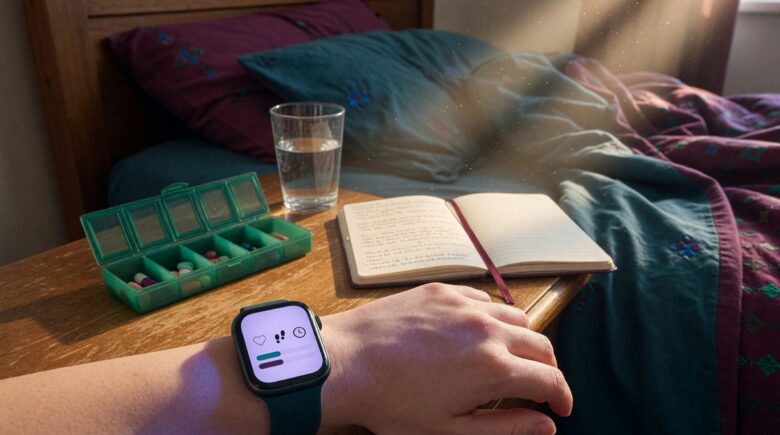
I watched a fellow caregiver in a diner thumb through a paper logbook, tap a separate medication alarm, and wear a pedometer clip that kept falling off her waistband. Three points of failure, three batteries to charge, three things to misplace. She needed exactly one wearable for caregivers. The numbers back the hunch: in 2025, AARP and the National Alliance for Caregiving reported that 63 million Americans provide ongoing family care, with the typical caregiver clocking 27 hours a week. Yet many still juggle separate apps, paper schedules, and a fitness band, a fragmented routine that a single wrist-worn device can consolidate into one glanceable hub.
By June 2026, 55 percent of unpaid caregivers aged 50 and older already use at least one digital tool to manage routines or track health, according to AARP. Consumer smartwatches now pack heart rate variability (HRV), fall detection, and long battery life into a form factor that survives messy, unpredictable days. A single wearable worn for the caregiver’s own self-management, not just for monitoring the care recipient, is the fastest way to reduce cognitive load without adding more screens.
This guide is for full-time family caregivers who are already stretched thin. After following it, you’ll have a repeatable daily system that uses one device to anchor your morning, guard against midday burnout, and document your evening handover, all without installing another app on your phone.
Key Takeaways
- 63 million Americans are family caregivers, and the average one devotes 27 hours weekly to care tasks, time a single wearable can help reclaim, per AARP.
- Over 55% of caregivers 50+ already lean on digital tools; a dedicated wearable for caregivers consolidates fragmented apps into one wrist, according to AARP’s 2025 survey.
- Daily screen-switching across med reminders, calendars, and fitness trackers eats roughly 7-12 minutes per day, over an hour a week that a single watch returns to the caregiver.
- Wearables with HRV-based stress alerts give an objective signal before subjective burnout hits; a 2022 study found caregiver users had 1.1 times higher odds of meeting physical activity guidelines.
- Battery life is the practical gatekeeper: disabling always-on display and limiting background GPS can stretch a single charge to 2-7 days, matching real caregiving cycles.
- Caregivers who share biometric data with family or doctors should enable granular permissions, most consumer platforms let you restrict what’s visible, a privacy lever rarely used.
In This Guide
- How Can a Full-Time Caregiver Use One Smartwatch to Manage Daily Routines?
- What Features Should I Look for in a Wearable for Caregivers?
- How Do I Set Up My Smartwatch for Caregiving Reminders and Health Monitoring?
- Can a Wearable Help Prevent Caregiver Burnout by Alerting High Stress Levels?
- How Do I Get My Smartwatch Battery to Last Through a Long Caregiving Shift?
- How Can I Integrate My Wearable with Medication Reminder Apps and Calendars?
- What Are the Privacy Risks of Using a Caregiver-Focused Wearable and How Can I Share Data Safely?
Step 1: How Can a Full-Time Caregiver Use One Smartwatch to Manage Daily Routines?
A single smartwatch compresses a medication alarm, activity tracker, stress sensor, and emergency communicator onto your wrist, eliminating the phone-checking loop that fragments a caregiving shift. You glance at the watch face, see the next task, and act without unlocking a screen. No fumbling among apps, no separate pager.
How to Do This
Start by identifying the three to four functions you currently run from separate gadgets: perhaps a medication reminder app on your phone, a paper daily log, a standalone step counter, and an emergency alert pendant. Most modern watches bundle all four. Apple Watch Series 10, Samsung Galaxy Watch 7, and Fitbit Sense 2 are the three flagships worth comparing. Apple Watch lets you pin medication reminders from the Apple Health app directly to the watch face as a complication; Galaxy Watch users can mirror Samsung Reminders; Fitbit offers on-wrist alarms that vibrate silently. For step counting and activity, the watch’s native sensor replaces a pedometer. For emergency calls, pressing and holding side buttons triggers SOS or fall detection that dials pre-set contacts.
Pick one watch face and load it with four glanceable complications: next medication dose, current heart rate, step count, and a shortcut to a voice notes app like Otter.ai or a simple dictation tool. That single face becomes your command center. The goal: you shouldn’t have to open your phone between wake-up and evening handover.
What to Watch Out For
The most common stumble is overloading the watch face with too many complications, turning it into a cluttered tiny screen. Stick to four, max five. Also, vibration alarms can be missed during noisy transfers; test the intensity in a quiet setting first.
If your recipient’s medication schedule changes frequently, build a recurring wrist reminder with a flexible 15-minute window rather than an exact time, that way a spill or behavioral episode doesn’t cascade into missed doses.
Step 2: What Features Should I Look for in a Wearable for Caregivers?
Prioritize multi-day battery life (at least 48 hours without always-on display), strong water resistance for constant handwashing and lifting, and stress-tracking sensors, specifically heart rate variability (HRV) and electrodermal activity (EDA), over flashy extras that drain power. A wearable for caregivers must survive 14-hour days, not just a workout.
How to Do This
Check the specs sheet for these non-negotiables:
- Battery: minimum 2 days of mixed use; Fitbit Sense 2 claims 6 days, Apple Watch Series 10 around 36 hours, Galaxy Watch 7 about 40 hours. Always confirm real-world reviews that disable always-on display.
- Water resistance: IP68 or 5 ATM rating so handwashing, bathing a recipient, or rain doesn’t kill the device.
- HRV & stress alerts: Apple Watch and Galaxy Watch use optical sensors to compute HRV and prompt breathing when stress spikes; Fitbit’s EDA sensor measures tiny sweat changes and requires a two-minute session, useful but less passive.
- Fall detection and SOS: A caregiver who lifts a parent or client needs their own safety net; all three flagships now detect hard falls and can auto-dial emergency contacts.
- Complication support: The ability to display third-party app snippets (med reminders, calendar, water tracker) reduces the need to open the phone.
What to Watch Out For
Avoid watches that rely heavily on GPS or always-on display for daily use; they’ll drain within a shift. The SpO2 sensor, while useful to know about, isn’t yet a reliable clinical tool according to the FDA’s pulse oximetry guidance, and it can be disabled to save battery. Don’t buy based on “health snapshots” that require manual scans; look for passive, background monitoring instead.
One honest caveat: no consumer wearable is a medical device. The FDA classifies most smartwatch health features as general wellness tools, not diagnostic instruments. Use them to track trends, not to make clinical decisions.
| Feature | Apple Watch Series 10 | Samsung Galaxy Watch 7 | Fitbit Sense 2 |
|---|---|---|---|
| Battery (typical mixed use) | ~1.5 days (36h) | ~1.7 days (40h) | ~6 days |
| Stress monitoring | HRV-based alerts, Mindfulness app | HRV & stress score, guided breathing | On-demand EDA scan, stress management score |
| Fall detection/SOS | Yes, with auto call | Yes, hard fall detection | No fall detection; emergency contacts via phone |
| Water resistance | WR50 (swim-proof) | 5ATM + IP68 | 5ATM |
| Price (June 2026) | $399 | $299 | $299 |
A 2025 Texas A&M study found that 70 percent of care recipients wore a wearable daily when the caregiver managed the device, but the caregiver themselves wore one far less often. Flipping that: a device on your own wrist builds consistency because you’re the one tracking your own vitals.
Step 3: How Do I Set Up My Smartwatch for Caregiving Reminders and Health Monitoring?
Right after you wake up, before the first transfer or medication, glance at your sleep score and HRV baseline. Then queue your wrist’s reminder stack: the care recipient’s morning meds, your own hydration nudge, and a “movement” alert scheduled for two hours later. That five-minute ritual sets the day’s pace without a phone screen.
How to Do This
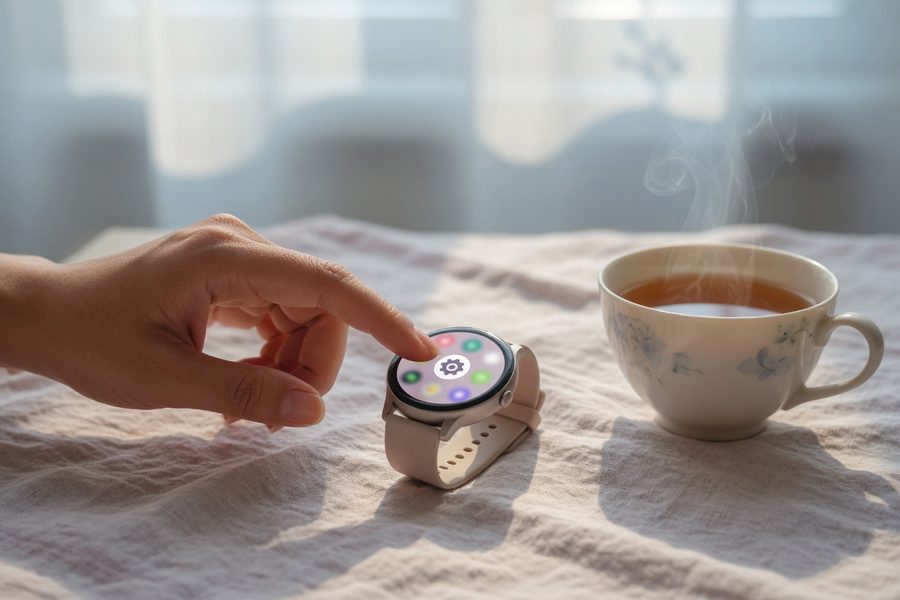
On Apple Watch, use the Medications app in watchOS 11 to log doses and schedule recurring reminders; add an Apple Shortcuts automation that also sends a notification to a family member via iMessage. On Galaxy Watch, Samsung Reminders syncs from the phone. Create a list called “Care AM,” populate it with tasks, and pin the complication to your watch face. On Fitbit, use the Alarms app and label alarms “Mom’s meds,” then set a second silent alarm for your own water break.
For HRV, open Apple Health or Samsung Health to view the overnight number. A sudden drop often signals poor recovery and tells you to lighten physical demands that day. The National Heart, Lung, and Blood Institute (NHLBI) notes that HRV is a recognized marker of autonomic nervous system function, though consumer-grade readings should be interpreted as directional guides, not clinical measurements.
Sync your watch with a calendar, too. Apple Calendar and Google Calendar both show the next appointment as a complication, no need to punch into the phone. If you use a shared Google Calendar for the care recipient’s doctor visits, that appointment appears on your wrist with a single tap.
What to Watch Out For
Habit stacking fails when you have to hunt for the data. Spend ten minutes setting up the watch face with complications exactly where your thumb expects them. Test the vibration pattern: a long buzz for meds, a short tap for hydration, so your brain distinguishes without looking.
Shaving 7-12 minutes per day of screen-switching across separate alarms, calendars, and pedometers adds up to about 4.2 hours per month returned to caregiving or rest, computed from the 27-hour average care week.
Step 4: Can a Wearable Help Prevent Caregiver Burnout by Alerting High Stress Levels?
Yes. Consumer watches with continuous optical HRV tracking can detect a sharp stress response during a difficult lift or a behavioral episode, then prompt a one-minute breathing exercise. This real-time nudge is more actionable than a retrospective monthly mood survey; it interrupts the accumulation of physiological strain before you feel wiped out.
How to Do This
Enable the Breathe or Mindfulness app on Apple Watch to prompt when heart rate variability dips below your personal baseline. On Galaxy Watch, the stress widget monitors HRV and pops a “Take a deep breath” suggestion. Fitbit Sense 2 requires a manual EDA scan, but its stress management score, computed overnight, gives a morning snapshot. For passive alerts, Apple and Samsung win on this dimension. A small 2022 study of informal caregivers found that those who used wearables had modestly higher odds of meeting physical activity guidelines (adjusted odds ratio 1.1), consistent with CDC recommendations that adults get at least 150 minutes of moderate activity per week, a target caregivers often miss.
Pair the stress alert with a “stand ring” complication: your watch can remind you to move for just one minute every hour. During a long transfer or wait, glancing at the wrist and seeing a “Time to Stand” prompt can be the difference between a tense back and a stretch break.
What to Watch Out For
Stress alerts are based on heart rate patterns, not emotional context. A high HRV reading doesn’t always equal anxiety; it could be excitement or a mild fever. If you receive a false alarm during a neutral task, don’t disable the feature entirely. Adjust the sensitivity threshold in the watch’s settings to reduce nuisance nudges instead.
Do not treat a stress alert as a command to stop care. Use it as a signal to take a slow exhale and assess. In high-acuity moments, like a fall, you dismiss the alert and act; the breathing prompt waits.
Step 5: How Do I Get My Smartwatch Battery to Last Through a Long Caregiving Shift?
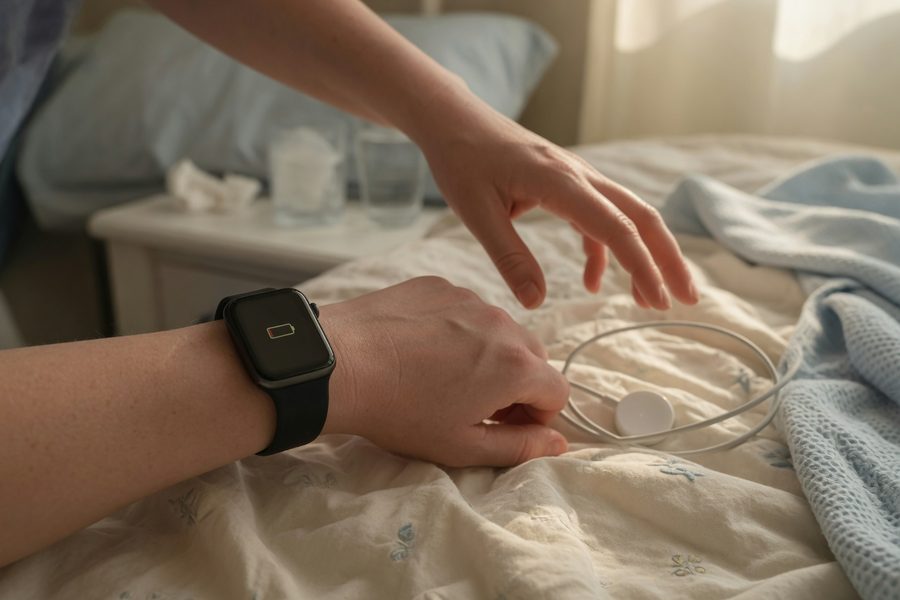
Disable the always-on display and turn off continuous GPS. Both are the biggest power drains. Schedule a consistent 20-minute charge during the care recipient’s nap or a quiet TV block, enough to top up from 30% to 80% on most models.
Additional levers: limit background app refresh to only the health and reminder apps; lower screen brightness to the minimum legible level; and use a power-saving “theater mode” when you’re just checking glances. If your watch supports it, switch to a low-power workout mode during long sedentary stretches so the heart sensor runs intermittently rather than constantly. Apple’s own battery guidance confirms that disabling always-on display is the single biggest lever for extending Apple Watch runtime.
Worth being direct about the trade-off here: Fitbit Sense 2’s six-day battery comes at the cost of no passive fall detection and a less capable app ecosystem than Apple or Samsung. If battery longevity is your top priority, Fitbit wins. If complication depth and fall detection matter more, you’ll be charging Apple Watch or Galaxy Watch every night, which is manageable but requires discipline.
Step 6: How Can I Integrate My Wearable with Medication Reminder Apps and Calendars?
Your watch should export the day’s log back to the phone automatically, and from there into a shared family calendar or a care coordination platform like CareZone. The watch’s fall detection logs can also send location-tagged alerts to emergency contacts without extra steps. That two-way communication is what a simple pedometer cannot offer.
How to Do This
On Apple Watch, completed medication logs from Apple Health sync to your iCloud; you can share selected data with a family member via Health Sharing. For Galaxy Watch, Samsung Health syncs to the phone and permits PDF export of activity and sleep reports, useful for doctor visits. Fitbit allows a “Caregiver” dashboard if you set up the recipient’s device, but for your own self-tracking, use the Fitbit app’s export feature to share sleep and heart rate summaries with a partner.
Automate calendar integration using IFTTT or Apple Shortcuts to push watch-detected activities, like “sedentary for 2 hours,” as a note in a shared Google Calendar so a family member knows you might need relief. For medication logging, Medisafe syncs with Apple Watch and Galaxy Watch, displaying the next dose and logging when a dose was taken. Google Health Connect on Android serves as a unified data hub, letting Samsung Health, Medisafe, and other apps pool readings in one place rather than creating duplicate entries.
What to Watch Out For
Syncing multiple platforms can create duplicate entries. Start with one hub, Apple Health on iPhone or Google Health Connect on Android, and let the others feed into it rather than syncing each app individually to the watch.
Activate your watch’s fall detection to also send your own location to emergency contacts, a valuable backup during solo night shifts or when driving a recipient. Test it once with a family member so you’re not surprised by the emergency dial flow.
Step 7: What Are the Privacy Risks of Using a Caregiver-Focused Wearable and How Can I Share Data Safely?
A wearable that tracks your sleep, heart rate, and location produces a deeply personal health portrait. Sharing that data with family or doctors requires granular permission controls; never broadcast the full stream. Most consumer platforms let you share only specific metrics (like sleep hours) while keeping raw HRV bands private. Start there.
How to Do This
On Apple Watch, open the Health app on your paired iPhone, tap Sharing, and choose exactly what to share, for example, “Sleep Duration” but not “Heart Rate Variability.” You can revoke access at any time. Samsung Health’s “Together” tab allows group step challenges but not full biometrics; for serious sharing, export a PDF and send it via encrypted email. Fitbit’s privacy dashboard lets you control what appears in the community leaderboard.
If you use a third-party app like CareZone, check its data handling policy carefully. Any app that touches recipient health information should comply with HIPAA, the federal law enforced by the U.S. Department of Health and Human Services (HHS). The Federal Trade Commission (FTC) also enforces health data privacy for apps not covered by HIPAA; a 2025 FTC report warned that health data collected by wearables isn’t always protected under HIPAA, so treat your own metrics as sensitive personally identifiable information. For financial and identity protection, since your wearable’s location history could be exploited, keep your device passcode strong and avoid logging into banking apps on the watch. For deeper safeguards, brush up on protecting your financial information.
What to Watch Out For
Many wearables send data to cloud servers automatically. Disable “Share with App Developers” unless you trust the specific integration. The FTC’s health privacy guidance is a useful reference for understanding what protections apply, and where the gaps are, before you connect a new app to your watch.
Related reading: How a College Student in Seattle Built a Minimalist Study Kit Using 3 Gadgets.
Frequently Asked Questions
Which wearable has the longest battery life for round-the-clock caregiving?
The Fitbit Sense 2 routinely hits 6 days on a single charge with the always-on display off, far outlasting Apple Watch (1.5 days) or Galaxy Watch (1.7 days). That makes it the best choice if you can’t carve out daily charging slots. Just be aware it lacks passive fall detection.
Can a single wearable replace multiple apps and paper charts in caregiving?
Yes. A watch face with medication reminders, step counter, calendar, and a dictation shortcut replicates what used to require a paper log, a pill alarm, a pedometer, and a calendar. In a pilot among dementia caregiver households, the Texas A&M study noted that caregivers consolidated daily check-ins onto a single device, reducing missed doses and improving reporting consistency.
Is it safe to rely on a wearable for emergency alerts when caring for someone with dementia?
For the caregiver’s own safety, fall detection is reliable enough to use as a backup; both Apple and Samsung watches have refined hard-fall algorithms that rarely trigger false positives. However, never rely solely on a smartwatch to monitor the care recipient. Purpose-built medical alert systems with long-range pendants remain better for that role.
How accurate are consumer smartwatches for tracking heart rate variability and sleep for caregivers?
Optical wrist HRV readings correlate reasonably well with chest straps during rest, but accuracy dips during intense movement or poor fit. Sleep staging is directionally correct, you’ll know if you got 4 versus 7 hours, but don’t treat a single night’s deep sleep percentage as clinical truth. Use it for trends, not diagnostics.
Should I get a fitness band or a full smartwatch for caregiving duties?
Get a full smartwatch. Fitness bands like the Fitbit Charge lack complication support for calendars, medication apps, and fall detection. A single full smartwatch with those abilities eliminates a separate pedometer and alarm, which matters when you’re already carrying a phone, a pager, and a pill organizer.
How can I use my watch to track my own steps and water intake while caring for someone?
Set a water tracking complication (like WaterMinder on Apple Watch, or the Samsung Health hydration tile) and log a cup with two taps. Steps count automatically; no extra action needed. Many caregivers place the step count complication next to the med reminder, so a glance shows both activity and the next task.
What are the best apps to pair with a wearable for caregiver coordination?
Medisafe for medication logging, CareZone for shared notes and calendar, and Google Calendar for appointments all offer watch complications or at least notification mirroring. On Apple Watch, you can reply to CareZone messages with Siri dictation, keeping your phone in your pocket.
How do I choose between Apple Watch and Galaxy Watch for caregiving self-management?
If you’re deep in the Apple ecosystem and the care recipient shares an iPhone, Apple Watch with Health Sharing wins for family data sharing. If you prioritize battery flexibility and want blood pressure trend monitoring, Galaxy Watch 7, paired with a Samsung phone, is the stronger pick. Both offer HRV-based stress nudges and fall detection.
Sources
- AARP and National Alliance for Caregiving, Caregiving in the U.S. 2025
- McKnight’s Home Care, AARP: 55 percent of family caregivers use tech
- Texas A&M University, Advanced wearable technology improves support for people with dementia and their caregivers (2025)
- John A. Hartford Foundation, National Alliance for Caregiving Caregiving in the U.S. 2025 report
- Age in Place Tech, Caregiving in the U.S. 2025: more tech but not much caregivers could use
- Apple Support, Apple Watch battery information
- Samsung, Galaxy Watch 7 specs
- Fitbit, Sense 2 product page
- Medisafe, Medication reminder app
- CareZone, Care coordination platform
- American Heart Association, Physical activity recommendations
- FDA, Pulse Oximeter Accuracy and Limitations Safety Communication
- U.S. Department of Health and Human Services, HIPAA Privacy Rule
- Federal Trade Commission, Health Privacy guidance
- National Heart, Lung, and Blood Institute, Heart Rate Variability
- CDC, Physical Activity Recommendations for Adults






