
Fact-checked by the ZeroinDaily editorial team
Quick Answer
To deploy computer vision retail security without a camera on every aisle, you need edge AI software that analyzes existing feeds, sometimes just one or two cameras at entrances and checkout. The system flags suspicious behaviors like concealment or skip-scanning and sends real-time alerts. Most small retailers can set this up for $2,000–$5,000 and see 30–40% shrinkage reduction within a year.
Shoplifting is bleeding small retailers dry. The National Retail Federation reports a 93% jump in average shoplifting incidents from 2019 to 2023, with dollar losses up 90% over the same period. For independent stores with thin margins, that’s not just an annoyance, it’s an existential threat. Big chains can absorb the hit and blanket every aisle with security cameras. A mom-and-pop doesn’t have that luxury.
What’s changed is the economics of AI. New models, running on compact edge appliances from vendors like Everseen, Vaak, and Sighthound, can pull actionable intelligence from the two or three cameras you already have. They spot the body language of theft, the awkward reach, the too-long pause near high-value items, the bag that suddenly looks fuller, and ping your phone before the person walks out the door. This guide walks through exactly how to put that system in place, step by step, without breaking the bank or turning your store into a surveillance state.
Key Takeaways
- Small retailers can cut theft by 30–41% using computer vision layered on minimal cameras, according to IDC and European retailer deployments.
- Edge AI processing keeps video data local, so you’re not streaming footage to the cloud, a setup that costs $2,000–$5,000 upfront for a single-store footprint, per Forrester analysis.
- Modern systems detect concealment, skip-scanning, and suspicious loitering without facial recognition, anonymizing individuals and reducing privacy complaints, as IDC’s Ananda Chakravarty notes.
- Integration with existing alarm panels and access control is possible: vision AI can trigger door locks or silent alarms, bridging the gap between detection and response, per Forrester’s Indranil Bandyopadhyay.
- False alarm rates are manageable when a human reviews alerts; the best systems push only high-confidence events to staff, reducing alert fatigue, according to IDC’s Filippo Battaini.
- Payback typically arrives in 6–12 months for stores losing $500 or more per month to theft, based on shrinkage reduction data from IDC projections.
In This Guide
- Step 1: How can I use computer vision to stop shoplifting in my small store without installing a ton of cameras?
- Step 2: What’s the cheapest way to deploy computer vision retail security for a single shop?
- Step 3: How accurate is computer vision at catching shoplifters in real-world retail settings?
- Step 4: How do I integrate computer vision with my existing security system without replacing everything?
- Step 5: Should I use computer vision or RFID tags to reduce theft in my convenience store?
- Step 6: What’s the typical ROI for computer vision theft prevention in a small business?
Step 1: How can I use computer vision to stop shoplifting in my small store without installing a ton of cameras?
You can do it by running AI software on your existing cameras, even if you only have one or two. The software uses pose estimation and object tracking to spot behaviors that signal theft: someone lingering near an exit, repetitive reaching toward a shelf, or a bag’s shape changing abruptly.
Ananda Chakravarty, Vice President of Retail Insights at IDC, puts it plainly: “The AI tools are trained to look for the signs of a person shoplifting in a store with a pretty high rate of accuracy.” That means you don’t need wall-to-wall coverage. A single camera above the entrance and another at the checkout can give the system enough data to flag suspicious events.
“The AI tools are trained to look for the signs of a person shoplifting in a store with a pretty high rate of accuracy,” Chakravarty says.
How to Do This
Start with a camera audit. Identify which cameras cover high-theft zones: the entrance, the alcohol aisle, the electronics shelf, and the point of sale. Then pick a computer vision vendor that works with your existing camera brand. Many solutions, like those from Everseen and Vaak, offer edge appliances that plug into your network and pull video streams without requiring new cabling. You’ll configure the software to send push notifications to your phone when it detects a high-confidence threat. No need to watch a monitor all day.
Starting from scratch with zero cameras? A $500–$800 IP camera with AI analytics built in, models from Axis Communications carry built-in I/O ports for exactly this purpose, can act as the sole sensor. Mount it at the entrance, and you’ll catch bagging behavior and exit-direction anomalies.
What to Watch Out For
Lighting matters. A poorly lit corner will trigger false alerts or miss concealment entirely. Install a simple LED fixture before relying on AI. Also, most behavioral models work on body language rather than product recognition, so a customer reaching for a top shelf looks the same as one palming a bottle. That’s why pairing vision with POS data (step 4) sharpens accuracy considerably.
There’s also a harder limit worth naming: computer vision is a poor fit for stores with very low theft volume. A retailer losing less than $100 a month to shoplifting will struggle to justify even the leanest edge appliance setup. The technology is cost-effective at a certain loss threshold, not universally.
For a convenience store, focus the camera on the area near the door and the counter. That covers the two highest-risk zones and often delivers 80% of the benefit without additional hardware.
Step 2: What’s the cheapest way to deploy computer vision retail security for a single shop?
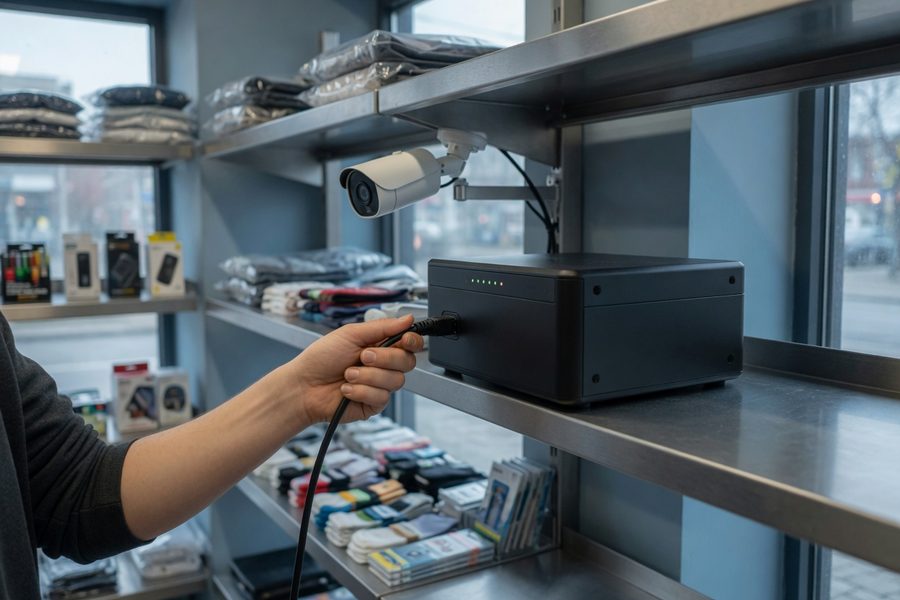
Use a single edge AI appliance that processes video locally, paired with one existing camera. This approach avoids cloud subscription fees and keeps your total upfront cost under $3,000.
Indranil Bandyopadhyay, principal analyst at Forrester, explains: “The inference typically runs on edge compute appliances within the store, pulling streams from multiple cameras and processing frames locally rather than routing video to the cloud.” That local processing eliminates the need for expensive bandwidth and cloud storage, a big deal for a small retailer.
“The inference typically runs on edge compute appliances within the store, pulling streams from multiple cameras and processing frames locally rather than routing video to the cloud,” explains Indranil Bandyopadhyay, principal analyst at Forrester.
Several vendors now offer subscription-free models: you buy the appliance outright, and it runs offline. For a single POS lane, solutions like Sighthound or open-source frameworks like OpenCV with pre-trained models can be deployed on a $500 mini PC. That’s the bare minimum.
Step 3: How accurate is computer vision at catching shoplifters in real-world retail settings?
Real-world accuracy depends heavily on the environment, but well-tuned systems catch 80–90% of clear concealment events while generating false alerts on 5–15% of flagged behaviors. Those numbers come from deployments in liquor stores, electronics shops, and convenience stores, not lab conditions.
A 2024 European electronics store chain rolled out real-time computer vision alerts and saw 41% fewer concealment incidents within six months. In the U.S., JJ Liquors in Washington D.C. added AI analysis to its existing cameras and started receiving actionable phone alerts that let staff intervene before customers exited. The owner reported a dramatic drop in walk-out thefts.
How to Do This
Pick a vendor that offers a human-in-the-loop workflow. The AI flags a suspicious event, sends a clip to a monitoring center or your phone, and a person decides whether it’s a real threat. This cuts false alarms to near zero. Filippo Battaini, Research Manager at IDC Retail Insights, says: “This eliminates manual video review and accelerates shrinkage investigations significantly.” That’s the model that works for small teams: the AI does the heavy lifting, and a human makes the call.
“This eliminates manual video review and accelerates shrinkage investigations significantly,” he says.
What to Watch Out For
False alarms are the biggest complaint. Setting the sensitivity too high means getting pinged every time a customer adjusts their jacket. Calibrate during a slow week to find the sweet spot. Also note that AI won’t stop every theft, organized groups that use distraction techniques can still beat it. That’s why layering it with other measures (see step 5) matters.
IDC predicts that 50% of large retailers will expand computer vision for store monitoring by 2028, reducing shrinkage by 40%. Smaller stores are following the same trajectory, just with leaner setups.
Step 4: How do I integrate computer vision with my existing security system without replacing everything?
You integrate by connecting the edge AI appliance to your alarm panel or access control system via dry contacts or API. When the vision system detects a theft event, it triggers an output that can lock a door, sound a chime, or alert a monitoring service, just like a traditional motion sensor would.
This is a coverage gap most articles miss: computer vision retail security doesn’t have to live in a silo. Existing alarm panels from Honeywell, Bosch, or DSC often have programmable zones. You can wire the AI appliance’s relay output to one of those zones. Then, when a high-confidence shoplifting event occurs, the system reacts as if a glass-break sensor tripped. Staff get a silent alarm, and the door can lock automatically, all without replacing the panel.
How to Do This
Work with a security integrator who understands both IP cameras and legacy alarm systems. They’ll map the AI appliance’s output to your panel. Where your system supports IP integration, some vendors like Axis Communications offer cameras with built-in I/O ports that can talk directly to the alarm panel. This means you can deploy a single smart camera at the entrance, and when it detects a bagging event, it triggers the door strike. That’s a powerful, low-cost retrofit.
Another option: use the AI’s cloud API to push alerts to your existing business management software. An AI tool integrated with your POS system can flag suspicious transactions and cross-reference them with video, creating a closed loop between detection and response.
What to Watch Out For
False alarms can cause real-world lockups. A customer accidentally triggering the system could face a locked door, creating a panic or injury risk. Always configure a manual override and test thoroughly. Also, ensure your integrator understands the nuance: a retail setting is not a warehouse. The triggers must be tuned for high-specificity events.
Don’t attempt to wire the AI appliance to your alarm panel yourself unless you’re a licensed low-voltage technician. A miswired connection can disable your entire security system or cause false alarms that incur police fines.
| Approach | Upfront Cost | Monthly Fee | Shrink Reduction | Best For |
|---|---|---|---|---|
| Single-Camera Edge AI | $1,500–$3,000 | $0–$50 | 30–40% | Stores with 1 entrance, 1-2 aisles |
| Multi-Camera AI Appliance | $3,000–$5,000 | $50–$150 | 40–60% | Stores with 3+ cameras and checkout monitoring |
| RFID Tags on High-Value Items | $2,000–$4,000 | $20–$100 | 20–50% (item-specific) | Stores with a few high-shrink SKUs |
| Convex Mirrors + Staff Vigilance | $100–$300 | $0 | 5–10% | Ultra-low budget, minimal theft |

Step 5: Should I use computer vision or RFID tags to reduce theft in my convenience store?
For stores losing a wide variety of items, computer vision is the stronger choice. RFID works well for specific high-value products, razor blades, liquor, premium headphones, but won’t catch the opportunistic thief who slips a candy bar into a pocket. Vision covers behavior, not just tagged items.
The convenience store dilemma is real: hundreds of small, low-cost items that are easy to palm. Computer vision uses pose estimation and hand tracking to detect concealment regardless of what’s being taken. RFID, on the other hand, requires a tag on each item. That’s operationally heavy for a store with 3,000 SKUs. The European electronics chain that saw 41% fewer concealment incidents used vision alone, no RFID.
How to Do This
For a handful of ultra-high-theft products, say, a $50 bottle of whiskey, combining both approaches makes sense. Put RFID tags on those items, and let the vision system cover the rest of the store. The RFID can trigger an alarm at the door, while the vision system flags the suspicious behavior that led to the theft. This layered approach is what loss prevention experts recommend for small-footprint retailers.
What to Watch Out For
RFID tags can be removed or shielded with foil-lined bags. Don’t rely on them as your only line of defense. Also, RFID readers at the door can be expensive to install at a wide entrance. A single camera with AI is often cheaper and more flexible.
Some vision systems can now detect RFID tag tampering by watching for unusual hand movements near tagged items, merging the two data streams for higher accuracy.
Step 6: What’s the typical ROI for computer vision theft prevention in a small business?
Most small retailers recoup their investment in 6 to 12 months if they’re losing $500 or more per month to theft. The math is straightforward: a $3,000 system that reduces shrinkage by 35% on annual losses of $6,000 saves $2,100 in the first year, paying for itself within roughly 17 months at that rate.
Indranil Bandyopadhyay of Forrester points to one of the highest-ROI entry points: self-checkout monitoring. “That dual outcome, less friction for customers, less loss for the retailer, is what makes self-checkout monitoring one of the highest-ROI entry points for vision AI in retail,” he says. A single camera with skip-scan detection at a self-checkout lane can pay for itself in months.
“That dual outcome — less friction for customers, less loss for the retailer — is what makes self-checkout monitoring one of the highest-ROI entry points for vision AI in retail,” he says.
How to Do This
Calculate your current shrink rate. Pull your POS data and inventory counts. Missing 2% of revenue that works out to $500 per month means $6,000 in annual losses. A $3,000 system that cuts that in half saves $3,000 a year, a 100% ROI in year one. Write a business plan that factors in hardware, software, and any integrator fees, then compare it to the cost of doing nothing. Many retailers find that even a partial reduction makes the numbers work.
Consider the soft savings too: less time spent reviewing footage, fewer confrontations, and lower employee turnover when staff feel safer. These don’t always appear in a spreadsheet, but they matter.
What to Watch Out For
Ignore the vendor’s best-case shrinkage reduction claims. Ask for a reference from a store your size. Does the system still pay back if it reduces theft by 20% instead of 40%? Run the numbers on a conservative estimate. Also, ongoing fees for cloud storage or monitoring can erode ROI quickly. Insist on a local-edge solution unless you absolutely need remote access. Video is data-heavy in a way that business documents stored in the cloud simply aren’t, costs rack up faster than most small retailers expect.

Related reading: AIO Snapshot: 7 Real.
Frequently Asked Questions
What are the main privacy concerns with using AI cameras in a small retail store?
The biggest fear is that AI cameras will record and store identifiable images of customers, creating a data privacy liability. The good news: modern computer vision retail security systems from vendors like Sighthound and Everseen can be configured to process video on-device with no recording and no facial recognition, using anonymized stick-figure skeletons instead of full video. That means you can detect theft without ever storing a face. Always inform customers with a simple sign: “AI-assisted theft detection in use. No video stored.”
How does computer vision work with self-checkout to prevent scanning fraud?
It watches the scan zone and the customer’s hands. Someone passing an item over the scanner without a beep, or covering the barcode, gets flagged in real time. This is a high-ROI application because it catches both intentional skip-scanning and honest mistakes. Forrester’s Indranil Bandyopadhyay noted that self-checkout monitoring reduces friction and loss simultaneously.
Are there any computer vision systems that don’t store video footage to protect customer privacy?
Yes. Edge-based systems from vendors like Sighthound and some open-source implementations process frames in real time and discard them immediately. They output only metadata, like “event type: concealment, time: 14:32”, and never save a video clip. This is the safest approach for privacy-conscious retailers, and it significantly reduces data storage costs.
What’s the false alarm rate for computer vision shoplifting detection and how can I reduce it?
In typical convenience store deployments, the raw false alarm rate can be 5–15% of all alerts. To reduce it, use a human-in-the-loop verification step: the AI pushes only high-confidence events to a monitoring service or your phone, and a person reviews a short clip before sounding an alarm. Calibration during low-traffic hours also helps. Over time, the system learns your store’s normal patterns.
How do I train a computer vision model for my specific store layout with limited shoplifting data?
Most small retailers don’t need to. Pre-trained models that ship with the vendor’s appliance, trained on millions of generic retail scenarios, handle the heavy lifting from day one. For rare theft events like grab-and-run, some vendors now use synthetic data: they generate thousands of simulated theft scenarios in a 3D model of your store, without needing real footage. This approach is gaining traction and avoids privacy risks while improving accuracy for uncommon events.
Can computer vision alert me on my phone when someone is shoplifting in real time?
Absolutely. That’s the core use case. The AI appliance sends a push notification with a short video clip or a still image of the flagged event. You can then decide to approach the person, sound a warning, or call the police. JJ Liquors in D.C. used this exact setup and stopped incidents before customers exited.
How do I handle customer complaints about AI cameras watching them in my store?
Be transparent. Post a sign explaining that the system detects suspicious behavior, not individuals, and that no video is stored. Emphasize that it’s for theft prevention, not marketing or profiling. Most customers accept the explanation once they understand the system doesn’t record their face, it only tracks movement patterns. A simple, visible notice goes a long way.
Sources
- National Retail Federation, The Impact of Retail Theft & Violence 2024
- BizTech Magazine, IT Leaders Are Rethinking Retail Shrink With Computer Vision and Advanced Analytics
- BizTech Magazine, Computer Vision Is Transforming Retail Loss Prevention
- Vaak, AI Security Solutions for Retail
- Everseen, Retail Computer Vision
- Sighthound, Edge AI Video Analytics
- Axis Communications, Smart Cameras with I/O Integration
- IDC, Retail Insights Research
- Forrester, Retail Technology Research
- Honeywell, Commercial Security Systems
- Bosch Security, Alarm Panels and Integration






