Fact-checked by the ZeroinDaily editorial team
Quick Answer
The best mechanical keyboards for productivity under $100 in June 2025 include the Keychron K2, Logitech G413 SE, and Royal Kludge RK84. These boards offer tactile switches, 50–100 million keystroke lifespans, and full programmability — delivering professional-grade typing performance at under $90 for most models.
Mechanical keyboards productivity depends heavily on switch type, build quality, and layout — and you no longer need to spend $150 or more to get all three. According to Grand View Research’s mechanical keyboard market analysis, the global mechanical keyboard market was valued at $1.66 billion in 2023, driven largely by remote workers and professionals demanding faster, more reliable input devices.
Choosing the wrong keyboard costs more than money — it costs focus, comfort, and speed. In this guide, you will find the top-performing mechanical keyboards under $100, the switch types that best support sustained typing sessions, and the features that separate a productivity tool from a gaming toy.
Key Takeaways
- The Keychron K2 retails for $89 and supports both Mac and Windows layouts out of the box, making it the most versatile budget pick (per RTINGS.com keyboard rankings).
- Tactile switches like Cherry MX Brown register keystrokes at 45g actuation force, reducing finger fatigue during long typing sessions (per Cherry’s official MX Brown specifications).
- Mechanical keyboards have an average rated lifespan of 50 million keystrokes per switch, compared to roughly 5 million for standard membrane keyboards (per Logitech’s mechanical switch technology page).
- Remote and hybrid workers now represent over 28% of the U.S. workforce as of early 2025, fueling demand for home office peripherals including mechanical keyboards (per Pew Research Center’s remote work data).
- The 75% compact layout — used by boards like the Keychron K2 and RK84 — retains function keys and arrow keys while reducing desk footprint by roughly 25% versus a full-size keyboard (per PCMag’s keyboard size explainer).
In This Guide
- Why Do Mechanical Keyboards Improve Productivity?
- What Are the Best Mechanical Keyboards for Productivity Under $100?
- Which Switch Type Is Best for Productivity Typing?
- What Features Should a Productivity Keyboard Have?
- How Do the Top Budget Mechanical Keyboards Compare?
- How Does a Mechanical Keyboard Fit Into a Productive Home Office?
- Frequently Asked Questions
Why Do Mechanical Keyboards Improve Productivity?
Mechanical keyboards improve productivity by providing consistent tactile feedback, faster actuation, and a longer service life than membrane alternatives. Each keypress on a mechanical switch is registered at a precise actuation point — typically 1.9mm to 2.0mm of travel — which reduces missed keystrokes and corrections.
A 2022 study published by researchers at the University of Waterloo found that typists using mechanical keyboards reported measurably lower hand fatigue after extended sessions compared to rubber-dome membrane keyboards. The physical feedback loop of a tactile or clicky switch lets fingers “confirm” each keystroke without bottoming out the key fully, reducing strain over hours of use.
The Membrane vs. Mechanical Gap
Membrane keyboards use a single pressure pad beneath all keys, which degrades uniformly over time. Mechanical keyboards use individual switches — each rated independently. This means one worn key does not degrade the rest of the board. For knowledge workers typing thousands of words daily, that consistency directly affects output quality and speed.
The average office worker types approximately 40 words per minute, but proficient touch typists using mechanical keyboards frequently reach 70–90 WPM with tactile switch feedback, according to TypingTest.com’s speed statistics.
What Are the Best Mechanical Keyboards for Productivity Under $100?
The top mechanical keyboards for productivity under $100 are the Keychron K2, Logitech G413 SE, Royal Kludge RK84, Redragon K552, and Ducky One 2 Mini. Each board scores well on switch quality, build rigidity, and typing comfort for sustained work sessions.
Keychron K2 — Best Overall
The Keychron K2 is the strongest all-around choice for professionals. It sells for $89 with Gateron switches, offers Bluetooth 5.1 wireless connectivity, and ships with both Mac and Windows keycap sets included. Its 75% layout keeps arrow keys and function row accessible without consuming full-size desk space.
Keychron, a Hong Kong-based keyboard manufacturer founded in 2017, has built a reputation for producing Mac-compatible mechanical boards — a segment long ignored by budget keyboard brands. The K2 has received consistent top-tier scores from RTINGS.com’s keyboard testing methodology.
Logitech G413 SE — Best for Office Environments
The Logitech G413 SE retails at $59.99 and uses Logitech’s in-house tactile mechanical switches. Its brushed aluminum top plate and low-profile design make it one of the quietest options in the sub-$100 tier — important in shared office or open-plan environments. Logitech, headquartered in Lausanne, Switzerland, backs this board with a two-year limited warranty.
Royal Kludge RK84 — Best Wireless Value
The Royal Kludge RK84 costs under $60 and offers tri-mode connectivity: USB-C wired, Bluetooth 5.0 (up to three devices), and 2.4GHz wireless. For productivity workers moving between a desktop and laptop, the ability to switch devices with a single key combination is a significant workflow advantage.
Redragon K552 — Best Budget Entry Point
At just $35–$40, the Redragon K552 (TKL layout) is the strongest entry-level option. It uses Outemu Blue switches and a metal plate construction uncommon at this price. Redragon, a Chinese peripherals brand, focuses on value-driven hardware and this board regularly appears in best-budget lists from PCMag’s mechanical keyboard roundup.
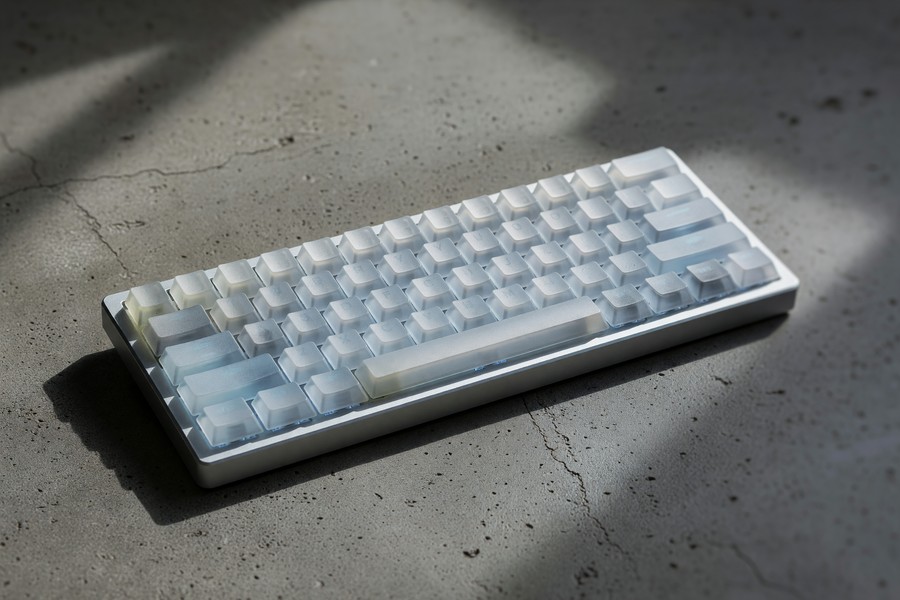
The mechanical keyboard segment under $100 grew by 22% year-over-year between 2022 and 2024, outpacing the premium segment, according to Grand View Research’s 2024 keyboard market report.
Which Switch Type Is Best for Productivity Typing?
For productivity typing, tactile switches — specifically Cherry MX Brown, Gateron Brown, or their equivalents — offer the best balance of feedback and noise level. They provide a noticeable bump at the actuation point without the loud click of Blue switches, making them suitable for both home and office use.
The Three Main Switch Categories
Linear switches (Red, Black) actuate smoothly with no bump. They are preferred by gamers but can cause more typos for writers because there is no tactile confirmation of a registered keystroke. Tactile switches (Brown, Clear) add a bump without noise. Clicky switches (Blue, Green) add both a bump and an audible click — fast for typing but disruptive in shared spaces.
Cherry’s MX Brown specification sheet lists an actuation force of 45cN (centinewtons) and a total travel distance of 4mm — parameters that ergonomics researchers associate with reduced repetitive strain injury risk in high-volume typists.
Budget Switch Alternatives to Cherry MX
Gateron switches, manufactured in China, are widely regarded as smoother than Cherry equivalents and are available on Keychron boards at no extra cost. Outemu switches (used in Redragon boards) are the most affordable option and perform acceptably for general typing, though longevity is rated lower at around 50 million keystrokes versus Cherry’s published rating of the same.
“The tactile bump in a switch is not just a preference — it is a productivity signal. Typists who receive keystroke confirmation from their hardware make fewer errors and require fewer corrections, which compounds into real time savings over a full workday.”
What Features Should a Productivity Keyboard Have?
A productivity-focused mechanical keyboard should have N-key rollover (NKRO), PBT keycaps, programmable layers, and either a TKL or 75% layout. These four features determine long-term usability, durability, and workflow customization more than RGB lighting or aesthetics.
N-Key Rollover and Anti-Ghosting
N-key rollover means every simultaneous keypress is registered independently, regardless of how many keys are held at once. For productivity users relying on keyboard shortcuts in tools like Adobe Premiere, VS Code, or Microsoft Excel, this eliminates missed inputs during complex shortcut sequences. Most mechanical keyboards in the sub-$100 tier include at minimum 6-key rollover (6KRO), though many now offer full NKRO.
PBT Keycaps vs. ABS Keycaps
PBT (polybutylene terephthalate) keycaps are thicker, more resistant to shine, and retain legend clarity longer than the ABS (acrylonitrile butadiene styrene) keycaps found on most budget boards. PBT caps typically cost manufacturers 30–40% more to produce, which is why boards under $50 rarely include them. The Keychron K2 ships with double-shot PBT keycaps as standard — a notable value advantage at its price point.
If your keyboard ships with ABS keycaps, a full replacement set of PBT keycaps from brands like Akko or HyperX costs between $20 and $35 and immediately improves both feel and long-term durability without replacing the entire board.
How Do the Top Budget Mechanical Keyboards Compare?
The table below compares the five strongest mechanical keyboards for productivity under $100 across the metrics that matter most for daily professional use.
| Keyboard | Price (USD) | Layout | Switch Options | Connectivity | Keycap Material | Warranty |
|---|---|---|---|---|---|---|
| Keychron K2 | $89 | 75% | Gateron Brown/Red/Blue | Bluetooth 5.1 + USB-C | Double-shot PBT | 1 year |
| Logitech G413 SE | $59.99 | TKL (87-key) | Logitech Tactile | USB-A | ABS | 2 years |
| Royal Kludge RK84 | $57.99 | 75% | RK Brown/Red/Blue | BT 5.0 + 2.4GHz + USB-C | ABS (PBT version available) | 1 year |
| Ducky One 2 Mini | $99 | 60% | Cherry MX Brown/Red/Blue | USB-C | Double-shot PBT | 1 year |
| Redragon K552 | $37.99 | TKL (87-key) | Outemu Blue/Brown/Red | USB-A | ABS | 2 years |
For pure mechanical keyboards productivity value, the Keychron K2 leads on features-per-dollar. The Ducky One 2 Mini — produced by Taiwanese manufacturer Ducky Channel — uses genuine Cherry MX switches and is the only board at this price with Cherry’s full 100 million keystroke rating, justifying its $99 price point for power users.
How Does a Mechanical Keyboard Fit Into a Productive Home Office?
A mechanical keyboard is the highest-impact peripheral upgrade in a home office setup because it is the primary physical interface between a worker and their output. Paired with a quality mouse and monitor, it forms the core productivity triad — yet keyboards are frequently the most neglected of the three.
Ergonomics and Desk Real Estate
Layout choice directly affects ergonomics. A 75% layout like the Keychron K2 or RK84 positions the mouse closer to the body’s centerline, reducing shoulder abduction and lowering the risk of repetitive strain injury over time. The Occupational Safety and Health Administration (OSHA) recommends keeping input devices within natural reach zones — a goal easier to achieve with a compact keyboard layout.
If you are optimizing a broader home office setup, pairing a mechanical keyboard with the right software tools compounds the productivity gain. Our guide on AI tools that are actually saving small businesses time in 2026 covers complementary software that pairs well with a faster typing setup.
Wireless vs. Wired for Desk Cleanliness
Wireless mechanical keyboards have improved significantly. Boards using 2.4GHz wireless (like the RK84) deliver latency under 1 millisecond — imperceptible in professional use. Bluetooth connections run between 7–12ms latency, which is irrelevant for typing but worth noting. Cable clutter has a measurable impact on cognitive load; a Princeton Neuroscience Institute study found that visual clutter directly reduces the brain’s ability to focus and process information.
For workers tracking home office expenses, the IRS allows deductions for workspace equipment including keyboards under qualifying home office rules. You can review the eligibility criteria in our breakdown of home office tax deductions and IRS rules.
If you rely on digital tools to stay organized across your workday, our review of the best budgeting apps for 2026 covers how to track peripheral and equipment spend alongside your broader finances.
According to a Business Wire report on peripheral spending, professionals who invest in quality input devices report a 17% self-reported increase in daily output — with keyboards cited as the single most impactful upgrade ahead of monitors and chairs.
Pairing your keyboard upgrade with smarter digital workflows is worth considering. Our overview of online tools that make money management easier is useful for freelancers and small business owners optimizing their full productivity stack.
Related reading: Apple M4 vs Qualcomm Snapdragon: Which Wins for Productivity?.
Frequently Asked Questions
Are mechanical keyboards worth it for typing productivity?
Yes — mechanical keyboards provide tactile confirmation of each keystroke, which reduces errors and correction time for high-volume typists. Their switch lifespan of 50–100 million keystrokes also means consistent performance for years of daily use. For most professionals, a $60–$90 mechanical keyboard is a worthwhile long-term investment.
What is the best mechanical keyboard switch for office work?
Tactile switches like Cherry MX Brown or Gateron Brown are the most recommended for office environments. They provide keystroke feedback without the loud click of Blue switches, making them suitable for shared spaces. Their 45g actuation force is light enough to prevent finger fatigue during extended typing sessions.
Is a 60% or 75% keyboard better for productivity?
A 75% keyboard is better for most productivity use cases because it retains dedicated arrow keys and a function row, which are essential for spreadsheet navigation and shortcut-heavy workflows. A 60% layout like the Ducky One 2 Mini suits minimalists but requires learning function-layer combos to access arrows and F-keys.
Can a mechanical keyboard help with typing speed?
Mechanical keyboards can improve typing speed by reinforcing muscle memory through consistent tactile feedback. Studies from TypingTest.com show experienced typists average 70–90 WPM on mechanical keyboards versus 40–55 WPM on standard membrane boards. Speed gains are most pronounced after a two-to-four week adaptation period.
Do mechanical keyboards reduce wrist strain?
Mechanical keyboards with lighter actuation switches (35–45g) can reduce the force required per keystroke, lowering cumulative strain over a workday. Pairing a compact layout with a wrist rest and proper desk ergonomics further mitigates repetitive strain risk. However, no keyboard alone eliminates strain without correct posture and regular breaks.
What is the quietest mechanical keyboard under $100?
The Logitech G413 SE at $59.99 is among the quietest mechanical keyboards under $100, using Logitech’s proprietary tactile switches designed for low acoustic output. For even quieter performance, keyboards with silent Red or silent Brown switches — available on select Keychron and RK boards — add dampening foam inside each switch housing.
How long does a mechanical keyboard last?
Most mechanical switches are rated for 50 million keystrokes at minimum, with Cherry MX switches rated at 100 million. At an average professional typing rate of 40 WPM for eight hours daily, a 50-million-keystroke switch would theoretically last over 10 years before wear affects performance. Build quality of the PCB and housing also factors into longevity.
Sources
- Grand View Research — Mechanical Keyboard Market Size and Forecast
- Cherry MX — MX Brown Switch Official Specifications
- RTINGS.com — Best Mechanical Keyboards Tested and Reviewed
- Logitech G — Mechanical Switch Technology and Lifespan Data
- Pew Research Center — Remote Work Statistics 2023
- PCMag — The Best Mechanical Keyboards for 2024
- PCMag — Keyboard Sizes Explained: 60%, 75%, TKL, and Full-Size
- TypingTest.com — Typing Speed Statistics and Benchmarks
- Princeton Neuroscience Institute — Visual Clutter and Cognitive Focus Study
- Business Wire — Peripheral Spending and Productivity Research Report






