Fact-checked by the ZeroinDaily editorial team
Quick Answer
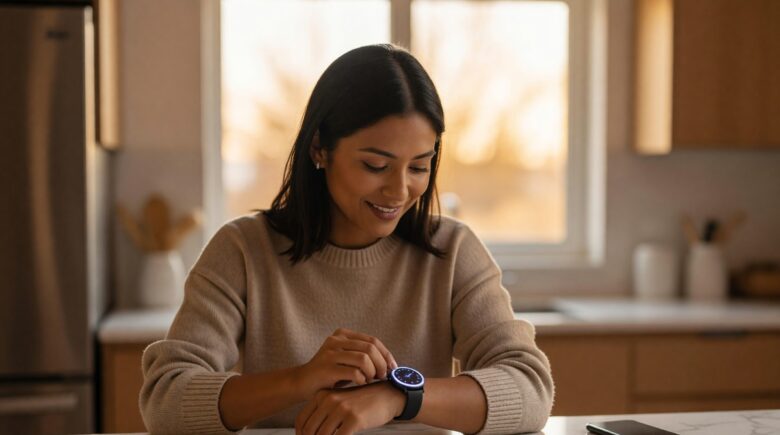
Starting with a smartwatch for beginners in July 2025 means choosing a device under $300, pairing it with your smartphone via Bluetooth, and enabling your top 3 features — notifications, fitness tracking, and heart rate monitoring — before exploring advanced settings. Most new users are fully comfortable within one week of daily wear.
A smartwatch for beginners is a wrist-worn computer that connects to your smartphone to deliver notifications, health data, and app controls without requiring you to pull out your phone. According to Statista’s global wearables data, smartwatch shipments exceeded 180 million units in 2024, signaling that this technology is no longer optional for the digitally connected.
If you have never worn one before, the learning curve is shorter than most people expect — and the right setup process makes all the difference.
Which Smartwatch Should Beginners Choose?
The best smartwatch for beginners is one that matches your existing smartphone ecosystem. Apple Watch pairs exclusively with iPhone, while Samsung Galaxy Watch, Fitbit, and Garmin devices work across both Android and iOS platforms.
Price is a practical filter. Entry-level models like the Apple Watch SE start at around $249, while the Fitbit Inspire 3 begins at roughly $99. Samsung’s Galaxy Watch FE sits near the $200 mark. Each targets different priorities — Apple Watch SE excels at app depth, Fitbit focuses on fitness simplicity, and Garmin targets activity tracking accuracy.
Key Features to Prioritize as a First-Time Buyer
Focus on three core capabilities before any extras: battery life, health sensors, and display readability. A watch that dies by noon creates more friction than convenience. According to CNET’s smartwatch buying guide, beginners consistently rate battery life as the most important factor after their first month of ownership.
Look for a minimum of 18 hours of battery life per charge. Watches with always-on displays drain faster, so beginners should start with gesture-activated screens until they know their usage habits.
Key Takeaway: Beginners should select a smartwatch based on smartphone compatibility first, then battery life. The best entry-level options range from $99 to $249 and cover all essential health and notification features without overwhelming new users.
How Do You Set Up a Smartwatch for the First Time?
Setting up a smartwatch takes under 15 minutes and follows a consistent process regardless of brand: charge the device fully, download the companion app, and enable Bluetooth pairing on your phone.
For Apple Watch, open the Watch app on your iPhone and tap “Pair New Watch.” For Samsung devices, download Galaxy Wearable from the Google Play Store. Fitbit users install the Fitbit app and follow the in-app pairing wizard. Each process is guided by on-screen steps and rarely requires technical knowledge.
First Settings to Configure After Pairing
Once paired, configure these settings before wearing the watch daily:
- Enable notification mirroring so texts and calls appear on your wrist
- Set your fitness profile (age, weight, height) for accurate calorie and step tracking
- Turn on heart rate monitoring — either continuous or on-demand
- Adjust wrist detection to prevent the screen from activating in your pocket or bag
- Connect to your home Wi-Fi network if the watch supports it, for faster app updates
Managing your wearable app permissions is similar in concept to managing financial app access. If you already use tools covered in our guide to online tools that make money management easier, you will recognize the same permission-grant flow used by smartwatch companion apps.
Key Takeaway: A complete smartwatch setup — from charging to first use — takes under 15 minutes. Configuring notifications, heart rate, and your fitness profile during initial setup ensures the watch delivers useful data from day one. See the Apple Watch setup guide for a detailed walkthrough.
| Smartwatch Model | Starting Price | Battery Life | Best For | Compatible With |
|---|---|---|---|---|
| Apple Watch SE (2nd Gen) | $249 | 18 hours | iPhone users, health tracking | iPhone only |
| Samsung Galaxy Watch FE | $199 | 40 hours | Android users, everyday use | Android and iOS |
| Fitbit Inspire 3 | $99 | 10 days | Fitness-first beginners | Android and iOS |
| Garmin Vivoactive 5 | $299 | 11 days | Active users, GPS tracking | Android and iOS |
| Google Pixel Watch 3 | $299 | 24 hours | Google ecosystem users | Android only |
What Health Features Should Beginners Use First?
Start with three health features: step counting, heart rate monitoring, and sleep tracking. These three metrics give you a complete daily health snapshot without requiring medical expertise to interpret.
The World Health Organization recommends 10,000 steps per day as a general activity benchmark for adults. Your smartwatch’s step counter is one of the fastest ways to gauge whether you are meeting that target consistently. Heart rate data adds cardiovascular context — most devices flag elevated or abnormal readings automatically through built-in algorithms.
Understanding Sleep Tracking Data
Sleep tracking uses your watch’s accelerometer and heart rate sensor to estimate sleep stages — light, deep, and REM. According to the Sleep Foundation, adults need between 7 and 9 hours of sleep per night. A week of sleep data from your smartwatch can reveal patterns you would never notice otherwise.
Do not try to interpret every metric on day one. Use the summary scores provided by apps like Fitbit Premium, Samsung Health, or Apple Health to start, then dig into raw data as your familiarity grows.
“Wearable health technology is most effective when users engage with just two or three metrics consistently over time, rather than tracking everything simultaneously. Behavioral change follows focused attention, not data overload.”
Key Takeaway: New smartwatch users should activate step counting, heart rate monitoring, and sleep tracking first. The WHO recommends 10,000 daily steps as a baseline — your smartwatch makes hitting that target measurable within 24 hours of first wear.
How Do You Manage Smartwatch Notifications Without Getting Overwhelmed?
The biggest mistake beginners make is enabling every notification at once. Start by allowing only phone calls, messages, and calendar alerts to appear on your wrist — then add apps selectively over the first two weeks.
Research from the American Psychological Association consistently links excessive digital notifications to elevated stress and reduced focus. A smartwatch amplifies notification volume unless you control it from the start. Use the companion app — Apple Watch app, Galaxy Wearable, or Fitbit app — to whitelist only the apps that genuinely require immediate attention.
Using Do Not Disturb and Focus Modes
Every major smartwatch platform includes a Do Not Disturb or Focus mode. Set these to activate automatically during sleep hours and work blocks. Apple Watch’s Focus syncs directly with iPhone’s Focus settings, silencing both devices simultaneously — a feature that dramatically reduces wrist-buzz fatigue.
This kind of digital boundary-setting is part of a broader trend toward intentional technology use. The same approach applies when reviewing your digital banking trends — selective engagement beats passive data consumption every time.
Key Takeaway: Limit smartwatch alerts to 3 categories — calls, messages, and calendar — during your first two weeks. The American Psychological Association links unmanaged notifications to measurable stress increases, making early notification curation essential for first-time wearable users.
How Long Does It Take to Get Used to Wearing a Smartwatch?
Most first-time wearers report feeling comfortable with their smartwatch within 5 to 7 days of consistent use. Physical adjustment — getting used to the weight and band — takes 2 to 3 days. Feature familiarity follows in the remaining days.
The adjustment is faster when you commit to wearing the device every day, including during sleep if your model supports sleep tracking. Intermittent wear slows the learning process and produces incomplete health data that is harder to interpret.
Building Smartwatch Habits That Stick
Treat the smartwatch like a tool you check with purpose, not a screen you scroll. Set a single daily goal — reaching your step target or closing your activity rings — and use the watch’s haptic nudges to support it. Once one habit is ingrained, adding a second becomes straightforward.
The same incremental approach works well when adopting other digital tools. Our overview of AI tools saving small businesses time in 2026 applies a similar framework: start with one high-impact feature, master it, then expand. Smartwatch adoption follows identical logic.
If your smartwatch includes GPS and you plan to track outdoor workouts, pair it with a structured tracking routine to make your data actionable rather than decorative.
Key Takeaway: Most beginners feel fully comfortable with a smartwatch within 7 days. Daily wear — including overnight sleep tracking — accelerates the adjustment and produces richer health data. According to Statista’s wearables research, repeat purchase rates are highest among users who wear devices daily from week one.
Related reading: freelancer austin reduced chores 60%.
Frequently Asked Questions
Do I need a smartphone to use a smartwatch?
Yes, for initial setup and most ongoing features, a smartphone is required. Smartwatches pair via Bluetooth to your phone to sync data, download apps, and receive notifications. Some models like Apple Watch Ultra support cellular connectivity, allowing limited standalone use after initial pairing.
What is the easiest smartwatch for beginners to use?
The Fitbit Inspire 3 is widely considered the easiest smartwatch for beginners due to its simple interface, 10-day battery life, and focused health dashboard. Apple Watch SE is the top choice for iPhone users who want a deeper app ecosystem with minimal setup complexity.
Can a smartwatch replace my regular watch?
A smartwatch can fully replace a traditional watch for most daily purposes. It displays time, tracks activity, and handles notifications. The main tradeoff is charging frequency — traditional watches rarely need attention, while smartwatches require daily or weekly charging depending on the model.
How do I keep my smartwatch battery from dying too fast?
Disable always-on display, reduce notification volume, and turn off continuous GPS tracking when not exercising. These three adjustments typically extend battery life by 30 to 40 percent. Charge overnight if your model supports sleep tracking through the day.
Is smartwatch health data accurate enough to trust?
Consumer smartwatch health data is generally reliable for trend tracking, not medical diagnosis. Heart rate readings are typically within 2 to 5 BPM of clinical measurements in resting conditions, according to published device validation studies. Always consult a physician for health concerns flagged by your device.
What is the best smartwatch for beginners on a tight budget?
The Fitbit Inspire 3 at around $99 offers the strongest value for budget-conscious first-time buyers. It covers step tracking, heart rate, sleep monitoring, and stress management in a lightweight design without requiring a subscription for core features.
Sources
- Statista — Global Wearables Unit Shipments Worldwide
- CNET — Best Smartwatches Buying Guide
- Apple Support — Get Started with Apple Watch
- Sleep Foundation — How Much Sleep Do Adults Need
- World Health Organization — Physical Activity Fact Sheet
- American Psychological Association — Stress and Technology
- Consumer Reports — Smartwatch Buying Guide






