
Fact-checked by the ZeroinDaily editorial team
Quick Answer
Teachers are using AI lesson planning tools to cut weekly prep time by up to 5.9 hours. The process involves choosing the right platform, generating draft plans with targeted prompts, differentiating for diverse learners, aligning content to standards, and refining outputs before use. Most educators become proficient within two to three sessions.
Updated July 2026
In July 2025, AI lesson planning tools are giving teachers back something they thought was gone for good: evenings. A Gallup survey on teacher AI use found that teachers who use AI tools at least weekly save an average of 5.9 hours per week, time that previously went to non-instructional tasks. AI-powered platforms like MagicSchool AI, Curipod, and Eduaide.Ai are now cutting that number dramatically, allowing teachers to generate standards-aligned plans in minutes rather than hours.
The timing matters. Teacher burnout is at a crisis point. According to Gallup’s 2025 educator survey, 60% of U.S. public K–12 teachers reported using an AI tool for their work during the 2024–25 school year, and the time reclaimed is significant. AI tools are emerging as a practical, low-cost intervention, not a replacement for great teaching, but a powerful assistant for the administrative burden around it.
This guide is for K–12 teachers, instructional coaches, and curriculum coordinators who want a clear, step-by-step framework for integrating AI lesson planning tools into their workflow. By the end, you will know how to choose a platform, craft effective prompts, differentiate content, and stay aligned to your standards, all without surrendering your professional judgment.
AI lesson planning isn’t a magic fix for every teaching situation. If you teach a highly specialized subject with no pre-loaded standards framework, or your curriculum is locked to a rigid school-wide pacing guide, AI-generated plans may need so much tweaking that they don’t save time. The tools also struggle with creative, open-ended lesson structures like Socratic seminars or extended project-based learning units that lean on teacher intuition; in those cases, a template-based AI output can feel more like a straitjacket than a scaffold. AI can provide a rough outline, but the deep thinking still sits with you.
Key Takeaways
- Teachers who use AI lesson planning tools at least weekly save an average of 5.9 hours per week, according to Gallup’s 2025 survey.
- 60% of U.S. public K–12 teachers reported using an AI tool for work during the 2024–25 school year, per Gallup data, making time-saving tech more critical than ever.
- Platforms like MagicSchool AI offer over 60 distinct educator tools, including lesson builders, rubric generators, and IEP drafting assistants.
- AI-generated lesson drafts typically require 10–20 minutes of human review before classroom use, a fraction of the time a full plan would take to write from scratch.
- An Education Endowment Foundation trial found that teachers using ChatGPT with guidance achieved a 31% reduction in lesson planning time.
- Free tiers are available on most major platforms, meaning teachers can start using AI lesson planning tools at zero cost before committing to a paid subscription.
In This Guide
- Step 1: Choosing the Right AI Tool for Your Classroom
- Step 2: How to Write Prompts That Get Useful Lesson Plans
- Step 3: How Can AI Help Me Differentiate Lessons for Students With Different Needs?
- Step 4: Aligning AI Lessons to Your State Standards
- Step 5: How Do I Review and Edit AI Lesson Plans Before Using Them in Class?
- Step 6: How Do I Build a Weekly AI Planning Routine That Actually Saves Time?
- Frequently Asked Questions
Step 1: Choosing the Right AI Tool for Your Classroom
The right AI lesson planning tool depends on your grade band, subject area, and how much customization you need. Start by identifying whether you need a general-purpose platform or one built specifically for educators.
How to Do This
There are four platforms that consistently earn top marks from classroom teachers in 2025. MagicSchool AI offers the widest toolkit of the group, with over 60 features including a full lesson planner, quiz builder, and parent communication drafts, all on a free tier. Curipod excels at interactive slides and student engagement activities, particularly for middle school. Eduaide.Ai is favored by secondary teachers for its standards-mapping features. SchoolAI (formerly Diffit) is popular in elementary settings for its ability to adapt reading passages to specific Lexile levels.
Consider these criteria when selecting a platform:
- Does it support your specific curriculum standards (Common Core, NGSS, state-specific)?
- Does it have tools beyond lesson planning, rubrics, assessments, parent emails?
- Is student data involved, and does the platform comply with FERPA and COPPA?
- What is the cost after the free trial, and can your district fund it?
For a broader look at how AI tools are reshaping professional workflows, see this overview of AI tools that are actually saving organizations time in 2026, many of the workflow principles apply directly to educators. A RAND Corporation report from 2025 found that 53% of English language arts, math, and science teachers indicated using AI for school that year, a clear signal that adoption is no longer experimental.
What to Watch Out For
Avoid platforms that do not clearly disclose their data privacy policies. Any tool used in a school setting must be FERPA-compliant if it processes student information. Never enter student names, grades, or identifying details into an AI platform unless you have confirmed compliance documentation from your district’s IT or legal team.
One honest limitation: if you teach a highly specialized elective with no pre-loaded standards framework, such as AP Art History, an advanced robotics course, or a niche vocational class, AI-generated plans may require so much manual customization that the time savings evaporate. In those situations, a simple template you reuse and adapt might be faster than forcing an AI into your specific context.
Start with MagicSchool AI’s free plan for two weeks before evaluating paid options. Its lesson planner, real-world connections generator, and text leveler cover 80% of what most K–12 teachers need, at no cost.

Step 2: How to Write Prompts That Get Useful Lesson Plans
The quality of your AI-generated lesson plan is almost entirely determined by the quality of your prompt. Vague inputs produce generic outputs; specific, structured prompts produce classroom-ready drafts.
How to Do This
Use a five-part prompt framework to get consistent, high-quality results from any AI lesson planning tool:
- Grade and subject: “For a 7th-grade ELA class…”
- Standard or objective: “…aligned to CCSS.ELA-LITERACY.RI.7.6…”
- Topic and context: “…covering point of view in informational texts using current news articles…”
- Time constraint: “…for a 50-minute class period…”
- Format request: “…including a warm-up, direct instruction, guided practice, and an exit ticket.”
Compare these two prompts: “Write a lesson plan about fractions” versus “Write a 45-minute 4th-grade math lesson on comparing fractions with unlike denominators, aligned to CCSS.MATH.CONTENT.4.NF.A.2, including a number line warm-up, a partner activity, and a formative assessment.” The second prompt will generate a plan you can realistically use with minimal editing.
What to Watch Out For
AI tools sometimes hallucinate specific book titles, page numbers, or website links. Never use a resource cited in an AI lesson plan without independently verifying it exists and is age-appropriate. Treat all citations in AI output as suggestions to verify, not facts to trust.
An Education Endowment Foundation trial found that teachers using ChatGPT with structured guidance reduced lesson planning time by 31% compared to teachers working without AI support. The teachers who got the strongest results were those who used detailed, multi-part prompts rather than open-ended requests.
“The teachers who get the most out of AI planning tools are the ones who treat them like a very capable but inexperienced student teacher. You have to give clear, specific direction. The AI won’t push back — it will just do what you asked, so your instructions have to be precise.”
Step 3: How Can AI Help Me Differentiate Lessons for Students With Different Needs?
AI lesson planning tools can generate differentiated versions of any activity in seconds, a task that once consumed an entire planning period. You can produce tiered assignments, modified texts, and scaffolded instructions from a single base lesson.
How to Do This
After generating your core lesson plan, use follow-up prompts to create differentiated versions. Examples of high-value differentiation prompts include:
- “Rewrite the instructions for this activity at a 3rd-grade reading level for students with learning disabilities.”
- “Create an extension task for students who finish early that requires higher-order thinking.”
- “Generate sentence starters and a word bank to scaffold this writing assignment for English language learners.”
- “Adapt this lesson for a student who is deaf and uses an interpreter, remove audio-dependent activities.”
Platforms like Diffit (now SchoolAI) and Newsela are specifically built for text-level differentiation. Diffit can take any article or topic and produce versions at multiple reading levels simultaneously, which is particularly valuable for inclusion classrooms. Eduaide.Ai includes a dedicated IEP accommodation generator that cross-references a student’s documented accommodations with your lesson design.
What to Watch Out For
Differentiation by AI is a starting point, not a finished product. A student’s actual IEP or 504 plan is a legal document. AI suggestions for accommodations must be reviewed by the special education teacher or case manager before implementation. Do not rely on AI to interpret or replace legally binding accommodation plans.
According to the National Center for Education Statistics, 15% of all U.S. public school students, approximately 7.5 million children, received special education services under IDEA in the 2022–23 school year, making differentiation one of the most time-intensive tasks teachers face daily.
Here is a comparison of the leading AI lesson planning tools to help you decide which fits your workflow:
| Platform | Best For | Free Tier | Paid Plan (per year) | Standards Alignment | Differentiation Features |
|---|---|---|---|---|---|
| MagicSchool AI | All grades, comprehensive toolkit | Yes, 60+ tools | $99/teacher | Common Core, NGSS, state standards | Strong, IEP drafts, ELL scaffolds |
| Curipod | Middle school, interactive lessons | Yes, 10 lessons/month | $120/teacher | Common Core, NGSS | Moderate, activity-level only |
| Eduaide.Ai | High school, deep customization | Yes, limited exports | $84/teacher | 40+ standards frameworks | Strong, tiered assignments built-in |
| SchoolAI (Diffit) | Elementary, text leveling | Yes, full features | $0 (currently free) | CCSS reading/writing focus | Excellent, multi-Lexile output |
| Brisk Teaching | Chrome-based, in-browser use | Yes, core features | $96/teacher | Common Core, state standards | Moderate, feedback-focused |
Pricing data current. Always verify current pricing directly on each platform’s website before purchasing.
Step 4: Aligning AI Lessons to Your State Standards
Aligning AI-generated lessons to your specific state standards is a critical step that requires deliberate action, most AI tools default to Common Core unless told otherwise. The fix is straightforward: always name the exact standard in your prompt.
How to Do This
Begin by pulling the exact standard code and language from your state’s official curriculum framework. Most state education department websites publish these in searchable databases. Include the full standard text, not just the code, in your prompt. For example: “Align this lesson to Texas TEKS 8.6(A): ‘analyze how rhetorical techniques are used to influence the reader.'”
After generating the plan, run a second prompt: “Review the lesson plan you just created and confirm which activities specifically address the standard I provided. List them explicitly.” This forces the AI to self-audit the alignment and surfaces any gaps you need to fill manually.
Eduaide.Ai has one of the strongest built-in alignment engines, supporting over 40 standards frameworks including state-specific ones for Texas (TEKS), California (CA NGSS), Florida (NGSSS), and New York (NYSED). MagicSchool AI allows users to input custom standards text, which gives it comparable flexibility even where a state framework isn’t pre-loaded.
What to Watch Out For
AI models have training data cutoff dates. State standards are revised on rolling schedules, and an AI may not reflect the most recent revisions. Always cross-check the AI’s standard citation against your state education department’s current published version. A lesson “aligned” to an outdated standard version may not satisfy curriculum audits or evaluation criteria.
Several states, including Texas, Florida, and Louisiana, have issued guidelines or restrictions on AI use in classroom content creation. Check your district’s official AI use policy and your state’s department of education guidelines before deploying AI-generated materials at scale.
Step 5: How Do I Review and Edit AI Lesson Plans Before Using Them in Class?
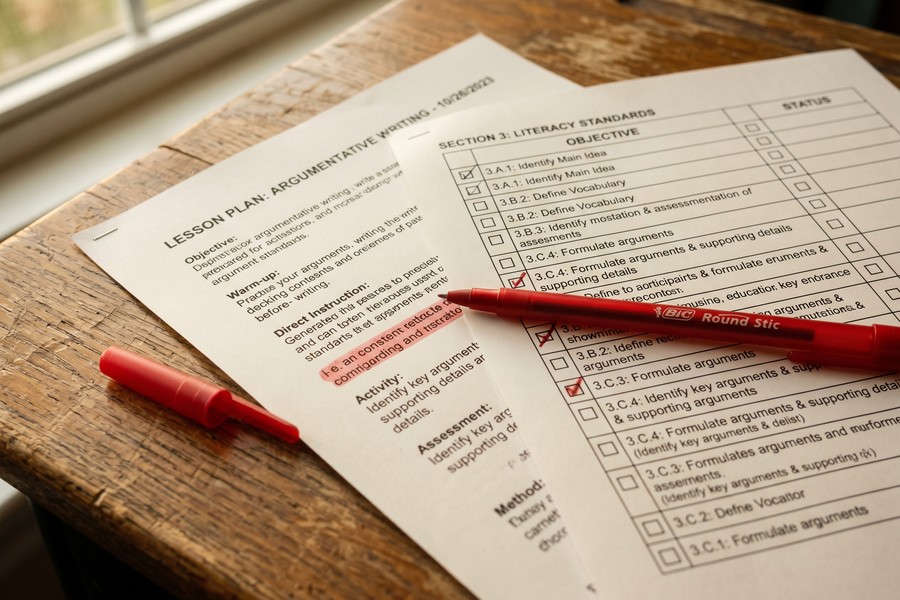
Every AI-generated lesson plan needs a human review pass before it enters your classroom. This step typically takes 10 to 20 minutes, far less than writing from scratch, but non-negotiable for quality and accuracy.
How to Do This
Use this five-point checklist when reviewing any AI-generated lesson plan:
- Factual accuracy: Verify any facts, statistics, dates, or names the AI included. AI language models can generate plausible-sounding but incorrect information.
- Cultural sensitivity: Review examples, names used in scenarios, and cultural references to ensure they are inclusive and appropriate for your specific student population.
- Timing realism: AI often underestimates how long activities take. Add a buffer of 5–10 minutes to any estimate the AI provides.
- Resource verification: Click every link or verify every resource title the AI cites. Many will not exist or will not be freely accessible.
- Your voice: Adjust the language to sound like you. Students build relationships with teachers, not with algorithms, your tone and personality matter.
Think of AI output as a very detailed rough draft. A professional writer does not publish a first draft. Neither should a teacher use an AI lesson plan without revision. The AI handles the scaffolding; you provide the professional judgment.
What to Watch Out For
Bias in AI output is a documented issue. A Brookings Institution analysis of algorithmic bias found that AI systems can reflect historical biases present in their training data. In lesson planning contexts, this can surface as underrepresentation of certain cultural perspectives in example texts or scenario characters. Actively audit for this during your review.
“The promise of AI in education isn’t that it replaces teacher expertise — it’s that it handles the mechanical production work so teachers can focus on what only humans can do: knowing their students, making real-time adjustments, and building the relationships that make learning possible.”
Step 6: How Do I Build a Weekly AI Planning Routine That Actually Saves Time?
The teachers who save the most time with AI lesson planning tools are not those who use them occasionally, they are those who build a repeatable, structured weekly workflow. Without a system, AI tools become one more thing to manage rather than a genuine time-saver.
How to Do This
A sustainable AI-assisted planning routine follows a Sunday-to-Friday cadence:
- Sunday (30 minutes): Generate draft lesson plans for the full week using your five-part prompt framework. Export or save them to a shared folder.
- Monday morning (10 minutes): Review Monday’s plan, make personal adjustments, verify any resources.
- Tuesday–Thursday (5–10 minutes each): Quick daily review of the next day’s plan. Adjust based on how Monday went.
- Friday (15 minutes): Use AI to draft any parent communications, weekly newsletters, or assessment rubrics for the following week.
This approach collapses what was once a heavy weekly planning burden into roughly 90 minutes of focused, AI-assisted work. Gallup data shows that teachers who use AI tools at least weekly save an average of 5.9 hours per week, equivalent to roughly six weeks of reclaimed time across a 37.4-week school year. The remaining time can be redirected to grading, student conferences, professional development, or personal time.
If you find yourself spending a significant amount of time managing digital tools in general, it may be worth reviewing how other professionals are using AI assistants to save time and boost productivity, the optimization principles translate across industries.
What to Watch Out For
Batch-generating an entire week of lessons on Sunday works well for predictable curriculum. It breaks down when lessons must respond to formative assessment data from earlier in the week. Build flexibility into your routine: treat Monday through Wednesday lessons as more finalized, and treat Thursday and Friday lessons as drafts you will refine based on what you learn from your students earlier in the week.
Create a personal “prompt library”, a simple Google Doc or Notion page where you save your best-performing prompts. When a prompt produces an excellent lesson, save it as a template with blank fields for topic, standard, and date. Reusing strong prompts is the single fastest way to improve your AI planning output quality over time.
For teachers who also manage classroom budgets or track professional development expenses, pairing your AI workflow with tools like the best expense tracking apps of 2026 can add another layer of efficiency to your professional life.
It is also worth noting that AI is transforming workflows well beyond education. The same productivity gains teachers are experiencing mirror what professionals are seeing across sectors, as explored in this look at digital tools that are changing how people manage their work and money.
Related reading: Why Some Travelers Are Using AI.
Frequently Asked Questions
Are AI lesson planning tools free or do I have to pay for them?
Most leading AI lesson planning tools offer free tiers that are sufficient for everyday classroom use. MagicSchool AI, SchoolAI, and Curipod all provide free plans with meaningful functionality. Paid plans, which typically range from $84 to $120 per teacher per year, include advanced features like bulk export, deeper standards mapping, and priority support. Many districts are now purchasing school-wide or district-wide licenses, which reduces per-teacher cost significantly.
Is it ethical for teachers to use AI to write lesson plans?
Yes, using AI lesson planning tools is widely considered an ethical and professionally appropriate practice when teachers review, edit, and take responsibility for the final product. Professional ethical standards focus on outcomes for students, not the method of plan creation. The concern arises only if a teacher uses AI output without review, perpetuating errors or biases into instruction.
What if my school district has banned or restricted AI tools, can I still use them?
If your district has issued an AI use policy, you must follow it. District policies on AI vary widely: some ban student-facing AI entirely but permit teacher planning use; others require approval of specific platforms; a few have no policy at all. Check with your principal or technology coordinator before using any AI tool for school purposes. Bring your district’s attention to FERPA-compliant platforms if the concern is data privacy.
How do I know if an AI-generated lesson plan is actually good?
Apply the same professional evaluation criteria you would use for any lesson plan: Does it have a clear, measurable learning objective? Is the activity sequence logical? Is formative assessment built in? Does it address the standard it claims to address? AI output that passes these criteria is a good lesson plan, regardless of how it was generated. The source of the draft is less important than the quality of the final product.
Can AI help me write sub plans when I’m out sick?
Yes, this is one of the highest-value use cases for AI lesson planning tools. A specific prompt like “Write a full-day sub plan for a 5th-grade class that requires no teacher explanation, uses only printed materials, and covers math review and independent reading” will generate a usable plan in under two minutes. Keep a saved prompt template ready so you can generate emergency sub plans from your phone even when you are feeling unwell.
Should I use ChatGPT or a dedicated education AI tool for lesson planning?
Dedicated education platforms like MagicSchool AI and Eduaide.Ai are generally more effective for lesson planning than general-purpose tools like ChatGPT, because they are purpose-built with educator-specific templates, standards libraries, and FERPA-compliant data handling. ChatGPT can produce excellent lesson plans with a strong prompt, but it requires more effort to structure and does not have built-in standards alignment. Use dedicated tools first; use ChatGPT as a supplement for tasks those tools do not cover.
How long does it take to learn how to use AI lesson planning tools effectively?
Most teachers report feeling confident with their chosen AI planning platform after two to three sessions of hands-on use. The learning curve is primarily about prompt quality, once you understand how to write specific, structured prompts, the process becomes fast and repeatable. Many platforms offer built-in tutorials and prompt libraries that accelerate this learning curve considerably.
Can AI tools help me create assessments and rubrics, not just lesson plans?
Yes, assessment and rubric generation is one of the strongest use cases for AI in education. MagicSchool AI, Eduaide.Ai, and Brisk Teaching all include dedicated assessment builders that can generate multiple-choice questions, short-answer prompts, and detailed rubrics aligned to a specific standard or learning objective. These tools typically reduce rubric-creation time from 30–45 minutes to under 5 minutes.
What should I do if the AI keeps generating lessons that are too easy or too hard for my students?
Add explicit rigor calibration to your prompts. Specify the academic level using concrete language: “appropriate for on-grade-level 6th graders who have mastered one-step equations but have not yet encountered two-step equations.” You can also ask the AI to evaluate its own output: “Rate the cognitive demand of this task using Bloom’s Taxonomy and adjust it to the Analysis level.” Most AI planning tools respond well to these follow-up calibration prompts.
Is student data safe when I use AI lesson planning tools?
Student data safety depends entirely on which platform you use and how you use it. Never enter student names, grades, ID numbers, or any personally identifiable information (PII) into an AI platform unless your district has verified FERPA compliance. Platforms like MagicSchool AI and Eduaide.Ai publish detailed data privacy policies and are FERPA-compliant. For anonymous planning tasks, generating lesson structures, rubrics, or prompts, no student data is required at all, making the privacy risk minimal.
What does the research actually say about AI saving teachers time?
Multiple large-scale data points now exist. Gallup’s 2025 survey found that 60% of U.S. public K–12 teachers used AI for work during the 2024–25 school year, with 37% using it at least monthly for lesson preparation. Weekly users reported saving 5.9 hours per week, equivalent to six weeks per school year. Separately, a trial by the Education Endowment Foundation documented a 31% reduction in lesson planning time when teachers used ChatGPT with structured guidance.
How many teachers are actually using AI for lesson planning right now?
Adoption has moved well past the early-adopter phase. RAND Corporation’s 2025 study reported that 53% of English language arts, math, and science teachers used AI for school. Among all public K–12 teachers, Gallup found 37% used AI tools at least monthly for tasks like lesson planning, and the weekly-user cohort is growing fastest as teachers build repeatable workflows.
Sources
- Gallup, Three in Ten Teachers Are Using AI Weekly, Saving Six Weeks a Year
- RAND Corporation, Teachers’ Use of AI Tools for Instruction in 2025
- Education Endowment Foundation, Teachers Using ChatGPT Can Cut Lesson Planning Time by Over 30 Percent
- RAND Corporation, Teachers’ Working Conditions and the Shaping of Students’ Opportunity to Learn
- National Center for Education Statistics, Students With Disabilities
- Brookings Institution, Algorithmic Bias Detection and Mitigation
- ISTE, AI in Education Resource Hub
- MagicSchool AI, Educator Platform Overview
- Eduaide.Ai, AI-Powered Lesson Planning for Teachers






