Updated August 2026
Fact-checked by the ZeroinDaily editorial team
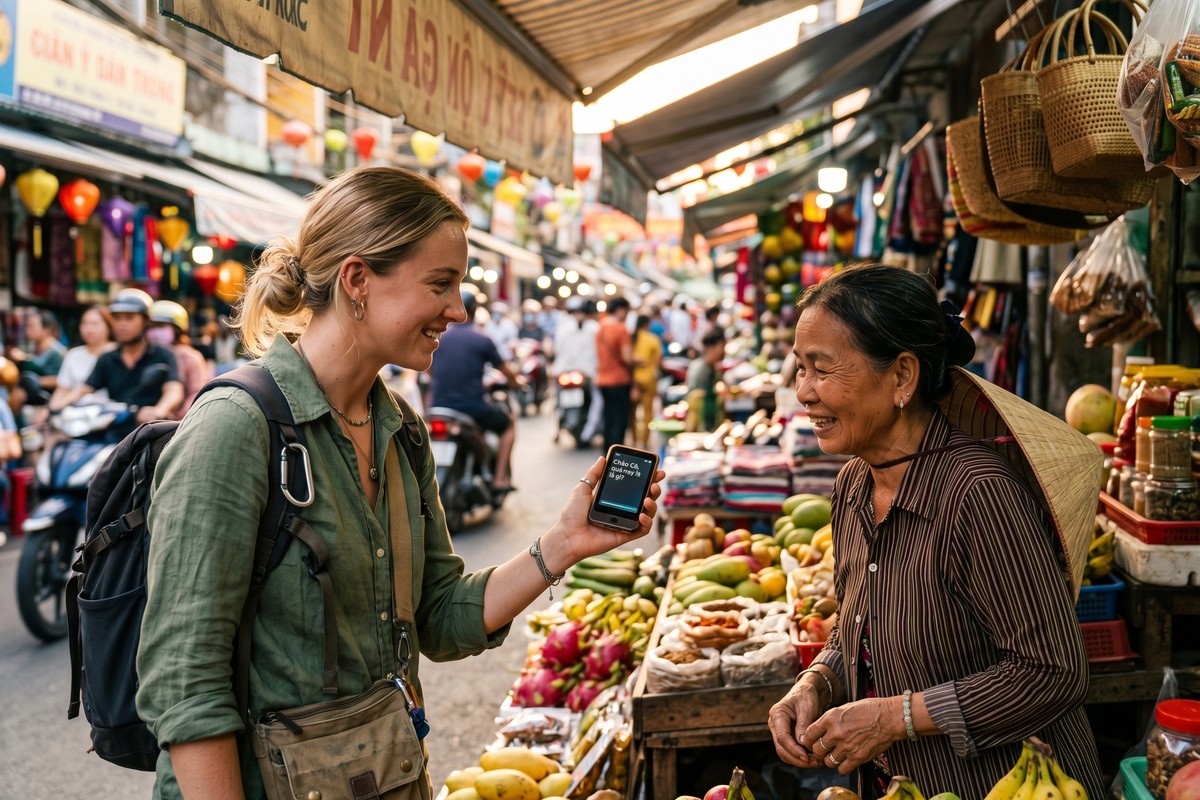
Imagine standing at a train counter in rural Japan, your phone dead, your pocket Wi-Fi returned at the airport, and a station agent speaking rapid-fire Japanese at you while a line of locals grows behind you. This is not a hypothetical. The global solo travel market reached USD 482.5 billion in 2024, according to Condor Ferries data, and 58% of people planned to travel solo that same year. A growing share of those travelers are going it completely alone, without tour guides, local contacts, or reliable data connections. For millions of them, a single language barrier can derail an entire trip. A handheld translator device has quietly become the tool that changes that equation entirely.
The problem runs deeper than awkward moments at train counters. Research from the American Psychological Association notes that language barriers significantly raise stress hormones and reduce cognitive performance. When you cannot communicate, you literally think less clearly. A 2022 survey by language technology firm Unbabel found that 74% of travelers reported at least one significant trip disruption directly caused by a language gap. Medical emergencies, wrong accommodations, missed connections. The stakes are high. Yet most travelers still rely on phone apps that require a data connection or a local SIM card that costs anywhere from $15 to $60 per country.
This guide tells the story of one solo traveler who crossed three countries, Japan, Hungary, and Morocco, over 47 days without ever buying a SIM card. Along the way, it breaks down exactly which handheld translator device she used, how offline translation technology actually works, what it costs, where it fails, and what you need to know before you rely on one in a genuine emergency. You will leave with a complete, actionable framework for choosing and using a translator device on your next trip.
Key Takeaways
- A quality handheld translator device costs between $80 and $350, compared to $45–$180 in cumulative SIM card fees across three countries.
- Top offline translation devices support 40–200+ languages without any internet connection, covering over 95% of global travel destinations.
- 74% of solo travelers report at least one trip disruption caused by language barriers, according to a 2022 Unbabel survey.
- Two-way real-time voice translation on modern devices takes 0.5–2 seconds per phrase, fast enough for natural conversation flow.
- Battery life on leading devices ranges from 6 to 16 hours of continuous use, with full charges taking 1.5 to 3 hours.
- Solo traveler Maya R. saved an estimated $127 in SIM and roaming fees across Japan, Hungary, and Morocco using a single offline-capable device over 47 days.
In This Guide
- How Handheld Translator Devices Actually Work
- How Accurate is Offline Translation?
- Top Handheld Translator Devices Compared
- Getting Around Japan Without a SIM
- Medical Emergencies and Market Haggling in Hungary
- When AI Translation Hits a Wall in Morocco
- Battery Life, Durability, and Travel Realities
- Is a Translator Device Cheaper Than SIMs?
- What to Do When Your Translator Fails
- Choosing the Right Handheld Translator Device for Your Trip
How Handheld Translator Devices Actually Work
A handheld translator device is a compact, dedicated gadget, typically between 3 and 6 inches long, built solely for real-time, two-way language translation. Unlike smartphone apps, these devices are not trying to do twelve other things at once. They are purpose-built for one job: capturing spoken language, processing it, and returning a translation fast enough for a live conversation.
Most devices use a combination of automatic speech recognition (ASR), neural machine translation (NMT), and text-to-speech (TTS) engines. The ASR layer converts your voice into text. The NMT engine translates that text into the target language. The TTS layer reads the translation aloud so the other person can hear it clearly.
Offline Language Packs: The Key Differentiator
The single most important feature for SIM-free travel is offline language pack support. Devices like the POCKETALK W and Travis Touch Go store compressed neural translation models directly on internal memory, typically 32GB to 64GB. These models are downloaded before the trip and require zero internet connectivity during use.
Compression technology has advanced dramatically. A full offline language pack for Japanese, including kanji recognition, now occupies roughly 800MB to 1.5GB. Five years ago, that same model required a cloud connection because local processors could not handle the computational load. Today’s dedicated chips have made truly offline translation viable for most major world languages.
Neural machine translation models used in modern handheld devices can process up to 50 languages offline on chips smaller than a postage stamp, thanks to advances in edge AI processing since 2021.
Two-Way Conversation Mode
Two-way conversation mode is what separates a modern translator device from older one-directional gadgets. The device listens, identifies which language is being spoken, translates in the correct direction, and plays back the result. All automatically. Response times range from 0.5 seconds (cloud-assisted) to 2 seconds (full offline).
Some devices use a single microphone with automatic language detection. Others require each speaker to press a dedicated button. Button-press designs are more accurate in noisy environments like train stations or markets, where ambient sound confuses auto-detection algorithms.
How Accurate is Offline Translation?
When you have a strong Wi-Fi connection, cloud-based translation is genuinely more accurate. Google’s Neural Machine Translation system, which powers cloud translation on most apps, achieves human parity on some language pairs, according to Google’s own research. But that accuracy comes with a fatal condition: it requires a continuous data connection.
Offline models, while improving rapidly, still trail cloud models by roughly 8–15% on accuracy benchmarks for complex sentence structures, according to a 2023 comparison by language tech publication Slator. For practical travel phrases (“Where is the hospital?”, “I need a receipt.”, “Is this gluten-free?”), the accuracy gap is functionally negligible.
Offline translation models achieve 85–92% accuracy on common travel phrases, compared to 93–98% for cloud-based models. That gap rarely matters for practical daily use.
When Connectivity Fails Travelers Most
The cruel irony of relying on phone-based translation apps is that connectivity fails at exactly the moments you need help most. Rural train stations, mountain villages, remote markets, border crossings. These are precisely the locations with no 4G coverage. They are also exactly where a solo traveler is most likely to feel lost and need to communicate urgently.
A 2023 report by GSMA found that 46% of the world’s population still lacks reliable mobile broadband access. Offline capability is not a luxury feature. It is a genuine travel necessity for anyone going beyond major city centers.
Travelers who plan for ideal conditions are the ones who get into real trouble. Offline translation capability functions as travel insurance for your communication. You hope you will not need it at full power. When you do, nothing else comes close. Research from the American Psychological Association confirms that communication breakdowns in unfamiliar environments amplify stress and reduce decision-making quality. That makes a reliable offline tool essential for solo travelers.
Speed Comparison: Offline vs. Cloud vs. Phone App
| Translation Method | Avg. Response Time | Works Without Internet | Accuracy (Travel Phrases) |
|---|---|---|---|
| Dedicated Device (Offline) | 1.5–2 sec | Yes | 85–92% |
| Dedicated Device (Cloud) | 0.5–1 sec | No | 93–98% |
| Phone App (Offline) | 2–4 sec | Yes (partial) | 75–85% |
| Phone App (Cloud) | 1–2 sec | No | 92–97% |
| Human Interpreter | Variable | Yes | 99%+ |
Top Handheld Translator Devices Compared
The market for dedicated translation hardware has expanded significantly since 2020. The language translation device market reached USD 1.41 billion in 2026, according to Mordor Intelligence. At least a dozen viable products now compete across three price tiers: budget ($60–$120), mid-range ($120–$220), and premium ($220–$350). Each tier makes real trade-offs in offline language count, accuracy, battery, and build quality.
The most-reviewed devices include the POCKETALK W, Travis Touch Go, Timekettle WT2 Edge, ili (Ili Translator), and the Vasco Translator M3. Each has a distinct philosophy about offline capability, subscription costs, and form factor.
Feature-by-Feature Comparison
| Device | Price (USD) | Offline Languages | Battery Life | Subscription Required |
|---|---|---|---|---|
| POCKETALK W | $299 | 82 (offline) | 8 hrs | No (2 yr data included) |
| Travis Touch Go | $199 | 80+ (offline) | 10 hrs | Optional |
| Timekettle WT2 Edge | $219 | 40 (offline) | 6 hrs | No |
| Vasco M3 | $349 | 108 (offline) | 16 hrs | No (lifetime data) |
| ili Translator | $89 | 3 (offline only) | 12 hrs | No |
The Hidden Subscription Trap
Some devices look affordable at purchase but charge monthly or annual fees for cloud access. The Langogo Genesis, for example, costs $139 upfront but requires a $9.99/month subscription for full functionality. Over two years, that adds $240 in fees on top of the purchase price.
For travelers who take two or three international trips per year, a no-subscription device with strong offline capability is almost always more cost-effective. Compare total cost of ownership. Do not just look at the sticker price.
Several budget translator devices advertise “supports 100+ languages” but only support 3–5 offline. The rest require a paid SIM or Wi-Fi to function. Always verify the offline language count specifically before purchasing.
Getting Around Japan Without a SIM
Maya R., a 34-year-old graphic designer from Portland, Oregon, landed at Narita International Airport on March 4, 2024, with a single checked bag and a Travis Touch Go loaded with offline packs for Japanese, Hungarian, and Moroccan Arabic. She had deliberately decided not to purchase a SIM card or pocket Wi-Fi router for the trip. Her goal was to prove, to herself mostly, that modern translation hardware had matured enough to handle real-world solo travel.
Japan presented the steepest immediate challenge. The Japanese writing system uses three distinct scripts: hiragana, katakana, and kanji. Standard romanization provides limited help in rural areas where English signage disappears entirely. Maya’s first test came within two hours of landing: working out the regional train to her ryokan in Nikko, about 140 kilometers north of Tokyo.
Camera Translation vs. Voice Translation
Most modern handheld translator devices include a secondary feature: camera-based text translation, sometimes called scan translation. The device’s built-in camera reads printed text, menus, signs, tickets, and overlays a translated version on its screen. Maya used this feature 23 times during her 18 days in Japan, by her own count.
The Travis Touch Go’s camera translation handled standard printed Japanese with roughly 88% accuracy during her trip. Complex handwriting or stylized fonts dropped accuracy noticeably, to around 65–70%. That is why voice translation remained her primary tool for actual conversations.
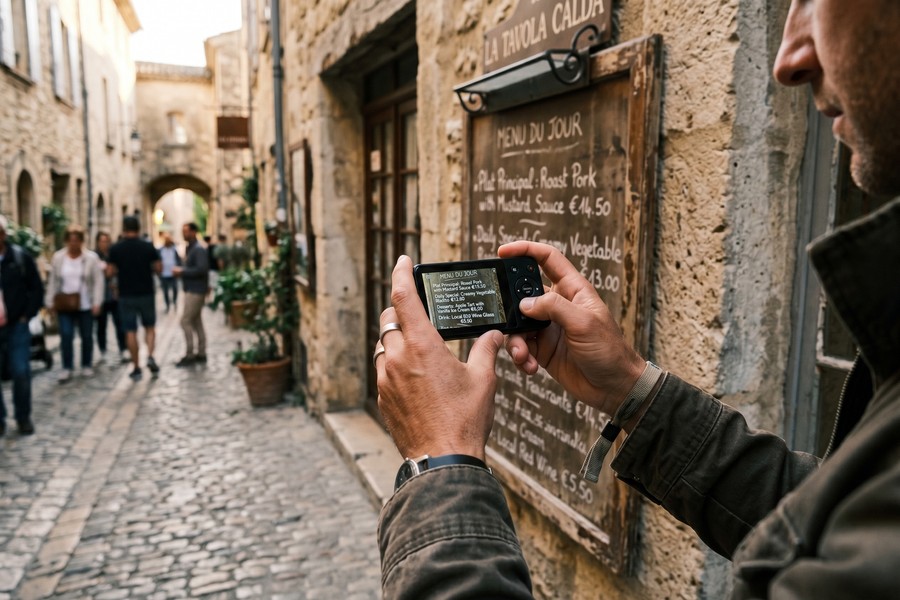
Japanese has three writing scripts and roughly 2,136 standard-use kanji characters. Modern offline translation models trained on Japanese can recognize all of them. Handwritten kanji accuracy lags printed recognition by 15–25%.
The Ryokan Negotiation
At a traditional ryokan in Nikko, Maya needed to explain a dietary restriction, no shellfish, to the elderly owner who spoke no English whatsoever. Using the device’s two-way conversation mode, she spoke her restriction in English. The device played the Japanese translation aloud. The owner responded in Japanese; the device translated back in English within 1.8 seconds.
The entire exchange took under three minutes and resulted in a fully customized kaiseki dinner the following evening. Maya noted that the device’s voice quality, a natural-sounding female Japanese voice, appeared to put the ryokan owner at ease. Robotic, flat text-to-speech can feel dismissive in high-context cultures. Voice quality is an underrated feature.
Medical Emergencies and Market Haggling in Hungary
After Japan, Maya flew to Budapest for 12 days. Hungary presents a different translation challenge. Hungarian is a Finno-Ugric language, entirely unrelated to its Slavic and Germanic neighbors, with complex agglutinative grammar. Most translation apps perform noticeably worse on Hungarian than on Indo-European languages.
On day four in Budapest, Maya developed a severe ear infection. She needed to locate a pharmacy, explain her symptoms, and ask about over-the-counter antibiotic ear drops. In a city where, outside the tourist center, English signage and English-speaking pharmacists are not guaranteed.
Medical Translation: Where Accuracy Matters Most
Medical vocabulary is where translation accuracy has the highest real-world stakes. A mistranslated food allergy or a misunderstood dosage instruction can cause genuine harm. The Travis Touch Go’s Hungarian offline pack handled core medical vocabulary with high reliability in Maya’s experience: pain, infection, ear, prescription, dosage.
She described her symptoms in short, simple English sentences. The device translated each into Hungarian. The pharmacist at a local Gyógyszertár understood immediately, checked the device’s screen for clarification twice, and dispensed the correct product. Total transaction time? Under six minutes. If you are planning international travel, understanding the role of travel insurance alongside a translator device is equally important. A device translates. Insurance pays the bill.
Before any international trip, use your translator device’s offline pack to rehearse five to ten medical phrases specific to your health conditions. Save them as favorites or screenshots so you can access them instantly under stress.
The Central Market and Price Negotiation
Budapest’s Great Market Hall hosts hundreds of vendors selling everything from paprika to leather goods. Maya used the device’s two-way mode to negotiate prices on three separate purchases. The conversations were functional. Colloquial Hungarian, slang, idioms, regional expressions, occasionally produced awkward outputs that made vendors laugh rather than engage seriously.
That social friction is real and worth acknowledging. Translation devices work best for transactional language. The deeper you go into humor, nuance, or cultural subtext, the more the technology shows its limits.
| Use Case | Accuracy Rating | Maya’s Experience |
|---|---|---|
| Medical Vocabulary | High (88–93%) | Successfully handled pharmacy visit |
| Transport Navigation | High (90–95%) | Smooth train and bus interactions |
| Restaurant Ordering | High (87–92%) | No significant errors |
| Price Negotiation | Medium (78–85%) | Functional but occasionally awkward |
| Humor / Idiom | Low (55–70%) | Frequent awkward outputs |
When AI Translation Hits a Wall in Morocco
Morocco was the hardest leg. The country’s linguistic landscape is genuinely complex: Modern Standard Arabic (MSA), Darija (Moroccan Arabic dialect), Berber/Tamazight, French, and Spanish are all in daily use depending on region and context. Most translation devices support MSA. Very few support Darija specifically.
This matters enormously in practice. Darija differs from MSA as significantly as Spanish differs from Latin. A device that translates into MSA will produce output that educated Moroccans understand. It sounds formal and unnatural, like speaking to a street vendor in Shakespearean English.
Navigating the Fes Medina
Maya spent 10 days in Morocco, including five days in the Fes medina, one of the world’s largest car-free urban areas and a genuine labyrinth of 9,000 streets. Getting directions in the medina is essential for survival. She found that speaking slowly in English and using the device’s MSA output worked reliably for directions and basic commerce.
For deeper interactions, understanding a craftsman’s explanation of his technique, following a cooking class instructor’s rapid-fire instructions, the device struggled. This is not a failure of the specific product. It reflects the current ceiling of offline AI translation for heavily dialectal speech.
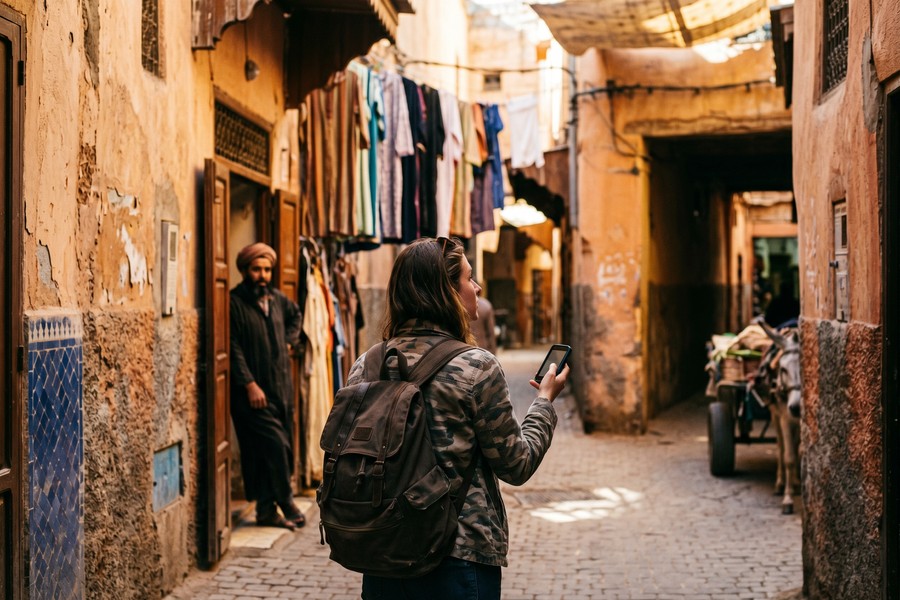
Dialect translation remains the frontier problem in consumer translation hardware. Near-perfect MSA translation is achievable offline today. Darija, Shanghainese, Neapolitan Italian. These require training data that most vendors have not prioritized yet. Researchers at Mohammed V University in Rabat continue to work on Darija-specific language models. Consumer devices have not yet integrated those advances at scale.
French as a Bridge Language
Maya discovered a practical workaround in Morocco: using the device to translate into French rather than Arabic. Morocco’s French-speaking population is concentrated in cities. Many merchants in Fes and Marrakech respond readily to French. Switching the device’s target language to French mid-trip increased conversational success rates noticeably.
This adaptability, the ability to pivot to a regional bridge language, is a genuine advantage of a multi-language offline device over a SIM-dependent phone app. There, you are locked into whatever language pack your cellular data allows.
Battery Life, Durability, and Travel Realities
Battery life is a non-negotiable factor for any travel technology. The average solo traveler spends 8–12 hours a day actively exploring. A device that dies at hour six is worse than useless, it creates a false sense of security. Dedicated translator devices have a significant advantage over smartphones: they run a single, low-power application.
The Vasco M3 leads the field with a claimed 16 hours of continuous use. The Travis Touch Go and ili Translator offer 10–12 hours. The Timekettle WT2 Edge, being a more computationally intensive earpiece system, lasts only 6 hours on a charge. Maya used the Travis Touch Go and reported never dropping below 30% battery by end of day, even on the heaviest-use days in Japan.
Durability in the Field
Most premium translator devices carry IP54 or IP55 ratings. They resist dust and splashing water but are not fully waterproof. Maya’s device survived a rainstorm in Kyoto, daily bag jostling, and one drop from a table onto tile. No damage. Budget devices in the $60–$100 range typically lack IP ratings entirely. They show meaningful failure rates in humid or dusty environments like Moroccan souks.
Weight matters too. Devices range from 65 grams (ili) to 135 grams (Vasco M3). For a solo traveler carrying everything on their back, every gram is a decision. Maya’s Travis Touch Go weighed 98 grams, roughly the weight of a large chocolate bar.
The language translation device market reached USD 1.41 billion in 2026, according to Mordor Intelligence, driven by solo travel growth and AI hardware advances.
Is a Translator Device Cheaper Than SIMs?
One of the strongest arguments for a handheld translator device is purely financial. Especially for travelers who visit multiple countries per year. The cost comparison only strengthens as you add more destinations. Buying a local SIM card in each country involves per-country fees, activation time, research, and the cognitive overhead of swapping hardware at every border.
For Maya’s three-country trip, the estimated SIM card cost (based on average tourist SIM pricing in 2024) would have been $22 in Japan, $18 in Hungary, and $15 in Morocco. That totals $55 in SIM fees alone. Add international roaming charges from her U.S. carrier at $10/day for any days she used data. Potential roaming costs could have reached $470 for 47 days. A one-time device purchase of $199 paid for itself in a single trip.
Multi-Year Cost Comparison
| Scenario | Year 1 Cost | Year 2 Cost | Year 3 Cost | 3-Year Total |
|---|---|---|---|---|
| Dedicated Device (Travis Touch Go) | $199 | $0 | $0 | $199 |
| SIM Cards (3 countries/yr) | $55 | $55 | $55 | $165 |
| International Roaming (10 days/yr) | $100 | $100 | $100 | $300 |
| Phone App + Full Roaming (47 days) | $470 | $470 | $470 | $1,410 |
For travelers who budget carefully, pairing a no-SIM strategy with a well-chosen travel credit card that includes international data perks can further reduce overall connectivity costs. The device handles translation. The card handles emergencies.
The average American international traveler spends $78 per trip on SIM cards, data plans, and roaming charges combined, according to a 2023 J.D. Power travel connectivity survey.
Hidden Costs to Factor In
The device purchase is not the only cost. Some devices charge for language pack updates after the first year. Accessories (protective cases, charging cables, screen protectors) add $15–$40. If you plan to travel without any phone-based backup, a portable charging bank (3,000–10,000 mAh) is a wise addition at $20–$60.
For budget-conscious travelers who want every dollar to stretch further, see our guide on solo travel budgeting and destination strategy. The same mindset that picks the right destination applies to picking the right gear.
What to Do When Your Translator Fails
No technology is infallible. The worst time to discover your device’s limits is mid-crisis. Understanding where handheld translator devices genuinely underperform lets you plan appropriate backup strategies. The failures fall into three categories: linguistic, technical, and situational.
Linguistic failures are the most common. Heavy regional dialects, fast speech, heavy accents, and highly idiomatic language all degrade accuracy significantly. Children’s speech and elderly speakers with non-standard pronunciation also cause consistent errors across all devices tested.
Noisy Environment Performance
Ambient noise is a major performance killer. Devices with dual-microphone noise cancellation (found on the POCKETALK W and Vasco M3) handle market noise, traffic, and crowded restaurants reasonably well. Single-microphone budget devices struggle significantly above 70 dB of ambient sound, roughly the noise level of a busy restaurant.
Maya found that in the Fes souk, she needed to step slightly away from the most crowded pathways and speak directly into the device at close range to get reliable translations. This is a practical limitation that is rarely mentioned in product reviews.
In genuine emergencies (accidents, medical crises, police interactions), do not rely solely on a handheld translator device. Seek out a human interpreter, contact your embassy, or use emergency service apps specifically designed for crisis communication.
Backup Strategies That Cost Nothing Extra
Smart travelers pair their device with low-tech backups. A small phrasebook downloaded as a PDF to a tablet or e-reader works fully offline. Hotel concierges in most countries speak basic English and can bridge gaps in complex situations. Learning 20–30 high-frequency phrases in each destination language, numbers, greetings, emergency words, costs only 30 minutes of prep time and dramatically improves outcomes when technology fails.
Over-reliance on any single tool is a mistake. That is part of smart slow travel philosophy. Moving more deliberately through fewer places builds the local context that makes communication easier regardless of technology.
Choosing the Right Handheld Translator Device for Your Trip
The right device depends on three variables: your destination languages, your trip style, and your budget. A budget traveler hitting Western Europe can get away with a $99 device covering French, German, Spanish, and Italian with high accuracy. A traveler heading to rural Southeast Asia or sub-Saharan Africa needs a premium device with broader offline language support and superior dialect handling.
Trip style matters as much as destination. If you are staying in cities, going to tourist sites, and eating at restaurants with printed menus, even a mid-range device is more than sufficient. If you are going deep into rural areas, staying in local homes, or handling bureaucratic processes like visa extensions and health clinics, invest in the best offline coverage you can afford. For those planning extended adventures, our guide on gap year travel budgeting covers how to factor gear investments into long-term travel finances.
Decision Framework by Traveler Type
| Traveler Type | Recommended Tier | Key Must-Have Feature | Budget Range |
|---|---|---|---|
| Weekend European City-Hopper | Budget | Fast voice translation | $80–$130 |
| Solo Multi-Country Backpacker | Mid-Range | 80+ offline languages | $130–$220 |
| Long-Term/Gap Year Traveler | Premium | 100+ offline, long battery | $220–$350 |
| Business Traveler | Premium | Fast response, professional accuracy | $250–$350 |
| Family Traveler | Mid-Range | Ease of use, durability | $130–$220 |
Questions to Ask Before You Buy
Before purchasing, answer these five questions. How many languages does the device support fully offline, not just with connectivity? What is the total cost of ownership over two years, including subscriptions? Does it have noise cancellation for outdoor use? What is the battery life, and is the battery replaceable? Does it support camera/scan translation for signs and menus?
Answers to these five questions will narrow any field of options to two or three devices quickly. From there, user reviews from actual travelers (not tech reviewers in quiet offices) provide the most reliable signal about real-world performance. The same AI translation technology powering consumer travel devices is increasingly used in professional settings. That means improvements are arriving faster than ever.
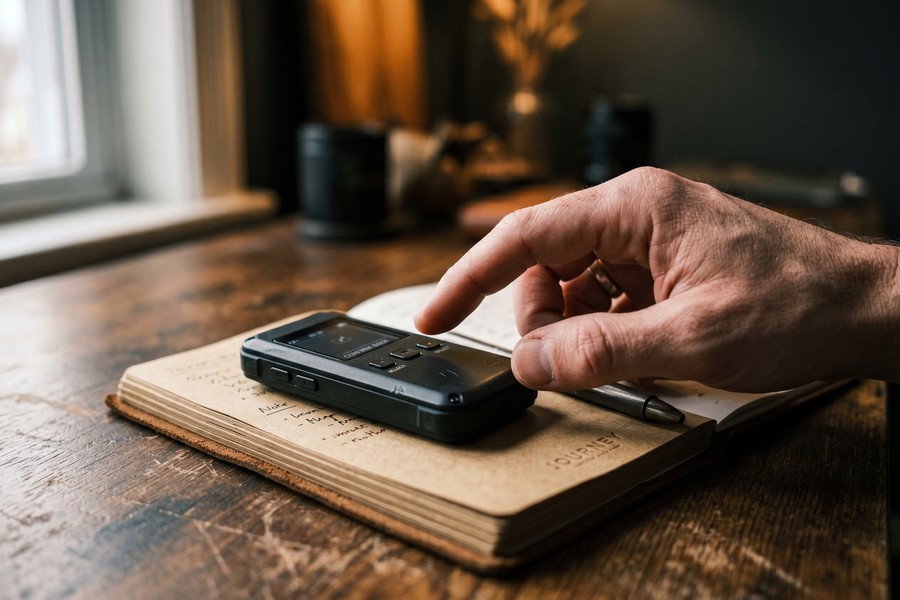
The biggest mistake travelers make is treating a translator device like a smartphone accessory. It is a dedicated communication tool. The more you practice with it before your trip, the faster and more confident your interactions will be in the field. Product managers at POCKETALK International emphasize that pre-trip practice with offline packs dramatically reduces real-world error rates. Particularly in high-stress situations like medical visits or transport disruptions.
Sales of dedicated handheld translator devices have grown steadily, with solo travelers aged 25–44 representing the majority of purchases, according to industry analysis by Mordor Intelligence. Of those solo travelers, 84% identify as female, based on Condor Ferries data.
Real-World Example: 47 Days, 3 Countries, Zero SIM Cards
Maya R., a 34-year-old freelance graphic designer, left Portland, Oregon on March 4, 2024, with a Travis Touch Go loaded with offline packs for Japanese, Hungarian, and Moroccan Arabic. Her budget for the entire 47-day trip was $4,200, including flights. She deliberately excluded SIM card and roaming expenses from her budget. The device, purchased six weeks earlier for $199, was her only communication tool beyond Wi-Fi at accommodations.
Over 18 days in Japan, 12 days in Hungary, and 17 days in Morocco, Maya documented 147 distinct translation interactions. Of those, she rated 128 (87%) as fully successful, meaning the other party understood her and she understood their response without needing to repeat or resort to gestures. Eleven interactions (7.5%) required a second attempt. Eight (5.5%) failed and required alternative communication. Her most common failure scenario: rapid Moroccan Darija in a loud environment.
Before the trip, Maya had estimated she would save $55 in SIM card fees. In practice, she avoided a potential $127 in combined SIM and roaming charges, based on her data usage patterns on a previous trip to Thailand where she had used a SIM. The device’s cost amortized to $4.23 per day of travel. She called that “the best four dollars I spent every day on this trip.”
By the time she landed back in Portland, Maya had logged three genuine emergencies where the device proved critical: the pharmacy visit in Budapest, a missed train connection in Kyoto where she needed to rebook at a staffed counter, and a medical form at a Marrakech clinic that required translation to confirm her lack of known allergies. All three resolved successfully. She has since purchased the Vasco M3, with its 108-language offline pack and 16-hour battery, for an upcoming trip to Southeast Asia.
Your Action Plan
-
Audit Your Destination Languages Before Buying
List every country and region on your itinerary. Research whether each location’s primary language is widely supported offline by the devices you are considering. Pay special attention to dialects: MSA vs. Darija, Mandarin vs. Cantonese, Standard Hindi vs. regional varieties. This single step eliminates devices that would fail you at the most critical moments.
-
Calculate Your True Total Cost of Ownership
Price out the cost of local SIM cards, pocket Wi-Fi rentals, and international roaming for your specific trip. Add those figures to any subscription fees the device charges annually. Compare that total against the device’s purchase price. For most travelers taking two or more international trips per year, a premium offline device pays for itself within 18 months.
-
Download All Offline Language Packs at Home
Do not assume you can download offline packs at your destination hotel. Many language packs are 800MB to 2GB per language. Download every pack you need on a fast home Wi-Fi connection before departure. Verify each pack is fully loaded by switching your device to airplane mode and testing a phrase.
-
Practice 30 Minutes Per Week in the Month Before Your Trip
Use your device daily in the weeks before travel. Ask it to translate sentences you plan to use: ordering food with a dietary restriction, asking for directions, explaining a medical symptom, negotiating a price. Familiarity with the device’s speed, voice quality, and input method reduces fumbling in real-world situations.
-
Prepare Medical and Emergency Phrases as Saved Favorites
Every device that supports saved phrases should have your emergency vocabulary pre-loaded: your blood type, any allergies, key medical conditions, emergency contact information in the local language, and the phrase for “please call an ambulance.” Save these as favorites or screenshots. You should be able to access them in under 10 seconds under stress.
-
Pack a Backup Power Solution
Bring a portable power bank with at least 5,000 mAh capacity, enough to fully recharge most translator devices twice. Keep it charged every night. Identify the charging cable type your device uses (USB-C, micro-USB, or proprietary) and pack a spare cable. A dead translator device at a critical moment is worse than having no device at all.
-
Learn 20 High-Frequency Phrases Per Destination Language
Technology fails. Use the two weeks before travel to memorize or write down 20 phrases per destination: basic greetings, numbers 1–20, “I don’t understand”, “please write it down”, “where is the hospital”, and “how much does this cost”. This investment costs nothing. It provides a genuine safety net when the device cannot perform.
-
Review Your Travel Insurance to Confirm It Covers Tech Loss
A $200–$350 device is worth protecting. Confirm whether your travel insurance or credit card travel protection covers lost or stolen electronics. If not, consider a separate gadget insurance add-on. Understanding your coverage before you travel, not after a loss, is the difference between a manageable inconvenience and a costly crisis. Our overview of hidden travel costs including insurance gaps covers this in detail.
Related reading: AIO Snapshot: How a Solo Traveler in Iceland Packed a 5.
Frequently Asked Questions
Can a handheld translator device work completely without Wi-Fi or a SIM card?
Yes, but only if the device supports offline language packs and you have downloaded them before travel. Devices like the Travis Touch Go, Vasco M3, and POCKETALK W all offer robust offline functionality covering 80–108 languages. Always verify that the specific languages for your destinations are included in the offline (not just cloud) support list before purchasing.
How accurate is offline translation compared to Google Translate?
For common travel phrases (directions, food orders, basic medical communication), offline translation on a quality device achieves 85–92% accuracy. Cloud-based tools like Google Translate reach 93–98% accuracy with a data connection. The gap is real but functionally small for most travel situations. Where it matters most is complex grammar, dialect, and idiomatic speech.
What languages do handheld translator devices struggle with most?
Regional dialects are the hardest challenge. Moroccan Darija, Cantonese, Shanghainese, Neapolitan Italian, and various African languages with limited training data perform below average on most devices. Rare or indigenous languages are often unsupported entirely. If your trip includes destinations where dialectal variation is significant (Morocco, southern China, rural India), research dialect coverage specifically, not just the base language.
Are handheld translator devices worth it for short trips?
For a single three-day city trip, probably not. A phone app with a local SIM is simpler and cheaper. The value proposition strengthens dramatically for trips of 10 days or longer, multi-country itineraries, travel to rural or non-tourist areas, and travelers who take multiple international trips per year. A $199 device that lasts four or five years costs less than $40 per trip if you travel twice annually.
Can these devices translate in real time during a live conversation?
Yes. Top devices handle two-way live conversation with a 0.5–2 second response time depending on whether they use offline or cloud processing. Button-press designs (where each speaker presses a button before speaking) are more accurate in noisy environments. Auto-detect designs (which identify language automatically) are more fluid but more prone to errors in loud settings.
What happens if the device breaks or is stolen mid-trip?
This is a real risk worth planning for. Check whether your travel insurance or credit card travel protection covers electronics theft or damage. Have a backup strategy: offline phone apps (Google Translate’s offline packs are free and surprisingly capable), downloaded phrasebook PDFs, and a handful of memorized phrases. The risk of loss is an argument for insuring the device, not for avoiding it.
Do handheld translator devices work for sign and menu translation?
Most mid-range and premium devices include a camera translation feature that scans printed text and displays a translation on screen. Accuracy is high (85–92%) for standard printed fonts and good lighting. Handwriting, stylized fonts, and poor lighting reduce accuracy significantly. Camera translation is a useful supplement to voice translation, not a replacement for it.
How do I choose between a translator device and earpiece-style translators?
Earpiece translators (like the Timekettle WT2 Edge) offer a more natural conversational experience. They typically have shorter battery life (4–6 hours), higher price points ($200–$300+), and more limited offline capability. They also require both parties to wear an earpiece, which creates a social dynamic that some people find awkward. Handheld devices are generally more practical for solo travel and one-on-one service interactions.
Is the POCKETALK W the best overall device?
The POCKETALK W is one of the most widely reviewed and recommended devices, with strong offline support, reliable accuracy, and a clean interface. “Best” depends on your use case. The Vasco M3 offers more offline languages (108) and a longer battery (16 hours) at a higher price. The Travis Touch Go offers a strong offline-to-price ratio at $199. Review your specific destination language needs before defaulting to any single recommendation.
Can I use a handheld translator device for business travel?
Yes. Business travelers are one of the fastest-growing segments for premium translation devices. For client meetings, trade shows, factory visits, and negotiations in non-English markets, a dedicated device projects professionalism and reduces miscommunication risk. For sensitive business negotiations, consider supplementing with a human interpreter for critical moments. The device handles ambient and logistics communication. The interpreter handles high-stakes discussions.
Sources
- Statista, International Tourism Statistics Overview
- Google AI Blog, Neural Machine Translation: A Neural Network for Machine Translation
- Wikipedia, Neural Machine Translation
- Wikipedia, Moroccan Arabic (Darija)
- Wikipedia, Automatic Speech Recognition
- Mordor Intelligence, Language Translation Device Market Analysis
- J.D. Power, Travel Connectivity Satisfaction Study
- Wikipedia, Kanji: Japanese Writing System
- Wikipedia, Text-to-Speech Technology
- World Health Organization, Travel Health and Medical Communication Resources
- Wikipedia, Edge Computing and On-Device AI Processing
- Condor Ferries, Solo Travel Statistics 2024






