Fact-checked by the ZeroinDaily editorial team
Quick Answer
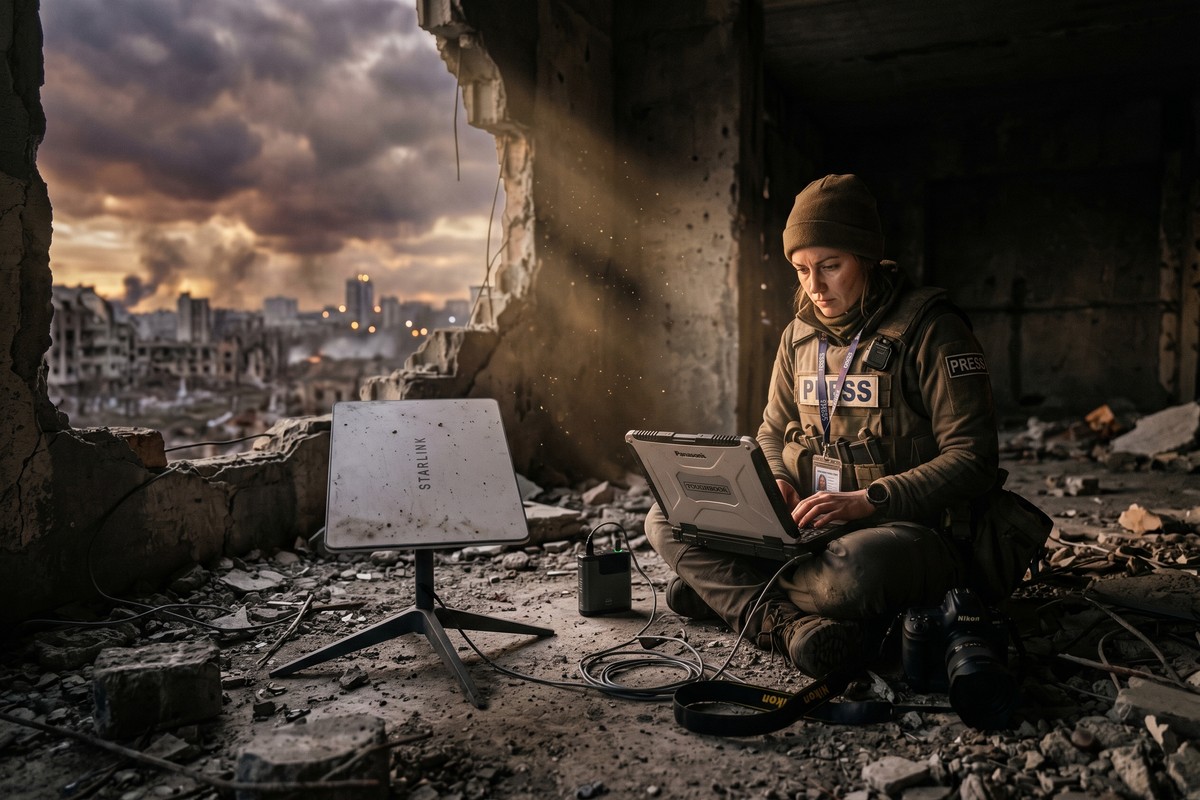
Independent journalists are using satellite internet journalism setups — primarily Starlink terminals — to broadcast live video, upload footage, and file reports from active conflict zones as of July 2025. The core process involves sourcing a portable terminal, securing power, establishing a secure VPN connection, and following operational security protocols. Setup takes roughly 15–30 minutes in the field.
Satellite internet journalism has become one of the most transformative shifts in frontline reporting since the smartphone camera. As of July 2025, independent journalists operating in conflict zones from Ukraine to Sudan are deploying compact satellite terminals — most commonly SpaceX Starlink dishes — to transmit high-definition video and live reports from locations where terrestrial infrastructure has been destroyed or was never built. According to Reuters reporting on Starlink usage in Ukraine, the technology has fundamentally changed who can report from the front lines and how quickly that reporting reaches audiences worldwide.
The urgency of this topic has never been greater. Traditional cellular and fiber networks are among the first casualties of modern warfare. In 2024, the Reporters Without Borders Press Freedom Index documented that infrastructure destruction was a leading cause of information blackouts in active conflict regions. Low-Earth orbit (LEO) satellite constellations have changed that equation, giving solo journalists and small crews a viable alternative to embed-only access through major newsrooms.
This guide is for independent journalists, freelance war correspondents, documentary filmmakers, and news editors who want to understand exactly how satellite internet journalism works in the field — what equipment you need, how to secure your connection, which platforms to use, and what the real operational risks look like.
Key Takeaways
- Starlink’s flat-panel terminal weighs approximately 1.5 kg and can establish a connection in under 5 minutes, making it the most widely adopted tool in conflict-zone satellite internet journalism according to TechCrunch’s 2023 field analysis.
- Download speeds from Starlink in open terrain average 100–250 Mbps, sufficient for live 4K streaming, according to Ookla’s Global Speedtest Index.
- At least 1 in 3 journalists killed in conflict zones since 2022 were independent or freelance reporters operating without institutional support, per Committee to Protect Journalists data.
- A complete portable satellite journalism kit — terminal, power bank, VPN subscription, and hardened case — can be assembled for approximately $700–$1,500, compared to tens of thousands for older VSAT setups.
- Using an unencrypted satellite connection in a conflict zone can expose a journalist’s GPS coordinates to interception within minutes, making VPN and OPSEC protocols non-negotiable, as detailed by the Electronic Frontier Foundation’s journalist security guidelines.
- Countries including Russia and Belarus have formally banned unauthorized Starlink terminal use, with penalties that can include criminal prosecution, according to BBC Technology reporting.
In This Guide
- Step 1: What Equipment Do Independent Journalists Need for Satellite Reporting?
- Step 2: How Do You Set Up a Starlink Terminal in a Conflict Zone?
- Step 3: How Do Journalists Secure Their Satellite Internet Connection in the Field?
- Step 4: Which Platforms Work Best for Live Reporting via Satellite Internet?
- Step 5: What Are the Legal and Safety Risks of Using Satellite Internet in Conflict Zones?
- Step 6: How Do Independent Journalists Power Satellite Equipment Without Grid Access?
- Frequently Asked Questions
Step 1: What Equipment Do Independent Journalists Need for Satellite Reporting?
The minimum viable kit for satellite internet journalism consists of a satellite terminal, a portable power source, a VPN-capable router, and a ruggedized carrying case. Most experienced conflict correspondents today build around the Starlink Flat High Performance or the standard Starlink Portability plan terminal as the connectivity backbone.
How to Build Your Kit
Start with the Starlink Roam plan, which costs approximately $150 per month and supports global portability with a pause-and-resume feature. The terminal itself retails for around $599 for the standard flat-panel version. Pair it with a GL.iNet travel router to enable VPN encryption at the network level — this prevents your laptop or phone from accidentally sending unencrypted traffic.
Carry a hardened Pelican case rated IP67 or higher to protect the terminal during transport through debris fields, river crossings, or vehicle searches. Many frontline correspondents also carry a secondary connectivity option — such as an Iridium Go! satellite messenger — as a backup for distress signaling if the primary terminal is damaged.
Key equipment items:
- Starlink Flat High Performance terminal (approx. 1.5 kg)
- GL.iNet Beryl AX or Slate AX travel router with VPN support
- Jackery Explorer 1000 or Bluetti EB70 portable power station
- 100W foldable solar panel (for multi-day operations)
- Pelican 1510 carry-on rated case with custom foam insert
- Iridium Go! satellite messenger as secondary backup
- Faraday pouch for device storage during transit
What to Watch Out For
Do not rely on a single device for both editorial communication and connectivity management. If your laptop dies, you lose your routing configuration. Keep your VPN credentials and router settings backed up on an encrypted USB drive stored separately from the main kit. Also verify that your terminal is unlocked for international use before departure — some regional Starlink plans restrict operation outside the registered country.
Register your Starlink terminal on the Roam Global plan before entering any conflict zone — regional plans may not authorize service in areas under active conflict or sanctioned territories, leaving you with a functional terminal and zero signal on arrival.
Step 2: How Do You Set Up a Starlink Terminal in a Conflict Zone?
Setting up a Starlink terminal in a conflict zone takes between 5 and 30 minutes depending on terrain obstruction and your familiarity with the equipment. The physical process is straightforward, but conflict-specific considerations — rooftop exposure, vehicle positioning, noise discipline — require field-adapted protocols that differ from civilian use.
How to Do This
Unpack the terminal and place it on a flat surface with a clear southern sky view (in the Northern Hemisphere) or an open sky view with minimal obstruction above 25 degrees elevation. The Starlink app — which runs on both iOS and Android and works on a local WiFi connection before internet is established — includes an augmented reality sky obstruction checker. Use it to confirm your placement before anchoring the dish.
Connect the terminal to your GL.iNet router using the provided ethernet cable. Boot the router first, then power the terminal. The terminal self-aligns automatically — a process that takes approximately 2–4 minutes on a first connection in a new region. Once the Starlink app shows “Online,” confirm connectivity by pinging a known IP address rather than a domain name, to rule out DNS issues.
In active conflict settings, mount the terminal at vehicle-door height rather than on a rooftop. This reduces your exposure profile. Keep sessions short and targeted — upload your footage, close the session, and physically cover or bag the terminal when not in use to reduce its radar and thermal signature.
What to Watch Out For
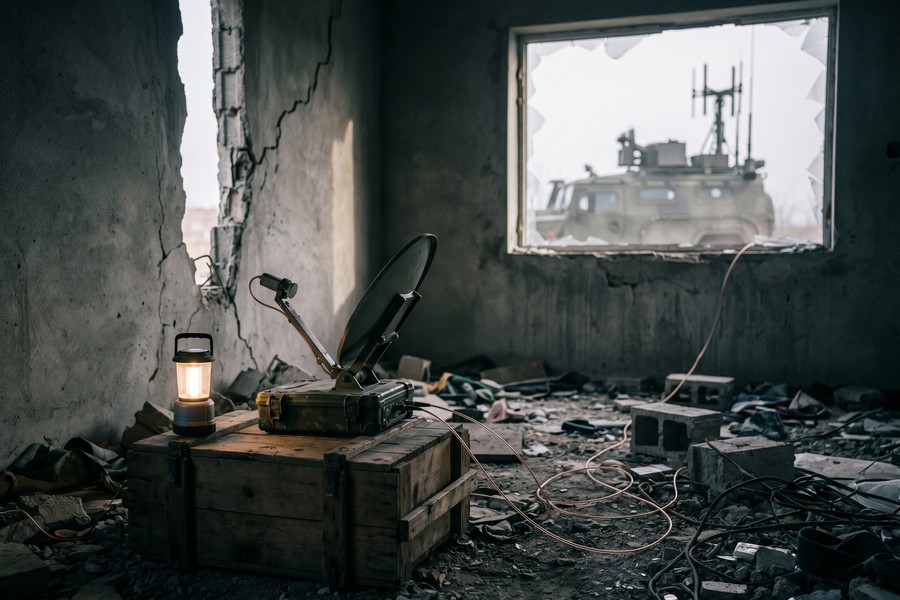
Satellite dishes emit a small but detectable radio frequency signal. In environments with active electronic warfare — as documented extensively in eastern Ukraine — adversary forces can use signal detection equipment to locate satellite transmitters. Limit continuous transmission to under 20 minutes per session and relocate the terminal between sessions when operationally possible.
Never leave a Starlink terminal powered and transmitting unattended in a conflict zone. Active RF emissions can be detected and triangulated by military-grade signal intelligence equipment, potentially compromising your position and the safety of people with you.
Step 3: How Do Journalists Secure Their Satellite Internet Connection in the Field?
Securing a satellite internet connection for journalism requires layered protection: a VPN at the router level, end-to-end encrypted messaging for source communication, and strict operational security (OPSEC) habits that prevent metadata exposure. Skipping any one layer creates a vulnerability that can be exploited.
How to Do This
Configure a commercial VPN — Mullvad or ProtonVPN are recommended by the Committee to Protect Journalists for their strict no-log policies — directly on your GL.iNet router. This encrypts all traffic from every device on the network without requiring individual device configuration, which matters when you are working fast in the field.
For source communication, use Signal with disappearing messages enabled (set to 1 week maximum). For file transfer to editors, use OnionShare or an encrypted SFTP channel rather than email. The EFF’s Surveillance Self-Defense guide for journalists recommends enabling full-disk encryption on all devices before entering a conflict zone — this protects your footage and source data if equipment is seized.
Enable two-factor authentication on every editorial account. Use hardware security keys (such as a YubiKey 5 NFC) rather than SMS-based 2FA, since SIM cards can be cloned or compromised in conflict environments.
What to Watch Out For
VPNs do not make you anonymous — they reduce exposure. A poorly configured VPN that suffers a DNS leak will expose your real IP address to every site you visit. Test your VPN configuration using a DNS leak test tool before entering the field, not after. Also note that some conflict-zone governments actively block commercial VPN traffic — have an obfuscated VPN protocol (such as Shadowsocks or V2Ray) ready as a fallback.
“The biggest mistake journalists make is treating security as a checkbox rather than a continuous practice. Your VPN keeps data in transit safe. But if your device is unlocked and seized, none of that matters. Physical security and digital security are the same problem.”
For journalists who also rely on AI-powered tools to process and file reports faster, the same encrypted workflow principles apply — as explored in our overview of AI tools that are reshaping professional workflows in 2026.
The Signal messaging app uses the Signal Protocol, which is mathematically considered one of the strongest end-to-end encryption standards available to civilians. It is used by journalists, diplomats, and security researchers in more than 180 countries as of 2025.
Step 4: Which Platforms Work Best for Live Reporting via Satellite Internet?
The best platforms for satellite internet journalism depend on your bandwidth budget, latency tolerance, and whether you need live streaming or asynchronous file upload. Starlink’s average latency of 25–60 milliseconds makes it viable for real-time video, which older geostationary satellites — with latency above 600 ms — could not support.
How to Do This
For live video broadcasting, use Dejero Live+ Mobile App or Teradek Cube encoders paired with your satellite connection. These tools support adaptive bitrate streaming, which automatically reduces video quality when bandwidth drops rather than dropping the connection entirely. This is critical when your satellite signal degrades due to weather or obstruction.
For asynchronous footage upload, use Frame.io or Signiant Media Shuttle, both of which support interrupted transfer resumption — meaning a dropped connection mid-upload will not require you to restart the entire file transfer. This saves significant time and power in the field.
For text-based reporting, standard email over an encrypted connection is sufficient. Many independent journalists use ProtonMail for editorial communication because it provides end-to-end encryption by default and requires no additional software configuration.
What to Watch Out For
YouTube Live and Facebook Live are frequently geo-blocked or algorithmically suppressed in conflict regions, meaning your audience may not receive the stream even if you are successfully transmitting. Prefer platforms that offer direct embed codes or RTMP push to your own website, giving you editorial control over distribution.
| Platform / Tool | Best Use Case | Min. Bandwidth Required | Approx. Monthly Cost | Interrupted Transfer Resumption |
|---|---|---|---|---|
| Dejero Live+ | Live broadcast streaming | 5 Mbps upload | $299+ | Yes (adaptive bitrate) |
| Frame.io | Footage review and upload | 2 Mbps upload | $15–$50 | Yes |
| Signiant Media Shuttle | Large file transfer to newsrooms | 1 Mbps upload | $49+ | Yes |
| YouTube Live (RTMP) | Public live broadcast | 3 Mbps upload | Free | No |
| OnionShare | Secure anonymous file sharing | 0.5 Mbps upload | Free | No |
| Iridium GO! (backup) | Text and low-res photo only | 2.4 Kbps | $80+ | N/A |
Starlink’s LEO constellation had more than 6,000 active satellites in orbit as of early 2025, giving it near-global coverage and an average latency of 25–60 ms — compared to 600+ ms for older geostationary satellite services like Inmarsat BGAN, according to SpaceX operational data.
Step 5: What Are the Legal and Safety Risks of Using Satellite Internet in Conflict Zones?
Using satellite internet for journalism in conflict zones carries real legal risk — not just physical danger. Several governments have criminalized unauthorized satellite terminal use, and international humanitarian law does not automatically protect journalists’ communications equipment from seizure or destruction.
How to Do This
Before entering any conflict zone, research the telecommunications laws of both the conflict state and any transit countries. Russia, for example, has formally outlawed unauthorized Starlink use and has reportedly prosecuted civilians found with terminals. Even in friendly jurisdictions, operating a satellite terminal without a local telecommunications license can trigger administrative penalties.
Register your press credentials with the International Federation of Journalists (IFJ) and carry physical documentation of your journalistic purpose. While this does not guarantee legal immunity, it creates an evidentiary record of intent. The Committee to Protect Journalists (CPJ) offers a digital safety guide that includes specific legal risk assessments for high-danger countries.
Understand that humanitarian law — specifically Additional Protocol I to the Geneva Conventions — prohibits attacks on journalists who are civilians, but does not protect equipment used for communications if an opposing force classifies that equipment as serving a military function. This ambiguity has been exploited in multiple recent conflicts.
What to Watch Out For
Do not carry satellite equipment across checkpoints without a clear cover story and supporting documentation. Military checkpoints in active conflict zones may confiscate any technology they cannot identify. Carry a printed equipment manifest with serial numbers, your press credential, and a letter from your editorial organization (even if you are freelance) on official letterhead.
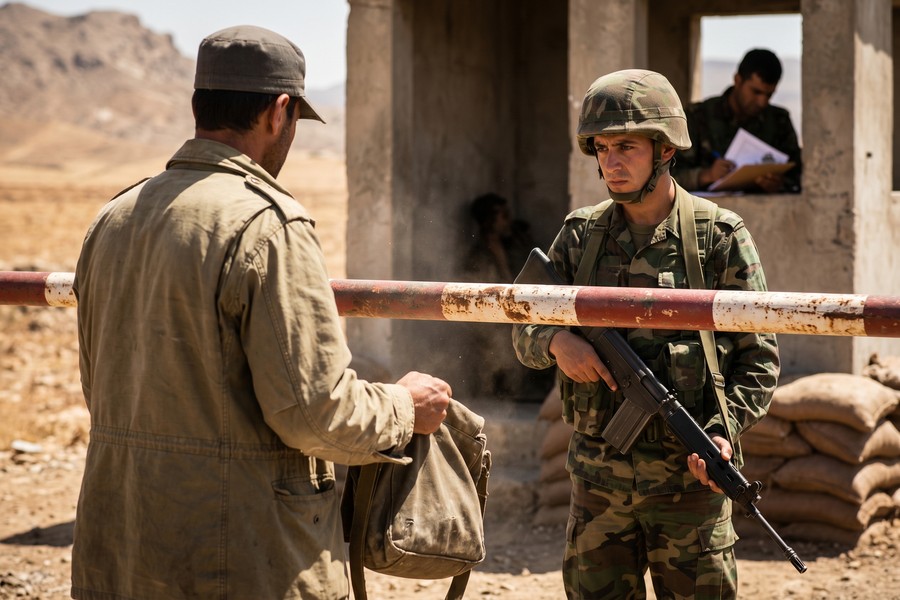
“Independent journalists are operating in a legal gray zone. They have the moral right to report but often lack the institutional backing that gives embedded correspondents a layer of protection. The satellite terminal can save your story — but only if you survive the checkpoint.”
Financial preparation matters as much as legal preparation. Understanding the hidden costs of operating in remote or hostile environments — including equipment insurance, emergency evacuation coverage, and communication redundancy — is essential. For journalists working across borders, understanding the hidden costs of travel, transfers, and insurance can help you budget accurately before deployment.
Step 6: How Do Independent Journalists Power Satellite Equipment Without Grid Access?
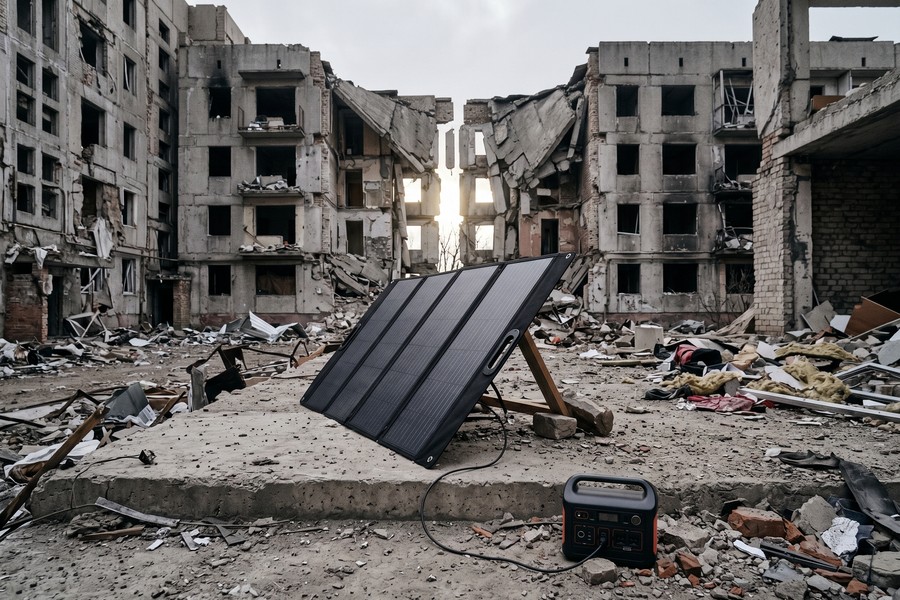
Power management is the most underestimated challenge in satellite internet journalism. The Starlink standard terminal draws approximately 50–75 watts continuously — manageable for a few hours on a portable battery, but unsustainable for multi-day operations without a solar or vehicle-based charging solution.
How to Do This
The Jackery Explorer 1000 Pro (1002 Wh capacity) can run a Starlink terminal for approximately 10–12 hours on a full charge. Pair it with two 100W foldable solar panels in direct sunlight to achieve near-continuous operation — the panels recharge the Jackery in approximately 6–8 hours of good sun exposure.
For vehicle-based operations, use a DC-to-AC inverter rated at 300W or higher connected to the vehicle’s 12V system. Keep the engine running or use the vehicle’s auxiliary battery to avoid draining your start battery. Many conflict-zone journalists who operate from vehicles use a dedicated secondary battery (such as a lithium iron phosphate (LiFePO4) deep-cycle battery) wired in parallel, specifically for electronics.
Always carry a backup charging option. A 60W USB-C power bank can keep your laptop and phone operational even if the primary power station fails. Map your charging options before each operational day — fuel shortages are common in conflict zones and directly affect generator availability.
What to Watch Out For
Solar panels are only viable in open terrain with reliable sunlight. Urban rubble environments often provide heavily obstructed sun angles. In northern latitudes during winter — as experienced by journalists covering the Ukraine conflict — solar output drops significantly. In those conditions, a vehicle-based power solution with a secondary battery is more reliable than solar alone.
Use the Starlink app’s data usage monitor to schedule your uploads during off-peak times. Reducing your terminal’s active transmission time by even 30 minutes per day can extend a 1,000 Wh battery pack from 10 hours of use to nearly 14 hours — a meaningful difference in multi-day deployments.
For journalists who rely on cloud-based editorial workflows — backing up footage, syncing with editors, archiving raw files — understanding reliable cloud storage options is directly relevant. Our breakdown of cloud storage options and their real costs applies equally to small editorial operations and solo correspondents managing large video files in the field.
Conflict reporting also demands financial planning that many independent journalists overlook. Satellite data plans, equipment insurance, emergency evacuation coverage, and travel insurance for hostile environments are significant expenses. Reviewing what travel insurance actually covers and whether you need it before deployment can prevent a financial crisis on top of a physical one.
The global market for portable satellite communication equipment used by media organizations is projected to reach $2.4 billion by 2027, growing at a compound annual rate of 11.3%, driven primarily by demand from conflict reporting and remote documentary production, according to industry analysis published by MarketsandMarkets.
Related reading: AIO Snapshot: 7 Real.
Frequently Asked Questions
Can I use Starlink for journalism in a country where it is not officially available?
Yes, with the Starlink Roam global plan, you can use your terminal in most countries — but legality varies. Some nations, including Russia, North Korea, and several others, have prohibited unauthorized Starlink use entirely. Always check the local telecommunications regulatory status before activation. Operating illegally can result in equipment confiscation, fines, or criminal charges.
How much does a complete satellite journalism kit cost for a freelance reporter?
A functional satellite internet journalism kit costs between $700 and $1,500 upfront, plus approximately $150–$250 per month in ongoing service fees. This includes the Starlink terminal (~$599), a travel router (~$80), a portable power station (~$300–$600), and a Starlink Roam plan subscription. This is dramatically cheaper than legacy VSAT systems, which cost upwards of $10,000 for hardware alone.
Is satellite internet fast enough for live video streaming from a conflict zone?
Yes. Starlink’s upload speeds in open terrain average 10–50 Mbps, which comfortably supports live 1080p streaming at 8–15 Mbps. For 4K live transmission, speeds above 25 Mbps upload are typically sufficient. Latency of 25–60 ms also enables real-time two-way communication, including live interviews via video conferencing platforms.
What should I do if my satellite terminal is confiscated at a checkpoint?
If your terminal is confiscated, do not resist — your physical safety takes absolute priority. Report the confiscation immediately to the Committee to Protect Journalists (CPJ) at cpj.org and your country’s embassy or consulate in the region. Document the confiscation with a written record as soon as possible, including the date, location, and names or unit identifiers of the personnel involved. This record is essential for any legal or insurance recovery process.
How do I protect my sources when using satellite internet to communicate in the field?
Use Signal with disappearing messages for source communication, and never send source-identifying information over email or unencrypted channels. Configure your VPN at the router level so all traffic is encrypted regardless of the device being used. For anonymous document drops, use SecureDrop — the open-source whistleblower submission system used by major newsrooms globally — accessed through the Tor Browser. The EFF’s Surveillance Self-Defense guide provides step-by-step instructions for each of these tools.
Which satellite internet service is better for journalists — Starlink or Inmarsat BGAN?
Starlink is generally superior for satellite internet journalism in terms of speed and cost. It delivers 100–250 Mbps download and 10–50 Mbps upload with 25–60 ms latency, at around $150/month. Inmarsat BGAN offers maximum speeds of about 492 Kbps with latency above 600 ms and costs roughly $500–$1,000 per month for data. BGAN’s sole remaining advantage is its near-global geostationary coverage, which matters in extreme polar regions where Starlink has gaps.
Do I need a local telecommunications license to use satellite internet as a journalist?
In many countries, yes. Most nations regulate satellite terminal operation under national telecommunications law and require either an individual license or a carrier authorization. Journalists are not automatically exempt. Some conflict zones have no functioning regulatory authority, which creates a legal ambiguity that may or may not protect you in practice. Always consult a local legal contact or your country’s embassy before deploying equipment.
How do journalists stay safe while operating visible satellite equipment in combat areas?
Operational security (OPSEC) is the core discipline here. Limit transmission sessions to under 20 minutes, physically relocate between sessions, and never broadcast from the same position twice. Camouflage the terminal with neutral-colored covers or a ground tarp. Avoid rooftop placement, which maximizes both RF detectability and physical exposure. Always brief local fixers and any accompanying personnel on the RF emission risk before powering the terminal.
What happens to my satellite footage if my equipment is destroyed in the field?
This is why remote backup during every session is critical. Use Frame.io or Signiant Media Shuttle to push footage to a cloud server as you capture it, rather than storing footage locally and uploading in bulk. If your equipment is destroyed after a successful push, the editorial material is preserved. Most professional journalists working in satellite internet journalism now treat local storage as a cache, not an archive.
Can AI tools help independent journalists file faster from conflict zones using satellite internet?
Yes, and adoption is accelerating. AI transcription tools like Otter.ai and Whisper (open-source) can transcribe interview audio locally or over a satellite connection in near real time, dramatically cutting the time between capture and filing. AI writing assistants can draft news summaries from transcribed text, which reporters then verify and edit. For a broader view of how AI is reshaping professional workflows, our guide on AI tools saving professionals time in 2026 covers relevant applications.
Sources
- Reporters Without Borders — Press Freedom Index 2024
- Committee to Protect Journalists — Journalist Casualty Data
- Committee to Protect Journalists — Digital Safety Resources
- Electronic Frontier Foundation — Surveillance Self-Defense for Journalists
- SpaceX Starlink — Roam Global Plan Overview
- Ookla Speedtest — Global Satellite Internet Speed Index
- BBC Technology — Russia’s Ban on Unauthorized Starlink Terminals
- TechCrunch — Starlink Portable Terminal Use in War Reporting
- Reuters — Starlink’s Role in Ukraine War Media Coverage
- International Committee of the Red Cross — Journalists and International Humanitarian Law






